Microsoft Edge users are facing a severe new security threat. Security researchers at Zscaler have uncovered a malicious browser extension dubbed Edgecution that secretly installs itself on your computer, bypassing normal security measures to pave the way for a devastating ransomware attack.
The scariest part about this new malware? You won’t even know it is running.
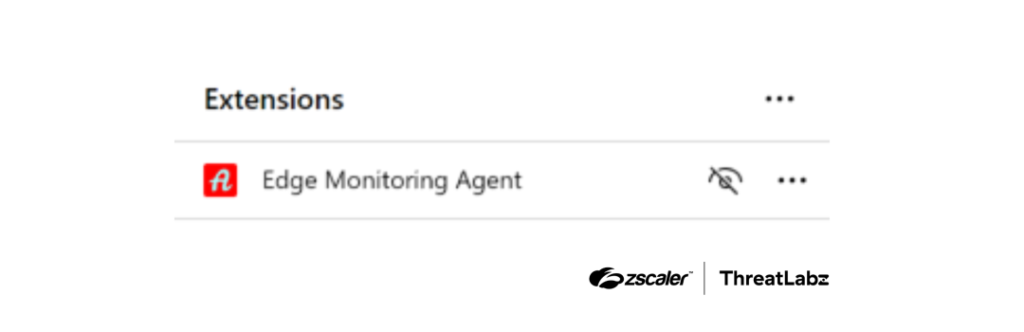
The most alarming feature of Edgecution is its complete invisibility. When a computer gets infected, the malware launches a hidden, invisible version of the Microsoft Edge browser. Tech experts call this running in “headless” mode. Because there is no browser window popping up, no new icon appearing on your taskbar, and no weird tabs flashing on your screen, the malicious extension operates right under your nose without triggering any immediate suspicion.
Normally, web browsers are built like secure sandboxes. They let you surf the internet safely by keeping websites and extensions completely separated from your computer’s internal files and programs.
Edgecution is incredibly dangerous because it acts as an escape hatch. It abuses a legitimate browser feature, one normally used to let trusted tools like password managers securely talk to your computer, to punch a hole straight through that sandbox. Once it breaks out, the extension connects to a hidden backdoor program planted on your system, bridging the gap between the web browser and your computer’s core.
What Edgecution does to your computer
When Edgecution successfully breaks out of the browser, it hands hackers complete, unrestricted control over your machine. Once installed, attackers can silently:
- Access your hard drive: Read your personal documents, steal sensitive data, and write new, dangerous files directly to your system.
- Run hidden commands: Execute dangerous code and launch programs without ever asking for your permission.
- Spy on your activity: Monitor the processes your computer is running and gather system information.
Ultimately, cybercriminals use this total access to set the stage for ransomware. They use the Edgecution backdoor to lock up your files and demand a hefty payment to give them back. But how does this invisible threat get onto your computer in the first place? Hackers are relying on deception.
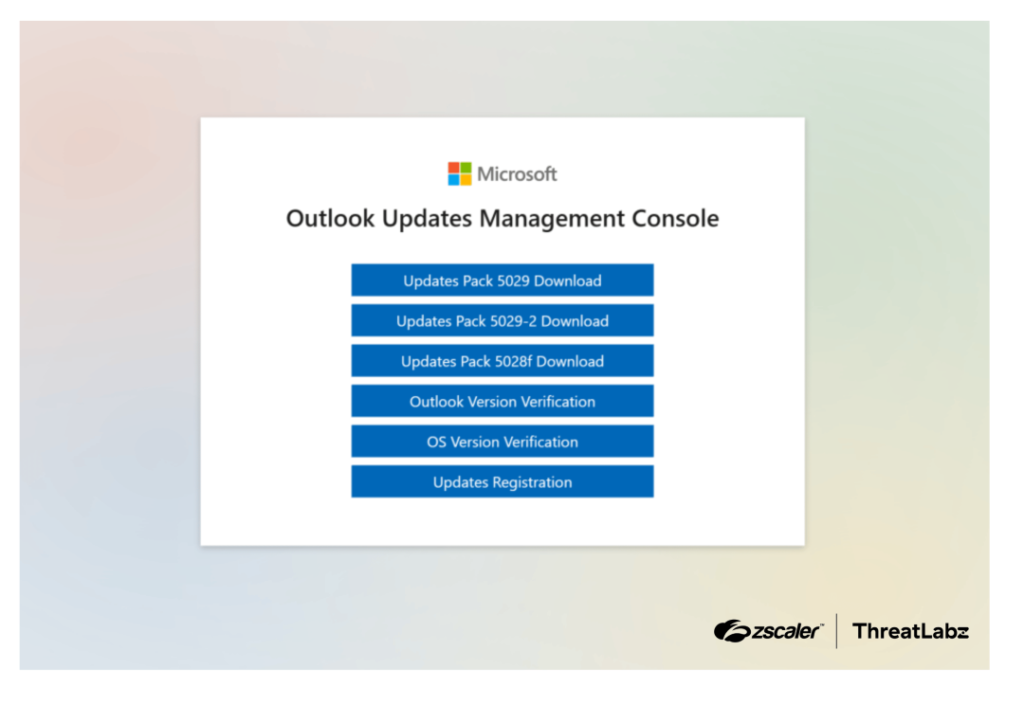
They often impersonate IT support staff in messaging apps like Microsoft Teams, urging victims to download an urgent spam filter update or Outlook patch. They direct users to a highly convincing, but entirely fake, Microsoft website. If you click the download buttons on this fake site, you aren’t getting an update. Instead, you are downloading the hidden scripts that install Edgecution.
How to protect yourself from Edgecution
Because this malware leaves no obvious visual clues, prevention is your absolute best defense. Here is how you can keep your computer safe:
- Never trust unsolicited update links: If you receive a sudden message telling you to download an urgent software update, stop and verify it. Reach out to your IT department directly through a trusted channel.
- Remember how real updates work: Legitimate Microsoft updates happen through your computer’s built-in Windows Update tool, not through random zip files sent in a chat message.
- Scrutinize web addresses: Hackers build incredibly convincing replicas of official websites. Always double-check the web address (URL) before clicking download on anything. If the address looks strange, close the tab immediately.


Hillary Keverenge
2723 Posts
Tech has been my playground for over a decade. While the Android journey began early, it truly took flight with the revolutionary Lollipop update. Since then, it's been a parade of Android devices (with a sprinkle of iOS), culminating in a mostly happy marriage with Google's smart home ecosystem. Expect insightful articles and explorations of the ever-evolving world of Android and Google products coupled with occasional rants on the Nest smart home ecosystem.
Next article View Article