Perplexity released a new update for the Comet Browser on the iOS (and iPadOS) app a few days ago. It fixes bugs/crashes, visual inconsistencies, and also revamps the tab management for iPads.
You can find an image of the official changelog below. The latest version is v26.24.0.
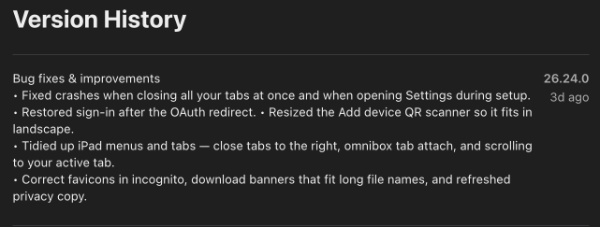
There were two commonly reported instances of the browser crashing: When closing all tabs at once, or when opening Settings during the setup. Both of these crashes no longer occur, and I’ve checked myself on the latest version of Comet on iOS. It’s good for power users who manage multiple tabs.
The next change is with sign-in functionality. Earlier, there were authentication issues (OAuth redirects), which have now been fixed. Additionally, the “Add device” QR code scanner (when setting up Sync) has been resized to fit properly even in the landscape orientation.
iPad users benefit substantially from this update. It tidies up menus and tab behavior with several adjustments: Closing tabs to the right, improving the omnibox tab attachment, and better scrolling as well, which reliably brings the active tab into view. These changes will make the Comet experience more intuitive on iPads.
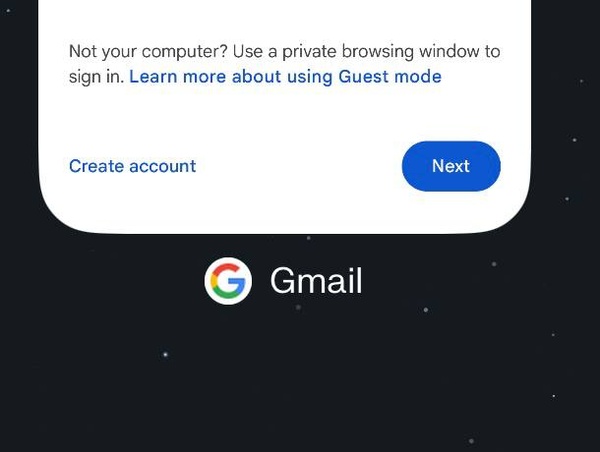
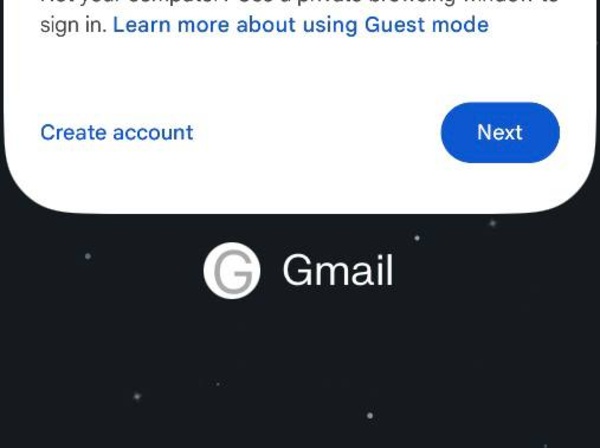
Another refinement corrects the favicons in Incognito mode. However, in my testing (on the latest version), Incognito mode still doesn’t display the proper favicon of websites, so it probably needs more work. Favicons display correctly in regular browsing mode, and you can find the relevant images below.
Comet has also improved download banners, and they can now accommodate longer file names, so they don’t awkwardly cut off. This is helpful if you’re downloading files with similar names at the start, but differences towards the end.
Finally, there’s a refreshed “privacy copy” for users to read.
While this isn’t a feature-heavy release overall, it brings good quality-of-life improvements. The changes are all live right now, and you can update the Comet app via the App Store.
The Comet app on iOS also lets you trigger Computer tasks from any page now. You can read more on that here.


Sudhanshu K
299 Posts
I have been a consumer technology enthusiast for over 5 years. Thanks to my experience in software beta testing and product reviews, I've understood and learnt a lot about what bugs and issues bother people, and I spend time trying to simplify their solutions. I cover smartphones, software, social media, apps, AI, and most consumer tech gadgets. Actively pursuing a Computer Science bachelor’s degree. I'm mostly active on Twitter/X (@TechWhirlUlt), drop a DM or tag me if you want to share info or connect!
Next article View Article