Google confirmed a widespread bug throwing a weird certificate pop-up at users trying to load basic web pages.
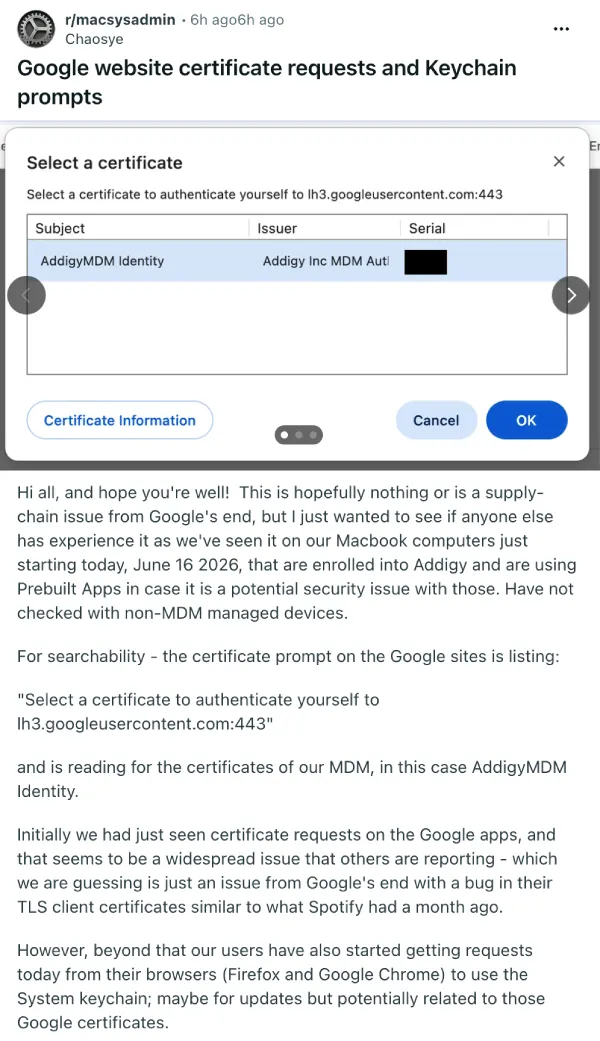
Users started seeing a prompt asking them to select a certificate to authenticate themselves to a Google content server across multiple browsers. The box pops up randomly when opening new tabs, checking Gmail, or watching YouTube videos.
Of course, people panicked and assumed they might have caught a virus. We’ve seen a few threads discussing the issue pop up on Reddit and Hacker News forums, with confused users running malware scans and forcefully killing background processes.
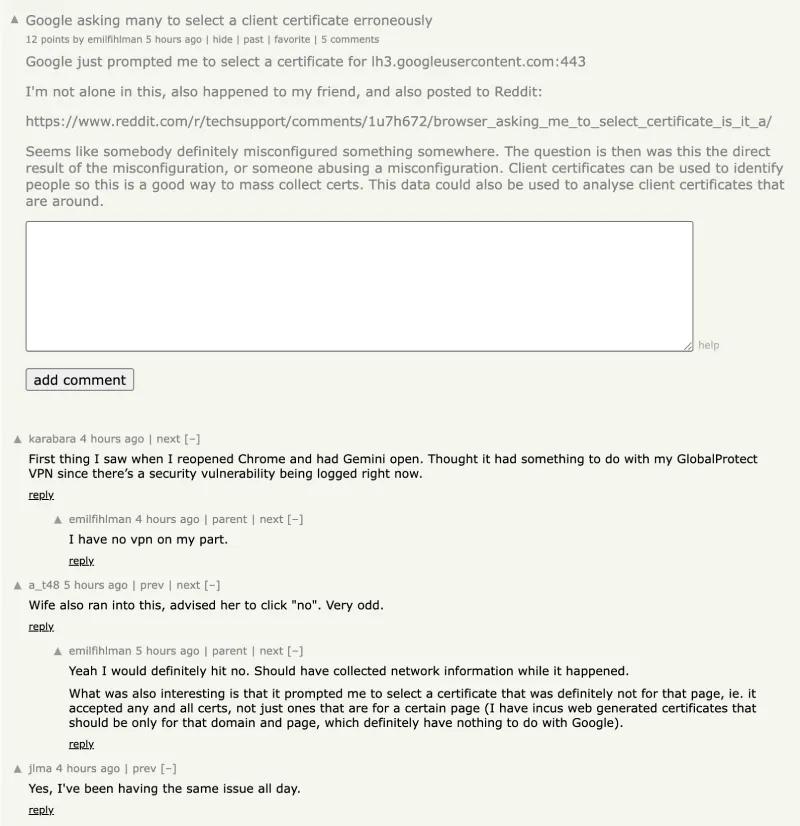
The prompt looks exactly like a malicious attempt to steal credentials or inject bad code into a machine. It hit Chrome, Firefox, Brave, and Safari users on both Windows and Mac computers. Mobile users on Android and iOS devices experienced the exact same issue.
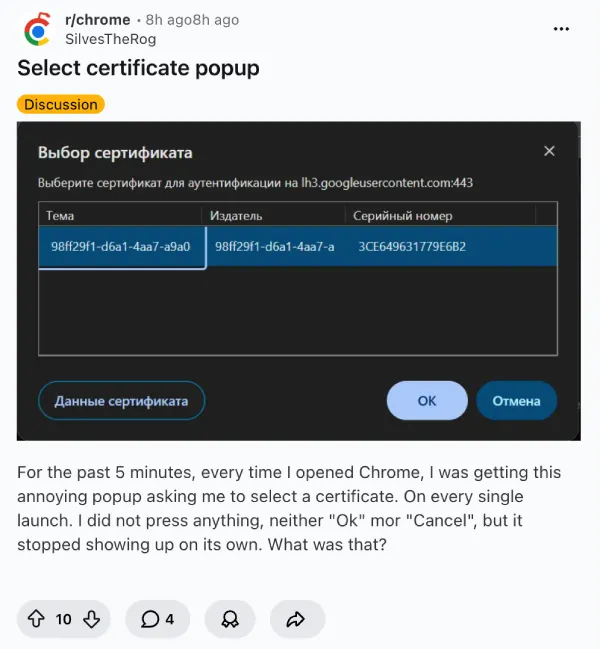
Since there was no official communication from Google immediately after the issue was reported, some folks spent hours troubleshooting their own home networks and uninstalling browser extensions, trying to fix a problem they didn’t cause. Many users even disabled their virtual private networks, thinking their provider was intercepting traffic.
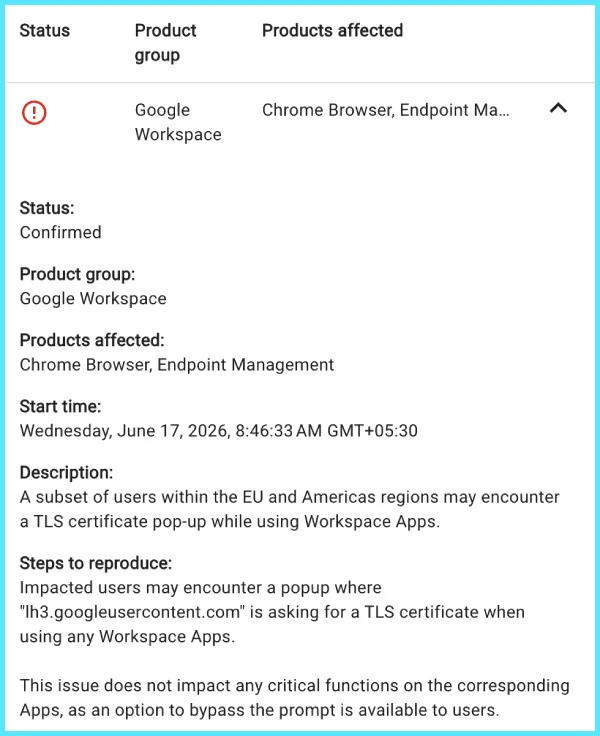
Google eventually updated its Cloud Support Portal to officially document the glitch. The company blamed a server-side change and confirmed that engineers are actively rolling back the faulty update. The dashboard notes the issue impacts a subset of users in the EU and the Americas trying to use Workspace apps.
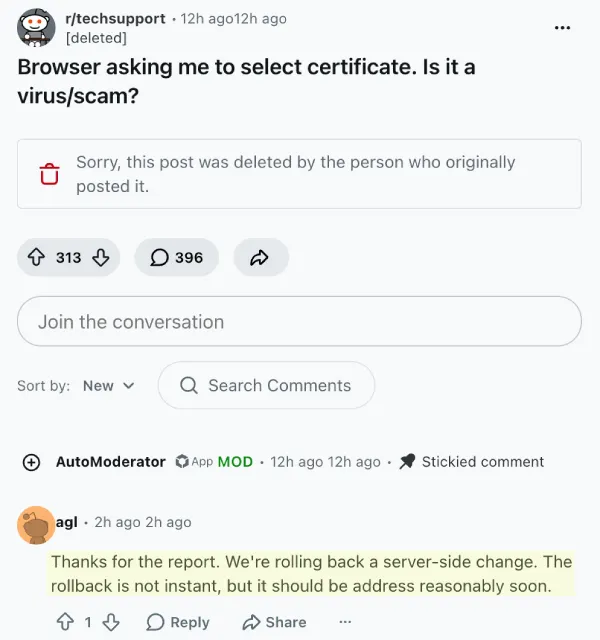
A verified Google employee responding to a Reddit thread also confirmed the rollback is happening right now, but warned it won’t be instant.
According to the official status update, Google’s content delivery network servers are currently misconfigured. They are asking regular internet users to provide a public identity certificate to prove who they are. This specific authentication method is normally used for enterprise employees logging into secure corporate systems with a physical smartcard or security key. Regular internet users don’t have these specific certificates and the servers should never ask for them. A bad configuration file clearly got deployed and flipped this strict requirement on for regular consumer web traffic.
That said, there’s also a simple temporary workaround that affected users can try out. They just need to click cancel or select the option not to send a certificate. The browser will dismiss the box and load the underlying web page normally without breaking any critical functions or locking you out of your email. Some Mac users are seeing an extra prompt asking for System keychain access right alongside the Google certificate request. They should absolutely deny that keychain prompt and simply close the window.
Google found the root cause and is pushing a fix across its global servers. The update will take a few hours to reach everyone. You might still see the annoying pop-up on and off until the fix finishes rolling out in your specific region.


Dwayne Cubbins
2975 Posts
I cover fast-moving stories across apps, online platforms, and everyday tech — phones, wearables, consoles, and whatever else people are fighting with this week. Bugs, rollouts, scams, policy enforcement, and the occasional internet-culture rabbit hole are all fair game. My goal is simple — make confusing tech news readable. When I'm not working, I'm working out or chilling with my dog. Got a tip? You can find me on X @dcubbins.
Next article View Article