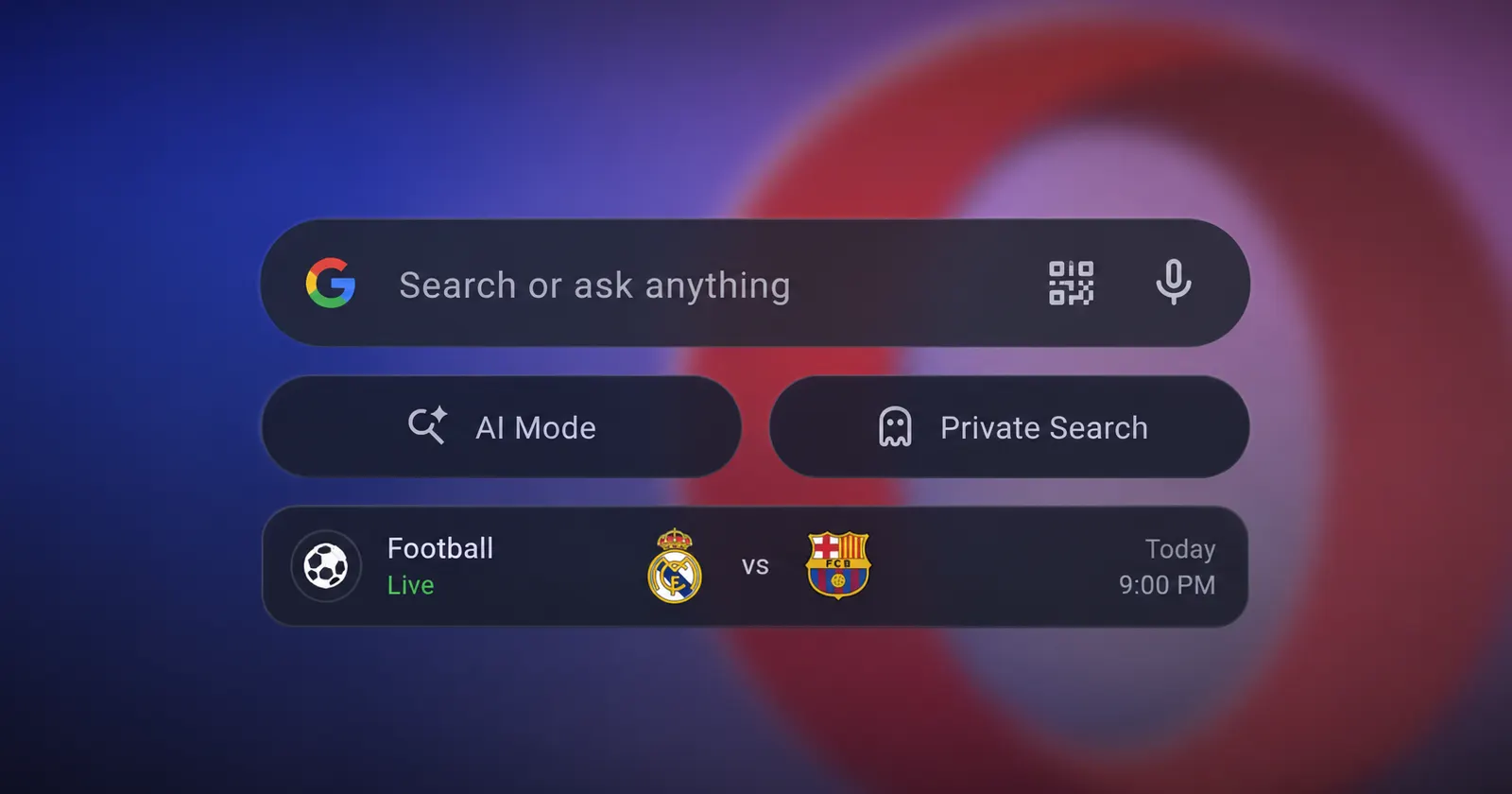
Opera is rolling out a major redesign to its Android browser home screen today. It looks like the update places Google AI and private browsing shortcuts front and center. The change can be spotted in the newest version from the Play Store — v99.1.5094.88830.
The company is also gearing up for the 2026 FIFA World Cup by adding a dedicated widget to the main interface to pick your favorite teams to track.
I even grabbed a screenshot of the old start page to compare with the new one. The older layout featured a basic search bar hovering directly over your standard app shortcuts and a generic news feed. It seems the refreshed design drops two prominent pill-shaped buttons labeled “AI Mode” and “Private” right below the search bar. It pushes the personalized news articles much further down the screen to make room for the new tools.
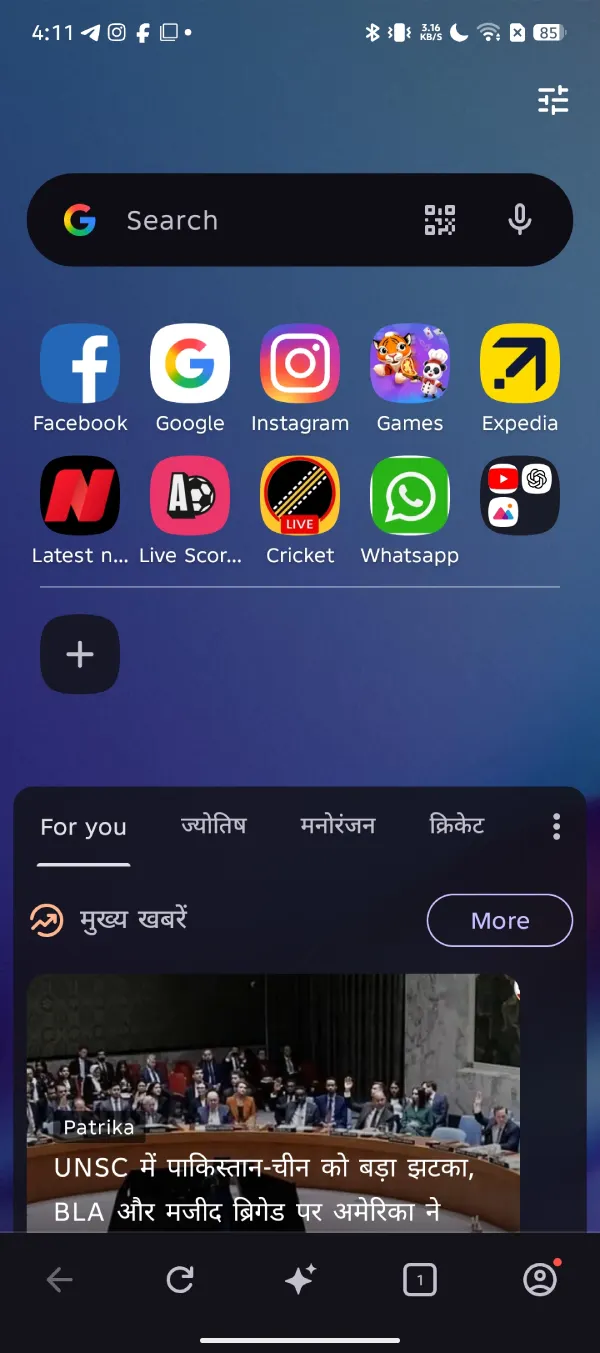
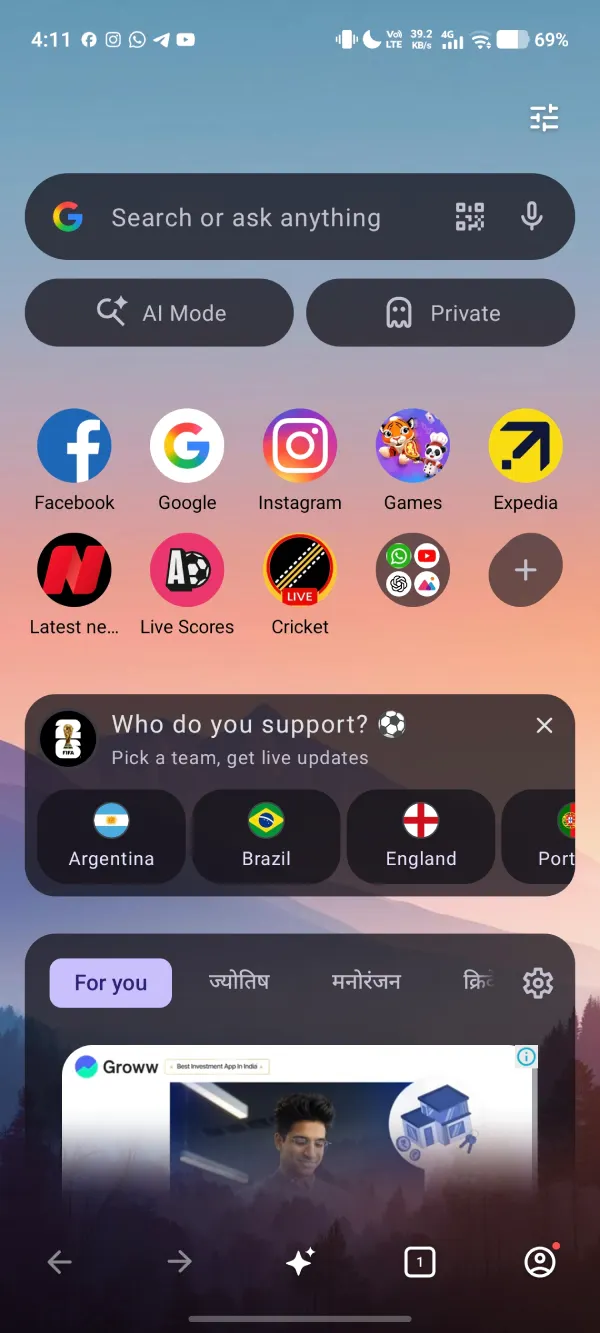
That said, you won’t see this new layout by default. I had to dig into the settings and manually enable the AI and Private search shortcut following a fresh install. This suggests Opera wants users to opt into this heavier interface rather than forcing it on everyone right away.
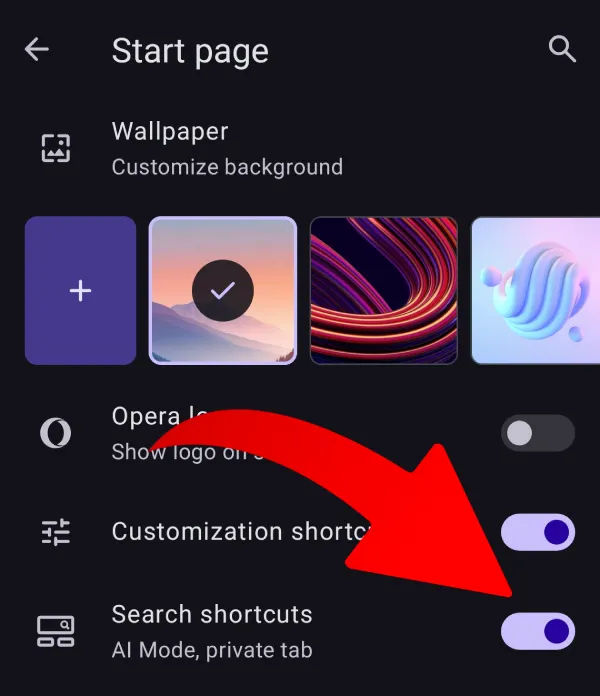
Tapping the AI Mode button launches you straight into a conversational interface with Google’s AI. It’s worth noting, though, that the browser still lets you choose alternative search engines and keeps Opera’s own Ask AI chatbot available. So you’re not forced to use Google’s AI. And you can toggle it off completely too.
The bottom half of the new home screen is entirely focused on sports. A massive “Who do you support?” widget now sits just below your speed dials. You can pick your favorite international teams from a scrollable list featuring squads like Argentina, Brazil, England, and Portugal. The widget uses large circular flags for each country to make selection easy.
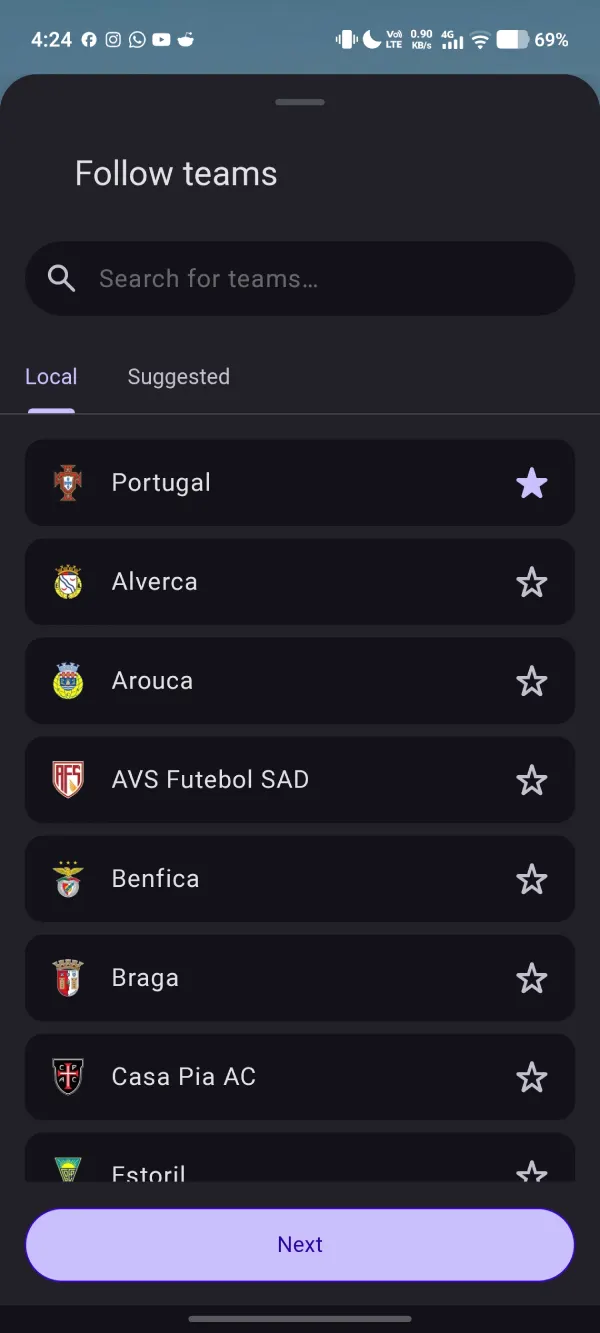
This football push naturally ties into the existing live sports widget in Opera. Now you can track your favorite teams on the Opera start page itself without navigating to a separate tab.
The browser updates this section with live match scores, upcoming fixtures, and post-game scorecards. You’ll also get system-level push notifications on your phone for major events like match kick-offs, goals, or final whistles. It looks like Opera built a learning algorithm into this sports tracker to adjust the news feed based on your interaction habits.
That said, Opera isn’t alone in timing a browser update around the tournament. Firefox this week added a live sports widget to its New Tab page, alongside weather, clock, and timer widgets, positioning itself as a second-screen companion for World Cup fans. Opera’s approach goes a step further by baking the soccer tracker directly into the home screen rather than treating it as an optional widget layer.
Both the standard Opera browser and Opera Mini are receiving these start page updates across Android devices right now.


Dwayne Cubbins
3040 Posts
I cover fast-moving stories across apps, online platforms, and everyday tech — phones, wearables, consoles, and whatever else people are fighting with this week. Bugs, rollouts, scams, policy enforcement, and the occasional internet-culture rabbit hole are all fair game. My goal is simple — make confusing tech news readable. When I'm not working, I'm working out or chilling with my dog. Got a tip? You can find me on X @dcubbins.
Next article View Article