![Chrome just patched a scary zero‑day flaw – update your browser immediately [U]](https://piunikaweb.com/wp-content/uploads/2026/06/chrome-149-new-update-featured.webp "Chrome just patched a scary zero‑day flaw – update your browser immediately [U]")
Update 11/06/26 – 10:18 am (IST): The update is now live on the App Store too for iPhone users as version 149.0.7827.137. The changelog doesn’t mention what’s new, but it should have the same backend patches as we mentioned in the original post below.
Original article published on June 10, 2026, follows:
Chrome just shipped a critical security update to patch a zero‑day vulnerability that attackers are already exploiting, and you really shouldn’t wait to install it. The fix is rolling out as part of the latest stable Chrome 149 release, with builds 149.0.7827.102 and 149.0.7827.103 on Windows and macOS, and 149.0.7827.102 on Linux. Google confirms the flaw is being abused in the wild right now.
The vulnerability lives in Chrome’s engine and gives attackers a path to run arbitrary code on your device. All they need is for you to visit a page they control. That page can come from a link in an email, an ad on a website, or even a message on social media. The exploit then tries to escape the browser sandbox so the attacker can do more on your computer than just affect the tab.
As Google noted, the exact details are still hidden as the company is waiting for more people to install this patch and for other browser vendors to prepare their own fixes.
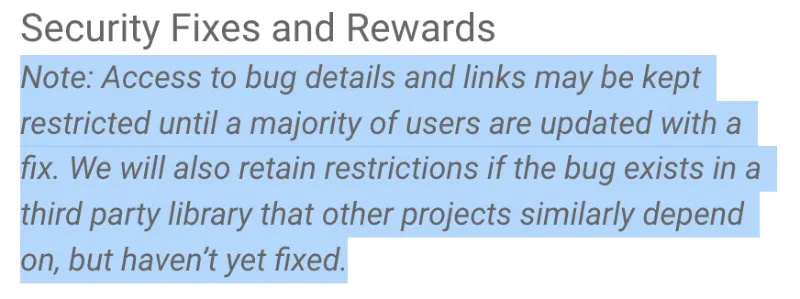
Besides the zero day, this build adds a number of additional security patches. Many of them were reported by researchers through Google’s bug bounty program. The earlier Chrome 149 update already fixed 429 security issues. These smaller fixes still matter because attackers often combine several weaknesses to break in. The full list of fixes is below:
Chrome security fixes (click to expand)
This update includes 74 security fixes. See the Chrome Security Page for more details.
- CVE-2026-11628 – Critical: Use after free in Ozone (Reported by Google on 2026-05-25)
- CVE-2026-11629 – Critical: Use after free in Ozone (2026-05-26)
- CVE-2026-11630 – Critical: Use after free in File Input (2026-05-26)
- CVE-2026-11631 – Critical: Use after free in Aura (2026-05-26)
- CVE-2026-11632 – Critical: Use after free in TabStrip (2026-05-26)
- CVE-2026-11633 – Critical: Use after free in Bluetooth (2026-05-27)
- CVE-2026-11634 – Critical: Use after free in Gamepad (2026-05-27)
- CVE-2026-11635 – Critical: Use after free in Bluetooth (2026-05-27)
- CVE-2026-11636 – Critical: Use after free in Autofill (2026-05-27)
- CVE-2026-11637 – Critical: Use after free in Views (2026-05-27)
- CVE-2026-11638 – Critical: Use after free in Printing (2026-05-27)
- CVE-2026-11639 – Critical: Use after free in Compositing (2026-05-27)
- CVE-2026-11640 – Critical: Integer overflow in libyuv (2026-05-28)
- CVE-2026-11645 – High: Out of bounds memory access in V8 ($55,000 reward)
- CVE-2026-11646 – High: Use after free in ViewTransitions ($500 reward)
- CVE-2026-11700 – Medium: Use after free in Tracing
- CVE-2026-11701 – Medium: Insufficient validation in Guest View
Note: Google is aware that an exploit for CVE-2026-11645 exists in the wild.
On a desktop computer the update process is straightforward. Open Chrome and click the three-dot menu in the top right corner. Choose Help from the menu and then About Google Chrome. The browser will check for the latest version and download it in the background. When the download is complete, click the Relaunch button to restart Chrome and apply the new code.
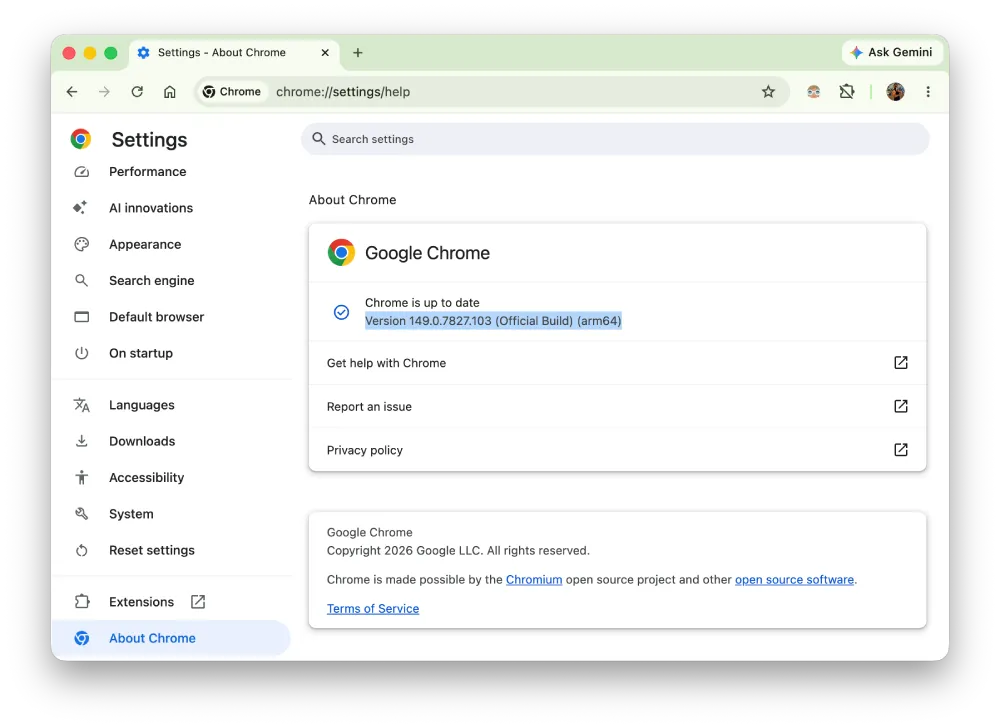
If you want to skip a couple of clicks, you can paste chrome://settings/help into the address bar instead. Just remember to restart Chrome after the update is complete.
Android users should update through the Play Store without delay. Open the Play Store app and go to the Manage apps and device section. Look for Chrome in the list of available updates. Tap Update and wait for the install to finish. Then close the browser completely and open it again to make sure the new version is active.
That said, at least Google is making quick moves to patch these vulnerabilities. Microsoft Edge is yet to get a security update to patch some of the previous security issues that Chrome has already fixed.


Dwayne Cubbins
3088 Posts
I cover fast-moving stories across apps, online platforms, and everyday tech — phones, wearables, consoles, and whatever else people are fighting with this week. Bugs, rollouts, scams, policy enforcement, and the occasional internet-culture rabbit hole are all fair game. My goal is simple — make confusing tech news readable. When I'm not working, I'm working out or chilling with my dog. Got a tip? You can find me on X @dcubbins.
Next article View Article