Microsoft has been on a tear lately, aggressively bridging the gap between its desktop and mobile browsing experiences. If you’ve been following Microsoft Edge for Android, you probably noticed the recent addition of desktop-style multitasking, complete with the ability to open links in a new window and a dedicated “Manage windows” screen. But the polishing doesn’t stop there. Microsoft is now tweaking how you interact with tabs sent from your other devices.
Spotted by eagle-eyed browser sleuth Leopeva64 on X, the latest Microsoft Edge Canary for Android hides a subtle but welcome revamp to the “Send tab to self” feature. Previously, when you sent a webpage from your PC to your phone, Edge displayed a custom pop-up at the bottom of your screen. Now, Microsoft is ditching that in favor of native Android system notifications at the top of your display.
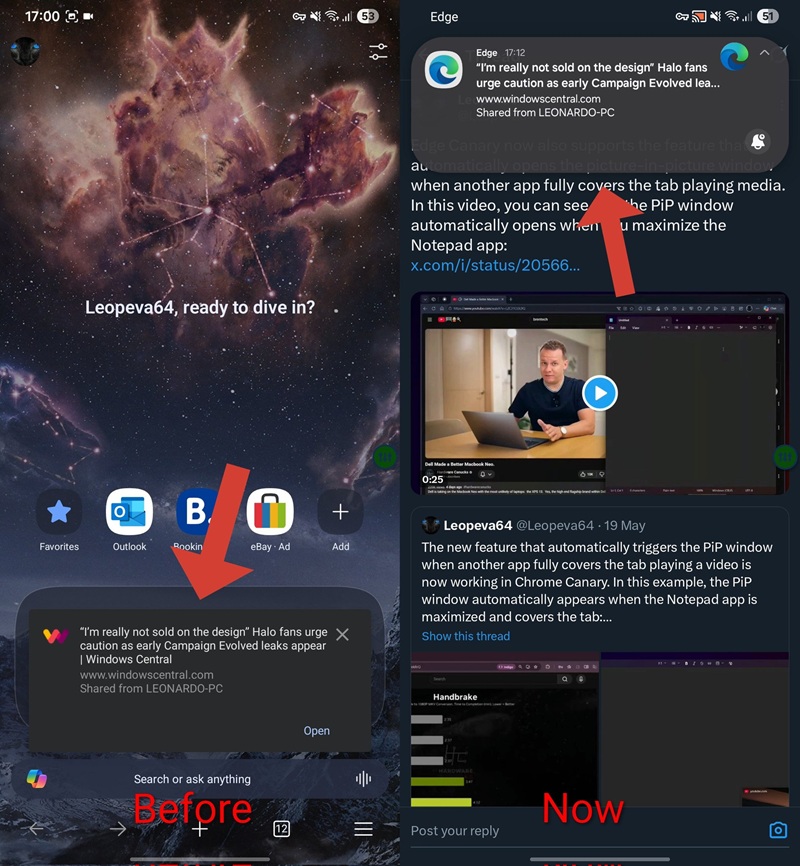
From what I observed, the updated notification includes a small dropdown arrow that expands more details about the shared link. There is also a bell icon in the corner, and tapping the notification opens the shared page directly. It is a cleaner, more polished approach, and it fits Microsoft’s broader effort to make Edge on Android feel less like a stripped-down mobile browser and more like a proper cross-device companion.
Tapping the alert seamlessly launches Edge and loads the shared web page. Interestingly, if you already have the browser actively open in the foreground, you’ll still see the familiar bottom prompt. The new system-level alert seems designed specifically for when you are on your home screen or using other apps, which is a sweet multi-tasking improvement.
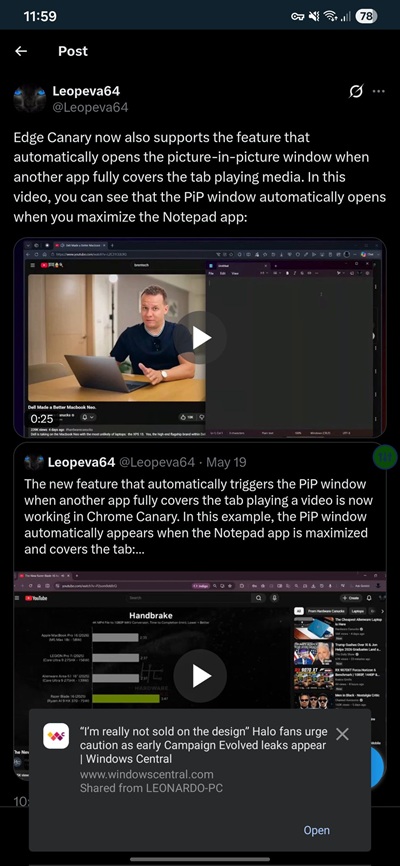
I fired up the latest version of Edge Canary to test this out for myself, but I couldn’t get the new notification style to trigger on my end. Instead, I was still greeted by the older user interface. This isn’t entirely surprising; my inability to replicate it strongly suggests Microsoft is currently running a limited A/B test or a gradual server-side rollout.
While it is currently restricted to a lucky few in the experimental Canary channel, these quality-of-life improvements usually don’t take long to graduate. As Microsoft continues to refine the mobile browsing experience to match its desktop counterpart, you can expect this streamlined “Send to self” notification behavior to eventually make its way to the Beta and Stable channels in the near future.


Hillary Keverenge
2723 Posts
Tech has been my playground for over a decade. While the Android journey began early, it truly took flight with the revolutionary Lollipop update. Since then, it's been a parade of Android devices (with a sprinkle of iOS), culminating in a mostly happy marriage with Google's smart home ecosystem. Expect insightful articles and explorations of the ever-evolving world of Android and Google products coupled with occasional rants on the Nest smart home ecosystem.
Next article View Article