Chrome 150 is starting to close the door on Manifest V2 extensions like uBlock Origin, and Chrome 151 is about to slam it shut for most regular users. A cluster of new reports and dev threads shows that the old flag and parameter tricks that kept MV2 running in Chrome are breaking in 150 and basically gone in 151 unless you’re willing to dive into debugging tools and DLL patching.
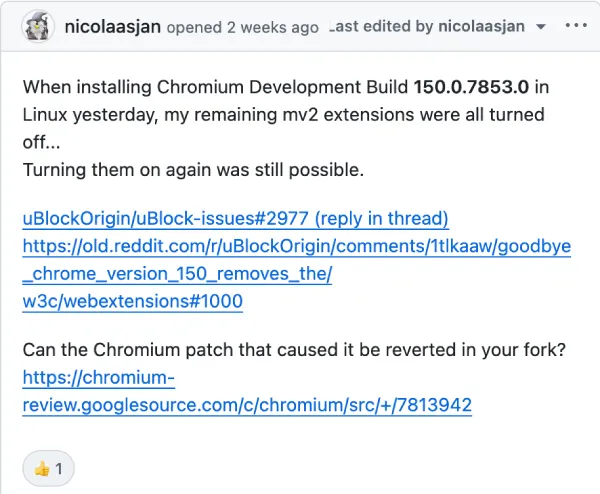
A GitHub issue from the Chromium-for-Windows-7-REWORK project first flagged that Chrome 150 removed the parameter that restored MV2 extension access. The maintainer said updating to a 150 dev build on Linux disabled the remaining MV2 extensions, though they could still be toggled back on manually.
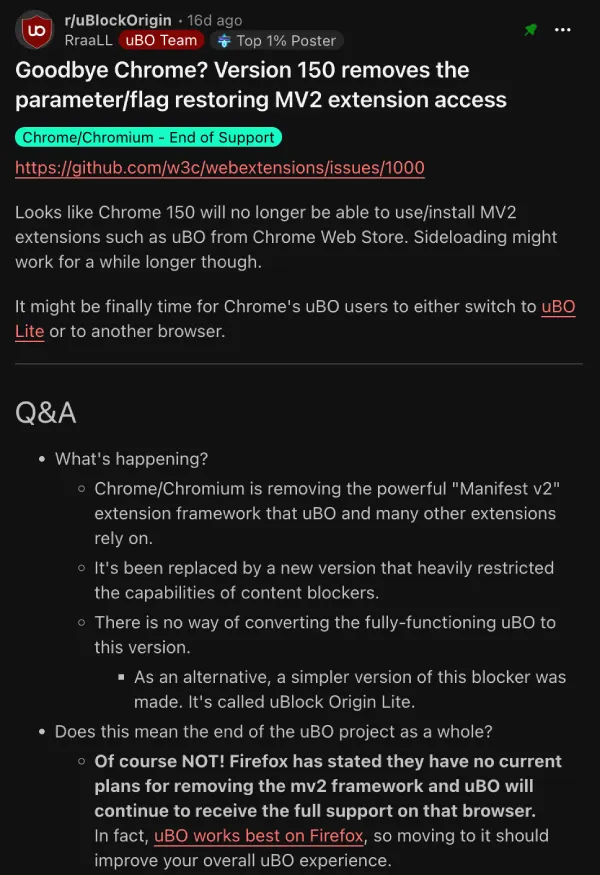
Reddit’s r/uBlockOrigin has similar reports from people who updated to Chrome 150 and suddenly watched their classic uBlock Origin and other MV2 extensions get shut off. The uBO team themselves shared a Q&A about what to expect.
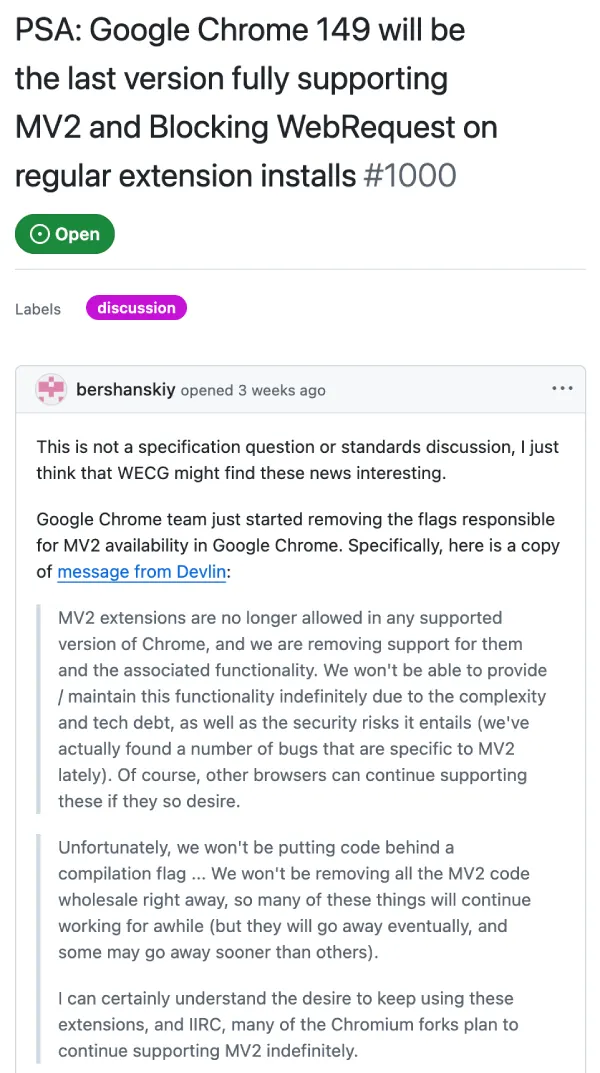
Meanwhile, a PSA in the W3C WebExtensions repo warned that Chrome 149 would be the last version fully supporting MV2 and blocking webRequest on regular extension installs, and then clarified that Chromium 150 dropped the ExtensionManifestV2Disabled flag.
That flag used to be part of the recipe that let users install MV2 extensions from the Chrome Web Store and keep them running with a few command line switches. With Chrome 150, that specific path is gone, so you can’t just paste the old –disable-features=ExtensionManifestV2Unsupported, ExtensionManifestV2Disabled combo and expect everything to work again.
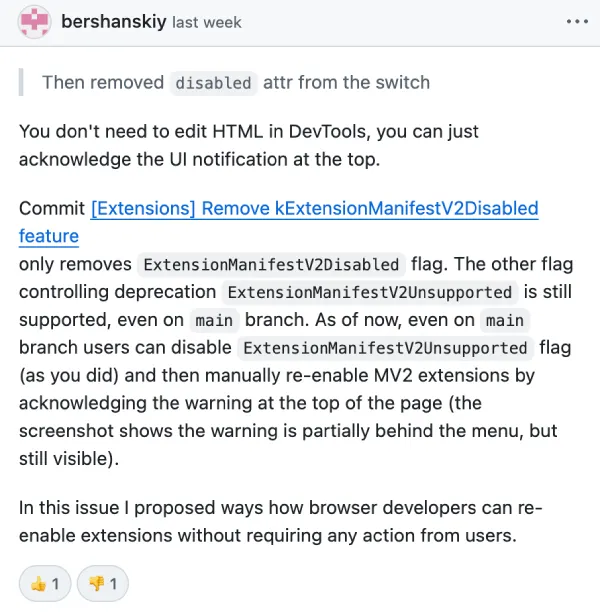
There’s still a bit of life left in 150 though. Some users say you can disable the remaining ExtensionManifestV2Unsupported flag, then go to the Extensions page and acknowledge the warning banner at the top to re-enable MV2 extensions. One commenter even showed that after editing the disabled attribute in DevTools to unfreeze the toggles, Chrome displayed the re-enable prompt and allowed MV2 extensions like uBlock Origin to come back. It’s clunky and fragile, but it exists.
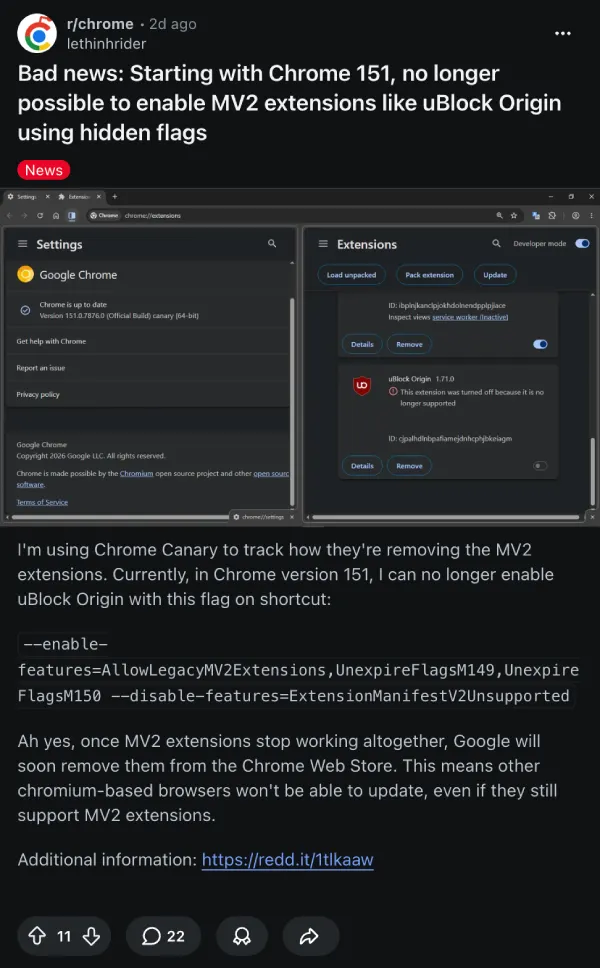
But it looks like even this is being blocked with Chrome 151. Chromium 151 removes ExtensionManifestV2Unsupported, removes ExtensionManifestV2Availability, and is expected to remove AllowLegacyMV2Extensions as well. A separate thread in r/chrome and mentions in the Chromium fork issue say that from 151.0.7874.0, the old flag hacks “no longer work,” at least not without extra low-level steps.
Some Chromium forks still have an easier way out. There’s an internal g_allow_mv2_for_testing switch, and flipping it to true basically turns MV2 support back on without any flags. The Chromium-for-Windows-7-REWORK dev says they now only patch this one boolean in 150.0.7863.0 and MV2 works again, even for Web Store installs through direct links.
A few power users are also patching stock Chrome. One dev used WinDbg to toggle g_allow_mv2_for_testing in Chrome Canary, and others now point to the chrome_plus project, which injects a DLL to do similar in‑memory patching on Chrome 151.x. That stuff clearly isn’t for regular users, but it proves MV2 is still hiding in the engine even as Chrome pulls away the flags and UI.
Another thing worth noting is that the WebExtensions PSA says Chrome 151 drops MV2 “in all consumer install modes,” while Enterprise and Education builds keep it around with blocking webRequest for now, and users who really care can even pretend to be an enterprise to keep installing MV2 extensions. For everyone else still hanging on to classic uBlock Origin, Chrome 150 looks like the last version where flags and a bit of UI poking can revive MV2, and 151 is where only forks and heavy reverse engineering keep it alive.


Dwayne Cubbins
3054 Posts
I cover fast-moving stories across apps, online platforms, and everyday tech — phones, wearables, consoles, and whatever else people are fighting with this week. Bugs, rollouts, scams, policy enforcement, and the occasional internet-culture rabbit hole are all fair game. My goal is simple — make confusing tech news readable. When I'm not working, I'm working out or chilling with my dog. Got a tip? You can find me on X @dcubbins.
Next article View Article