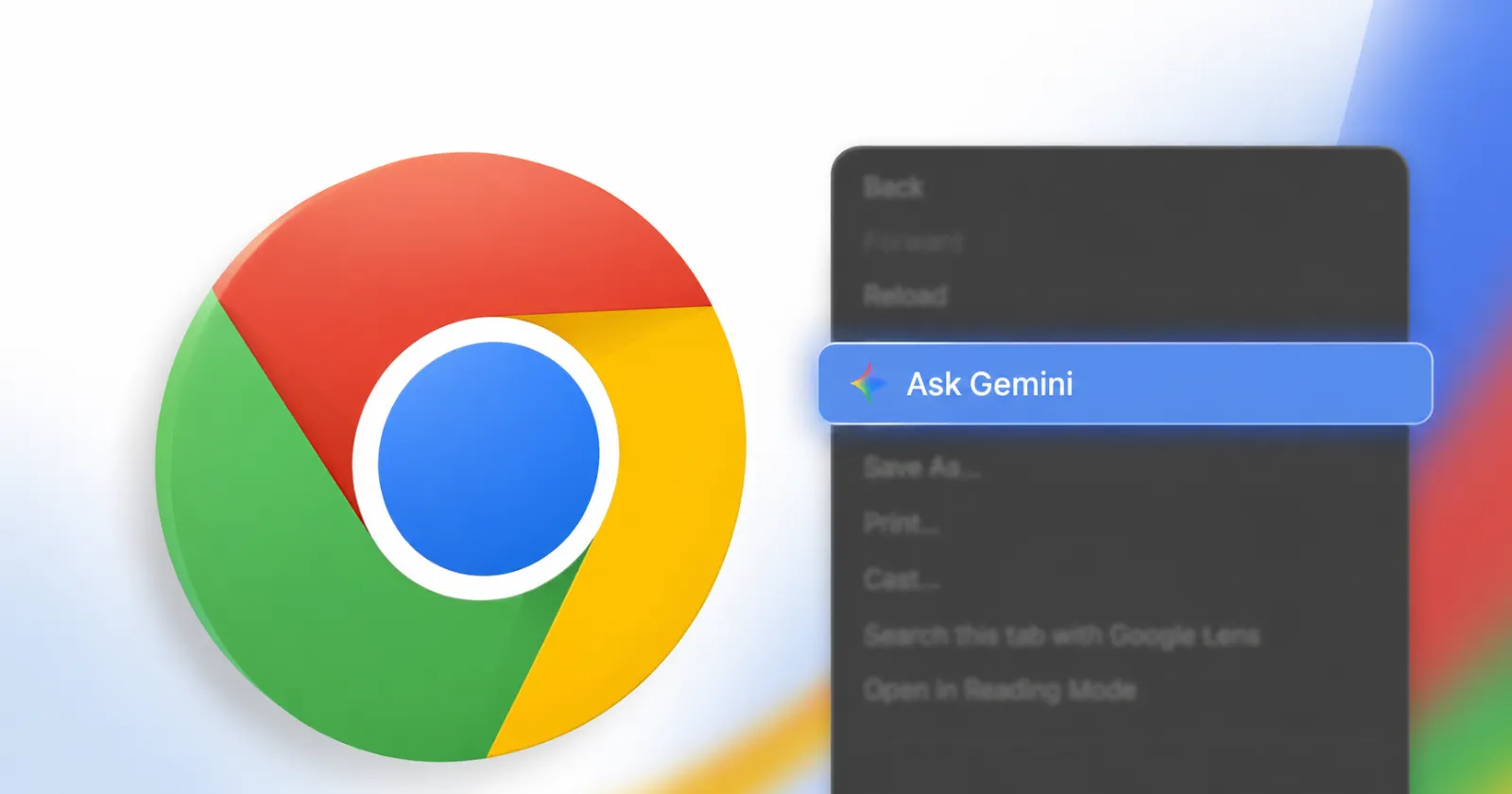
Google added an “Ask Gemini” shortcut directly into the main Chrome context menu. It sits prominently near the top of the list whenever you right-click anywhere on a webpage.
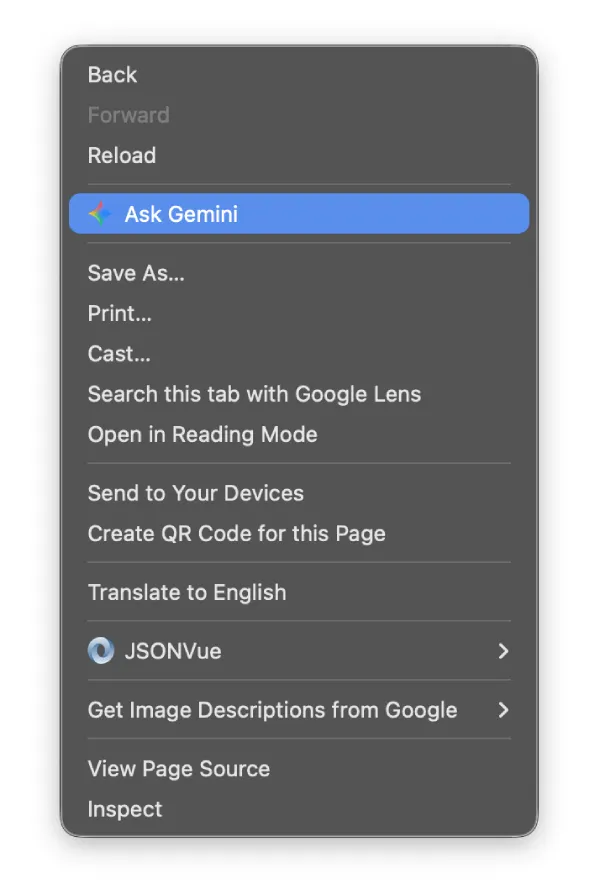
If you keep accidentally clicking it, or if you simply prefer a minimal menu without AI shortcuts cluttering your screen, you can turn it off.
The toggle to remove this shortcut is completely missing from standard Chrome settings. Google hides it under the experimental flags page, meaning you have to flip a hidden switch behind the scenes to get rid of it.
How to turn off the Ask Gemini option in the context menu
- Open a new tab in Google Chrome.
- Copy and paste chrome://flags/#glic into the address bar at the top, then press Enter.
- You will see a page titled Experiments. Chrome automatically scrolls down and highlights the target setting in yellow, which is labeled Glic. The text below it mentions that it enables glic on Mac, Windows, Linux, ChromeOS, and Android. You will notice several other related settings like Glic actor and Glic experimental triggering listed below it, but you can leave those alone.
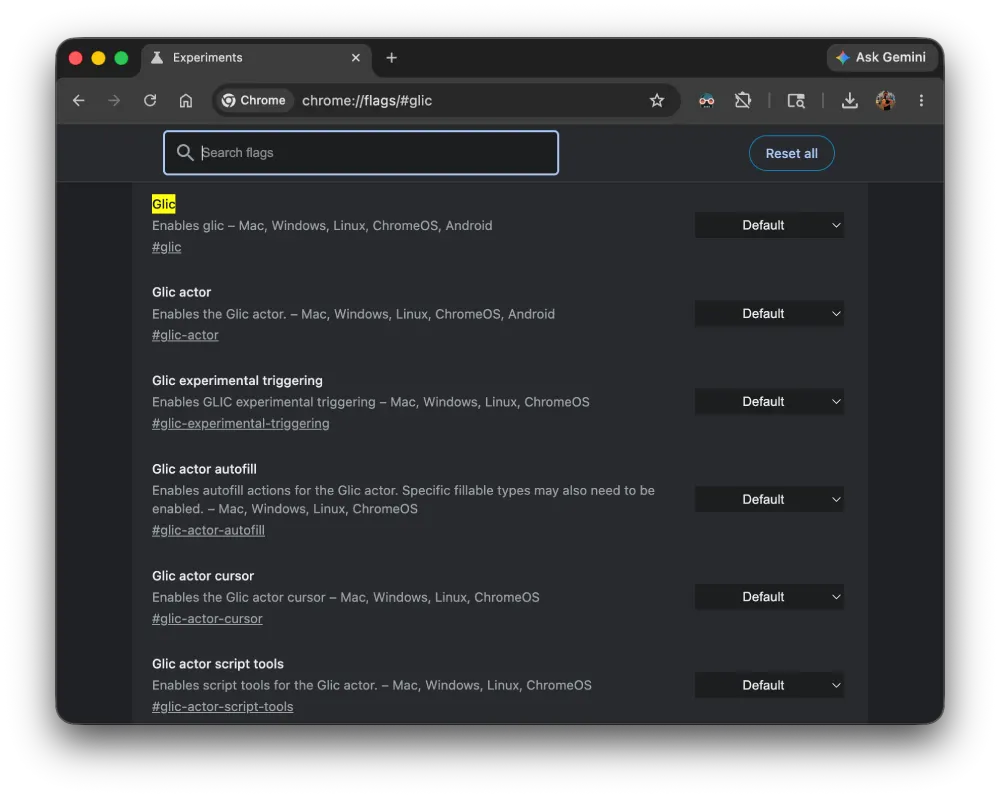
- Click the drop-down menu on the right side of the Glic row. It is set to Default out of the box.
- Select Disabled from the list. The dropdown box will change color to show it has been modified.
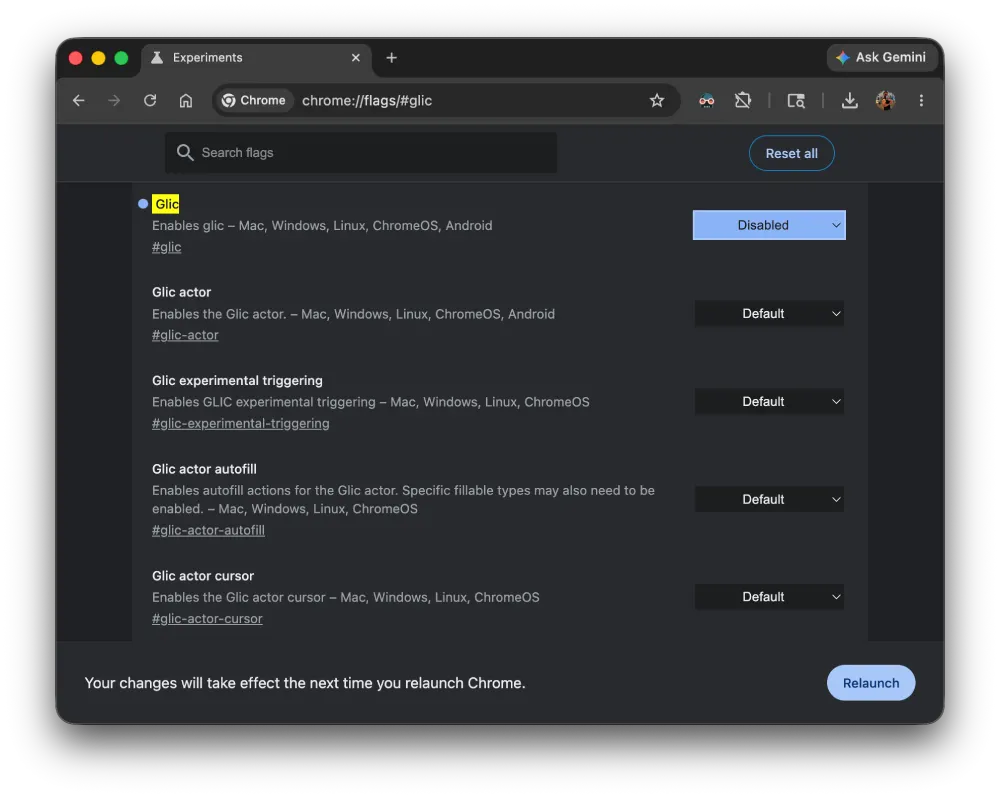
- Look at the bottom of the screen. A warning message pops up reading “Your changes will take effect the next time you relaunch Chrome.”
- Click the blue Relaunch button in the bottom-right corner.
Chrome will close all open windows and immediately reopen them. Make sure to save any unsaved data or forms in other tabs before clicking relaunch, though Chrome typically restores your open tabs exactly where you left them.
After the browser restarts, right-click anywhere on a blank part of a web page to check your work. The blue-tinted “Ask Gemini” option disappears from the menu entirely, leaving your classic right-click layout intact. If you ever want the feature back, return to the same flags page and change the dropdown setting back to Default.


Dwayne Cubbins
3084 Posts
I cover fast-moving stories across apps, online platforms, and everyday tech — phones, wearables, consoles, and whatever else people are fighting with this week. Bugs, rollouts, scams, policy enforcement, and the occasional internet-culture rabbit hole are all fair game. My goal is simple — make confusing tech news readable. When I'm not working, I'm working out or chilling with my dog. Got a tip? You can find me on X @dcubbins.
Next article View Article