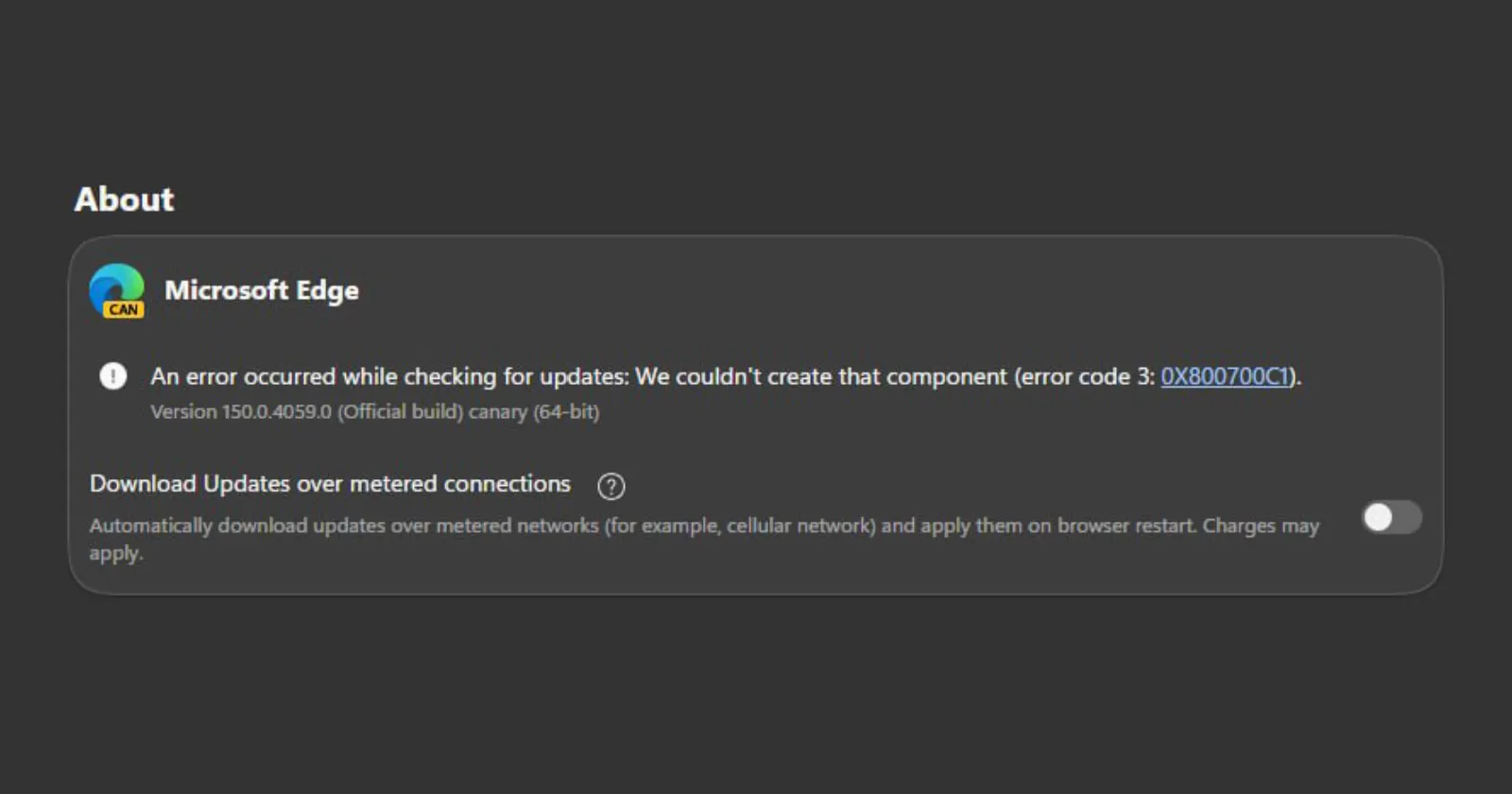
Microsoft engineers are finally patching a broken update loop that has thrown error code 3: 0X800700C1 at Edge Canary testers for more than a month.
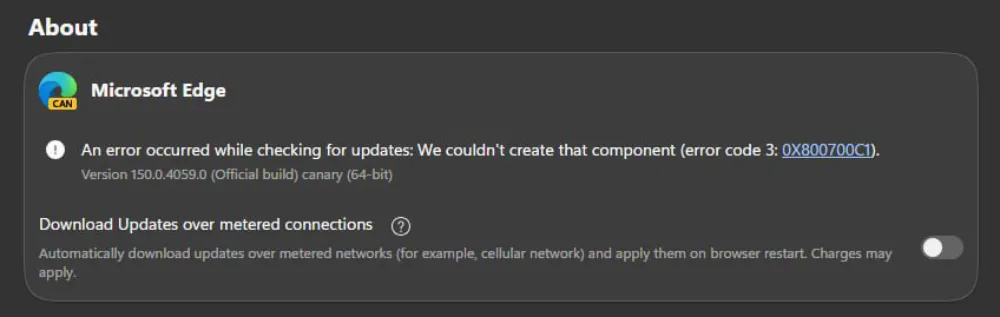
This bug tells users “We couldn’t create that component” whenever they manually trigger an update check inside the browser’s ‘About Microsoft Edge’ settings menu.
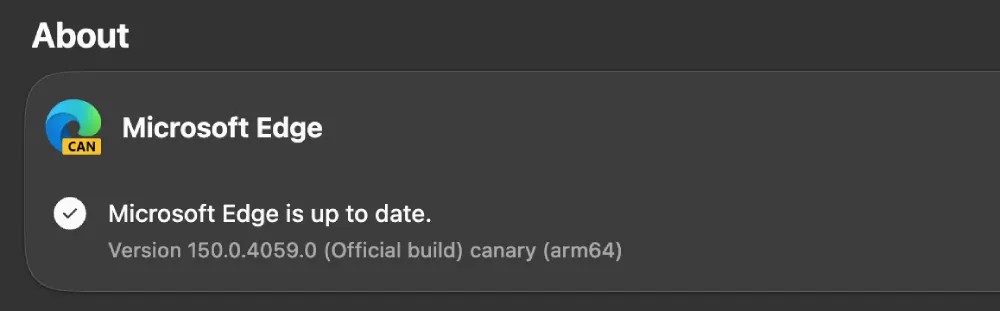
In my testing, I can confirm this error shows up on Windows only. The Mac version handles the update check just fine.
Here’s a screenshot from the Mac version:
And there’s the error showing up on Edge Canary for Windows:
A Microsoft representative confirmed on the official Microsoft Community Hub forum that a developer fix is slated to roll out inside EdgeUpdate version 1.3.237.7.
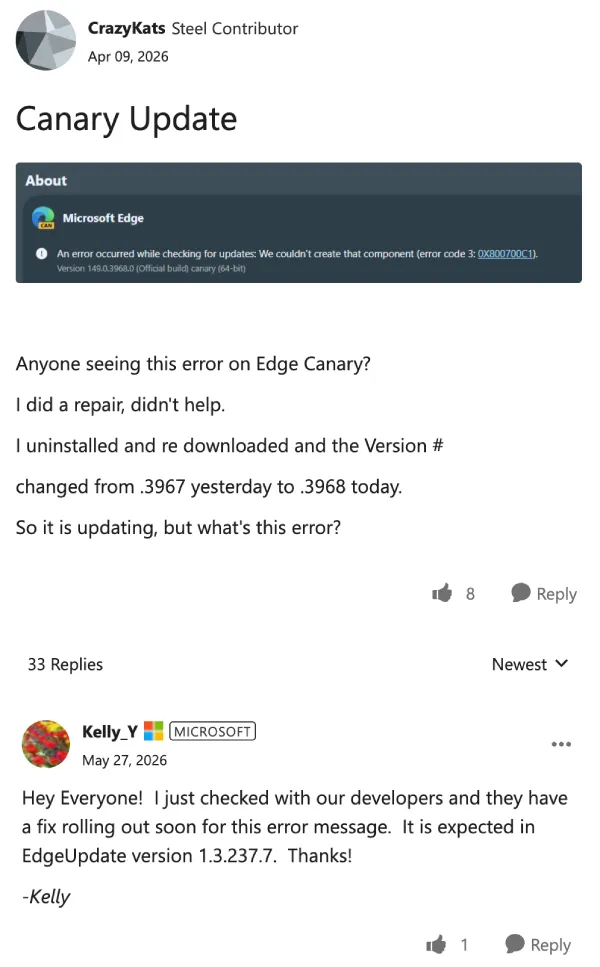
Testers started reporting the broken interface behavior back in early April. It persisted across daily build iterations like 149.0.4021.0 and eventually bled down into the weekly Dev channel updates, prompting worries that it might reach the stable public release.
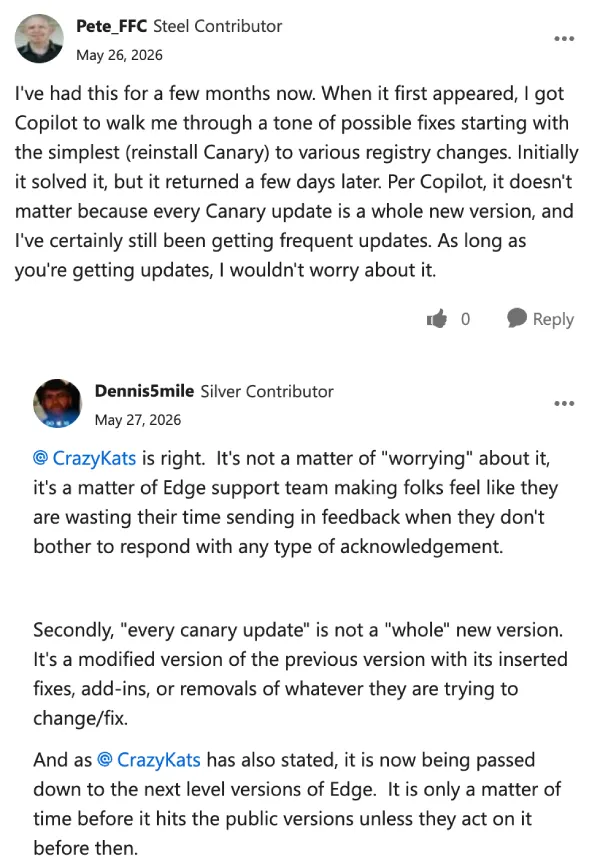
The underlying browser binaries usually pull the new versions down in the background anyway, making the error largely cosmetic. But the lack of official acknowledgement for weeks had insiders feeling ignored. So that led to a steady flow of complaints building up on the same forum where the issue was acknowledged.
People tried tracking down their own fixes. One user resorted to asking Microsoft’s Copilot to guide them through registry edits to clear the glitch, which worked temporarily before the error broke the updater page again a few days later. Full browser repairs and clean reinstalls from fresh stubs also failed to keep the error away.
There is no precise release date for the automated update component framework patch, though the development team indicated the rollout will begin soon.


Dwayne Cubbins
3088 Posts
I cover fast-moving stories across apps, online platforms, and everyday tech — phones, wearables, consoles, and whatever else people are fighting with this week. Bugs, rollouts, scams, policy enforcement, and the occasional internet-culture rabbit hole are all fair game. My goal is simple — make confusing tech news readable. When I'm not working, I'm working out or chilling with my dog. Got a tip? You can find me on X @dcubbins.
Next article View Article