We’ve all been there. You click on a video expecting a quick laugh, but instead, you get hit with two unskippable 15-second ads. If you refuse to fork over your hard-earned cash for YouTube Premium, you probably turn to clever ad-blocking browsers or tweaked third-party apps to save your sanity. But Google isn’t taking this lying down. Right now, we are witnessing an ongoing, high-stakes game of Tom and Jerry, and YouTube is tired of playing the fool.
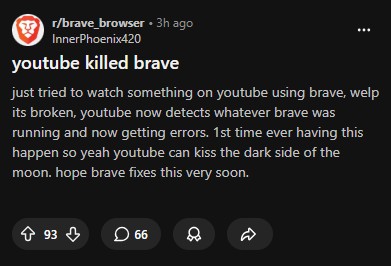
Just a few days ago, users of the privacy-focused Brave browser woke up to mysterious YouTube playback errors. While Brave’s developers quickly swooped in to patch the issue, the underlying message from Google was loud and clear. YouTube is silently and constantly deploying updates designed to break the very tools that chip away at its massive ad revenue.
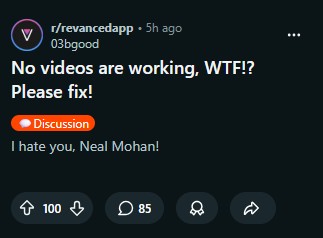
Now, YouTube has opened fire on yet another front. Users of popular third-party alternative app YouTube ReVanced, a platform that magically strips away ads and brings Premium features to the masses, are suddenly staring at the dreaded buffering wheel of death. Videos are stalling out for a solid 30 to 45 seconds, or simply refusing to load at all.
Make no mistake: this is a calculated move in a long-standing digital turf war. YouTube doesn’t just want to break these apps; it wants to frustrate you. The tech giant hopes that if you stare at a spinning circle long enough, you will finally throw your hands up in defeat, retreat to the official app, and surrender your credit card details for a Premium subscription. It is psychological warfare, disguised as a playback error.
But here is the beauty of the internet: “Jerry” always finds a way out of the trap. The community actually thrives on this cat-and-mouse dynamic. Within hours of the latest playback meltdown, users flocked to Reddit forums to share a brilliant, slightly hilarious workaround.
Apparently, ReVanced tricks YouTube by spoofing the video stream, making Google’s servers think the request came from an “Android Reel.” But YouTube seems to have eventually caught onto that trick and has now slammed the door shut. The internet’s response? Just knock on a different door. Clever users quickly discovered that you can easily bypass the new blockade by spoofing a completely different device. By simply diving into the app’s miscellaneous settings, finding the “spoof video streams” option, and changing the default client to “Android VR,” the videos instantly start playing flawlessly again.
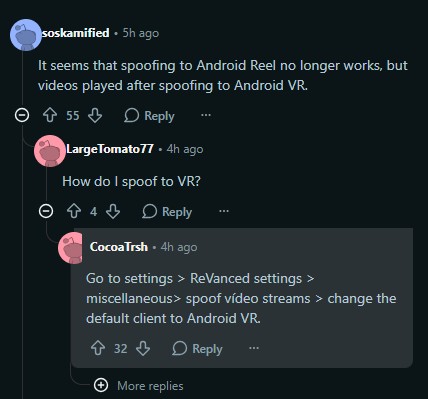
You can practically hear the collective sigh of relief online. “Thanks, this worked,” cheered one user, while another eagerly chimed in, “Did help on my device!”
It is a sweet victory for the ad-dodging rebels of the web, but history tells us it will be short-lived. Tomorrow, next week, or next month, YouTube will undoubtedly figure out the Android VR loophole and patch it, too. And when they do, developers and relentless Reddit communities will uncover another backdoor.


Hillary Keverenge
2723 Posts
Tech has been my playground for over a decade. While the Android journey began early, it truly took flight with the revolutionary Lollipop update. Since then, it's been a parade of Android devices (with a sprinkle of iOS), culminating in a mostly happy marriage with Google's smart home ecosystem. Expect insightful articles and explorations of the ever-evolving world of Android and Google products coupled with occasional rants on the Nest smart home ecosystem.
Next article View Article