![Discord is testing Spatial Audio to make voice calls more immersive [U: Official word]](https://piunikaweb.com/wp-content/uploads/2026/05/Discord-Featured-Image-Spatial-Audio.jpeg "Discord is testing Spatial Audio to make voice calls more immersive [U: Official word]")
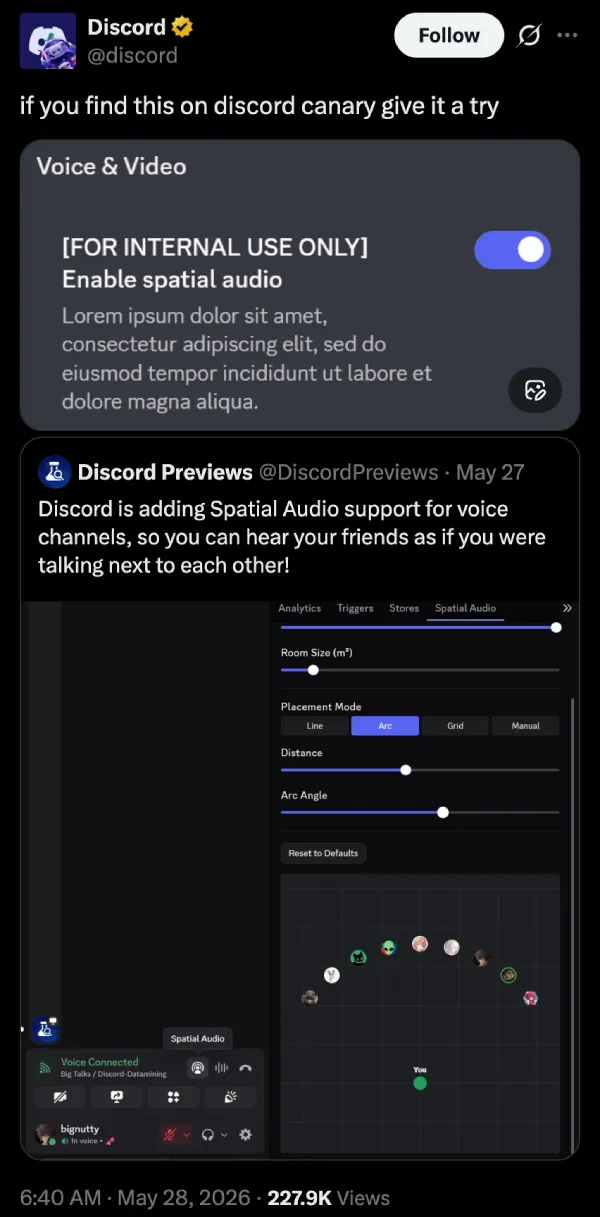
Update 28/05/26 – 09:40 am (IST): The folks at Discord themselves have come out to confirm that this is a temporary experiment for now. In fact, users on Canary builds of Discord might already be able to test Spatial Audio if they can see the “Enable spatial audio” toggle in the Voice & Video settings.
Original article published on May 27, 2026, follows:
Voice chats on Discord are about to get a lot more immersive and realistic. The company is working on bringing spatial audio support, with granular customization over the placement, angle, and room size.
According to a post on X from Discord Previews, the feature is designed to make it sound as if your friends are physically next to you. The post also includes an image of the UI of the feature, and you can view it below.
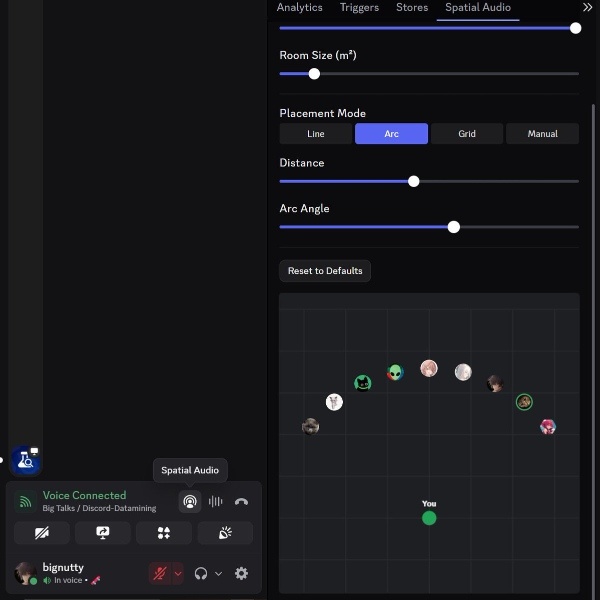
The Spatial Audio button is placed in the usual calling menu, which contains call and microphone controls. Tapping the button appears to reveal a UI that lets you customize the spatial audio experience.
To those unfamiliar, Spatial Audio is a digital way of creating an immersive sound experience. Instead of splitting audio between left and right channels, this creates a “virtual sphere,” giving you the illusion of audio coming from multiple directions. It’s done through manipulating the timing and frequency of sounds.
There’s an option to adjust the room size (in m²), and it’s a slider. The audio would probably be expansive and “far away” if you max out the slider, and would get closer as you reduce the size of the room.
The feature also includes four placement modes: Line, Arc, Grid, and Manual. All these options refer to your placement of people, and there’s further customization on the distance and angle for the Arc option. If you choose Grid, you’ll likely need to place the call participants in various positions on the grid.
The clip below from @wowosalt on X demonstrates how the feature works.
We got it working. This is how the early stages operate. pic.twitter.com/mU9miOUc0I
— wowo (@wowosalt) May 27, 2026
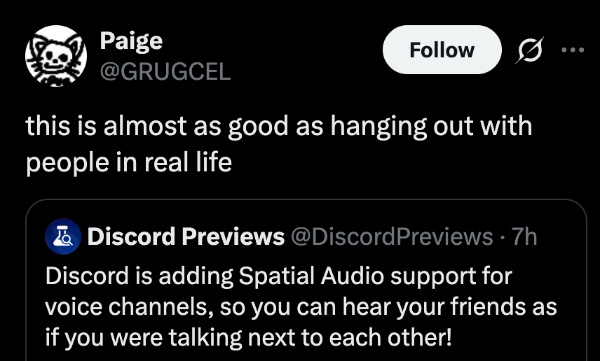
Users reacted to the upcoming feature with enthusiasm. Since it adds directional awareness, calls would sound more realistic and less monotonous. Some called it “almost” as good as actually interacting with people. Others have already come up with creative ways of using Spatial Audio.
While some were concerned about Discord potentially paywalling Spatial Audio, there’s no confirmation on whether the feature is Nitro-exclusive at the moment. In fact, Discord hasn’t officially posted about the feature yet, and it’s still under testing. Only a few people have access to it at the moment. If you want to try this out, you’ll need to download Discord Canary.
In other Discord news, the company has recently introduced end-to-end encryption, but it leaves text messages out in the cold. You can read about that here.
Disclaimer: The Featured image was generated with AI.


Sudhanshu K
321 Posts
I have been a consumer technology enthusiast for over 5 years. Thanks to my experience in software beta testing and product reviews, I've understood and learnt a lot about what bugs and issues bother people, and I spend time trying to simplify their solutions. I cover smartphones, software, social media, apps, AI, and most consumer tech gadgets. Actively pursuing a Computer Science bachelor’s degree. I'm mostly active on Twitter/X (@TechWhirlUlt), drop a DM or tag me if you want to share info or connect!
Next article View Article