Last year, an APK teardown revealed that Samsung and Microsoft were quietly preparing to end the long-running integration between Samsung Gallery and OneDrive. At the time, the discovery mostly flew under the radar. But now, months later, Galaxy users are waking up to something they definitely are noticing: their photos and videos are suddenly appearing in OneDrive, despite insisting they had disabled sync long ago.
And after digging through Microsoft’s support documentation, user reports, and Samsung community discussions, it increasingly looks like the ongoing migration away from Samsung Gallery sync could be at the center of the confusion.
As first reported by Android Authority in September last year, Samsung was preparing to remove OneDrive integration from the Gallery app entirely. Strings discovered in One UI 8.5 referenced the end of Samsung Gallery support for OneDrive, with Samsung Cloud expected to take over certain backup functions instead.
At the time, the change sounded relatively straightforward. But Microsoft has since confirmed that the transition is much bigger than many users realized.
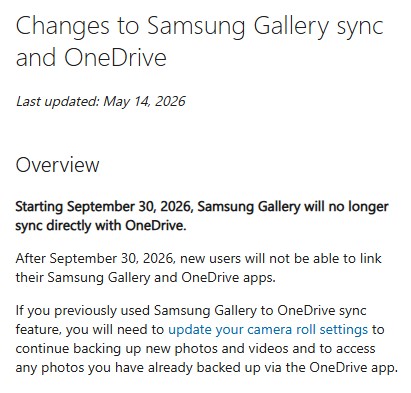
According to Microsoft’s official support document titled “Changes to Samsung Gallery sync and OneDrive”, direct syncing between Samsung Gallery and OneDrive will officially end on September 30, 2026.
Microsoft says that after that date:
New users will no longer be able to link Samsung Gallery and OneDrive
Samsung Gallery will stop displaying photos stored in OneDrive
Existing users will need to switch to OneDrive Camera backup if they want their photos and videos to continue uploading automatically
That September 2026 deadline is an important detail that many earlier reports never highlighted fully. And it appears Microsoft has already started nudging users toward the new backup system.
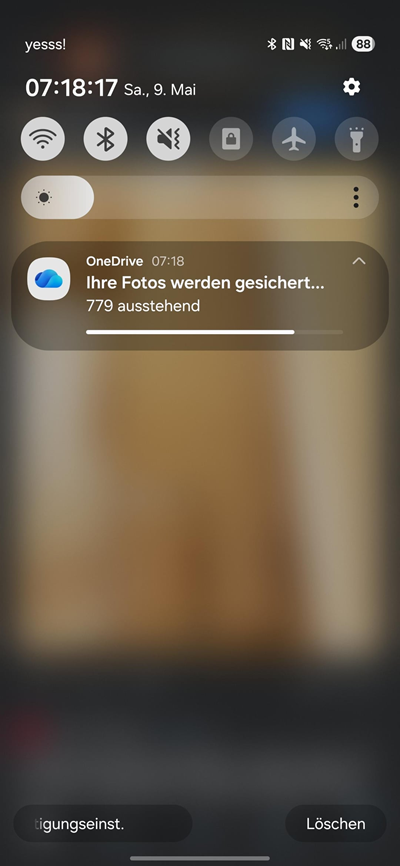
The problem, according to growing complaints from Galaxy owners, is that some users claim this migration is happening without their clear consent.
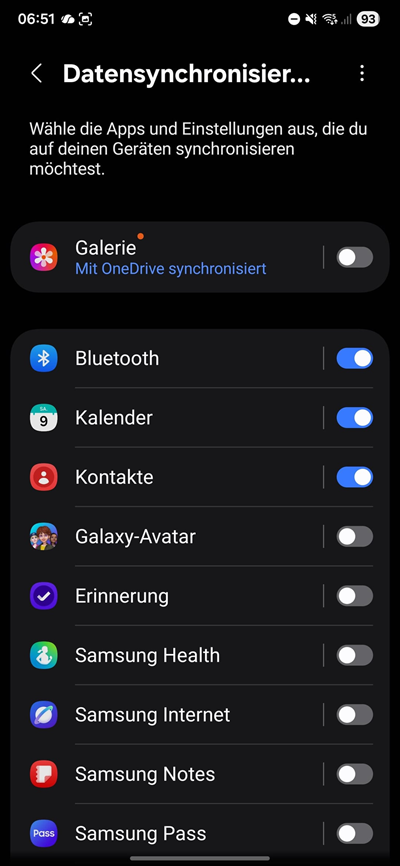
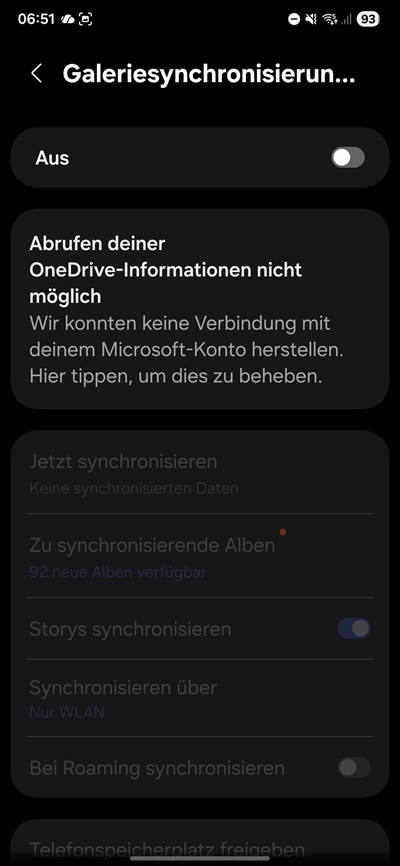
In a now heavily discussed Reddit thread on r/samsunggalaxy, a Galaxy S25 Ultra owner shared screenshots showing Samsung Gallery sync disabled, yet OneDrive still uploaded their entire gallery overnight.
“As you can see in the screenshots, the automatic synchronization of my gallery is DEACTIVATED. Still, when I woke up this morning, I saw the notification and now all my photos are in my OneDrive.”
The replies underneath paint a very similar picture.
One user claimed:
“I got a notification about OneDrive Backup and I immediately checked the OneDrive app settings and it had been enabled automatically.”
Another added:
“Yeah what the f*** same here i explicitly disabled it and now it 2 way synced all my photos again, 80GB!!”
And perhaps most importantly, Samsung Gallery sync and OneDrive Camera backup are technically two different systems, a distinction that matters a lot here.
Based on Microsoft’s own documentation, the old Samsung Gallery sync feature is being phased out. In its place, Microsoft wants users to rely on OneDrive’s dedicated “Camera backup” feature instead.
Microsoft explicitly states that to continue automatic uploads after the transition, users must:
Open the OneDrive app
Go to Camera backup settings
Turn Camera backup on manually
Grant OneDrive access to photos and videos
The wording is important because Microsoft repeatedly frames this as a manual action users must intentionally enable.
But the reports we’ve gathered suggest that, for some users, OneDrive Camera backup may already be turning itself on automatically during or after the migration process.
To be absolutely clear, neither Microsoft nor Samsung has publicly confirmed that Camera backup is being forcibly enabled system-wide. However, after comparing the user reports against Microsoft’s own migration instructions, it does appear that many affected users had disabled Samsung Gallery sync specifically, not necessarily OneDrive’s independent Camera backup setting inside the OneDrive app itself.
And that seems to be where the chaos begins.
Several affected users say they discovered Camera backup enabled inside the OneDrive app even though they believed all syncing had previously been disabled. Others say disabling the feature again temporarily stopped uploads, only for syncing to restart later. Meanwhile, Microsoft’s own support pages strongly suggest the company is actively steering users toward OneDrive Camera backup ahead of the September 2026 cutoff.
Remove Samsung Cloud permissions from their Microsoft account
Open Samsung account settings
Navigate to Linked accounts
Unlink their Microsoft account manually
That alone shows how deeply tied the old Samsung Gallery integration still is to Microsoft account permissions and linked services. At the same time, Microsoft continues encouraging users to move to OneDrive Camera backup instead. And while Microsoft presents this as a seamless transition, more user reactions across Samsung’s own community forums suggest many are anything but happy.
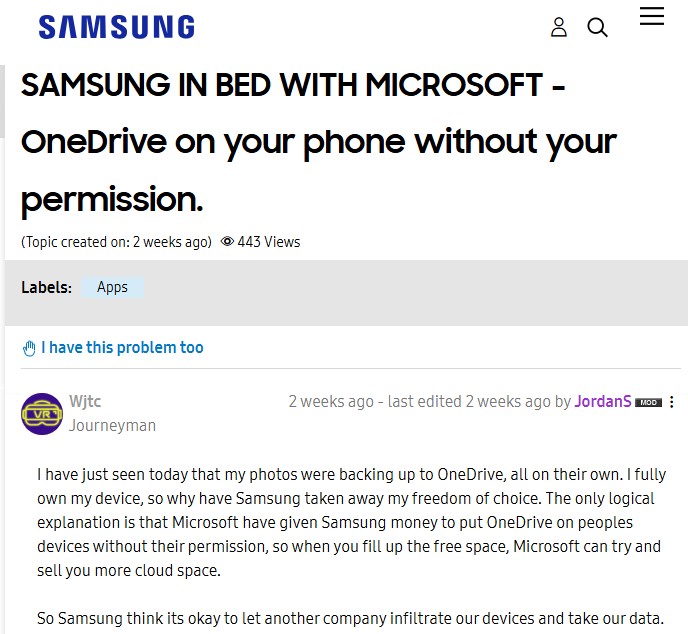
In one Samsung Community discussion, users accused Microsoft and Samsung of forcing cloud uploads onto people who intentionally turned them off. Another community thread discussing the discontinued Gallery sync feature contains similar frustration from users confused about what exactly is changing. Over on Samsung’s European forums, one particularly heated discussion centers on concerns about permissions and automatic uploads.
From everything I’ve analyzed so far, the situation appears less like a traditional “bug” and more like a messy transition between two overlapping cloud backup systems that many users understandably assumed were the same thing.
Samsung Gallery sync may be disabled, but OneDrive’s own Camera backup can still independently upload photos if enabled inside the OneDrive app itself. And right now, the biggest issue seems to be that some users claim that toggle is activating itself or reactivating during migration-related prompts or updates without them realizing it.
For Galaxy owners who do not want OneDrive to upload their photos automatically, the safest thing to do right now is:
Open the OneDrive app directly
Check Camera backup settings manually
Disable Camera backup if it is enabled
Review photo/video permissions in Android settings
Optionally unlink Samsung and Microsoft accounts completely if you no longer use the integration
Because as Microsoft’s own support documentation confirms, Samsung Gallery sync is living on borrowed time anyway.
We stand out from the tech-media crowd because we break news stories; we mainly bring you stuff that you won’t find anywhere in the mainstream tech media. Our stories have been picked up by some of the world’s most popular websites and media outlets—more info is available here.
Tech has been my playground for over a decade. While the Android journey began early, it truly took flight with the revolutionary Lollipop update. Since then, it's been a parade of Android devices (with a sprinkle of iOS), culminating in a mostly happy marriage with Google's smart home ecosystem. Expect insightful articles and explorations of the ever-evolving world of Android and Google products coupled with occasional rants on the Nest smart home ecosystem.
Google Health’s integration with third-party apps has been a major talking point since the redesigned app started replacing Fitbit earlier this month. And now, Google has quietly confirmed...