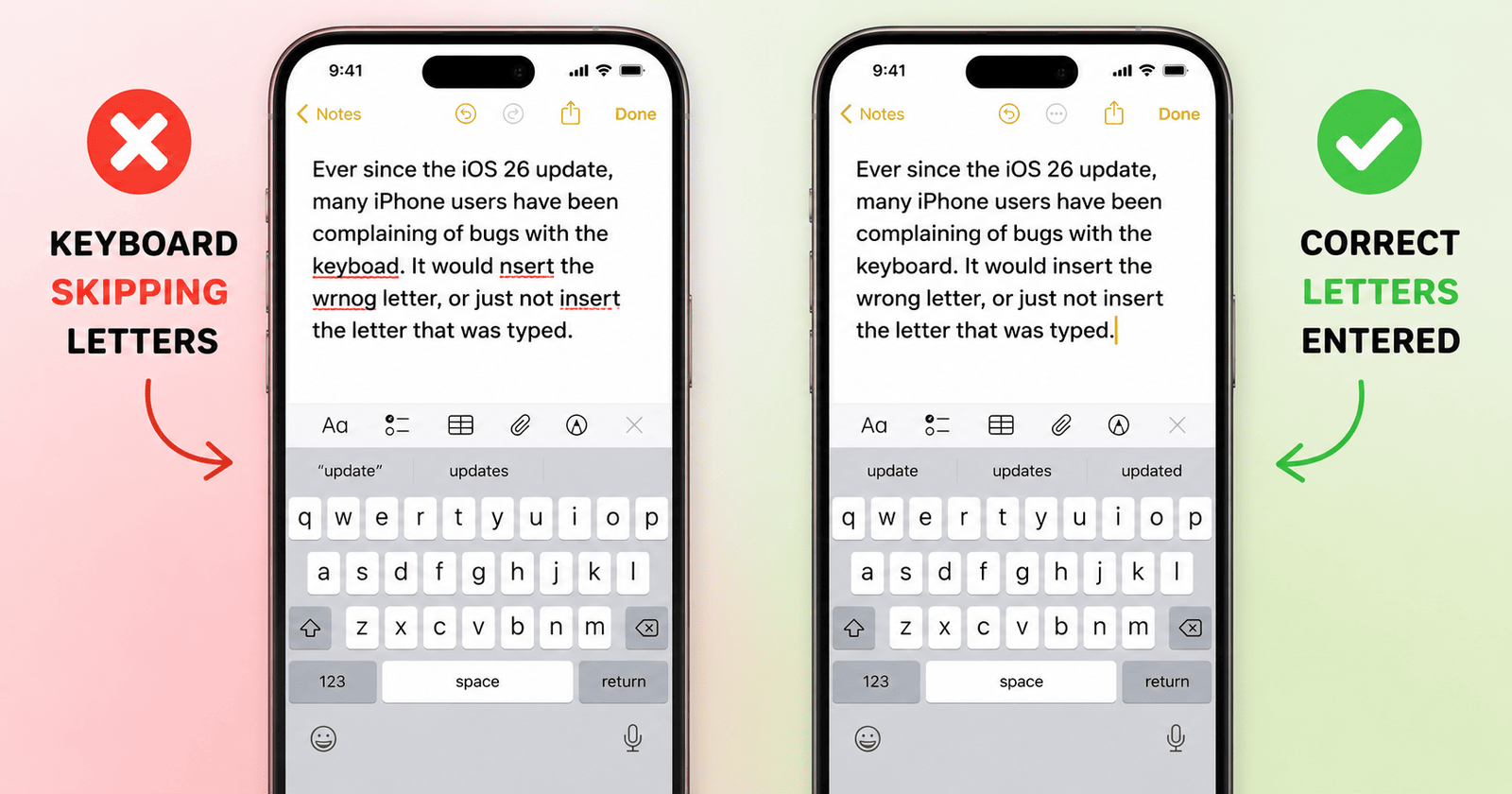
Ever since the iOS 26 update, many iPhone users have been complaining of bugs with the keyboard. It would insert the wrong letter, or just not insert the letter that was typed. Adding to the frustration, these typos were then being added to the training data. Thankfully, Apple has fixed that with iOS 26.4.
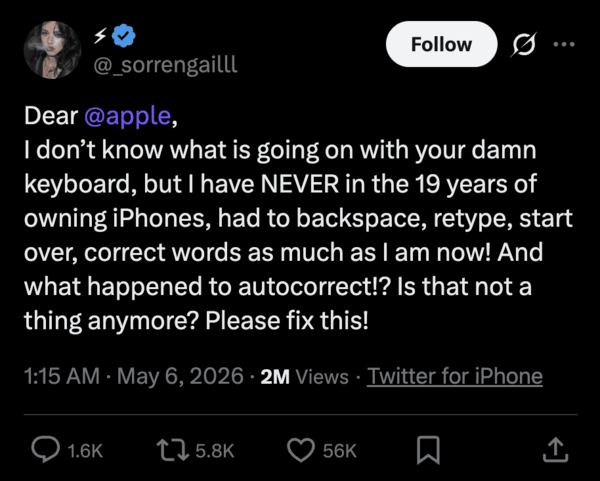
There are various posts on X talking about the issues with the native Apple keyboard on iOS. People report needing to continuously backspace or start over, retype words; the grammar and spell check in general have also gotten worse. You can find more reports from here, here, and here.
Since the autocorrect dictionary was also trained on incorrect spellings, it kept “correcting” people’s spellings by replacing the typed words. This resulted in a decline in the quality of the keyboard. You can view a clip of the issue below.
With iOS 26.4, Apple specifically mentioned “Increased accuracy while typing” in the changelog. This implies that the bug (where the keyboard would fail to insert letters/inserts the wrong letters) has been fixed. We covered more about the update and its changes here.
While that will substantially improve your typing situation, the affected dictionary also needs to be reset. The dictionary now contains several wrong words, which need to be cleared out to further improve the typing experience, as pointed out by Max Weinbach on X.
To reset the keyboard dictionary:
- Open the Settings app.
- Tap on the General menu.
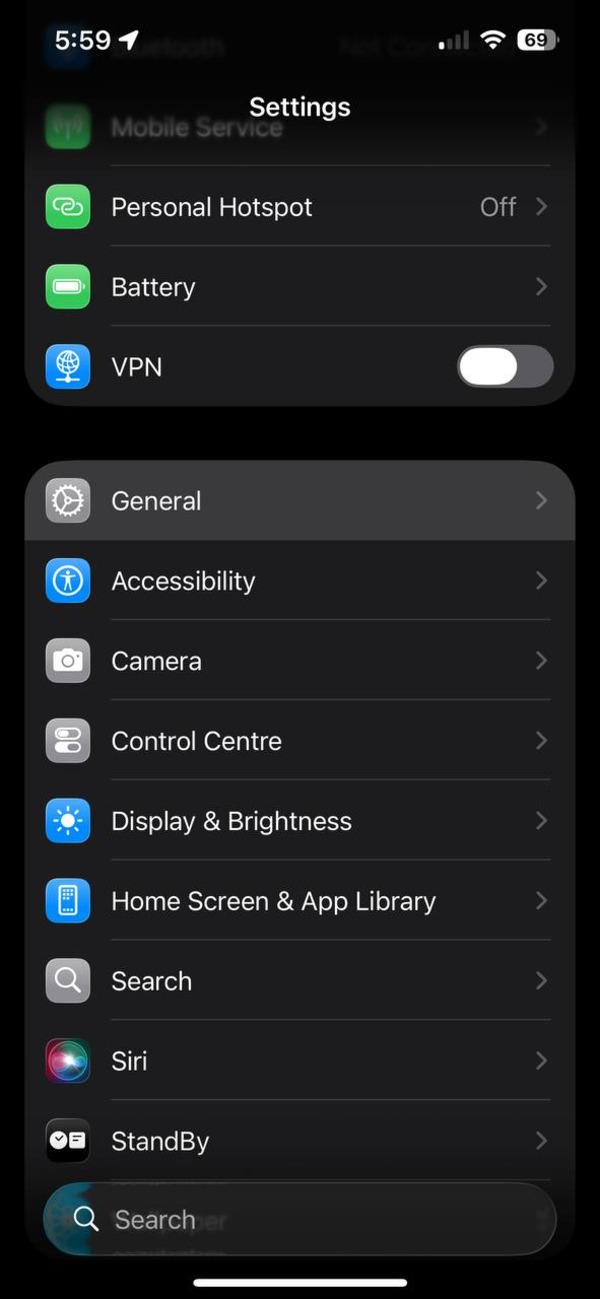
- Open the Transfer or Reset iPhone submenu.
- Hit the Reset option.
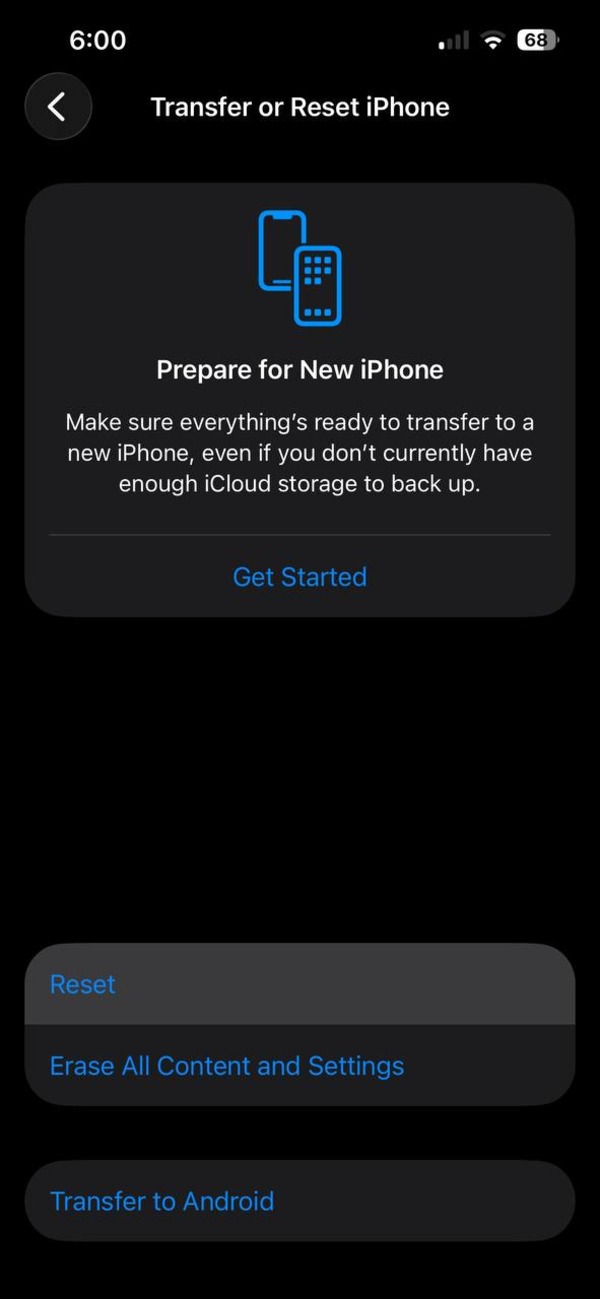
- Select Reset Keyboard Dictionary.
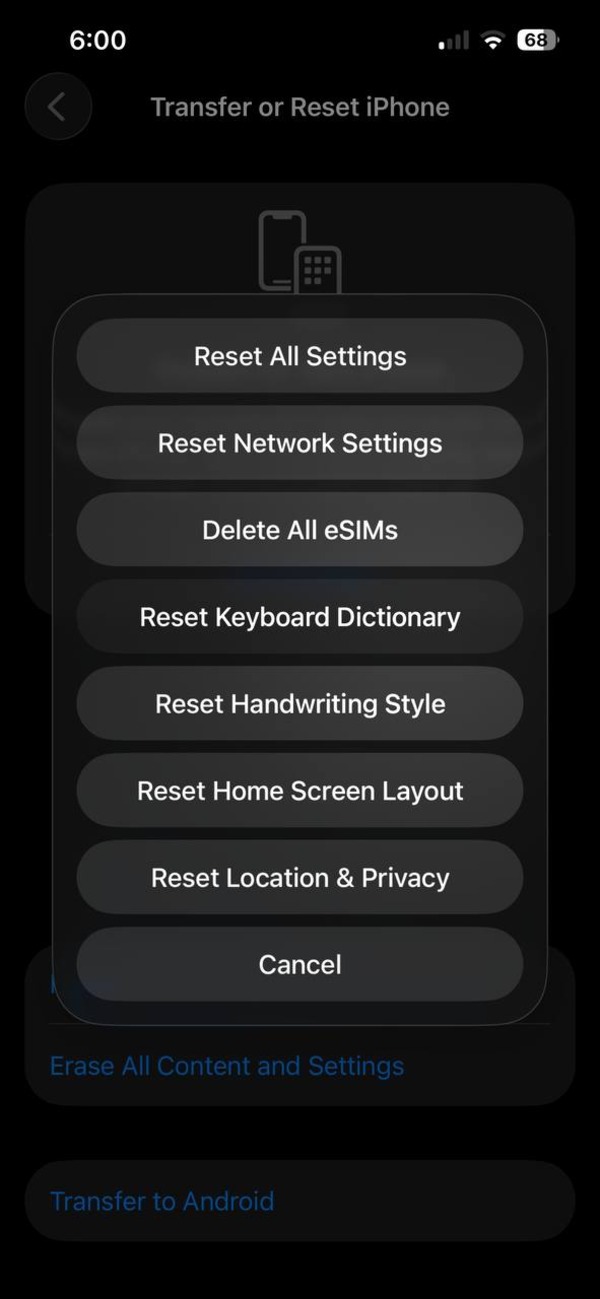
Note: You must update to the latest version of iOS (which is iOS 26.5 at the time of writing), since any iOS version below iOS 26.4 still has this bug.
Keep in mind that resetting that keyboard dictionary would also mean that all your “learned words” would be erased, and you’ll need to train your keyboard again. However, the experience will be far better overall if the keyboard inserts the correct letters.
That’s not the end of issues with the iOS keyboard. There are still various complaints that need to be addressed, such as the lack of a number row on the main page, missing clipboard history, and more.
Disclaimer: The Featured image was generated with AI.


Sudhanshu K
293 Posts
I have been a consumer technology enthusiast for over 5 years. Thanks to my experience in software beta testing and product reviews, I've understood and learnt a lot about what bugs and issues bother people, and I spend time trying to simplify their solutions. I cover smartphones, software, social media, apps, AI, and most consumer tech gadgets. Actively pursuing a Computer Science bachelor’s degree. I'm mostly active on Twitter/X (@TechWhirlUlt), drop a DM or tag me if you want to share info or connect!
Next article View Article