





![Honor users report 'don't have enough storage' error when taking screenshots [U: Fix coming]](https://piunikaweb.com/wp-content/uploads/2026/05/honor-screenshot-bug-featured.webp "Honor users report 'don't have enough storage' error when taking screenshots [U: Fix coming]")
I found a way to remove the screenshot issue
byu/Due-Zucchini7863 inHonor
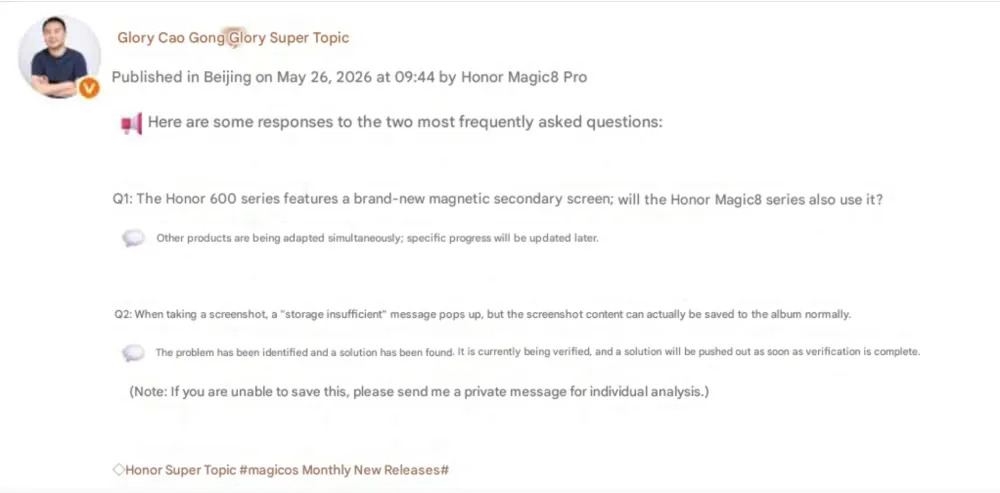
Update 27/05/26 – 03:35 pm (IST): An Honor R&D engineer has posted publicly on Weibo that they are aware of the screenshot bug. They said a fix for it will be out soon (h/t Huawei Central). The screenshot below has been translated from Chinese to English using Google Translate:
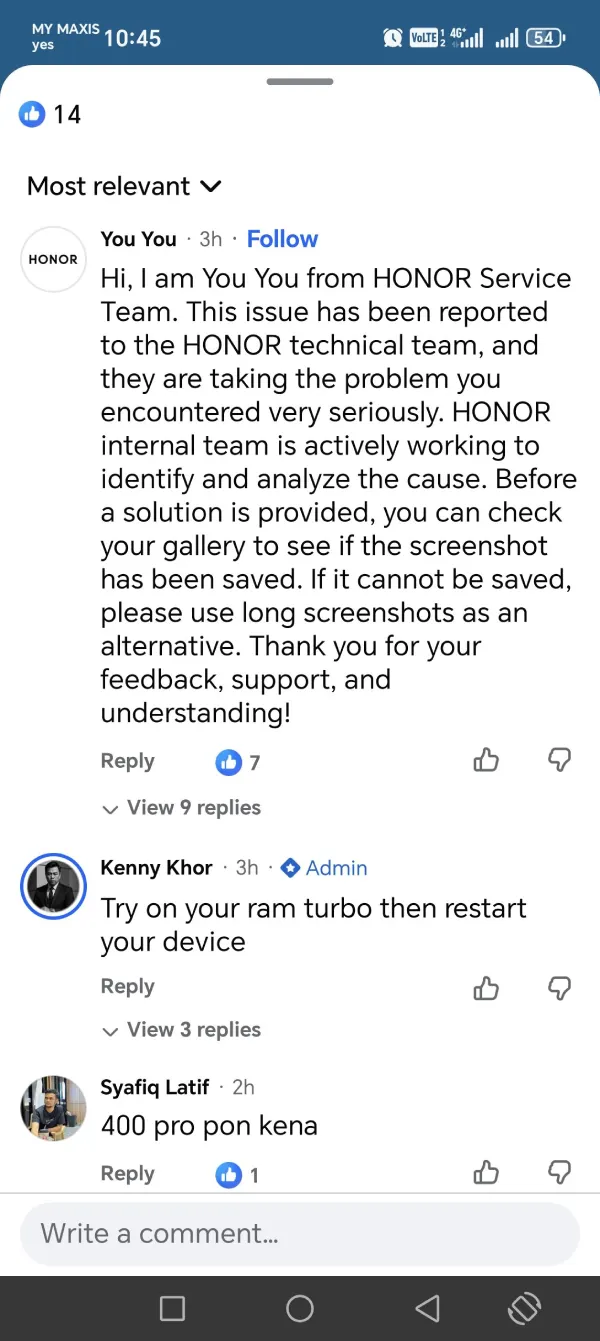
Update 26/05/26 – 09:02 am (IST): Honor’s support team has confirmed the screenshot glitch. A rep replied on Facebook that the issue was escalated to their internal team, and engineers are looking into it.
For now, they’re telling users to check the default gallery app. Screenshots are still being saved in the background even when the storage warning appears. So it checks out with what we mentioned originally. If nothing is saving at all, Honor suggests using long screenshots or scrollshots as a workaround until a proper fix arrives.
Some people have found simple ways around the pop-up. A few are using the Magic Portal sidebar to swipe and grab the screen. Others just open Google Photos, which often shows the screenshots even when the Honor files app can’t find them.
Original article published on May 25, 2026, follows:
It looks like Honor smartphone users around the world are experiencing a bizarre software bug that completely breaks the standard screenshot function. The glitch tells users they “don’t have enough storage space” to save the image, even when they have hundreds of gigabytes of free space.
According to reports that we’ve found on Reddit, the issue is hitting everything from the budget Honor 90 and newer Honor 600 to flagship devices like the Magic V3 and Magic 7 Pro. It is starting to look like a server-side glitch or a broken background update affecting MagicOS.
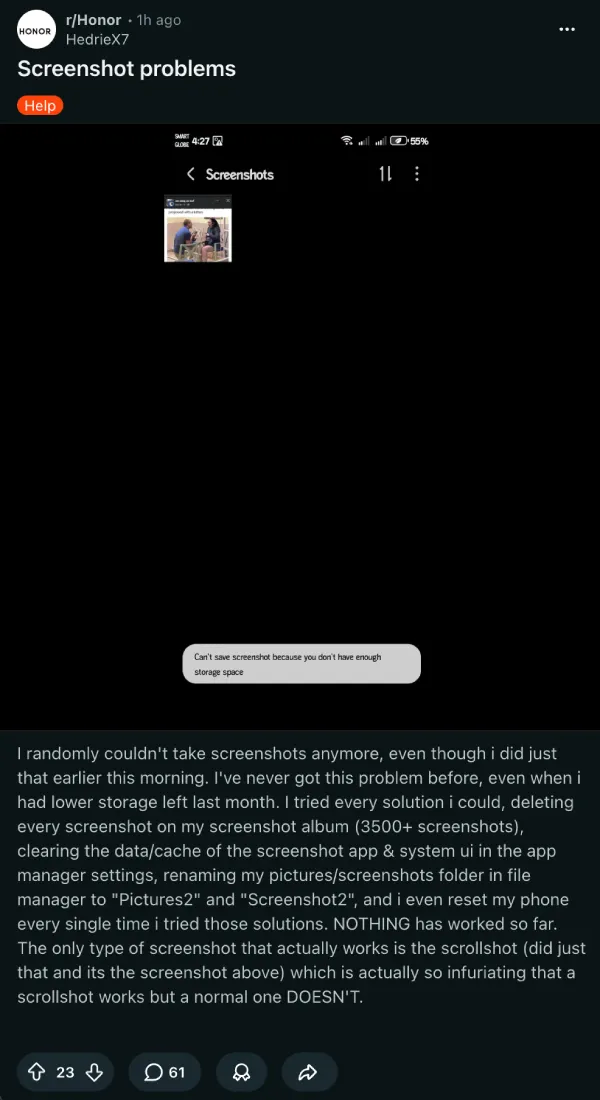
On Reddit, a massive complaint thread in the Honor community quickly racked up dozens of comments from frustrated users. The OP said they went to the extreme of deleting over 3,500 photos and clearing system caches, only to realize the problem wasn’t on their end.
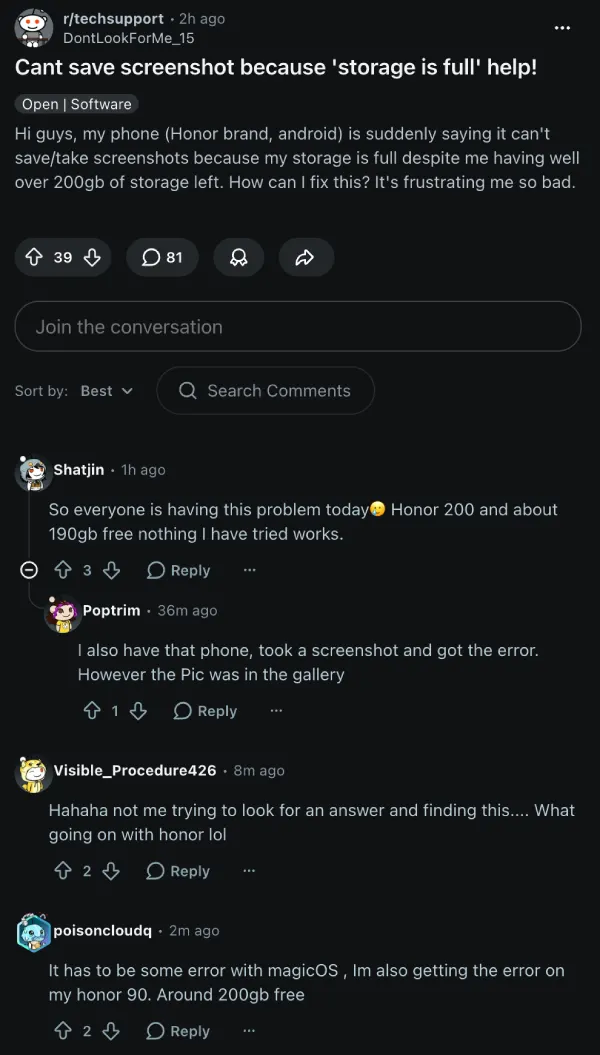
An even larger discussion on the techsupport subreddit also highlights the exact same behavior. One user noted they have 400GB of free space, but still can’t capture a simple full-screen image. Needless to say, this is getting on users’ nerves.
The bug behaves weirdly. While a regular full-screen grab triggers the error, users found that scrollshots, partial knuckle-gesture crops, and screen recordings work perfectly fine.
To make things more confusing, some users are discovering a ghost saving effect. A few users have pointed out that despite the warning popping up on screen, the images are actually showing up in the Google Photos app anyway.
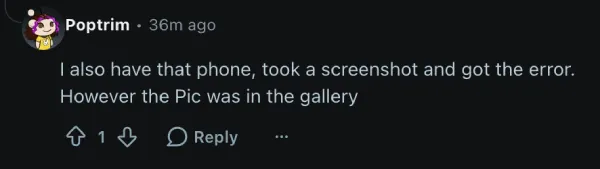
Even so, a large number of users haven’t confirmed the same experience, so it’s not clear if screenshots are saving despite the storage space warning. You can find more individual device reports here, here, and here.
There’s also one thread where the OP claims they found a potential workaround. But from the looks of it, they simply disabled the notifications for system UI. So, all that does is disable the notification alert when capturing the screenshot, but you still see the same pop-up at the bottom.
Honor has not yet publicly acknowledged the issue or rolled out a patch. That said, you might want to check your gallery app to confirm if the screenshots are being saved despite the notification saying otherwise.
We’ll post an update if and when there are any further details.
Featured image credit: u/hyikal / Reddit – Edited with AI

We stand out from the tech-media crowd because we break news stories; we mainly bring you stuff that you won’t find anywhere in the mainstream tech media. Our stories have been picked up by some of the world’s most popular websites and media outlets—more info is available here.

Dwayne Cubbins
3058 Posts
I cover fast-moving stories across apps, online platforms, and everyday tech — phones, wearables, consoles, and whatever else people are fighting with this week. Bugs, rollouts, scams, policy enforcement, and the occasional internet-culture rabbit hole are all fair game. My goal is simple — make confusing tech news readable. When I'm not working, I'm working out or chilling with my dog. Got a tip? You can find me on X @dcubbins.
Next article View Article
Fitbit and Google Health data syncing support coming to Apple Health later in 2026
Google Health’s integration with third-party apps has been a major talking point since the redesigned app started replacing Fitbit earlier this month. And now, Google has quietly confirmed...
May 25, 2026 1 Min Read