![Gmail app bug locks some Microsoft 365 and Exchange Online users out on Android, Outlook still works [U: Fix rolling out]](https://piunikaweb.com/wp-content/uploads/2026/05/gmail-microsoft-exchange-featured-ai.webp "Gmail app bug locks some Microsoft 365 and Exchange Online users out on Android, Outlook still works [U: Fix rolling out]")
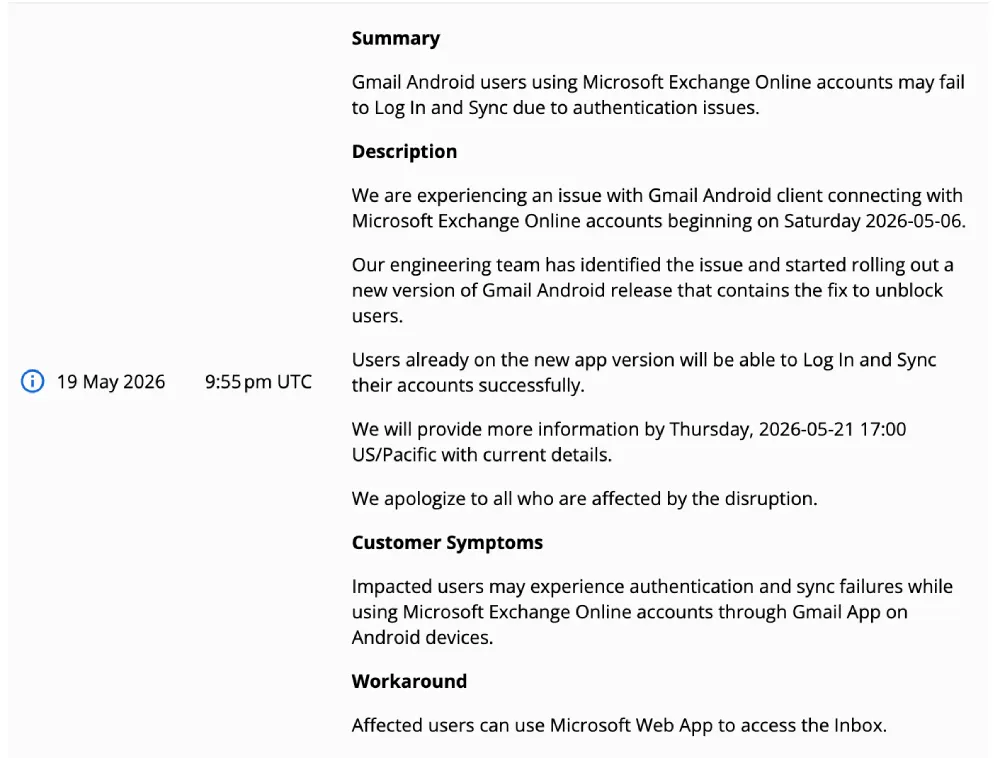
Update 21/05/26 – 11:05 am (IST): Google has identified the root cause of the ongoing authentication and sync failures affecting Android users connecting Microsoft Exchange Online accounts to the Gmail app.
According to the latest incident report on the Google Workspace Status Dashboard, a new version of the Gmail Android app containing a permanent fix is currently rolling out. Users who install this latest update will be able to log in and sync their accounts successfully.
In the meantime, anyone still waiting for the app update to hit their device can continue using the Microsoft Web App as a temporary workaround.
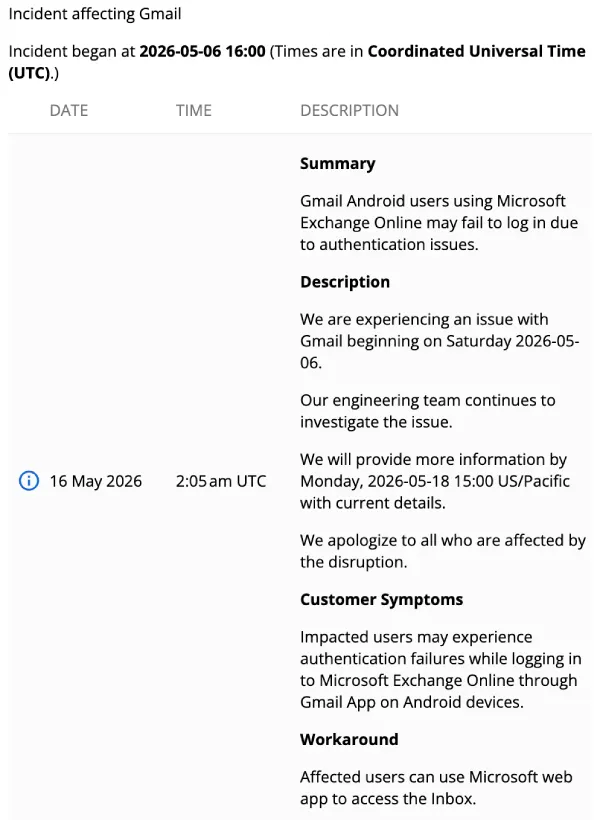
Update 18/05/26 – 01:00 pm (IST): Google has officially acknowledged the ongoing authentication problems affecting Android users. According to an incident report on the Google Workspace Status Dashboard, the engineering team is actively investigating the issue preventing users from logging into Microsoft Exchange Online via the Gmail app.
While they work on a permanent fix, Google’s official workaround advises affected users to use the Microsoft web app to access their inboxes.
Update 12/05/26 – 09:17 am (IST): Fresh comments under Microsoft’s Exchange Team post suggest some of the confusion may not be limited to Gmail users alone. Admins say Microsoft’s own PowerShell command for spotting outdated ActiveSync clients can also pull up old Outlook for iOS and Android entries, even though Microsoft has separately said Outlook Mobile is not affected by this Exchange Online change.
Another admin pointed out that the command also does not tell you whether those devices are still actively syncing, which makes the results harder to act on. A Microsoft employee acknowledged a community-made script using Get-MobileDeviceStatistics as a “nice example,” so right now it looks like some IT teams may need deeper reporting to figure out which stale records actually matter and which ones can be ignored.
Update 11/05/26 – 03:25 pm (IST): If you need a workaround that fully integrates with native Android apps, users are now reporting that the Samsung Email app is a highly reliable alternative. Unlike the Outlook app, which can sometimes struggle with native syncing, Samsung Email supports Microsoft 365 Modern Auth and seamlessly syncs your Mail, Calendar, and Contacts directly to your device’s native databases.
Update 08/05/26 – 03:25 pm (IST): The scope of this authentication bug extends beyond just email access. Because the Gmail app uses Exchange ActiveSync to handle data across the entire Android OS, affected users are reporting that work contacts and joint calendars have disappeared from native system apps, such as Samsung Calendar. If you are relying on the Outlook workaround, remember to manually enable contact and calendar sync within the Outlook app’s settings to restore this missing data to your device.
Update 07/05/26 – 04:24 pm (IST): The issue has evolved into a frustrating loop for many, with the Gmail app aggressively pushing a “Credentials needed” notification every five minutes. Tapping this alert simply flashes a blank screen before dropping users right back where they started without resolving the error. This specific behavior seems to be hitting users with custom GoDaddy email addresses hosted by Exchange particularly hard. In response, GoDaddy support is reportedly advising these affected users to abandon the Gmail app entirely in favor of Outlook.
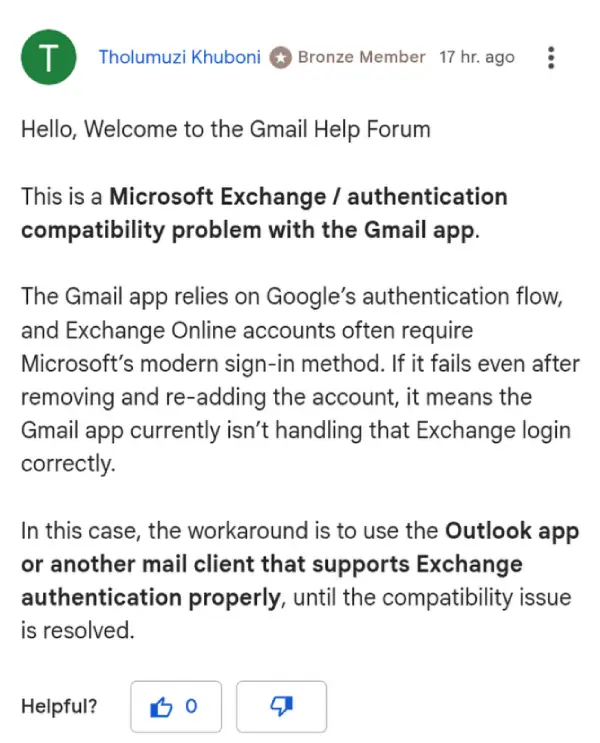
Unfortunately, a recent Gmail app update (version 2026.04.27.910758475.Release) provides a false sense of security, as users confirm the credential prompt inevitably returns within 12 hours of installation. While Google hasn’t issued a formal statement, a Product Expert on the Gmail Community forums has acknowledged the situation as a distinct authentication compatibility problem with Microsoft Exchange.
Original article published on May 06, 2026, follows:
Some Android users are reporting that the Gmail app is refusing to authenticate their Microsoft 365 or Exchange Online accounts, effectively locking them out of work email on their phones. Outlook for Android works fine on the same devices, with the same credentials.
Reports started building up over the past week in a Reddit thread on r/GMail that now has users chiming in from Pixel 7, 8, 9, 10, Samsung S24, Sony Xperia, OnePlus, Xiaomi, Motorola, and others. One IT consultant in the thread said the issue was hitting over 500 end users across 50 companies they support.
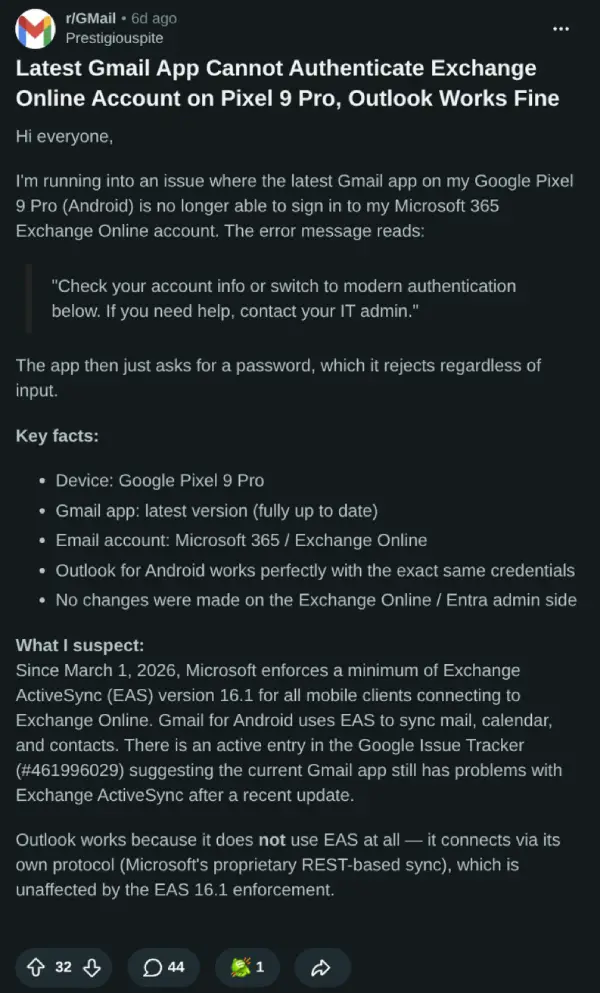
The error message Gmail shows is “Check your account info or switch to modern authentication below. If you need help, contact your IT admin.” Several users noted that the app then prompts for a password it simply rejects, no matter what’s entered. Even stranger, deleting the account and trying to re-add it makes things worse. A commenter wrote that after removing the account, they could not get it back into Gmail at all.
The OP suspects the root cause ties back to Microsoft’s Exchange ActiveSync enforcement. Microsoft rolled out a hard requirement for EAS version 16.1 on March 1, 2026, blocking mobile clients that fall below that threshold from connecting to Exchange Online. Gmail uses EAS to sync mail, calendar, and contacts with Exchange accounts. Outlook, on the other hand, uses Microsoft’s own REST-based sync protocol and is completely unaffected.
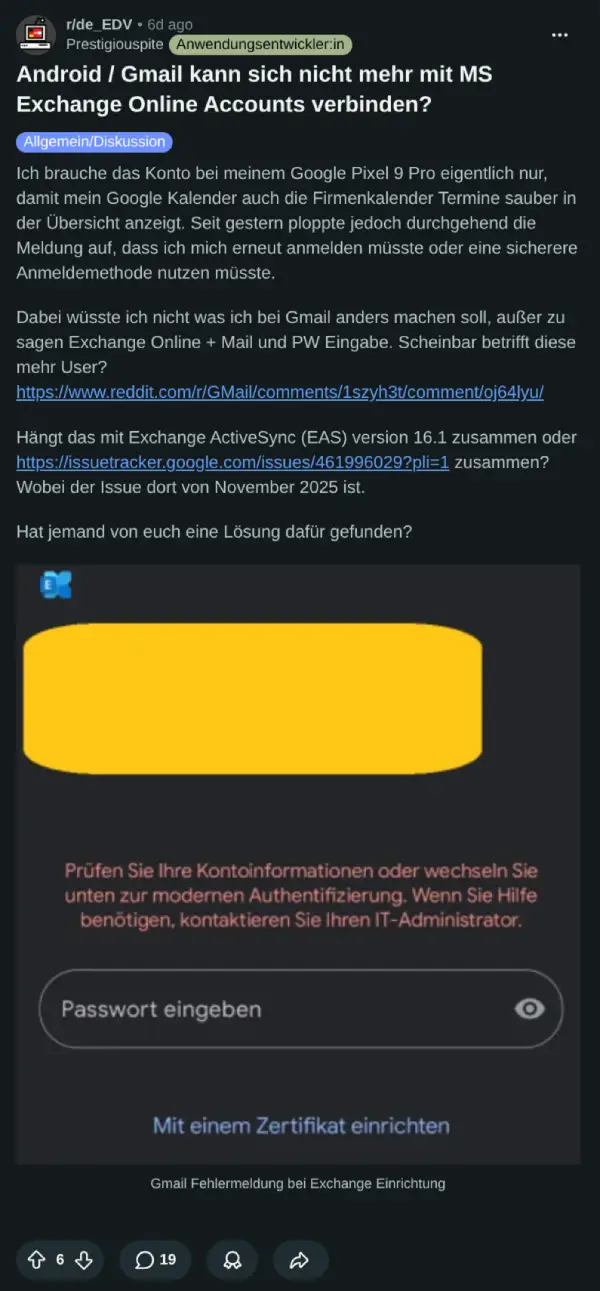
Another post in the r/de_EDV subreddit also has users based in Germany discussing the problem.
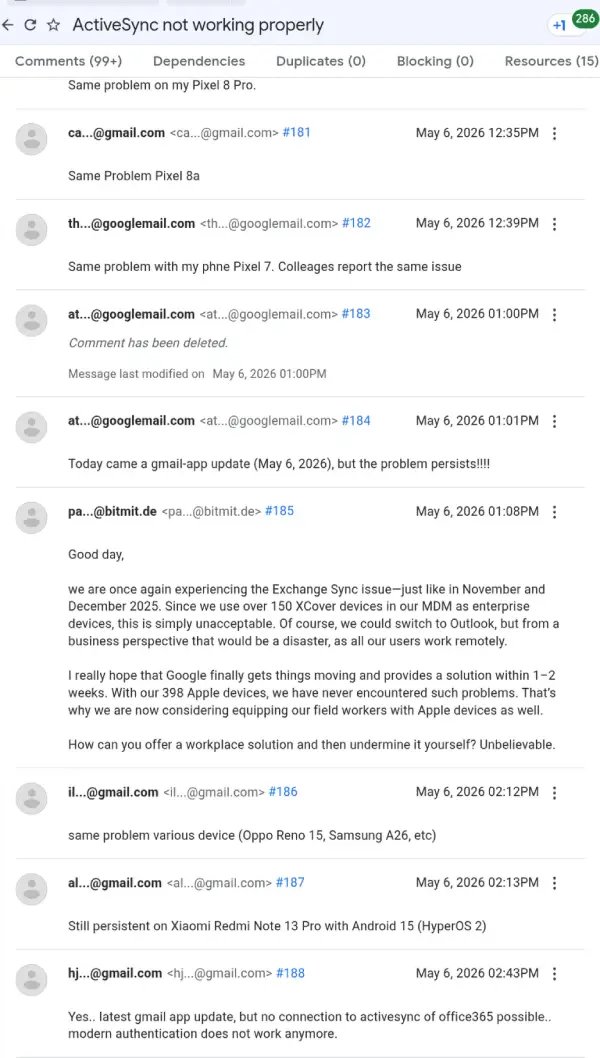
There is also an active issue on Google’s Issue Tracker flagging Gmail app problems with Exchange ActiveSync, though that entry dates back to November 2025. Still, it’s pretty much the same thing users are experiencing once again, as noted in fresh comments on the thread.
Clearing the Gmail app cache does not reliably fix it. Some users found that wiping all app data and storage for both Gmail and Android System WebView got them back in temporarily, but the credential prompts returned within hours for many. One user said it lasted a day before breaking again.
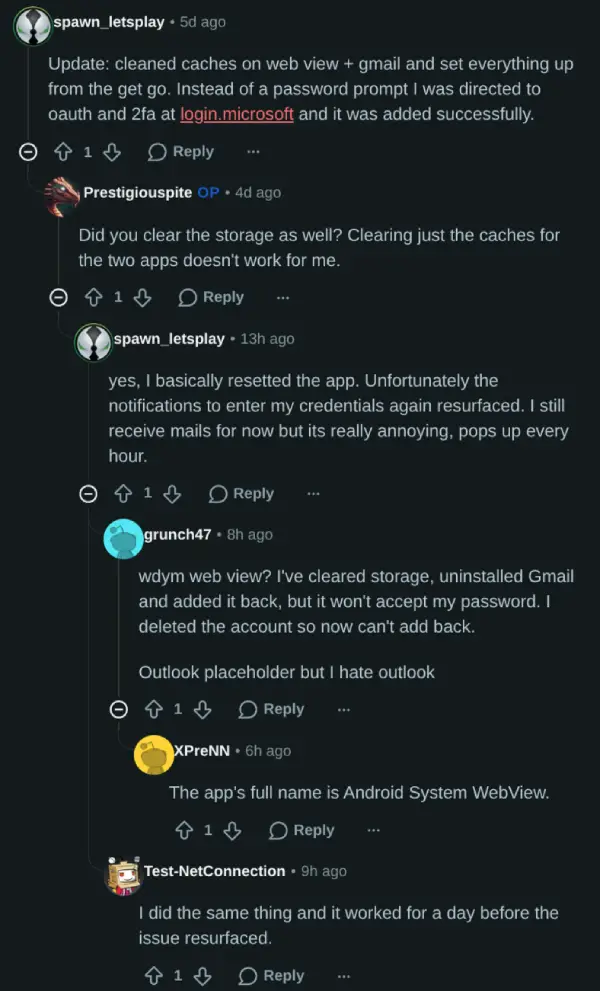
For now, the only stable workaround most people are recommending is switching to Outlook for Android, which is not a great outcome for users who specifically chose Gmail to keep everything in one place.
Neither Google nor Microsoft has issued a public statement on the issue at the time of writing.


Dwayne Cubbins
3057 Posts
I cover fast-moving stories across apps, online platforms, and everyday tech — phones, wearables, consoles, and whatever else people are fighting with this week. Bugs, rollouts, scams, policy enforcement, and the occasional internet-culture rabbit hole are all fair game. My goal is simple — make confusing tech news readable. When I'm not working, I'm working out or chilling with my dog. Got a tip? You can find me on X @dcubbins.
Next article View Article