






Audible users are currently facing two separate, yet frustrating bugs. One is draining massive amounts of mobile data on Android devices, while the other is rendering the iPad app unusable.
The Android issue is particularly costly for listeners. Users are reporting data consumption spikes ranging from 2GB to nearly 30GB in a matter of days. As a result, it’s wiping out monthly cellular plans and resulting in unexpected overage charges for some.
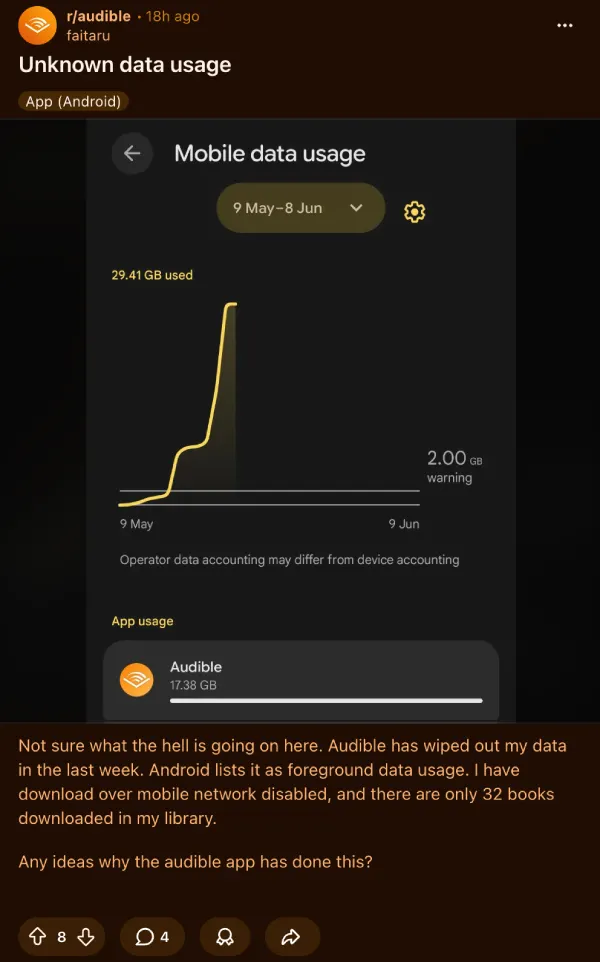
Multiple reports in a Reddit thread detailing the problem suggest that the app is completely ignoring the built-in Wi-Fi-only setting. It actively burns through mobile data even when users are listening to pre-downloaded audiobooks.

One user mentioned their app used 22GB in just 48 hours. Another shared a screenshot showing nearly 30GB of foreground data usage over a short period.
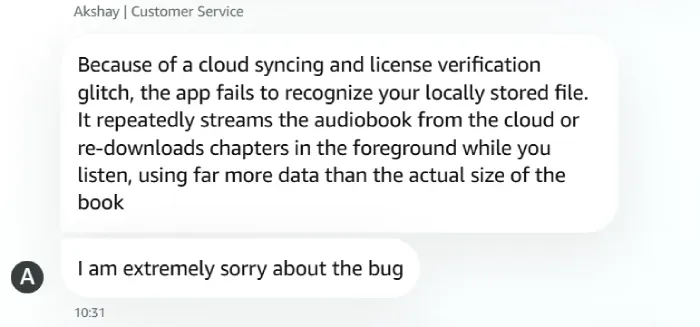
According to a screenshot of a chat with Audible support, the root cause is a cloud syncing and license verification glitch. Support claimed the app is failing to recognize locally stored files. Because of this error, Audible repeatedly streams or re-downloads chapters in the foreground while people listen, pulling far more data than the actual size of the audiobook.
The problem appears tied to Android app version 26.19.13. Since the in-app toggles are broken, the only reliable workaround for now is restricting Audible’s mobile data access entirely at the OS level.
Responding to another complaint, Audible support claimed that they are aware of the glitch. They confirmed a fix is currently in the works. At least one user said they received a free book credit from support to make up for the trouble.

That said, iPad owners are facing a completely different but equally bad problem right now.
The latest app update, version 4.70, is constantly freezing and crashing on Apple’s tablets.
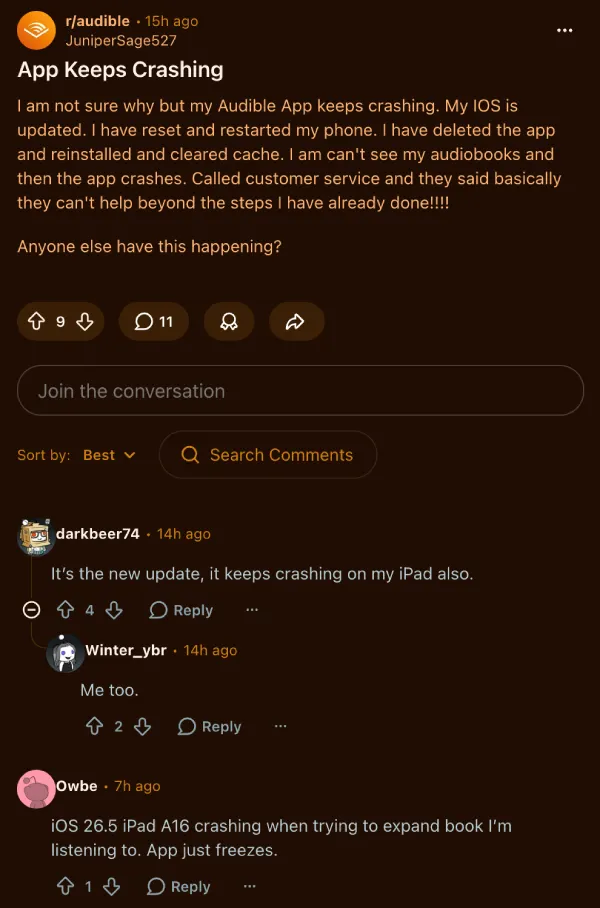
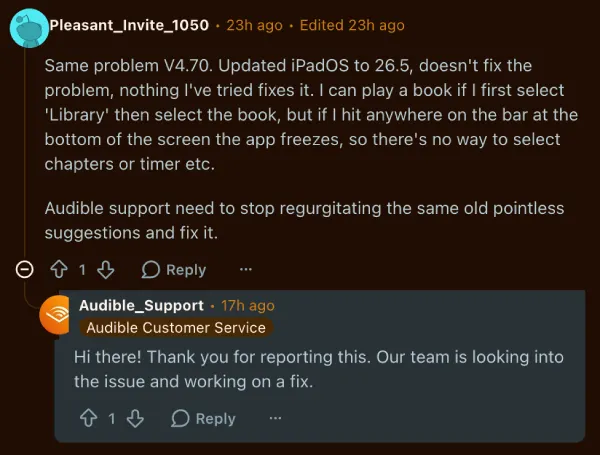
The software often locks up almost immediately upon startup. A poster mentioned that tapping the playback bar at the bottom of the screen or trying to expand a book triggers an instant freeze.
Standard troubleshooting steps are falling flat. Reinstalling the app, clearing the cache, and doing a hard sign-out have all failed to resolve the crashes for people running iPadOS 26.5.
Amazon’s customer service reps have been active in the iPad complaint threads over the past couple of days. The team stated they are actively investigating the crashes and trying to push out a solution.
We’ll keep a close watch on both situations and will update the article accordingly.
Featured image generated with AI


Dwayne Cubbins
3155 Posts
I cover fast-moving stories across apps, online platforms, and everyday tech — phones, wearables, consoles, and whatever else people are fighting with this week. Bugs, rollouts, scams, policy enforcement, and the occasional internet-culture rabbit hole are all fair game. My goal is simple — make confusing tech news readable. When I'm not working, I'm working out or chilling with my dog. Got a tip? You can find me on X @dcubbins.