![Chromecast Gen 1 users report a sudden black screen bug when trying to cast YouTube and YouTube Music [U: Fixed]](https://piunikaweb.com/wp-content/uploads/2026/05/Chromecast-issue-Featured-Image.png "Chromecast Gen 1 users report a sudden black screen bug when trying to cast YouTube and YouTube Music [U: Fixed]")
Update 25/05/26 – 01:05 pm (IST): Good news for original Chromecast owners! The disruptive black screen bug affecting YouTube casting appears to have been resolved. According to information shared with us on X, Google has rolled out a fix that successfully restores full casting functionality for first-generation streaming sticks, allowing users to stream YouTube and YouTube Music without hitting a blank screen.
Additionally, Google has cleared up widespread confusion regarding the lifecycle of its legacy hardware. Following a recent support page modification that incorrectly implied the deprecation of several older models, the company clarified in a statement reported by 9to5Google that it is not ending critical security updates for legacy Chromecasts. The support documentation has since been updated to reflect accurate coverage details.
Update 22/05/26 – 01:12 pm (IST): Google has officially acknowledged the casting issues. Responding to the growing user complaints, an official Google Nest Community account representative confirmed on Reddit that they are actively “investigating an issue impacting the ability to cast some services on Chromecast devices.”
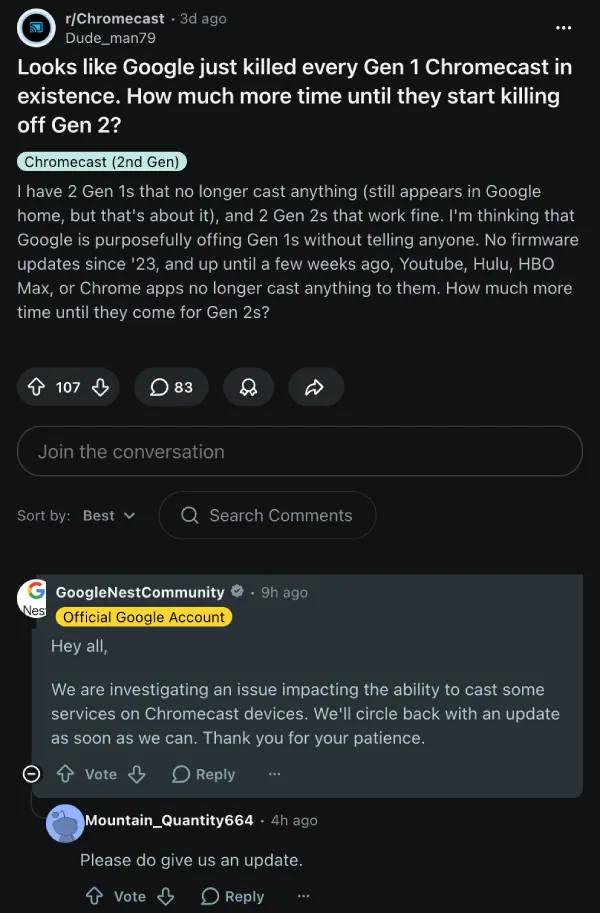
That said, while we initially suspected that only YouTube and YouTube Music were affected, reports suggest that casting on other services like Hulu and HBO Max might also be bugging out.
Original article published on May 20, 2026, follows:
Chromecast Gen 1 users are reporting that YouTube is completely broken on it. At the moment, it’s unclear whether it’s a bug or a compatibility issue.
Posts on Google Nest Help, Reddit, and X highlight the problem, which began fairly recently. Some reports claim that devices were working perfectly fine until the previous day, but they began facing issues with YouTube specifically. You can find more reports here, here, and here. Several replies to the linked posts also confirm that the issue is still ongoing.
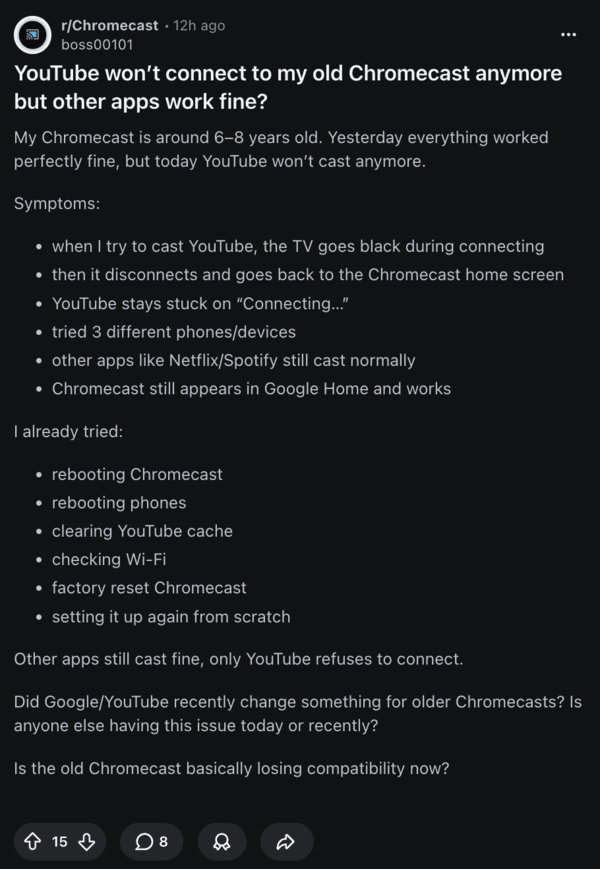
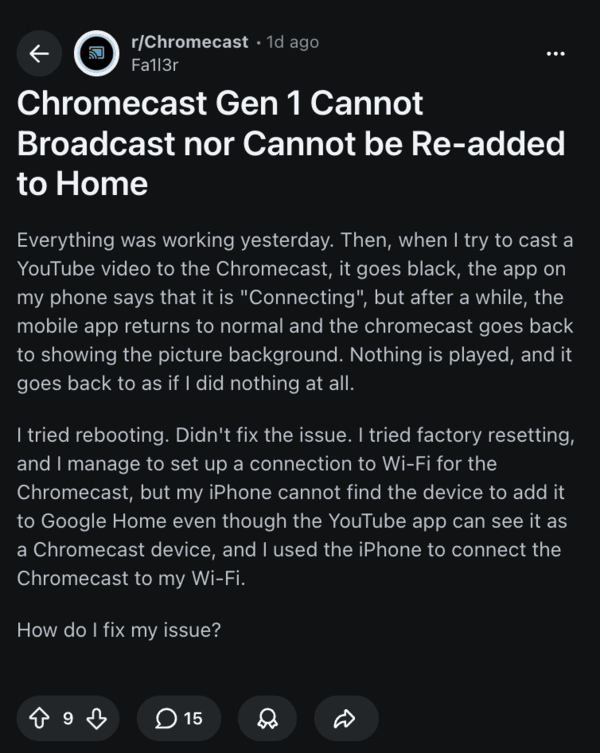
When trying to cast to YouTube, the TV screen just goes black while the connection is ongoing. Later on, it disconnects and goes back to the Chromecast home screen. YouTube Music is also affected. The device continues to appear on Google Home for some people, but others were unable to add it back.
While users are speculating that Google might have ended support for YouTube, it’s worth noting that Google hasn’t issued a statement about discontinuing YouTube on Gen 1 Chromecast devices. On the other hand, the company hasn’t confirmed that it’s a bug either.
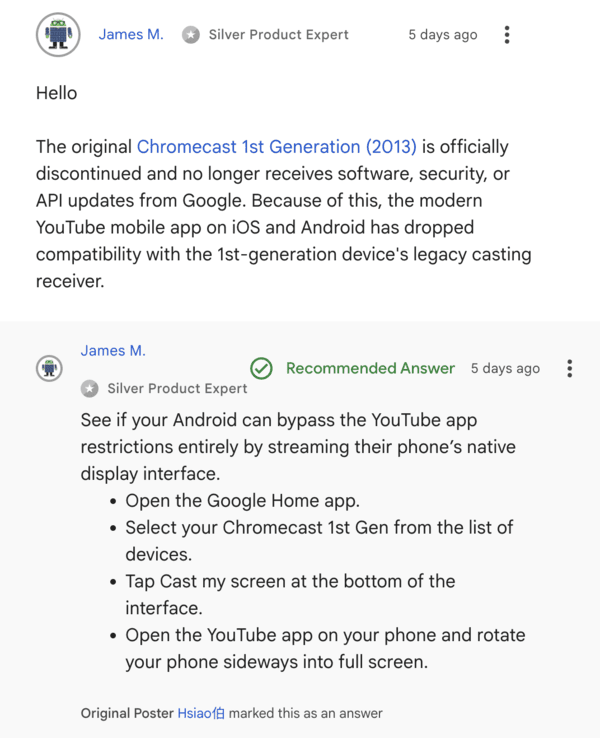
Product Experts on the forums offer mixed statements. One of them claims that new versions of YouTube apps may sometimes cause compatibility errors; this could be temporary.
However, another one says that newer versions of the YouTube app might have dropped service for Chromecast Gen 1.
Official software support for Chromecast Gen 1 ended a few years ago. However, Google just mentions possible performance degradation. The device just doesn’t get any security updates or patches anymore, but apps are theoretically still supposed to work, and they have continued to do so right until yesterday.
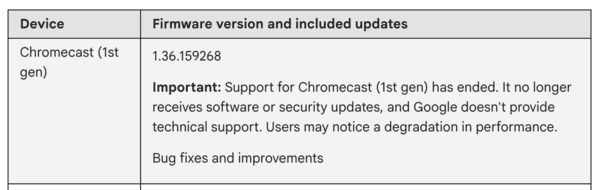
Other apps, such as Netflix and Spotify, reportedly continue to cast normally, so it’s likely an issue on Google’s end. It’s not a user error.
You can find a list of which apps still work and which ones don’t from here, as reported by u/chantastic on Reddit. Other commentary claims that the companies were responsible for discontinuing support for some services due to firmware issues (not Google).
Basic troubleshooting methods such as swapping phones, rebooting Chromecast, restarting phones, clearing the cache for YouTube, factory resetting Chromecast, etc., seem to have failed.
One potential workaround you can try is streaming the entire phone’s screen natively, which could bypass YouTube’s app restrictions. Tap “Cast my screen” instead of casting YouTube specifically.
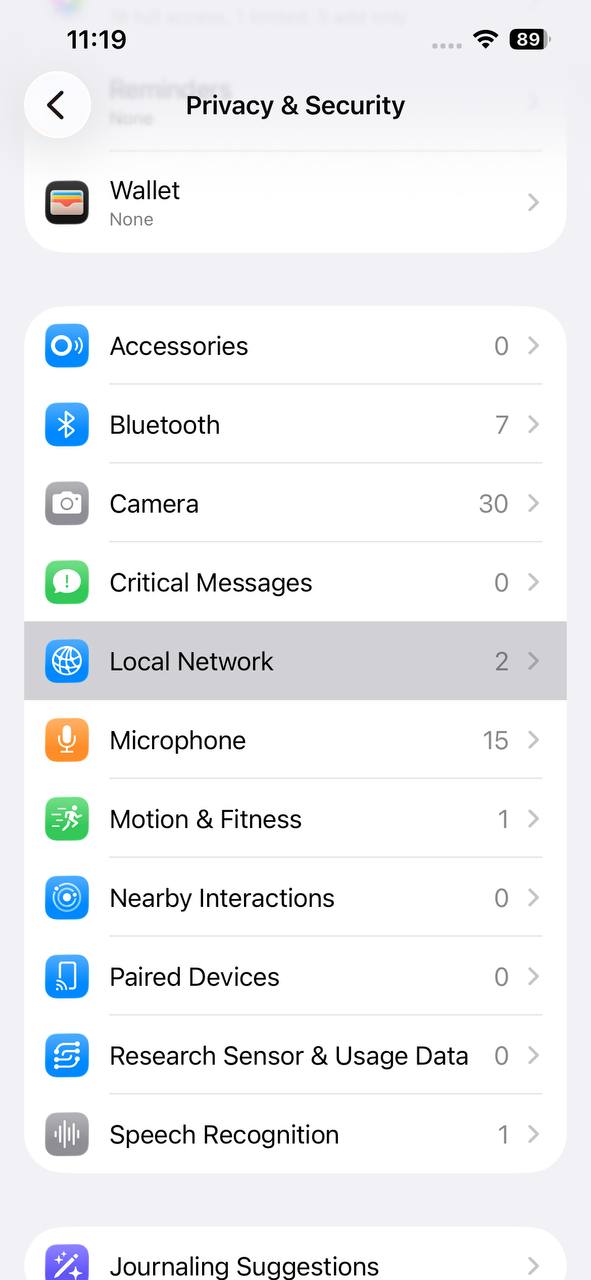
If you’re on iOS, you need to specifically permit your device to find older hardware. From the settings app, open the “Privacy & Security” tab, and then select the Local Network option.
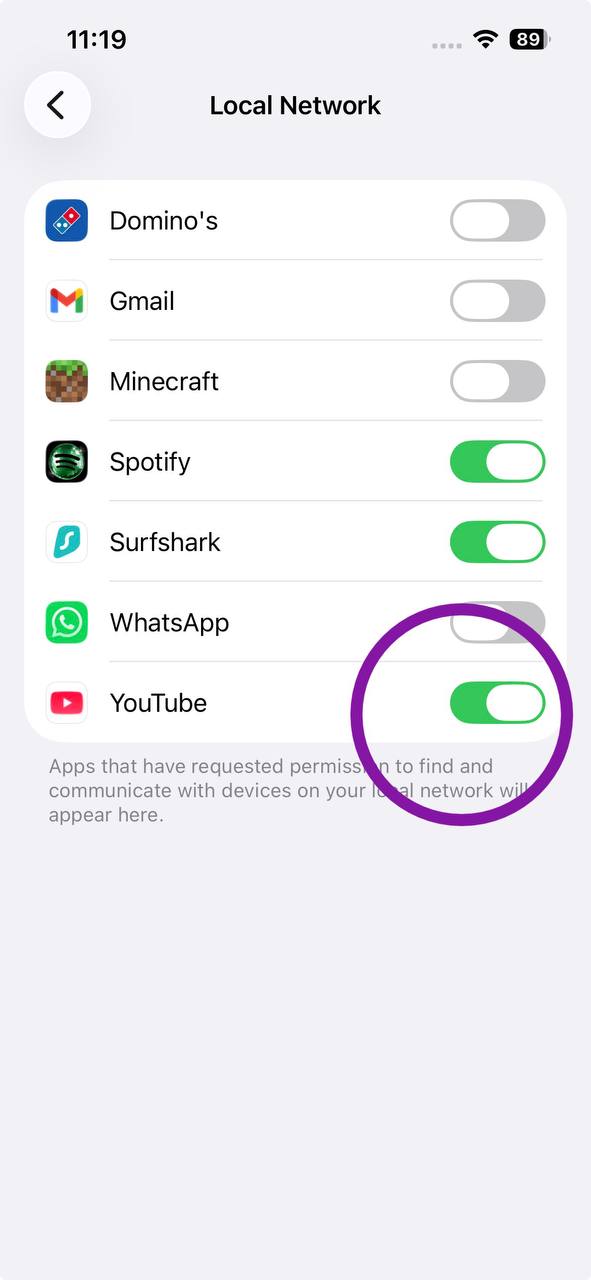
From here, ensure the toggle for YouTube is on.
Since official software support for the Gen 1 Chromecast ended years ago, a traditional firmware patch is highly unlikely.
Unless Google rolls back a recent server-side change or app update, this black screen bug might signal the permanent end of YouTube casting for the iconic streaming stick. Until Google clarifies the situation, affected users can submit feedback directly through the official reporting form.
Disclaimer: The Featured Image was generated with AI.


Sudhanshu K
351 Posts
I have been a consumer technology enthusiast for over 5 years. Thanks to my experience in software beta testing and product reviews, I've understood and learnt a lot about what bugs and issues bother people, and I spend time trying to simplify their solutions. I cover smartphones, software, social media, apps, AI, and most consumer tech gadgets. Actively pursuing a Computer Science bachelor’s degree. I'm mostly active on Twitter/X (@TechWhirlUlt), drop a DM or tag me if you want to share info or connect!
Next article View Article