
The keyboard shortcut for inserting line breaks was quietly changed after a new update on the WhatsApp macOS app. Previously, it was Shift+Enter, and now it’s Option+Enter.
Pressing the older key combination just sends the message now, which isn’t ideal. The change is prominent in versions 26.5 and 26.19. It affects both versions of the app: The macOS App Store download and the direct website download.
It’s a major issue for multi-line messages, and the toggle for “Enter sends the message” appears broken or unavailable. Users note that it works as expected in the web app, so we can’t rule out a bug in the native desktop app.
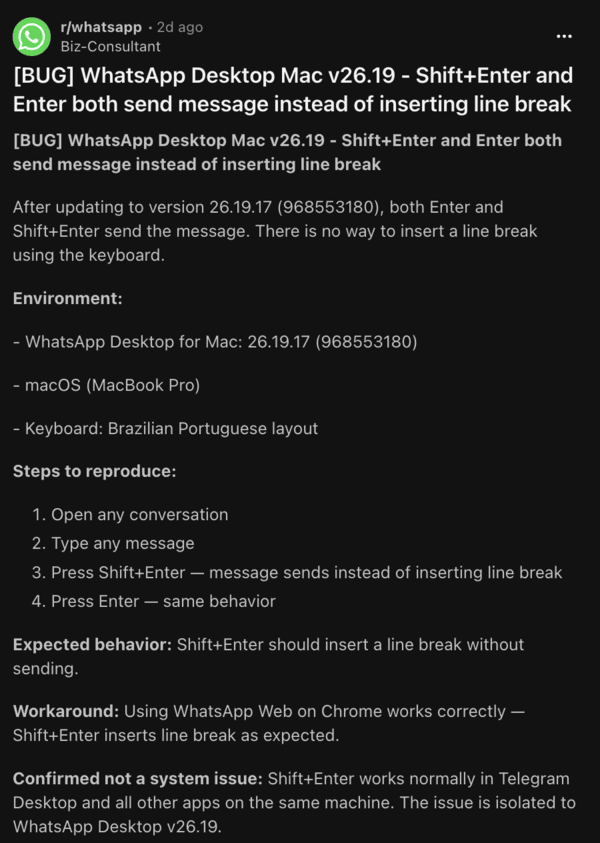
I’ve experienced the same issue on WhatsApp for macOS recently, where using Shift+Enter ended up sending the entire text, instead of adding a line break.
You cannot natively bring back the old shortcut; you need to shift to using Option+Enter instead of Shift+Enter, and this was widely criticised for breaking muscle memory.
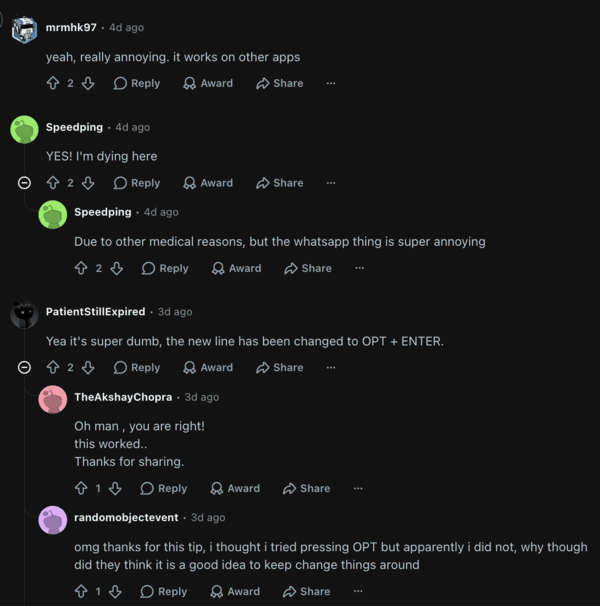
A lot of people called it “major UX downgrade,” and they want WhatsApp to bring back the older method of adding line breaks. The change conflicts with macOS conventions as a whole, since Shift+Enter creates a new line throughout the system.
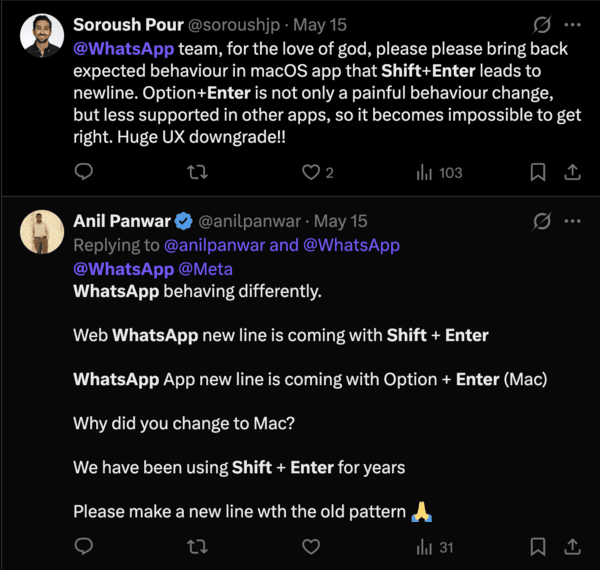
If this isn’t a bug, then there’s zero communication from WhatsApp about the change, and users weren’t informed of this whatsoever. Having the web version behave one way and the app behave another way is inconsistent.
Third-party workarounds exist, and you can try using tools such as Karabiner-Elements to remap Shift+Enter back to the expected behavior within WhatsApp. Do note that it requires a custom script.
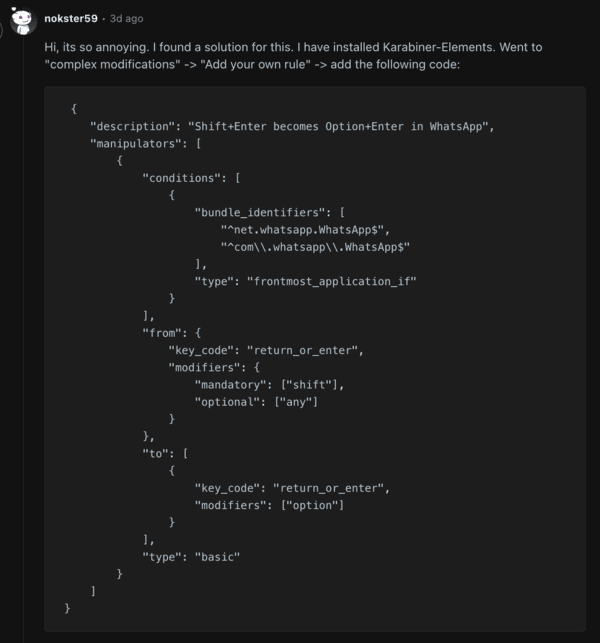
While many have switched to similar alternatives, others are skeptical of giving third-party apps permissions to the keyboard. At the time of writing, WhatsApp hasn’t issued an official statement. We’ll keep the post updated in case of further developments.
Disclaimer: The Featured Image was generated with AI.


Sudhanshu K
297 Posts
I have been a consumer technology enthusiast for over 5 years. Thanks to my experience in software beta testing and product reviews, I've understood and learnt a lot about what bugs and issues bother people, and I spend time trying to simplify their solutions. I cover smartphones, software, social media, apps, AI, and most consumer tech gadgets. Actively pursuing a Computer Science bachelor’s degree. I'm mostly active on Twitter/X (@TechWhirlUlt), drop a DM or tag me if you want to share info or connect!
Next article View Article