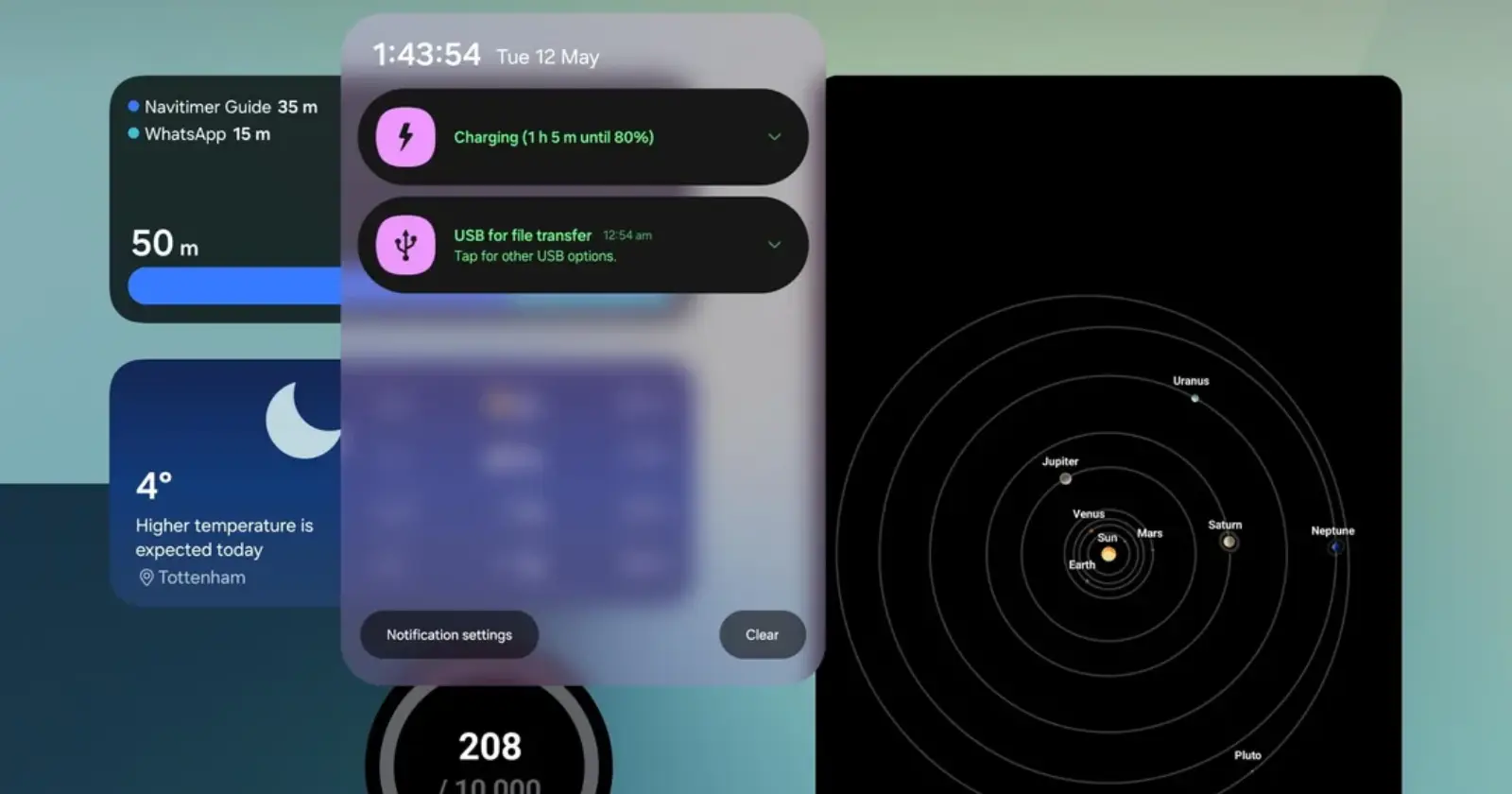
Samsung’s One UI 8.5 update fundamentally alters how notifications look on the Galaxy Z Fold 7, and early adopters are not happy.
It’s worth mentioning, though, that while the backlash is currently coming from Z Fold 7 owners, this design change is baked into the update. It will eventually hit all eligible Samsung foldables.
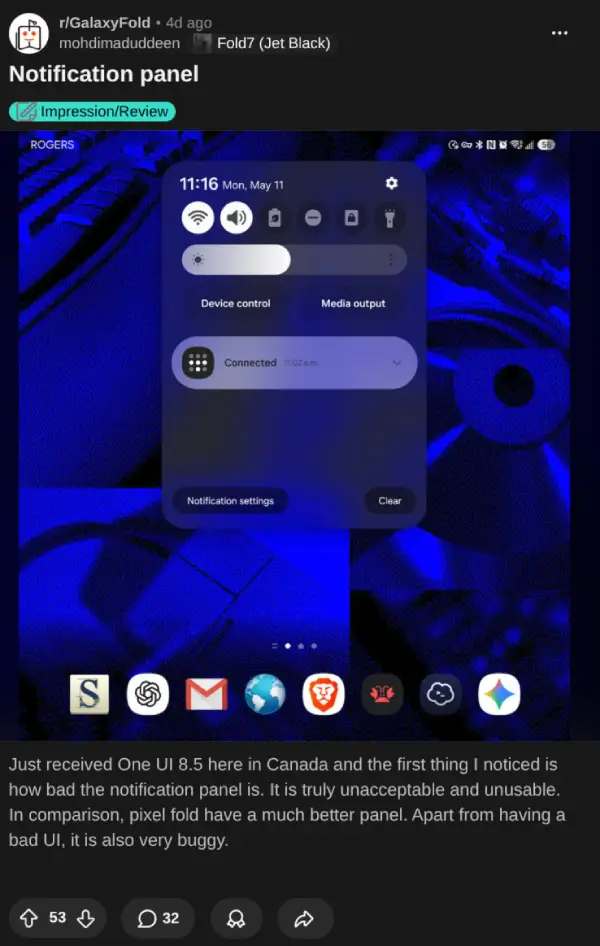
Instead of stretching across the massive 8-inch inner screen, the new Quick Panel drops down as a narrow, phone-sized strip. It leaves nearly half the display completely blank and unused.
Over on the GalaxyFold subreddit, the OP mentioned they lost half their screen real estate overnight. It’s a bit of an exaggeration, but you get the point. They shared before and after screenshots showing exactly how cramped the new layout is.
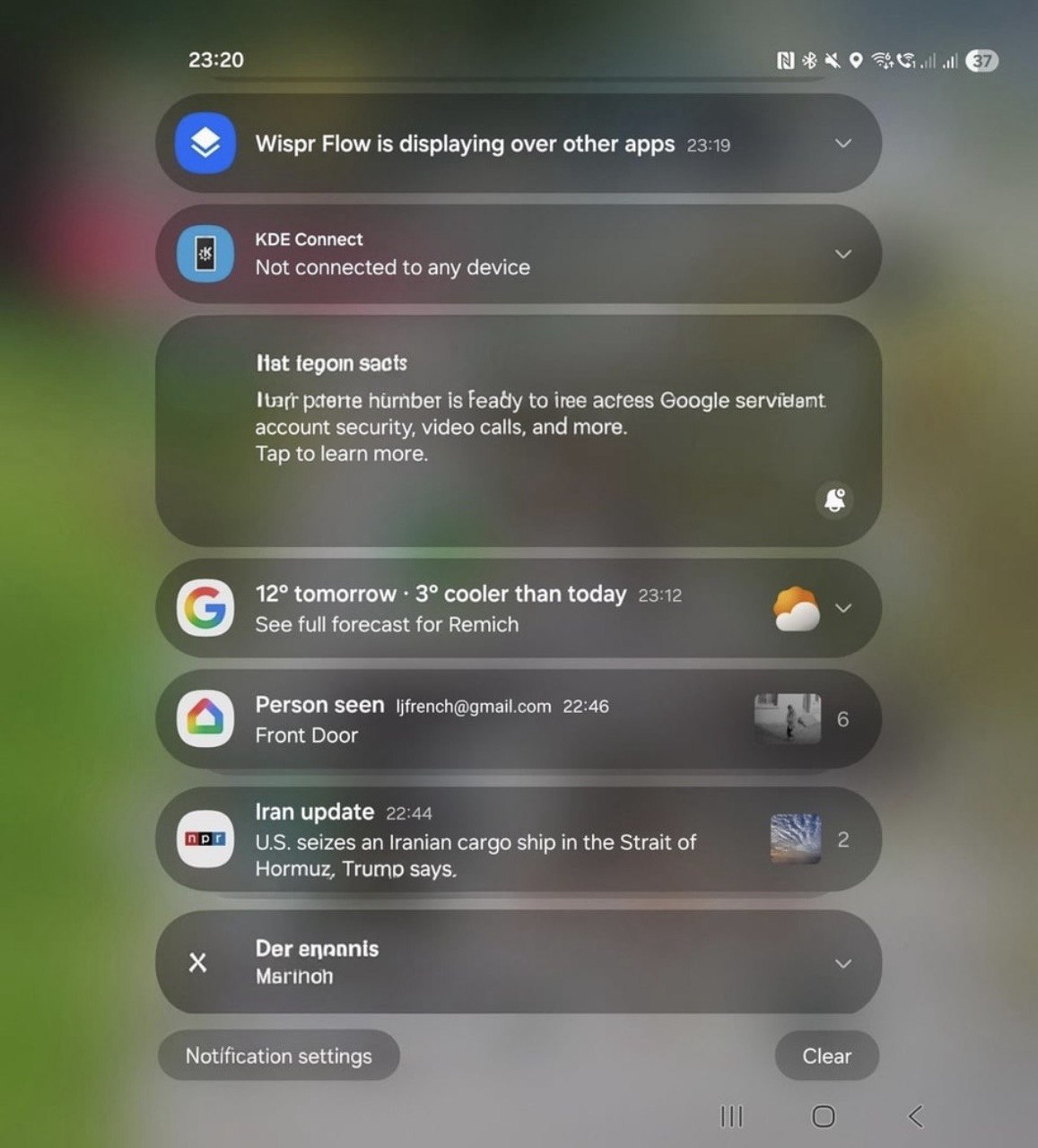
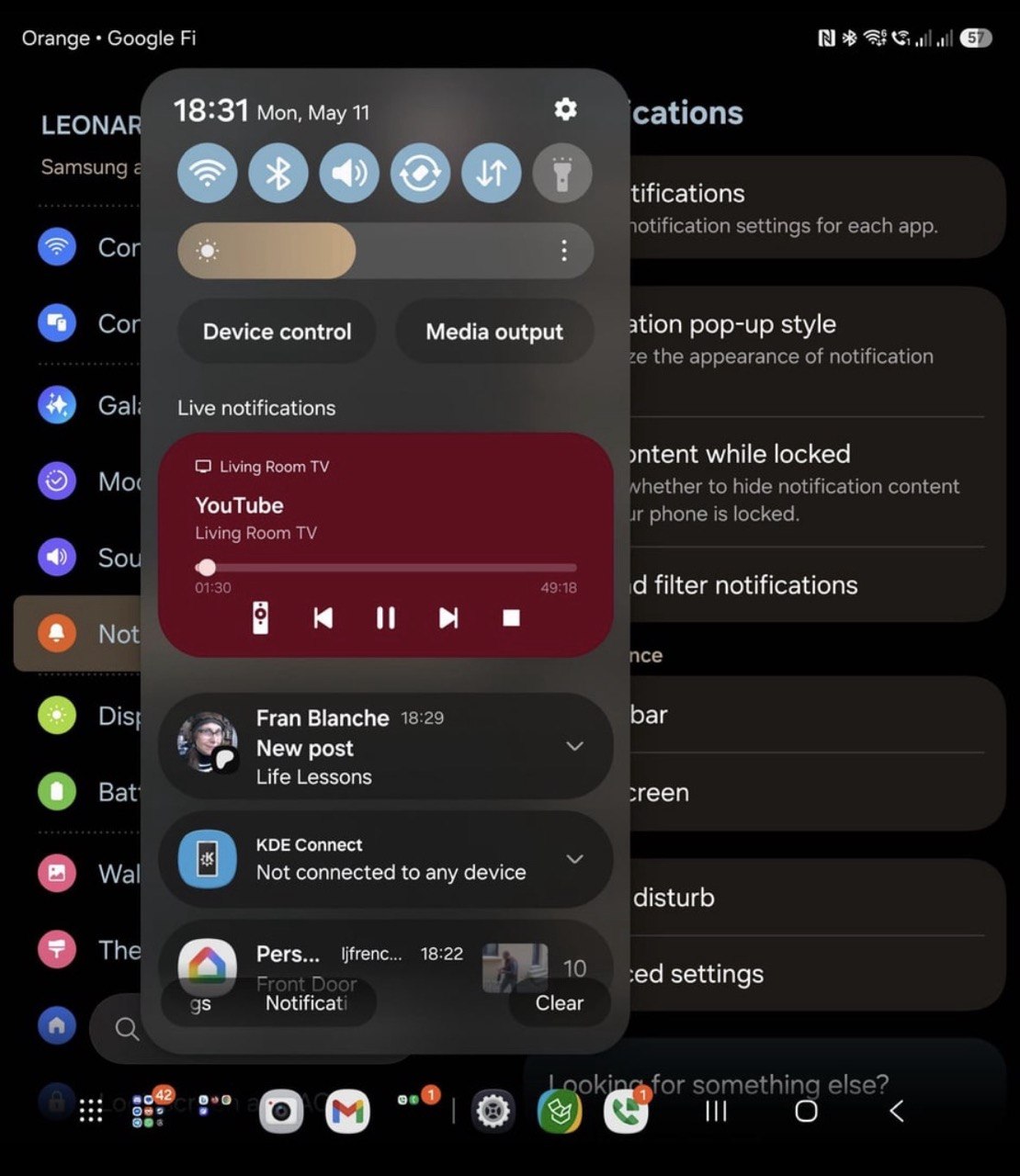
Longer messages now get cut off way earlier than they did on One UI 8.0.
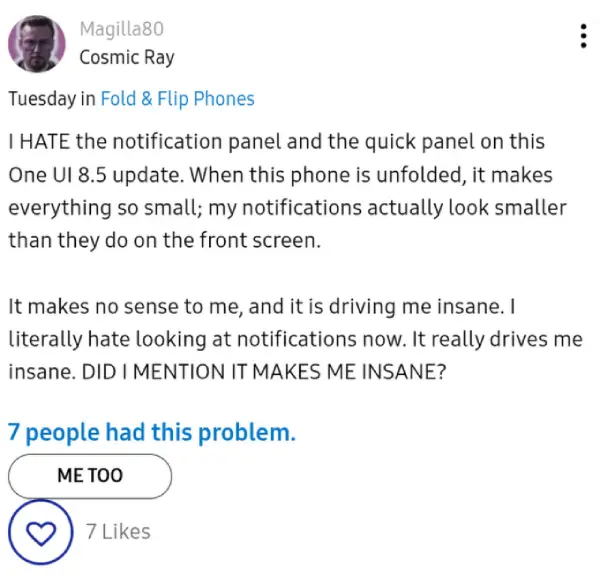
Another user on the Samsung Community forums pointed out a ridiculous side effect. Their notifications actually look smaller on the unfolded tablet display than they do on the narrow cover screen.
So it’s clear why some users aren’t fans of the change.
And, to make matters worse, Samsung doesn’t even provide a way for folks to revert it. Users claim there is no toggle in the settings or even a workaround in Samsung’s Good Lock app to bring back the full-width shade.
A user said it feels like a massive downgrade, noting how well Google handled the notification shade on the Pixel Fold by comparison.
Others find the layout physically awkward. A narrow panel right in the middle forces you to use two hands to balance a heavy foldable just to stretch a thumb over to hit a quick toggle.
Some users actually defend the iPadOS-style split. They argue it helps with one-handed use. Still, with Samsung being known for offering users options, it would have been a lot better if there were a toggle to switch between the two layouts.
The criticism towards One UI 8.5 on foldable devices isn’t exactly coming out of nowhere. During the beta stages, folks at SamMobile posted a video highlighting various other downgrades. You can watch it below:
This visual change is just one of the many frustrations that users have been highlighting since Samsung began rolling out the One UI 8.5 update, which itself was delayed multiple times.
Once it did arrive, it shipped with missing features that people expected would be carried over from the Galaxy S26 series. It also quietly removed the option to hide the battery percentage and made it harder to check free storage.
For now, Galaxy Fold owners are stuck with the narrow UI. Some are holding out hope that Samsung’s development team might introduce a Good Lock module to restore the old full-screen look. Until then, you just have to deal with it.
Featured image credit: u/ImpulsiveHappiness / Reddit


Dwayne Cubbins
3060 Posts
I cover fast-moving stories across apps, online platforms, and everyday tech — phones, wearables, consoles, and whatever else people are fighting with this week. Bugs, rollouts, scams, policy enforcement, and the occasional internet-culture rabbit hole are all fair game. My goal is simple — make confusing tech news readable. When I'm not working, I'm working out or chilling with my dog. Got a tip? You can find me on X @dcubbins.
Next article View Article