





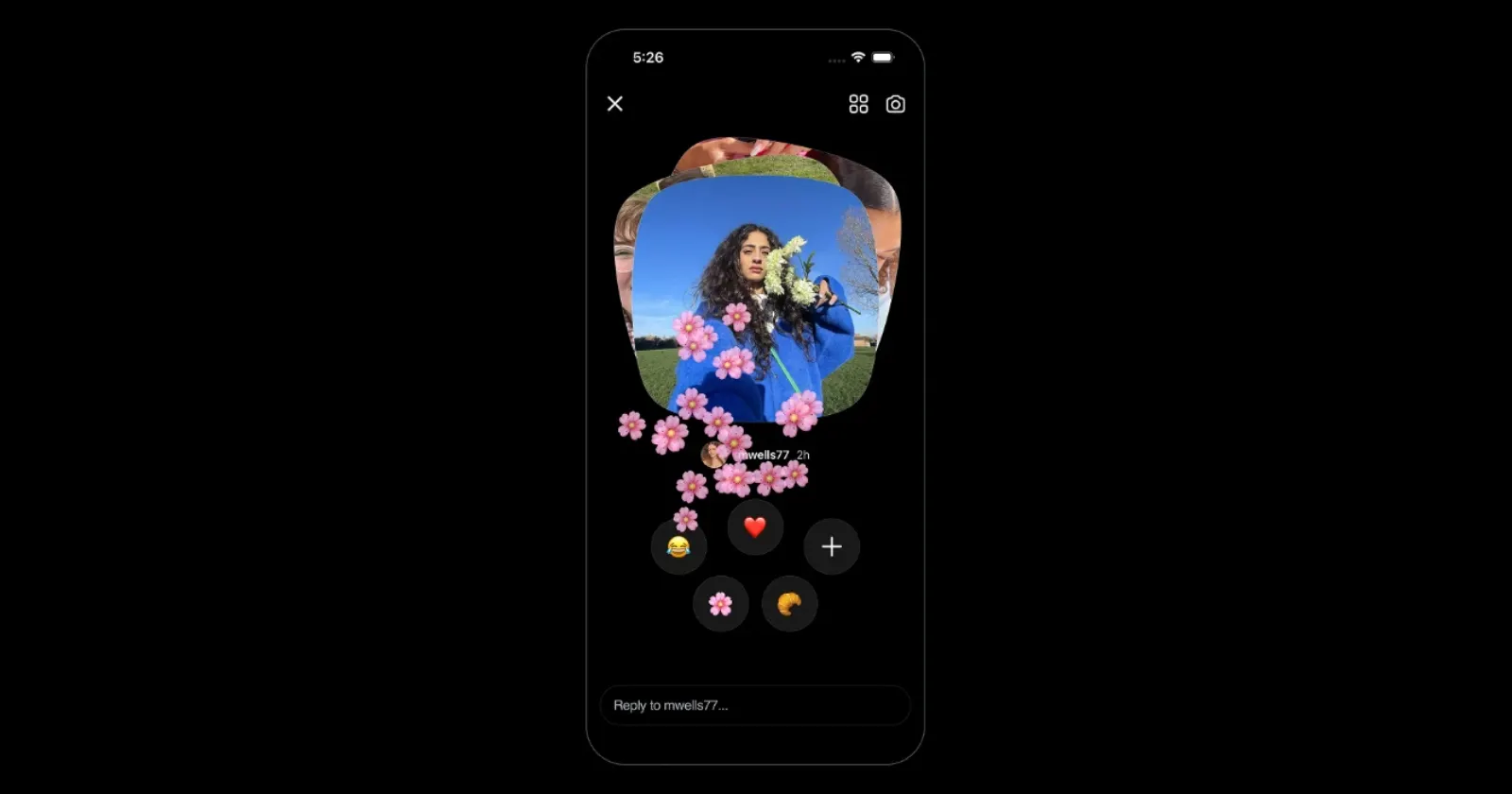
Say hi to Instants 👋 A new way to share in-the-moment pics with friends. Tap the mini pile of photos at the bottom right corner of your DMs to try it yourself 👀
— Instagram (@instagram) May 13, 2026
Rolling out today. pic.twitter.com/zbhsOA9O9m
Instagram just rolled out Instants more widely, and a lot of people want it gone already. The feature, which Meta officially announced just a few hours ago, puts disappearing photos from Close Friends or mutual followers right in your inbox. Many users seem to have gotten it overnight with no obvious way to turn it off.
Turns out there is one.
Multiple users discovered that you have to go to your Instagram profile, tap the three lines in the top right corner, then go to Settings > Content Preferences. At the bottom of that menu is a toggle labeled “Hide instants in inbox.” Turn it on, and Instants disappears from your inbox entirely.
A user shared a screenshot of the page on X. Check it out below:
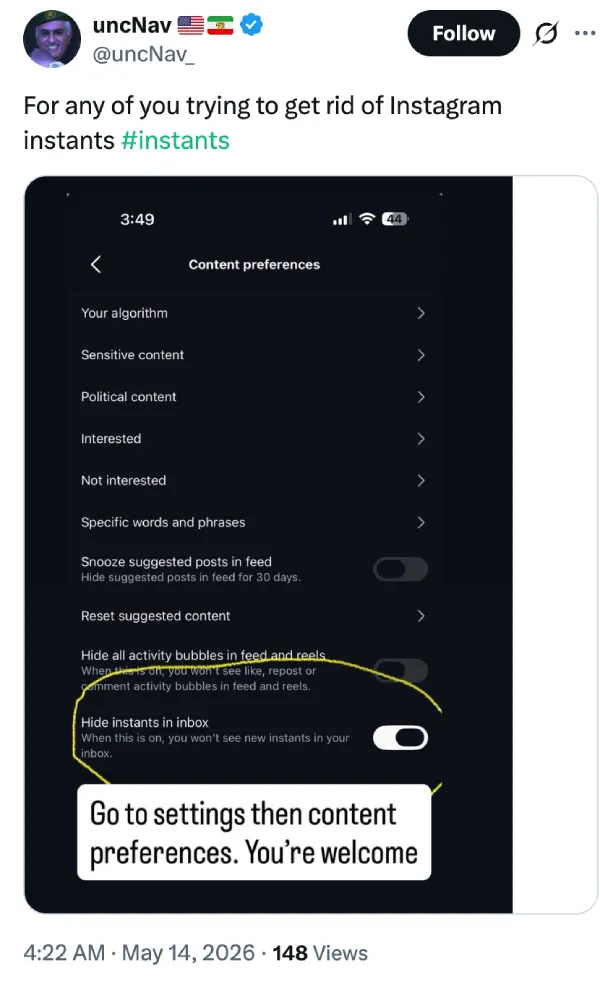
When turned on, Instagram says you “won’t see new instants in your inbox.” Users in a couple of threads confirmed this worked for them.
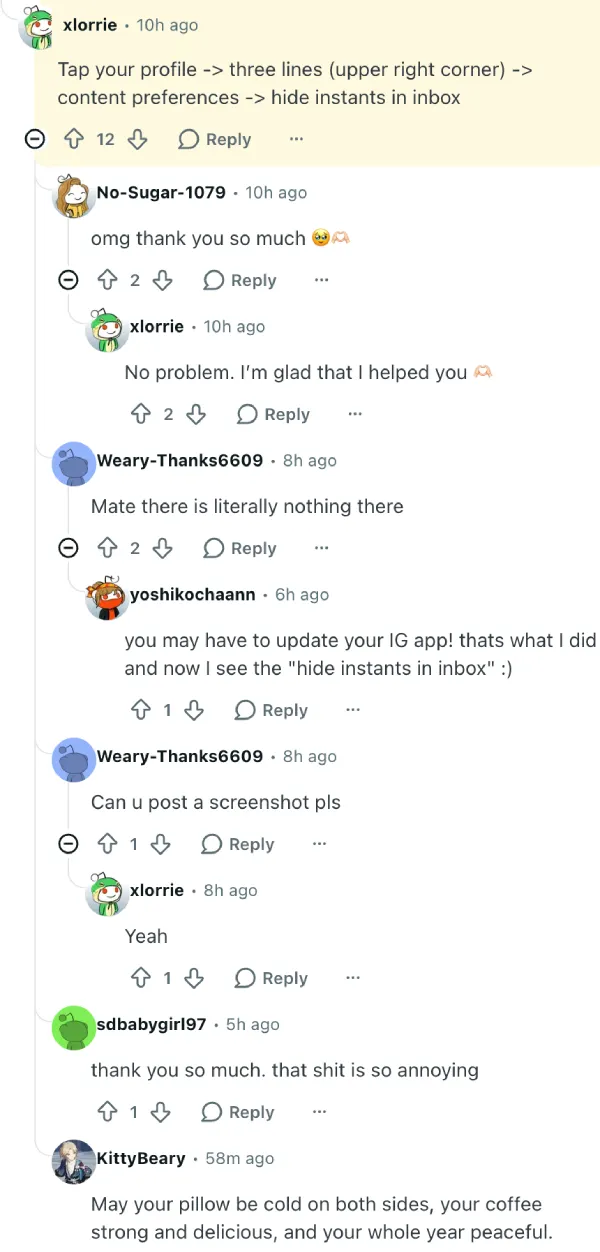
But that only handles the inbox. Notifications are separate.
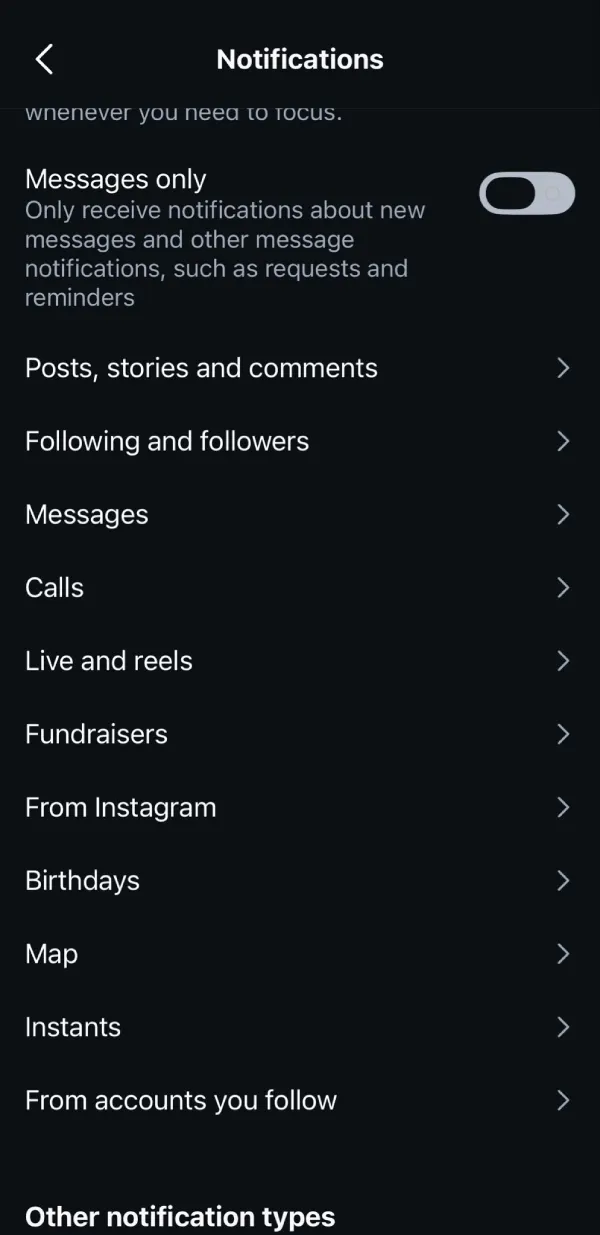
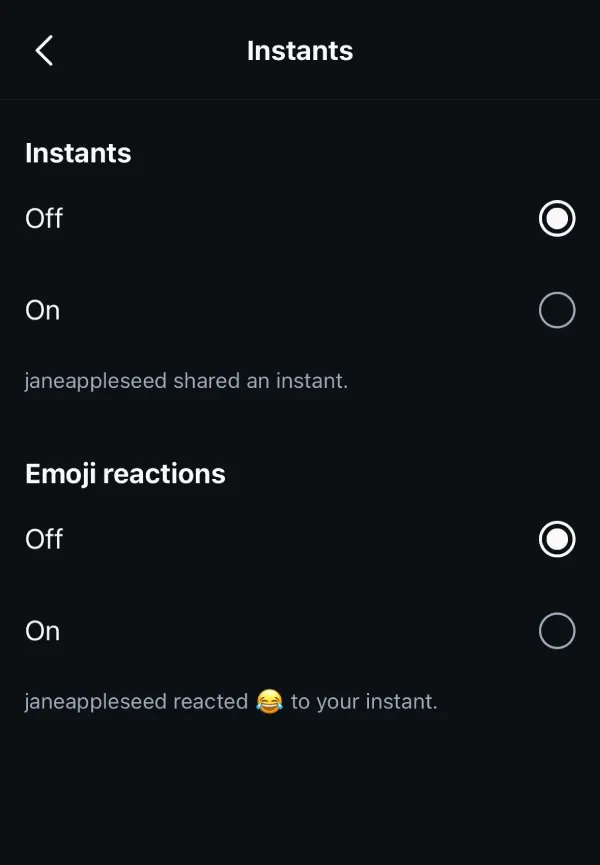
For that, go back to Settings, search “Notifications,” scroll down to the Instants section, and mute everything from there. A user noted this specifically: “Notifications won’t be disabled though!!! So for that, go back and this time search ‘Notifications’ in settings.”
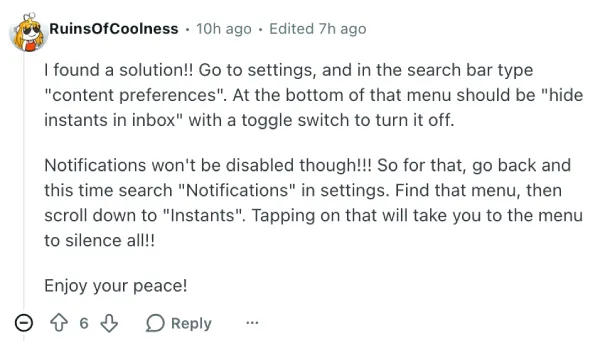
Someone else also shared screenshots of the notifications settings. Check them out below:
That said, if you don’t see the toggle to turn off Instants, then you should check for an update for the Instagram app.
It’s worth noting that Instagram also launched a separate standalone Instants app in select countries, so the inbox toggle won’t block content coming through that. The app uses the same Instagram account and shares across both surfaces. Instagram says instants can’t be screenshotted or screen-recorded, and for teens on supervised accounts, time spent on Instants counts toward their existing daily Instagram time limit.
None of that helps if you don’t want the feature at all, but it’s at least something for parents keeping tabs on what their kids are using.

We stand out from the tech-media crowd because we break news stories; we mainly bring you stuff that you won’t find anywhere in the mainstream tech media. Our stories have been picked up by some of the world’s most popular websites and media outlets—more info is available here.

Dwayne Cubbins
3060 Posts
I cover fast-moving stories across apps, online platforms, and everyday tech — phones, wearables, consoles, and whatever else people are fighting with this week. Bugs, rollouts, scams, policy enforcement, and the occasional internet-culture rabbit hole are all fair game. My goal is simple — make confusing tech news readable. When I'm not working, I'm working out or chilling with my dog. Got a tip? You can find me on X @dcubbins.
Next article View Article

Some Instagram users report links not opening in app, redirects to home screen instead [U: It's back]
Update 21/05/26 - 09:37 am (IST): The bug is back again. Many users have taken to Reddit and X to complain that shared links are not opening properly...
May 21, 2026 2 Min Read