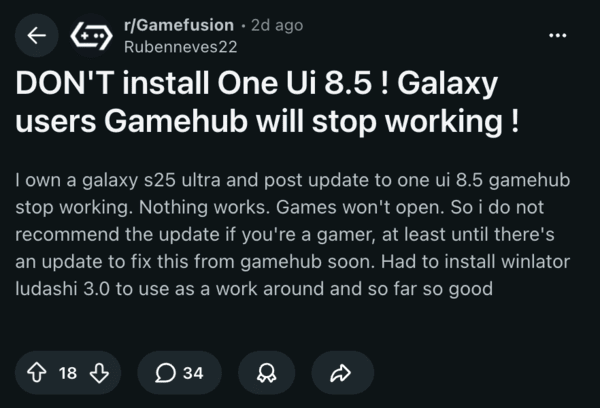
Multiple users are reporting that updating to One UI 8.5 breaks GameHub. All games fail to boot, and it’s a known bug with GameHub since the beta versions that’s unfortunately affecting One UI 8.5 stable.
There are several complaints on Reddit and X, explaining how the entire emulation tool refuses to work. Reportedly, GameHub consistently gets stuck on initializing, sometimes reaches the end with a little bit remaining, but then freezes.
Some games, such as Resident Evil 8, allegedly run properly until a specific scene within the game, after which it crashes.
Note: GameHub isn’t the same as Samsung’s native Gaming Hub app. The former is a gaming emulator, and the latter is a cloud-based game discovery platform.
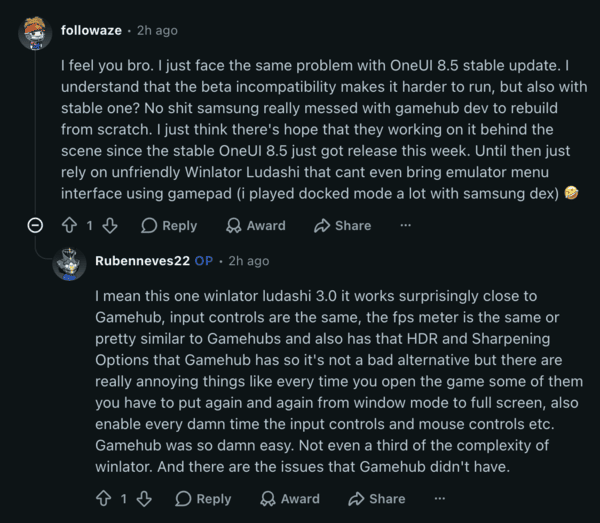
A comment on Reddit suggests that Samsung might have made “significant” changes to Android 16 under the hood, and these break GameHub’s compatibility layer. Due to modifications in low-level system components such as GPU driver handling, graphical APIs, and more, there’s some sort of interference with GameHub.
During the One UI 8.5 beta cycle, GameHub constantly pushed updates as recently as three days ago. Unfortunately, the problem hasn’t been solved. It might be a bigger obstacle than anticipated; it might take some time until GameHub’s developers are able to restore it to full working condition.
The comment goes on to mention that the timing is unfortunate, since GameHub has just recently started getting advanced features.
I wasn’t able to find a workaround that allows you to run GameHub directly. However, Winlator Ludashi has come up a lot in comments online. It’s a performance-optimized version of Winlator Bionic, and it basically allows you to emulate Windows X64 apps and games on your Android phone.
How it achieves this is by masquerading as a benchmarking application, unlocking the maximum performance potential of your phone. Using Winlator Ludashi seems to be the only working solution if you want to emulate games on your Samsung phone running One UI 8.5 at the moment.
The configuration of this is supposedly not as easy or user-friendly (like GameHub was), but if you want to install the emulator on your phone, you can follow the guide from here.
Additionally, it’s worth mentioning that the Galaxy S26 models (which run One UI 8.5 out of the box) are also impacted by the same issue. GameHub never worked on those phones.
That said, if you’re on an older device and haven’t updated to One UI 8.5, you can choose to remain on an older software version until these issues are fixed (if you are a heavy emulator user). Another reason to halt updating is bugs, such as broken colors in Google apps.
Do note that staying on older patches may carry security risks, alongside the usual lack of new features, though some features that users expected to be carried over from the S26 series to other models are missing. You can read more on that here.
Disclaimer: The Featured Image was generated with AI.


Sudhanshu K
315 Posts
I have been a consumer technology enthusiast for over 5 years. Thanks to my experience in software beta testing and product reviews, I've understood and learnt a lot about what bugs and issues bother people, and I spend time trying to simplify their solutions. I cover smartphones, software, social media, apps, AI, and most consumer tech gadgets. Actively pursuing a Computer Science bachelor’s degree. I'm mostly active on Twitter/X (@TechWhirlUlt), drop a DM or tag me if you want to share info or connect!
Next article View Article