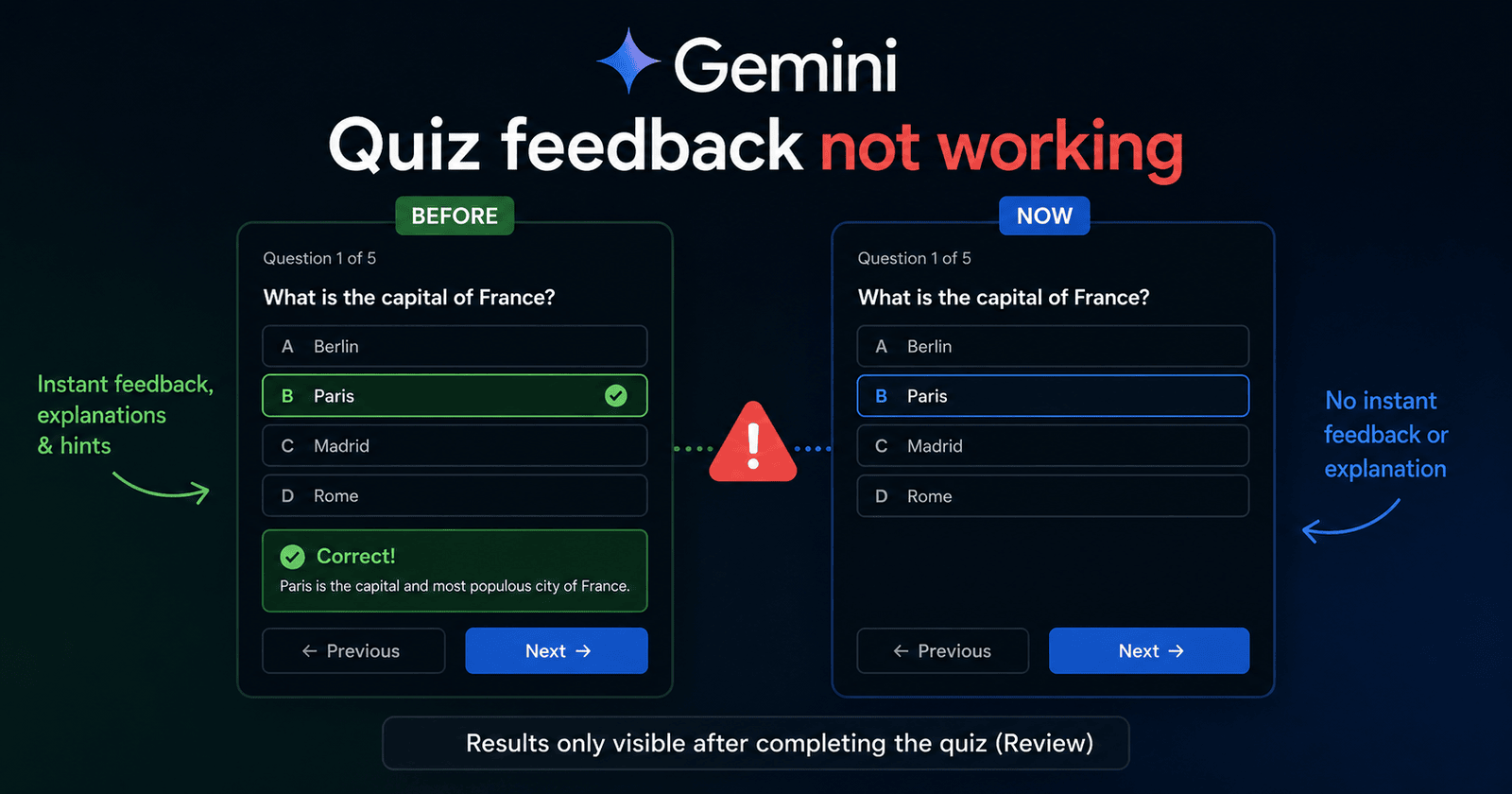
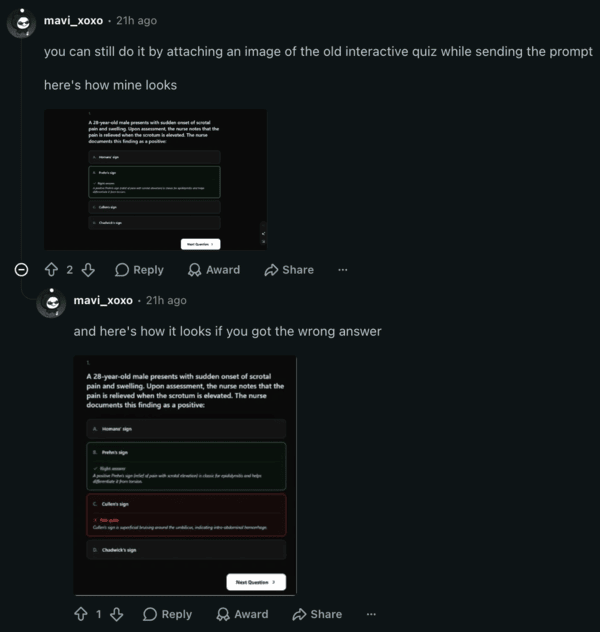
Multiple users report that Gemini’s interactive quizzes no longer provide immediate color-coded feedback, hints, or explanations after an answer is selected. Previously, correct answers appeared in green with an explanation, and incorrect ones were in red.
There are various reports describing this problem on Google Support forums and Reddit. Now, selected answers only show a blue border, with results only visible after completing the quiz and using the review option. It affects both the website and the app.
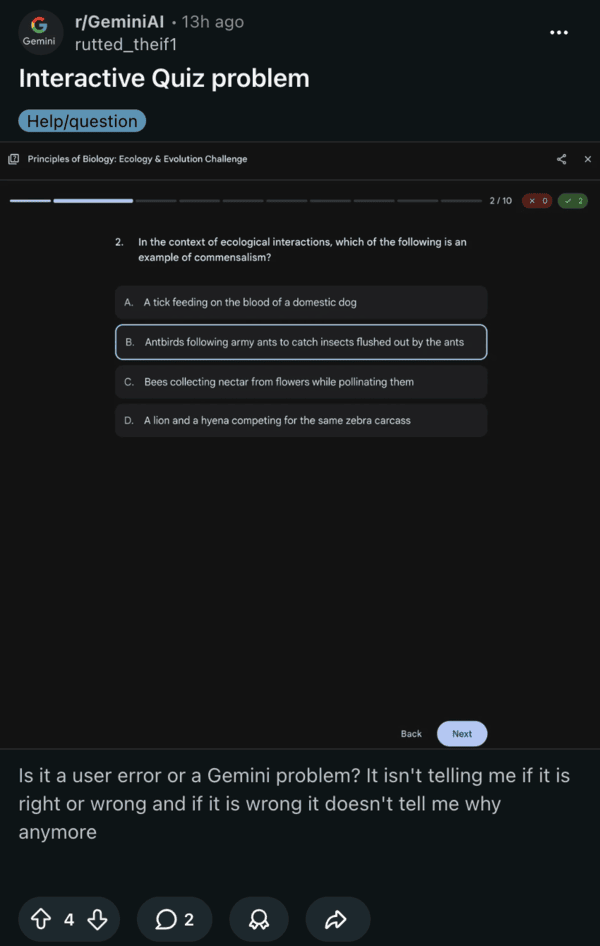
Google either removed these features, or there’s a malfunction of real-time rationales, visual indicators, and interactive hints in Gemini quizzes. It affects all quizzes generated by standard prompts or Canvas.
One user posted about how it’s drastically less efficient than before, with others confirming the same problem in the replies. This was a key reason for picking Gemini for quizzes over competitors like Claude and ChatGPT, but this bug/change seems to be ruining that for people. It’s making it harder for students to prepare for exams.
As expected, users are frustrated about this, since it makes engagement with quizzes harder. A lot of people prefer instantly getting feedback on answers instead of waiting till the end of the quiz. People are straight-up calling this “bad design.” Which one’s a better way of going about quizzes is subjective, but users should be given a choice.
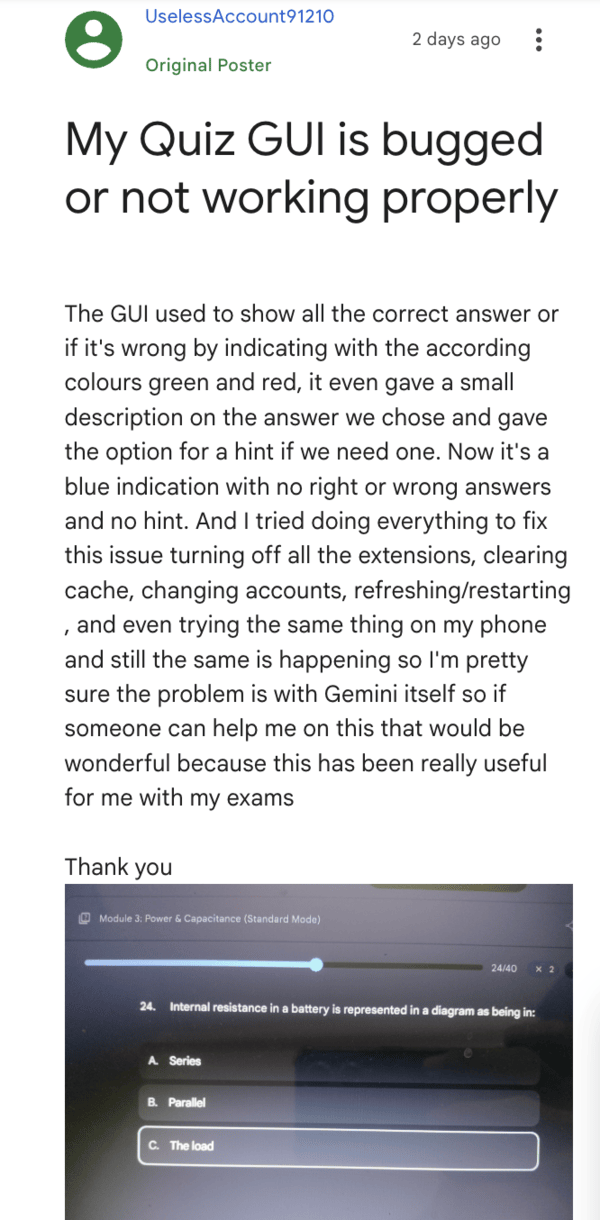
Community members have tried several workarounds, including clearing the app cache, starting new chats, etc, but these methods don’t seem to help. A volunteer on Google forums suggested checking whether the “Show hint” option is enabled, though it doesn’t seem to help.
A host of other workarounds, like switching to the web version, reinstalling the app, etc., have reportedly failed to yield any results as well.
Something interesting you can try is including a screenshot of the old UI (with the indicators) in the prompt, and this might get it to work again, as posted by u/mavi_xoxo on a Reddit comment.
On the bright side, NotebookLM still has direct feedback and overall might suit this use case better than the standard Gemini. A lot of users recommended trying that out as an alternative.
Google has not publicly acknowledged the issue yet, so there’s no timeline for a fix. If this isn’t a bug and it’s actually how Google wants the feature to behave, the company should issue a statement to clear user confusion. In the meantime, you can try sharing a bug report with Google.
Disclaimer: The Featured Image was generated with AI.


Sudhanshu K
281 Posts
I have been a consumer technology enthusiast for over 5 years. Thanks to my experience in software beta testing and product reviews, I've understood and learnt a lot about what bugs and issues bother people, and I spend time trying to simplify their solutions. I cover smartphones, software, social media, apps, AI, and most consumer tech gadgets. Actively pursuing a Computer Science bachelor’s degree. I'm mostly active on Twitter/X (@TechWhirlUlt), drop a DM or tag me if you want to share info or connect!
Next article View Article