![Chrome 148 bug is forcing the Bookmarks bar onto every new tab [U: Fix upcoming]](https://piunikaweb.com/wp-content/uploads/2026/03/Chrome-Logo-Featured-Image.png "Chrome 148 bug is forcing the Bookmarks bar onto every new tab [U: Fix upcoming]")
Update 12/05/26 – 01:17 pm (IST): Google has now officially confirmed the issue as a regression bug introduced by a recent changelist (CL) in Chrome 148. It specifically affects the New Tab Page, forcing the bookmarks bar to appear even when set to “Never.”
Fortunately, in the latest internal update, the team decided to roll back the problematic change, and they have requested a merge-back. This was posted on the Chromium Issue Tracker.
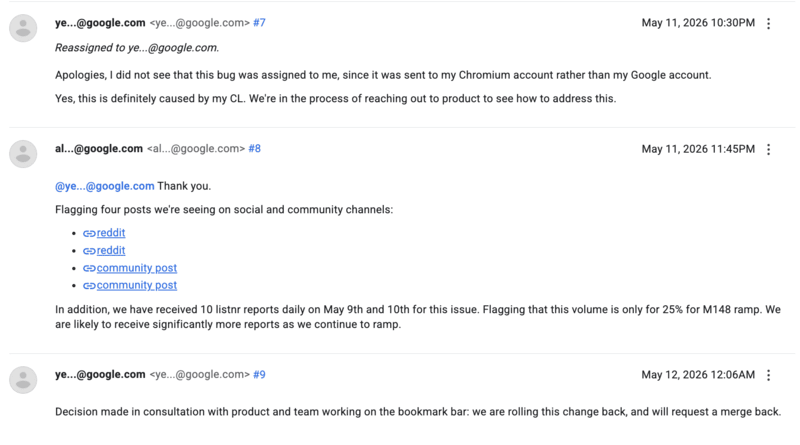
The developer that this bug was assigned to wasn’t made aware immediately, since the notification was sent to their Chromium account instead of the Chrome account, theoretically causing a delay in the fix.
The patch should likely drop soon, through a Chrome 148.X update, which you can manually check for in Help > About Google Chrome.
Original article published on May 11, 2026, follows:
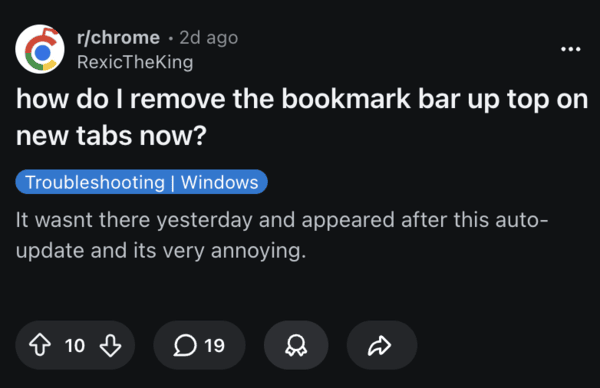
After updating to Chrome version 148, many users noticed that the bookmark bar now appears by default on every new tab page. A lot of people dislike this because you can’t turn it off, and the toggle doesn’t work.
There are various reports on Reddit and Google Support pages describing the issue. It affects Windows, Mac, and other platforms. Even if you set the bookmark bar appearance to “Never” or use custom extensions for the New Tab Page (NTP), it fails to work as expected.
Previously, you could hide the bookmarks completely via settings (chrome://settings/appearance), or the keyboard shortcut (CTRL/Cmd + Shift + B), enabling a clean, minimal look for all new tabs. However, these controls are reportedly not working now.
The glitch is so persistent that it forces an empty bookmarks bar onto the New Tab Page, even if the user has no bookmarks saved. While the bar correctly hides itself on regular websites, it remains stuck in view on every fresh tab.
The problem is likely caused by a regression bug introduced in the v148 update. The change broke how Chrome handles bookmark bar visibility on the new tab page. Users report that using flags like #ntp-simplification-bookmark-bar doesn’t work either.
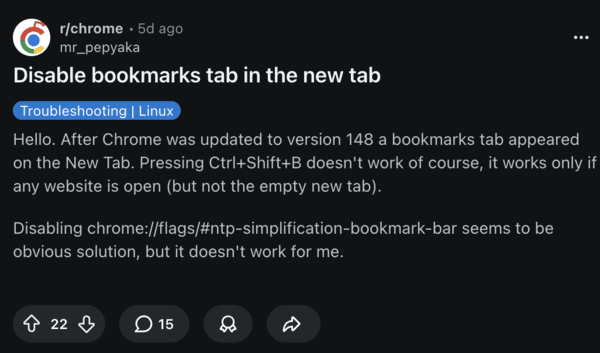
Google didn’t officially acknowledge this issue yet, but there are hundreds of affected users who call the situation “disappointing” because it’s such a simple thing that shouldn’t be broken after an update like this. Others report that the animation also looks off.
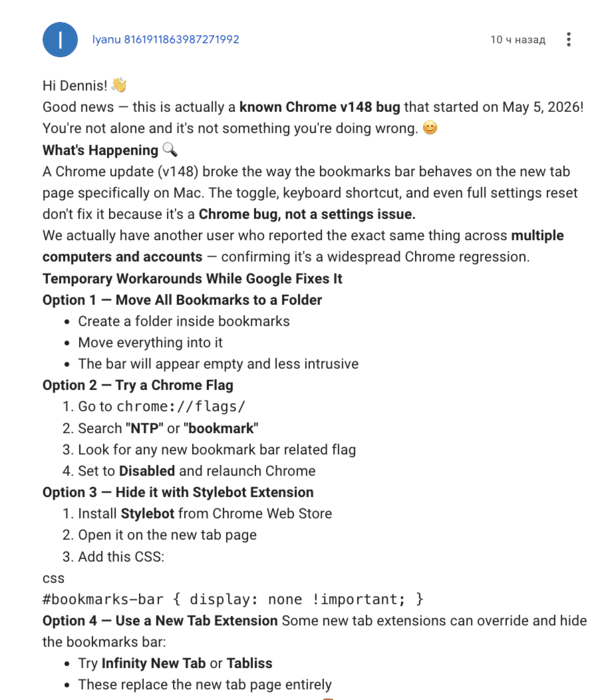
I’ve browsed through various comments, and there are a few workarounds you can try. Shifting all your bookmarks into one folder somewhat solves the issue, since most of the bookmarks bar stays empty, and it’s less intrusive.
Additionally, you have the option to try extensions such as Infinity New Tab or Tabliss to override the default NTP and get your preferred look. Some users suggest rolling back to v147 via a trusted source and pausing auto updates, but using an older version of a browser carries security risks, so proceed with caution.
While Google has yet to officially comment, a “silent” patch is likely. Keep an eye on your Help > About Google Chrome menu over the next few days for an incremental update that addresses the glitch.


Sudhanshu K
310 Posts
I have been a consumer technology enthusiast for over 5 years. Thanks to my experience in software beta testing and product reviews, I've understood and learnt a lot about what bugs and issues bother people, and I spend time trying to simplify their solutions. I cover smartphones, software, social media, apps, AI, and most consumer tech gadgets. Actively pursuing a Computer Science bachelor’s degree. I'm mostly active on Twitter/X (@TechWhirlUlt), drop a DM or tag me if you want to share info or connect!
Next article View Article