Google is quietly discontinuing a desktop backup feature for Google Photos via Google Drive. Users have been sent emails this month, notifying them of the change and the transition to Google Photos.
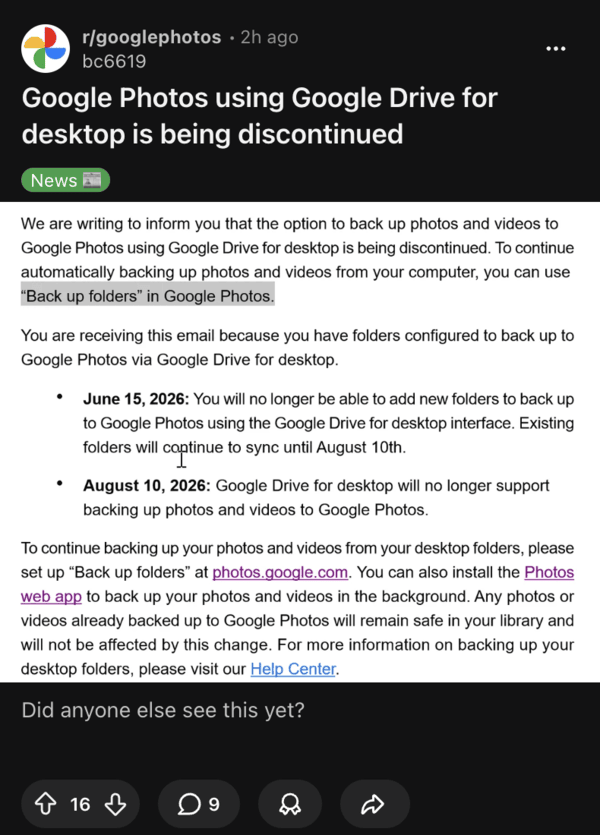
A post on the Google Photos subreddit shared the details, with the notification. This change affects people who relied on Google Drive for desktop to automatically sync photos and videos from their computers in the background.
The Google Drive desktop app allowed seamless folder backups directly to Google Photos without much manual intervention for years. Users could just select folders on their PC or Mac, and the app would handle updates in the background, on its own. This was extremely convenient to keep photo libraries up to date for many users, without needing to have browser tabs open.
According to the official Google Support page, in-app notifications will begin rolling out in June, urging users to transition to the new method; emails have already started going out. Starting June 15, 2026, new folder configurations through Drive for desktop will no longer work. However, the company has clarified that existing backups will continue for now.
Full support will end on August 10, 2026. After that, users have to use the “Back up folders” option on the Google Photos website.
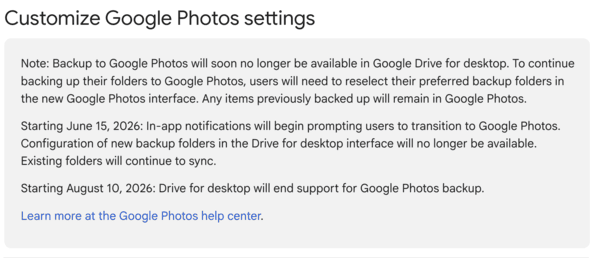
The new method requires visiting the Google Photos website, selecting the folders from there, and then keeping the browsing tab active (or using web sync). Unlike the desktop client, it’s not running seamlessly in the background. Google says that previously backed-up content is still safe, but users have to transition to the new method eventually.
I don’t exactly understand the need to discontinue a useful and convenient service like this. Earlier shifts replaced Backup and Sync with Drive for desktop, and now the company is moving towards streamlining backups on the web and mobile.
Reactions from users on Reddit have been largely negative, with users describing the web alternative as clunky and less reliable. It forces people to leave a browser tab open and then check it periodically.
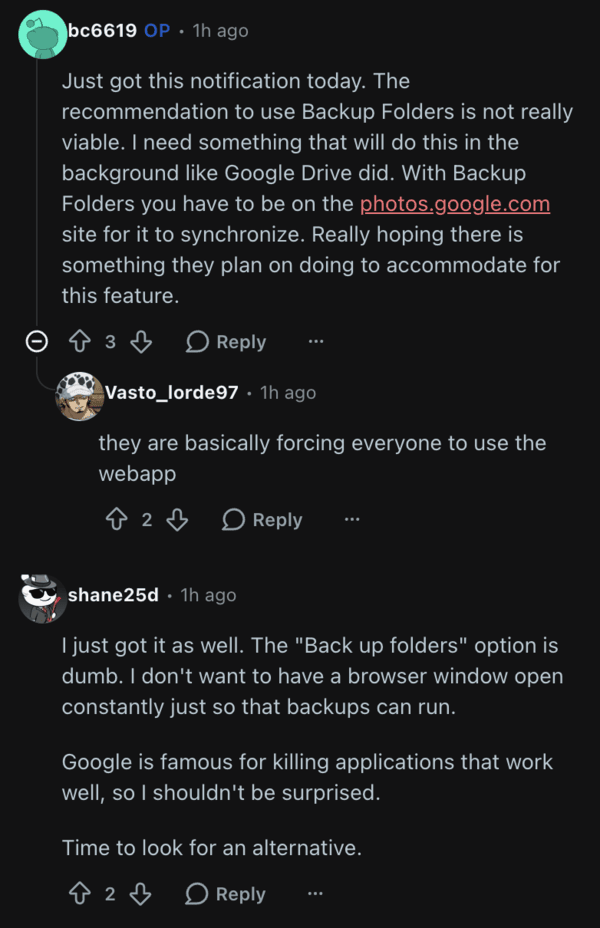
Heavy users who rely on background backups a lot for a large amount of data are the most affected by this. A few people have advised trying out Immich, which is a self-hosted backup solution. You can check that out if you’re interested.


Sudhanshu K
310 Posts
I have been a consumer technology enthusiast for over 5 years. Thanks to my experience in software beta testing and product reviews, I've understood and learnt a lot about what bugs and issues bother people, and I spend time trying to simplify their solutions. I cover smartphones, software, social media, apps, AI, and most consumer tech gadgets. Actively pursuing a Computer Science bachelor’s degree. I'm mostly active on Twitter/X (@TechWhirlUlt), drop a DM or tag me if you want to share info or connect!
Next article View Article