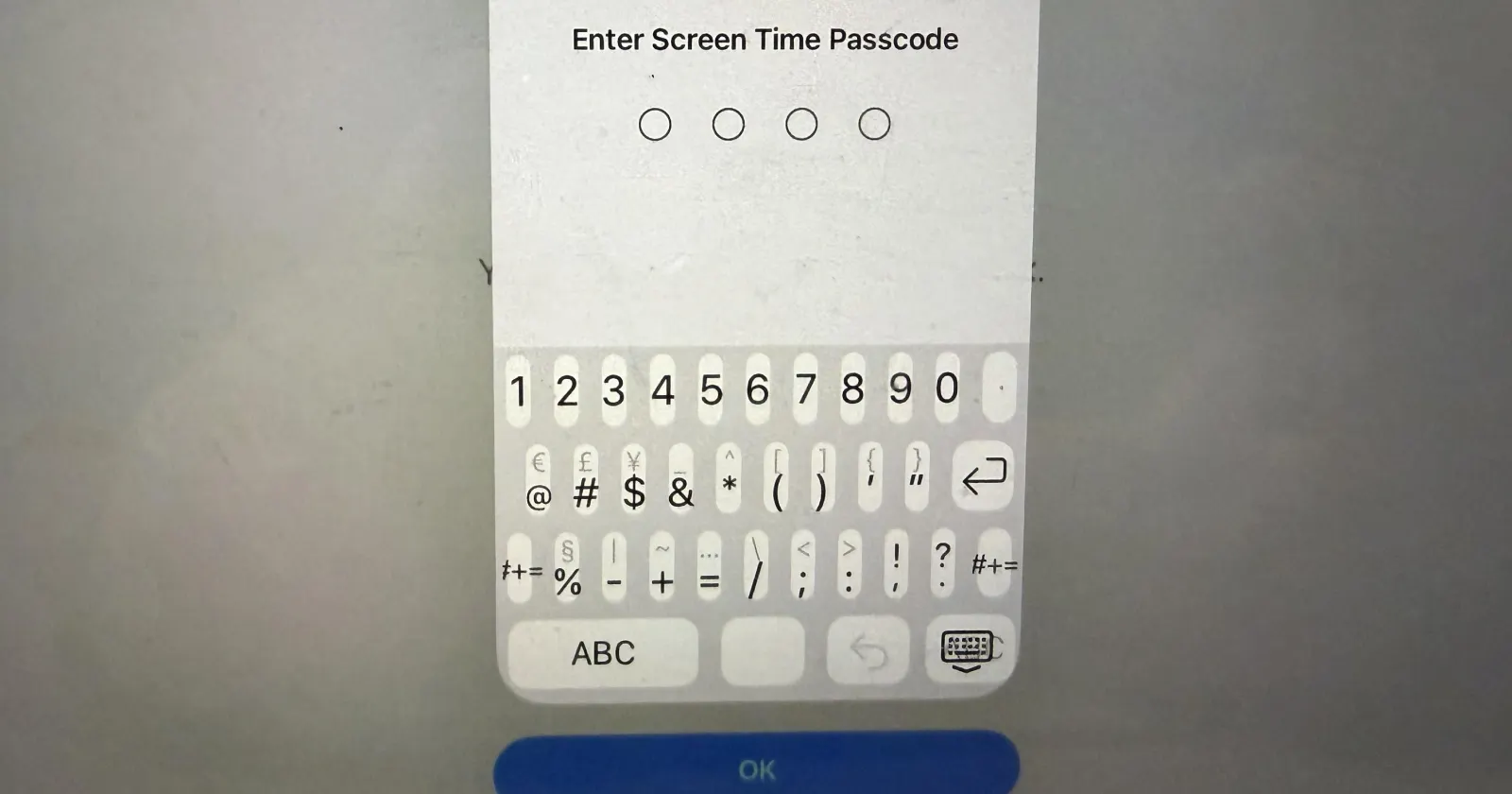
Apple device owners updating to iPadOS 26.4.1 are running into a frustrating visual glitch that makes typing a Screen Time passcode nearly impossible. Instead of the standard number pad, the system loads a full alphanumeric keyboard crammed into a tiny vertical space.
The keys overlap and look completely broken. So basically, adult users with normal-sized fingers simply cannot press the right numbers to unlock their devices or bypass parental controls.
After reading dozens of comments on various Apple subreddits, it is clear this bug is widespread and starting to look like a persistent issue.
Users are complaining about the cramped layout on the r/iPadOS subreddit, with similar reports piling up from frustrated parents trying to manage restrictions on r/ios26 and r/ipad.
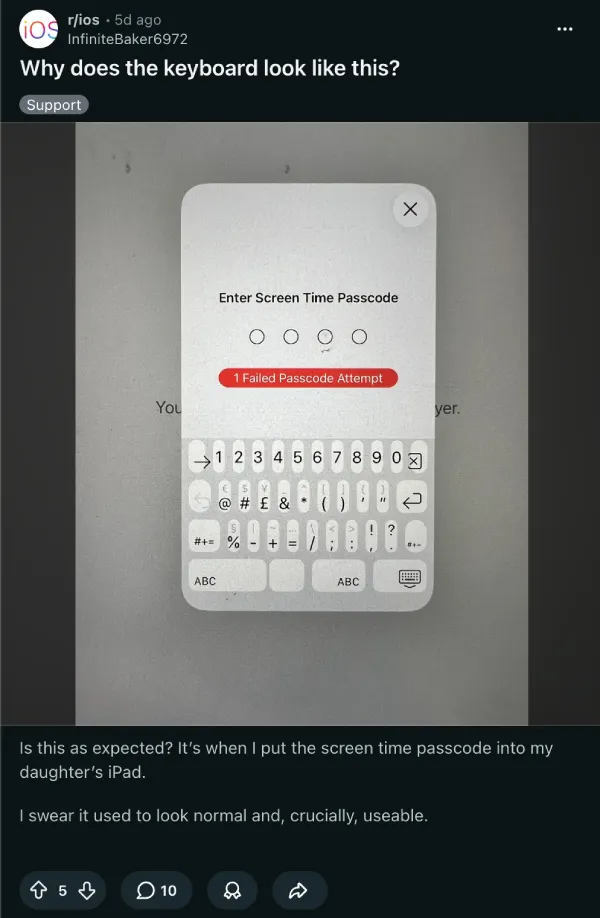
One user posted an image asking why the keyboard looks like this, wondering if this is intended. It is not. It’s just a messy bug that Apple accidentally let slip past.
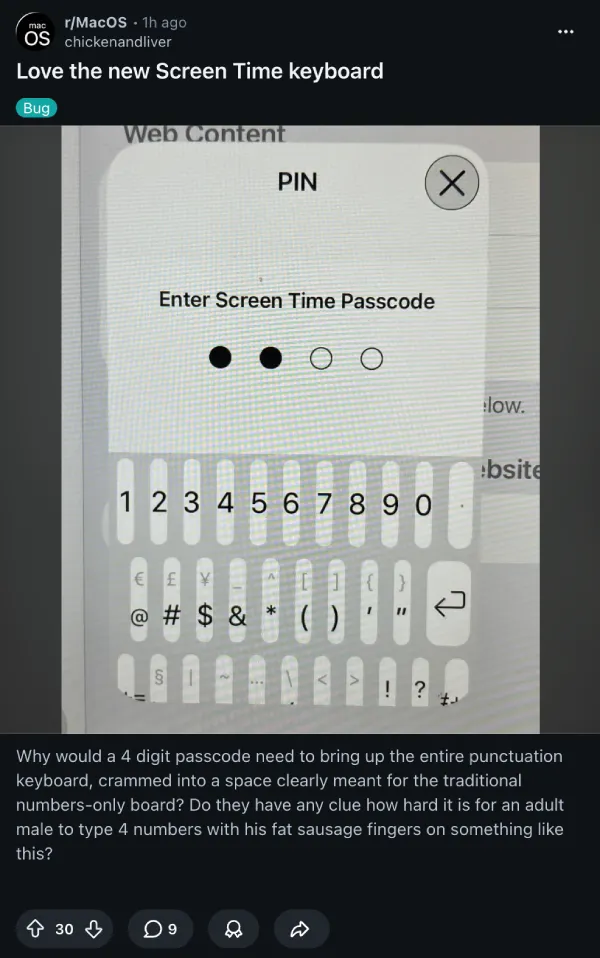
One person sarcastically praised Apple’s attention to detail regarding the broken user interface. Another frustrated user over on r/MacOS pointed out how tough it is for anyone to type four numbers on it without making mistakes.
Discussions in threads suggest that the issue even persists with the iPadOS 25.5 beta builds. That said, Apple apparently received enough reports through the Feedback app to log it for a future fix.
For now, you have to bypass the glitch yourself. The most reliable fix (or rather workaround) involves forcing the operating system to use the floating keyboard before you ever reach the Screen Time prompt.
To do this, open a normal app like Safari or Notes. Tap a text field to bring up the regular full-sized keyboard. Tap and hold the keyboard icon in the bottom right corner and select the floating option.
Leave that app open in the background. Navigate to Settings and tap into Screen Time. When you select Downtime or try to change a limit, the system should pull up the floating keyboard properly without squishing the keys together.
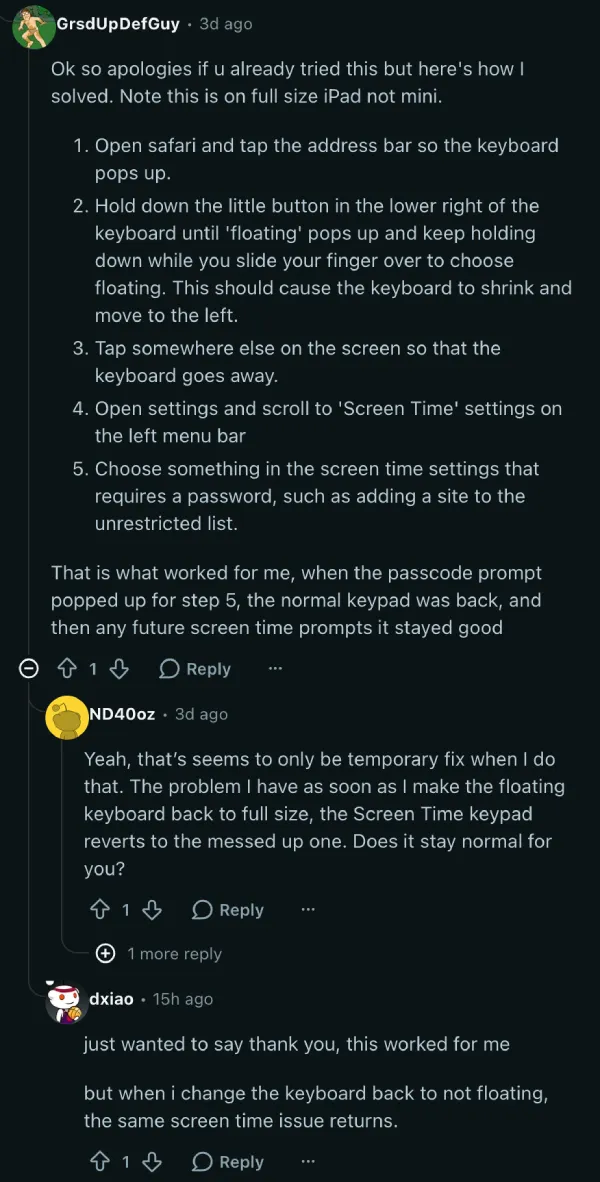
Another user found success on the iPad mini by turning the device sideways. While in landscape mode, open a text prompt to get the full keyboard. Pinch it from both sides to shrink it into the floating version. Then head back to the Screen Time menu.
Apple has not publicly acknowledged a timeline for an official patch. Until a stable iOS 26.5 build rolls out to the public, users will just have to rely on these floating keyboard tricks to get past this page.
Featured image credit: u/Born_Midnight3801 / Reddit


Dwayne Cubbins
3101 Posts
I cover fast-moving stories across apps, online platforms, and everyday tech — phones, wearables, consoles, and whatever else people are fighting with this week. Bugs, rollouts, scams, policy enforcement, and the occasional internet-culture rabbit hole are all fair game. My goal is simple — make confusing tech news readable. When I'm not working, I'm working out or chilling with my dog. Got a tip? You can find me on X @dcubbins.
Next article View Article