![Outlook down or not working? Microsoft confirms widespread service degradation [Updated]](https://piunikaweb.com/wp-content/uploads/2026/04/outlook-outage-featured-image.webp "Outlook down or not working? Microsoft confirms widespread service degradation [Updated]")
Update 07/05/26 – 06:14 pm (IST): According to the latest update on the Microsoft Service Health dashboard (as of May 6), Microsoft still lists this as an active “Service degradation” for iOS, iPadOS, and iPad users utilizing the default Apple Mail app. While underlying system telemetry remains healthy, Microsoft notes they are “continuing to observe the number of impacted devices decrease as users follow the recovery guidance.”
If you are still locked out, you must manually re-enter your password via your device’s Mail settings. Microsoft’s next scheduled update on this ongoing recovery is slated for May 8.
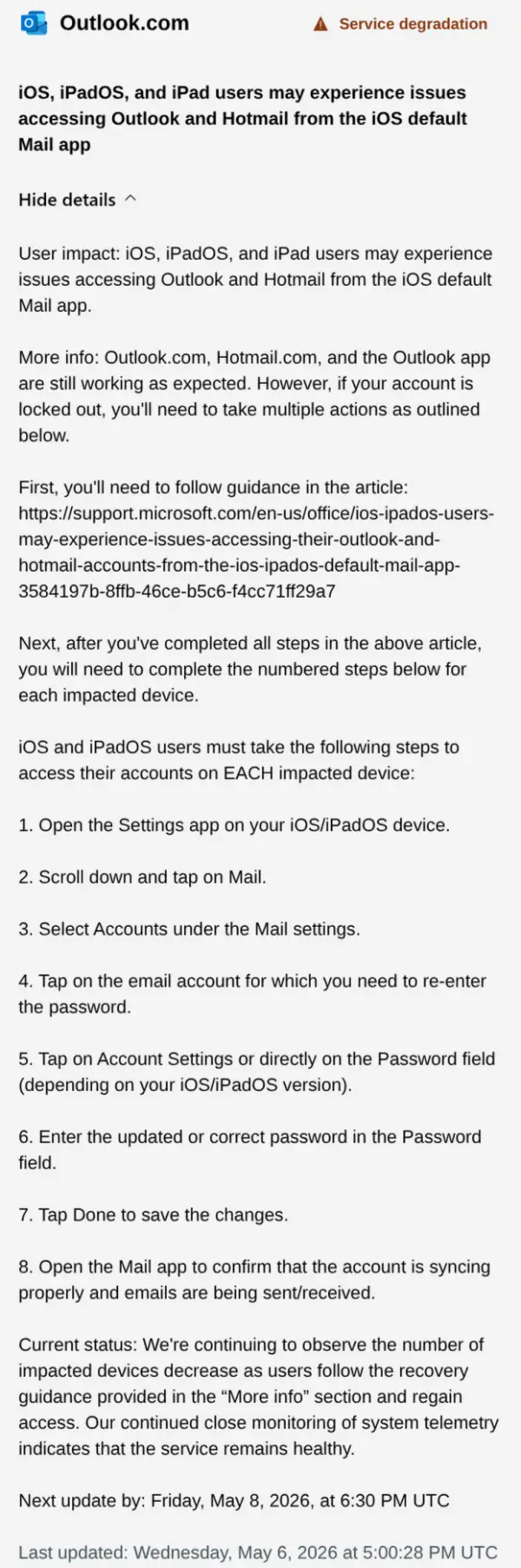
That said, recent complaints on the official Microsoft Q&A forums indicate the issue is still highly disruptive. Users are reporting that their iPads — and even Android devices — are frequently prompting for Microsoft account sign-ins. So let’s hope a permanent fix comes soon.
Update 29/04/26 – 09:16 am (IST): Microsoft has officially confirmed that service health has returned to normal for the Outlook.com iOS sign-in experience. For users still encountering the “too many attempts” error, Microsoft recommends following the inline prompts to reset your password and sign in again.
Community feedback on r/Outlookshows mixed results:
- Successes: Several users successfully regained access after resetting their passwords or using a different browser to receive verification codes.
- Persistent Issues: Others report being locked out even after a reset or failing to receive 2FA codes.
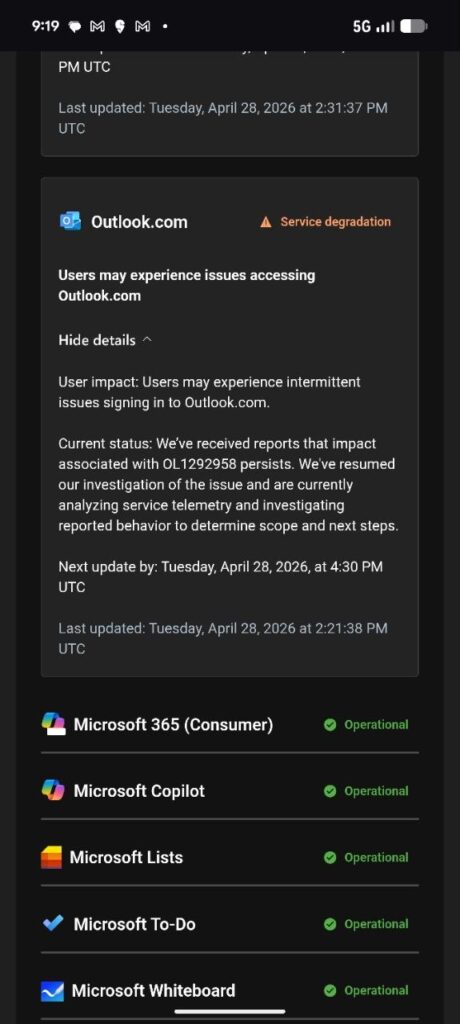
Update 28/04/26 – 21:25 pm (IST): Microsoft has again updated its service status page to confirm that some users are experiencing intermittent issues signing in to Outlook.com. The company says they are investigating the matter.
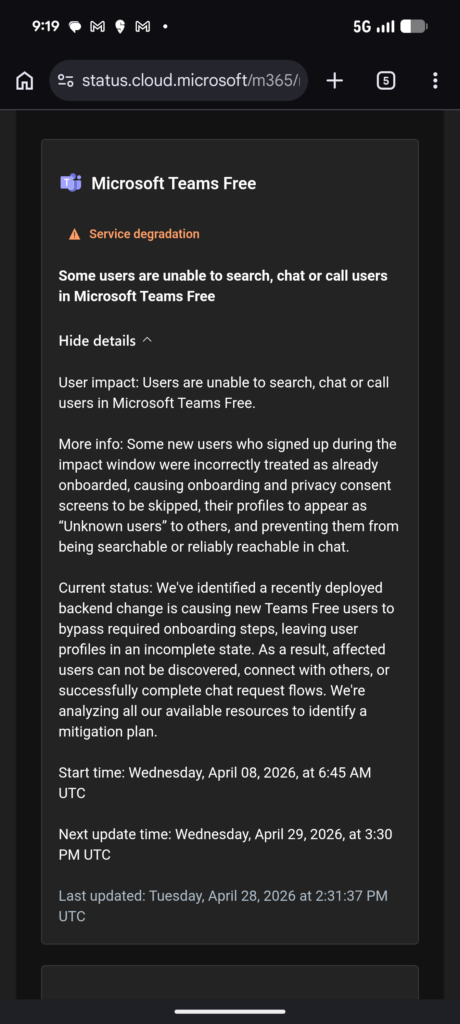
Additionally, the status page now also reveals that this whole Outlook fiasco has had an impact on new Microsoft Teams users as well. Sharing more information, the company says:
Some new users who signed up during the impact window were incorrectly treated as already onboarded, causing onboarding and privacy consent screens to be skipped, their profiles to appear as “Unknown users” to others, and preventing them from being searchable or reliably reachable in chat
Microsoft says a mitigation plan for this issue is being worked on:
Update 28/04/26 – 11:00 am (IST): Many users are still complaining about being stuck in login loops, receiving “too many attempts” errors, or being entirely locked out of their accounts due to authentication timers.
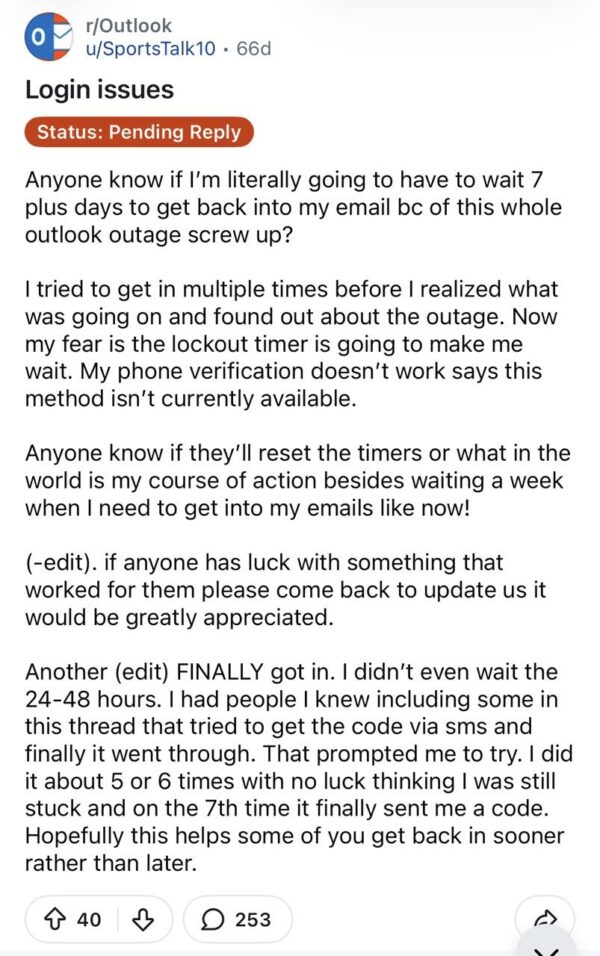
Microsoft has issued a final update stating that the service degradation is specifically impacting iOS users accessing Outlook and Hotmail through the default Apple Mail app. While Microsoft claims service health has returned to normal, they noted that affected users must manually re-enter their passwords to restore access.
To do this, users need to navigate to Settings > Mail > Accounts, tap on their Microsoft account, and re-enter the password.
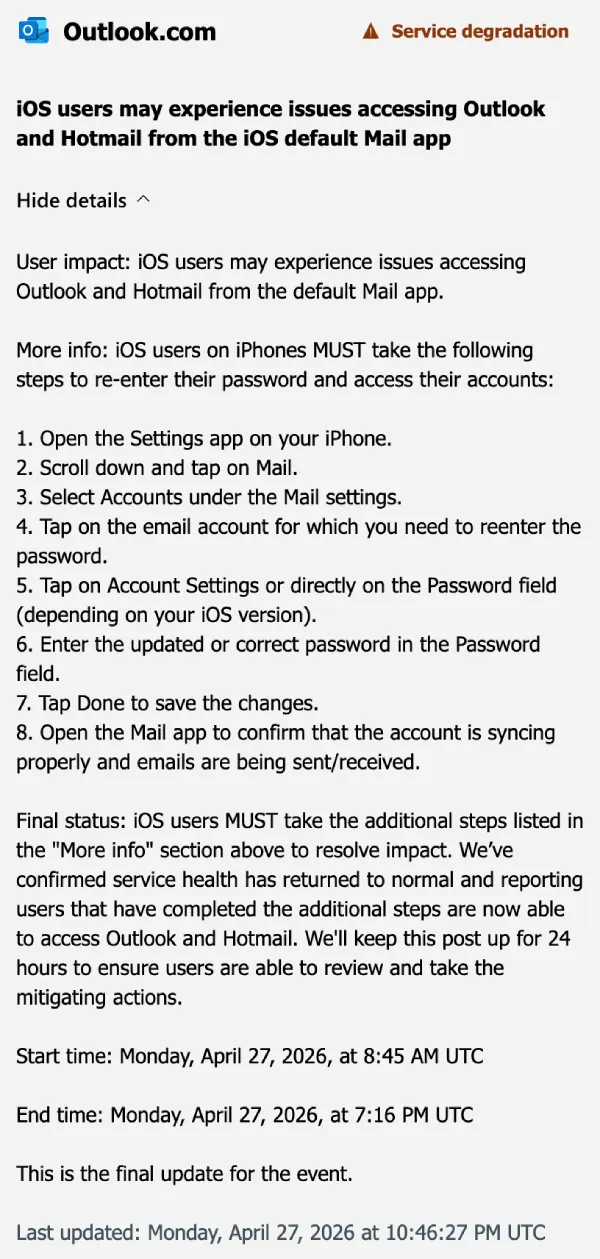
Update 27/04/26 – 21:00 pm (IST): Looks like the issue is still not completely fixed. In a new update on the matter, Microsoft says:
We’re seeing specific errors related to authentication key failures. We’re working to determine the underlying cause in order to determine our next mitigation steps
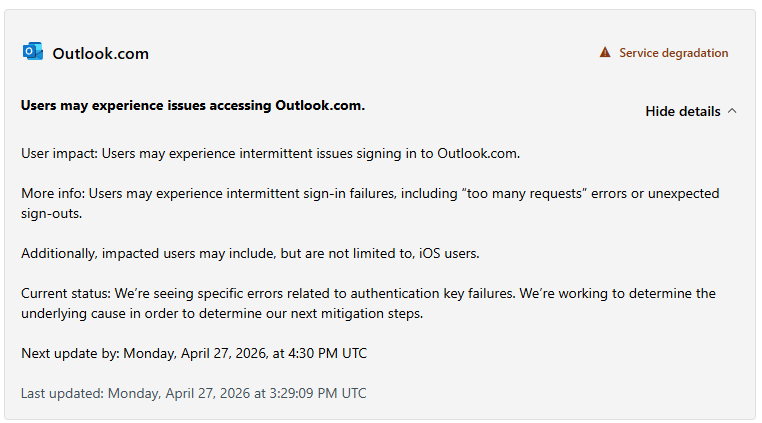
Update 27/04/26 – 06:12 pm (IST): Microsoft has shared more specific details regarding the sign-in issues. Users may experience intermittent failures, including “too many requests” errors or unexpected sign-outs. This official acknowledgment aligns with the reports of users being stuck in loops or prompted for passwords repeatedly across various email clients and the web.
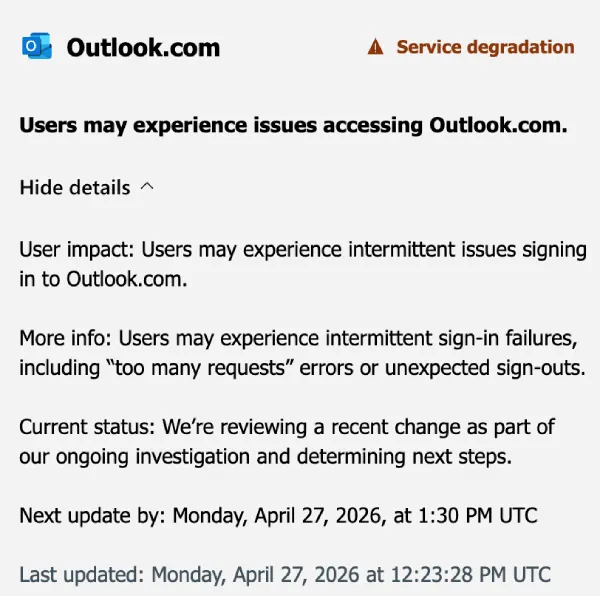
The investigation is currently centered on a “recent change” that appears to be the root cause of the service degradation. Microsoft is in the process of reviewing this change to determine the next steps for a resolution.
There’s still no ETA for a fix.
Original article published on April 27, 2026, follows:
Microsoft Outlook is currently down for a massive number of users, leaving people stuck in frustrating login loops and unable to access their Outlook and Hotmail emails.
The issue seems to have popped up less than an hour ago. One Reddit thread highlighted the issue with Outlook on Apple Mail, but it quickly became clear that it’s a widespread Outlook outage to blame.
The OP notes that they are stuck in a login loop and even after they enter the 2FA code, the app kicks them back to the login screen.
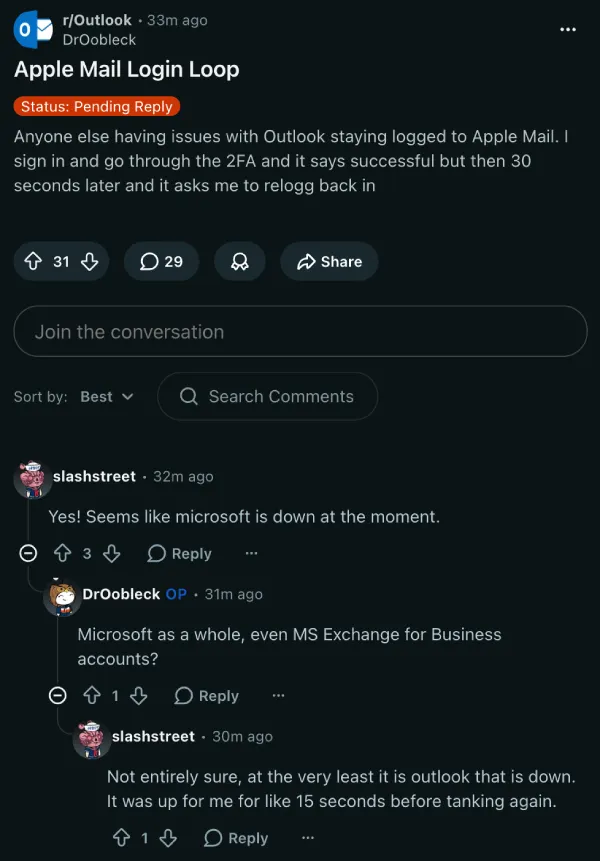
In another thread, the OP shared a similar experience of being booted out of the app shortly after signing in.
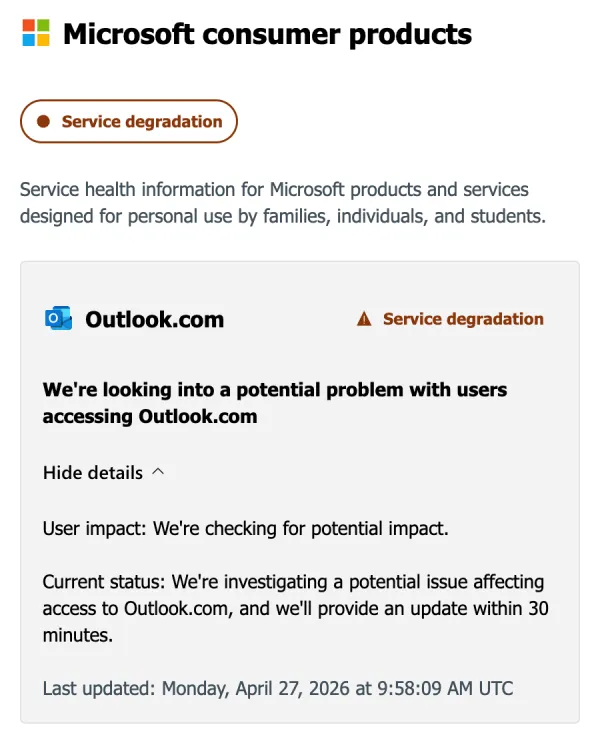
Microsoft officially recognized the mess. A notice on the Microsoft Service Health page confirms a “service degradation” hitting consumer products. The company stated it is actively investigating a potential problem with users accessing Outlook.com.
It is a pretty bad start to the workweek. Because the errors involve unexpected password prompts and warnings that an account is not authenticated, a lot of people initially panicked and assumed they were being hacked.
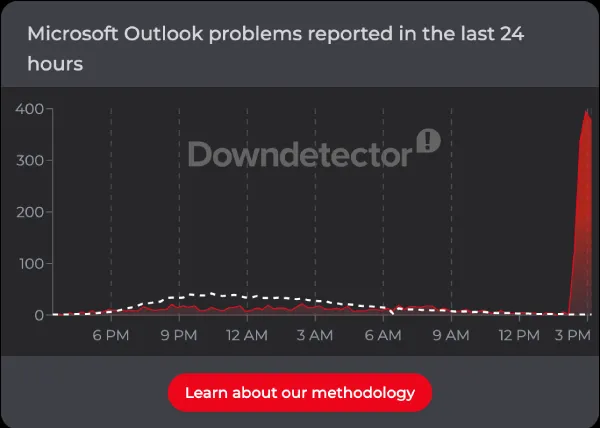
Even Downdetectoris lighting up, indicating the problem is affecting many users.
Some people say the official Outlook mobile app and web browser versions are actually working fine, placing the blame squarely on how Microsoft’s servers are talking to third-party email clients right now. But others claim they are getting locked out regardless of how they try to log in.
Microsoft has promised rolling updates as they look into the root cause. For now, users are essentially stuck waiting. If your inbox is demanding a password right now, changing your security settings or deleting the app probably will not fix it until Microsoft sorts out its servers.


Dwayne Cubbins
2996 Posts
I cover fast-moving stories across apps, online platforms, and everyday tech — phones, wearables, consoles, and whatever else people are fighting with this week. Bugs, rollouts, scams, policy enforcement, and the occasional internet-culture rabbit hole are all fair game. My goal is simple — make confusing tech news readable. When I'm not working, I'm working out or chilling with my dog. Got a tip? You can find me on X @dcubbins.
Next article View Article