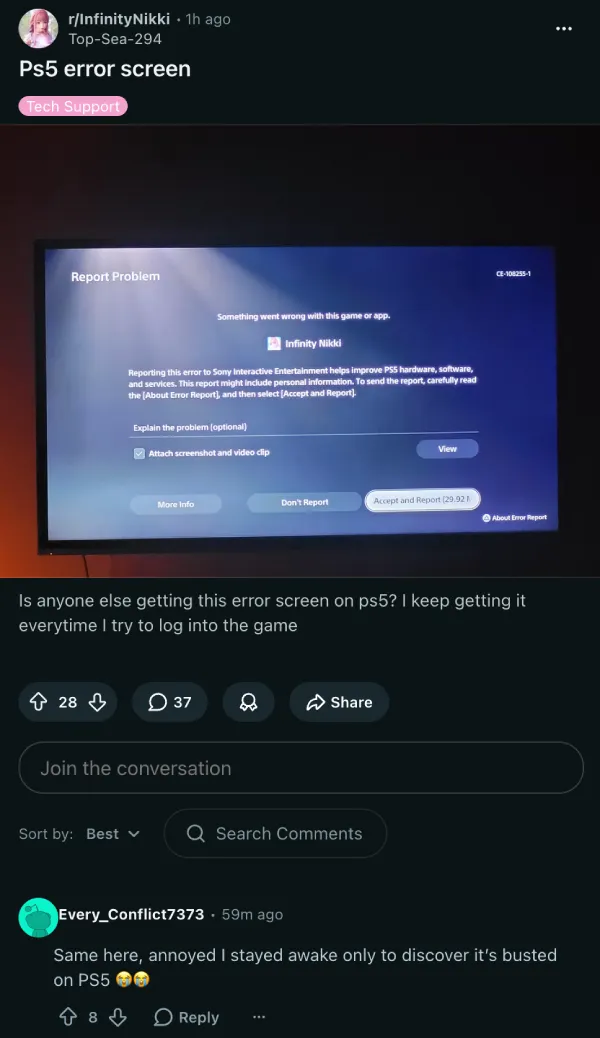
The Infinity Nikki 2.5 update went live a few hours ago, but it’s made a mess. A chunk of PS5 players say they cannot get into the game at all, with many running into a crash that throws up a “CE-108255-1” error report screen from Sony.
Multiple reports on Reddit indicate that the game crashes straight to that PS5 error screen every time they try to log in. Some players noted that they had tried launching the game upwards of 30 times without success.
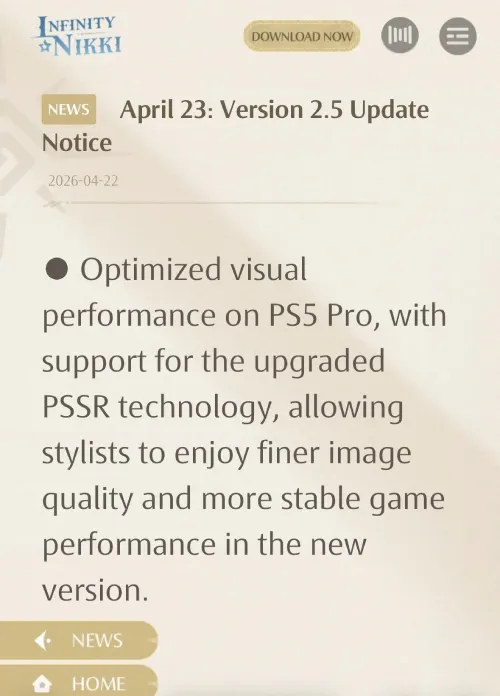
Another thing to note is that there’s speculation that the issue may actually be PS5 Pro-specific. Version 2.5 added support for PSSR, a PS5 Pro-exclusive upscaling technology, and one theory making the rounds is that this new addition could be what broke things on the Pro. Infold hasn’t confirmed that yet.
There’s a separate photo migration thing happening on top of that. A few players who were able to get in said the game prompted them to migrate their in-game photos. One user reported that five photos came up as bugged during the process, and warned others to be careful about confirming deletions.
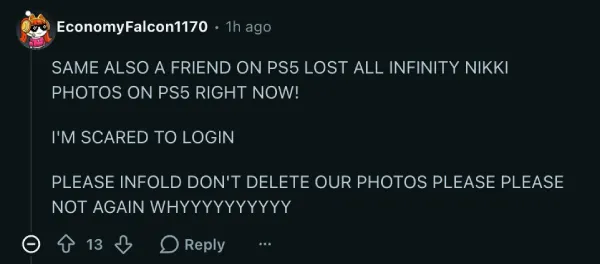
Given that some players lost all their in-game photos back in version 1.3, the reaction to anything touching saved photos is understandably tense.
At the same time, a separate set of players ran into a different problem entirely. Some found their devices suddenly flagged as incompatible after the update went live. According to a thread on the Infinity Nikki subreddit, this is intentional.
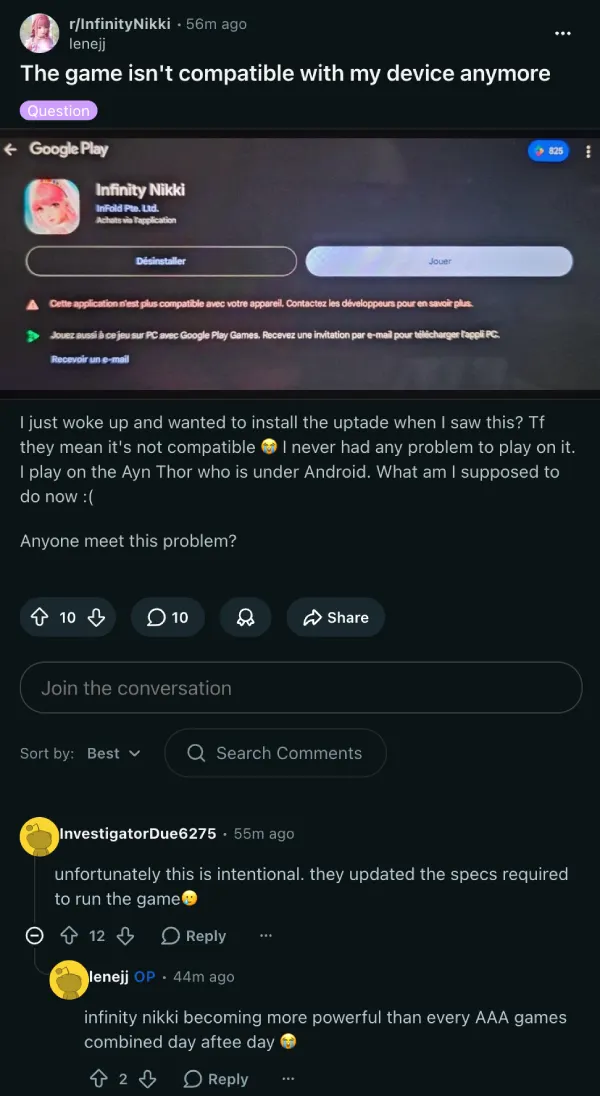
Starting with version 2.5, the developer Infold raised the minimum specs needed to run the game. The updated requirements, visible in the in-game announcement, now ask for Android devices running a Snapdragon 8 Gen 3, Dimensity 9300, or Exynos 2400 chip or higher, along with 8 GB of RAM.
For PC, the bar has moved up to an Intel Core i7-10700 or AMD Ryzen 5 5600 on the CPU side, with a GPU of at least an NVIDIA RTX 3060, AMD Radeon RX 7600 XT, or Intel Arc A750. An SSD is now recommended too.
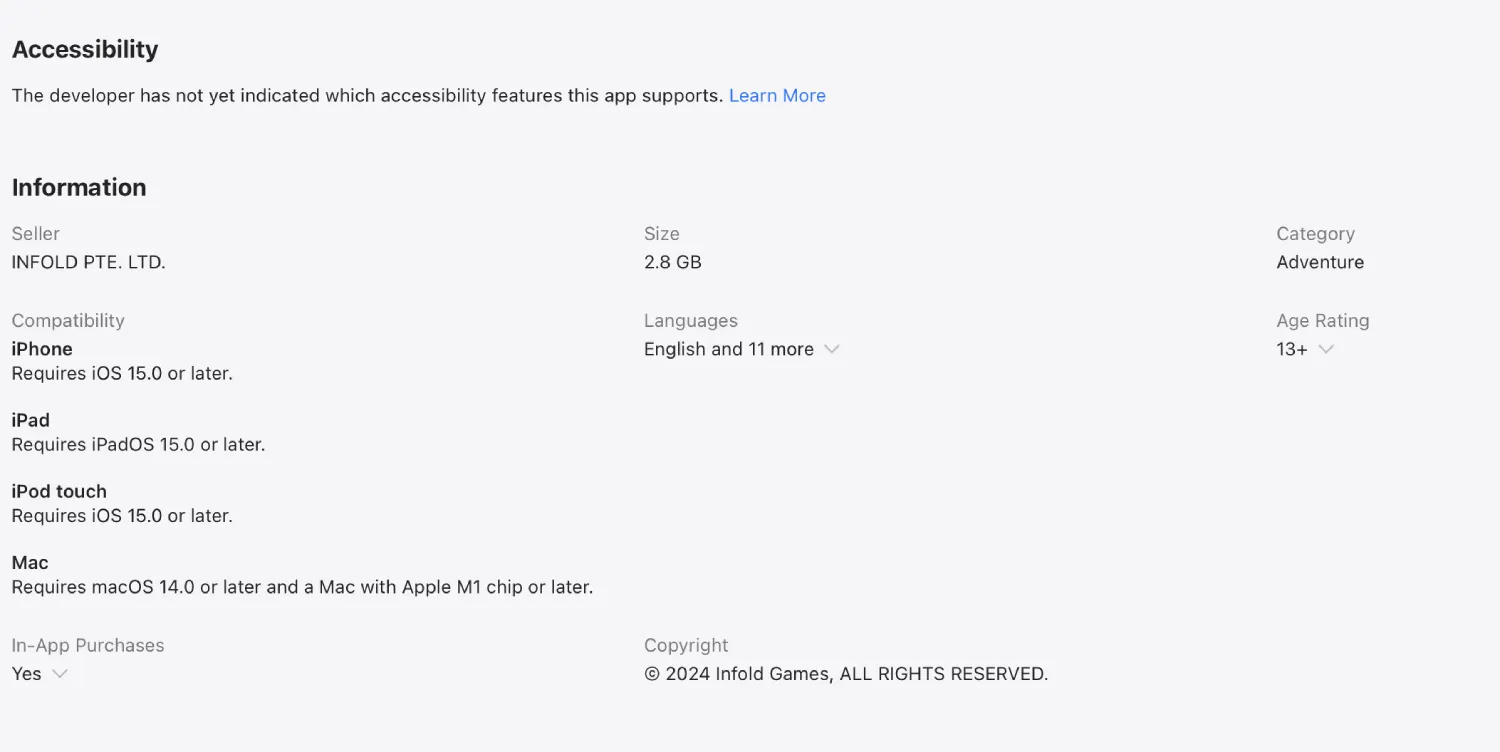
On the Mac side, things look a bit better than expected. A player checking the App Store found the game listed as compatible with M1 chips and later, which is less restrictive than what the official site had suggested. Older Intel-based Macs won’t be able to run it.
As of writing, Infold hasn’t put out a public statement on the PS5 error screen issue. So we’ll keep an eye out for any further developments and will update the article accordingly.
Featured image generated with AI


Dwayne Cubbins
3054 Posts
I cover fast-moving stories across apps, online platforms, and everyday tech — phones, wearables, consoles, and whatever else people are fighting with this week. Bugs, rollouts, scams, policy enforcement, and the occasional internet-culture rabbit hole are all fair game. My goal is simple — make confusing tech news readable. When I'm not working, I'm working out or chilling with my dog. Got a tip? You can find me on X @dcubbins.
Next article View Article