![April security patch breaks Microsoft apps for several Galaxy users, here's how you can fix it [U: Fixed]](https://piunikaweb.com/wp-content/uploads/2026/04/Featured-Image-Samsung-Microsoft-issue.png "April security patch breaks Microsoft apps for several Galaxy users, here's how you can fix it [U: Fixed]")
27/04/26 – 04:50 pm (IST): According to a few recent comments on Reddit, it seems like the problem has been addressed. We’d suggest updating to the latest versions of affected apps, such as Outlook, via the Play Store and then restarting your phone.
Original article published on April 21, 2026, follows:
Several Galaxy users are reporting major issues with Microsoft apps following the April 2026 security update. These glitches affect essential tools like Teams, Authenticator, and Excel in the following ways:
- Messages don’t get sent on Microsoft Teams.
- Microsoft Authenticator does not send notifications.
- OneDrive is glitchy.
- Failures with Outlook, Microsoft To Do, and Excel.
- Sign-in and Sync issues with several apps.
- Some Microsoft apps work for a while, and then automatically crash or turn black.
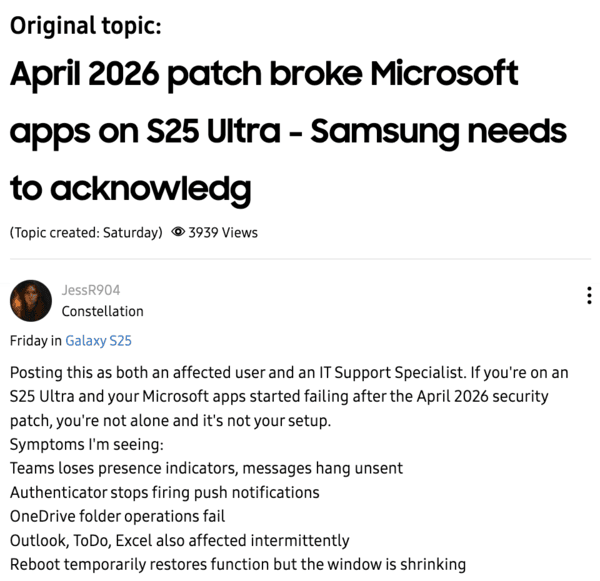
People have tried force-closing the app, restarting the phone, clearing the app cache and data, reinstalling the apps, updating Google Play Services, and all other typical, basic workarounds. Unfortunately, none of them seems to solve the problem.
The most affected models are seemingly the entire S25 series. There are some isolated reports from the S23 and the Galaxy Z Fold 7. Additionally, people using the latest S26 series of phones do not have these problems. The same April update did not cause issues with Z Flip 6 models either.
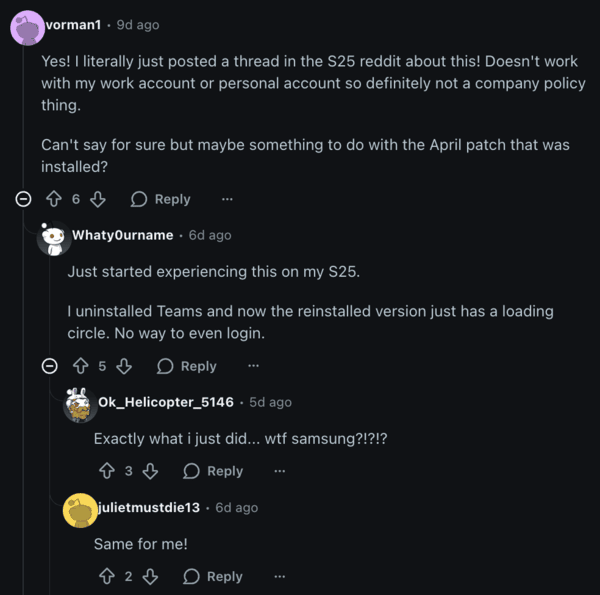
Why is this happening? It’s a WebView regression error, which is quite common after updates. A “WebView” is like a mini-browser that is within an app. Here, “regression” implies that an update to the mini-browser broke things that were working normally before. There’s another possible reason, and that’s DNS settings.
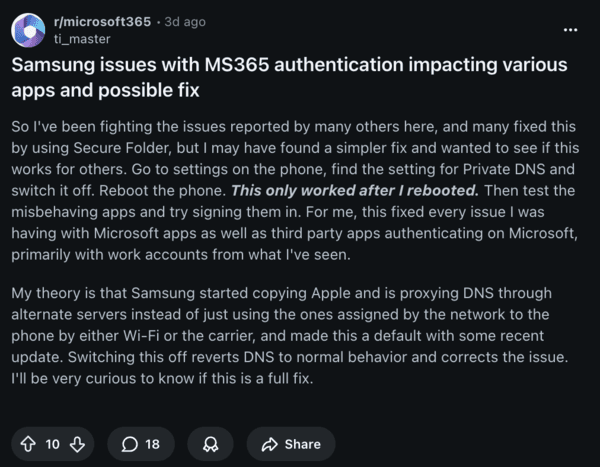
The recent update apparently switched Private DNS to “Auto.” If you turn off Private DNS entirely and then restart the device, the apps should ideally start functioning normally again. Several users confirm in the comments that this method works for them, without needing to use the Secure Folder workaround.
Alternatively, many users found that moving their Microsoft apps into Samsung’s Secure Folder restores full functionality. If that fails, a small number of users report that neither the DNS nor the Secure Folder methods work, which means a formal patch from Samsung or Microsoft is likely required.
This issue has actually happened several times before. In 2021, Samsung directly published an article regarding WebView issues with Google apps, and there are several reports of Microsoft apps breaking in 2024.
This advice from Samsung might be useful for the current set of problems with Microsoft apps as well. Search for “Android System WebView” in Settings. Then, find App Details, and hit Remove Updates. For some models, Android System WebView may not directly appear in the list of apps.
In that case, go to Settings -> Google -> All services -> System services -> finally, select “Android System WebView,” and perform the process mentioned above. You may have to restart the phone after these steps if it still doesn’t work.
I’m hoping these solutions address the issues until Samsung/ Microsoft fixes it themselves.


Dwayne Cubbins
3054 Posts
I cover fast-moving stories across apps, online platforms, and everyday tech — phones, wearables, consoles, and whatever else people are fighting with this week. Bugs, rollouts, scams, policy enforcement, and the occasional internet-culture rabbit hole are all fair game. My goal is simple — make confusing tech news readable. When I'm not working, I'm working out or chilling with my dog. Got a tip? You can find me on X @dcubbins.
Next article View Article