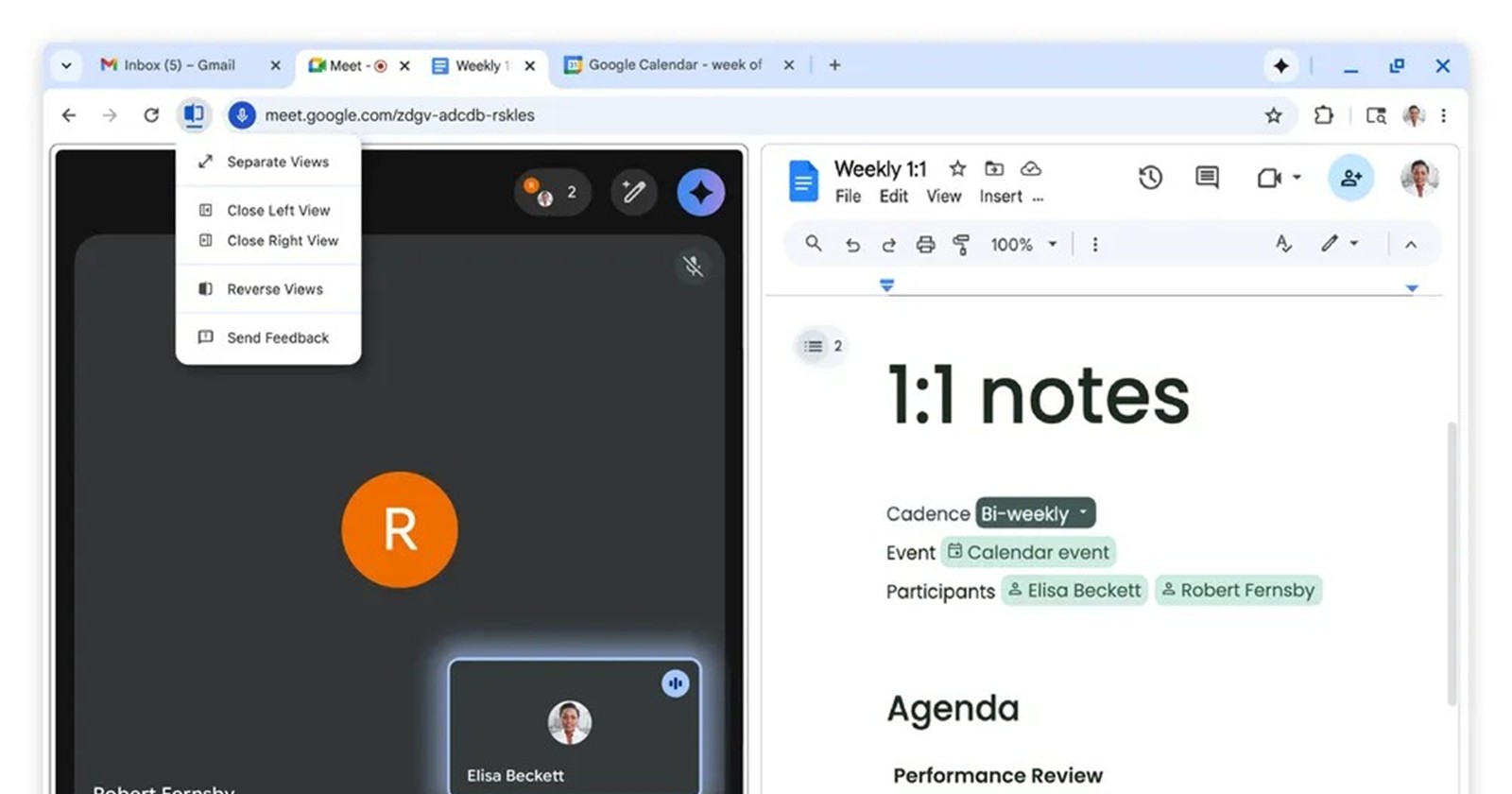
When Google rolled out Chrome 145 to stable desktop channels back in February, it brought a heavy focus on productivity. Alongside in-browser PDF annotations and direct Drive saving, the star of the show was undoubtedly Split View, a native way to tile two tabs side-by-side in a single window. But while the multitasking potential is great, the implementation of its right-click shortcut has been driving users crazy.
If you’ve found yourself accidentally throwing links into a split-screen layout over the last two months when you just wanted to open a new tab, you aren’t alone. Thankfully, Google has heard the complaints and is stepping in with a fix.
The muscle memory massacre
There are three ways to trigger Chrome’s new Split View: right-clicking an existing tab, dragging a tab to the edge of your window, or right-clicking a hyperlink and selecting “Open link in Split View.” It’s this third option that has caused widespread frustration.
When Chrome 145 dropped, Google wedged the new Split View option directly beneath “Open link in new tab” and right above “Open link in new window.” For a browser that has maintained the same core context menu muscle memory for over a decade, inserting a brand-new option into the prime clicking real estate was a recipe for disaster.
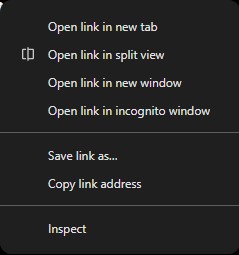
As someone who daily-drives Microsoft Edge alongside Chrome, I immediately noticed how jarring this was. Edge has featured a similar tool for a while now, cleverly named “Open link in split screen window.” But Microsoft got the placement right: they tucked it safely below the options for a new tab, new window, and InPrivate window. In Edge, you have to intentionally look for the split-screen option. In Chrome, it was a landmine waiting for a slightly inaccurate click.
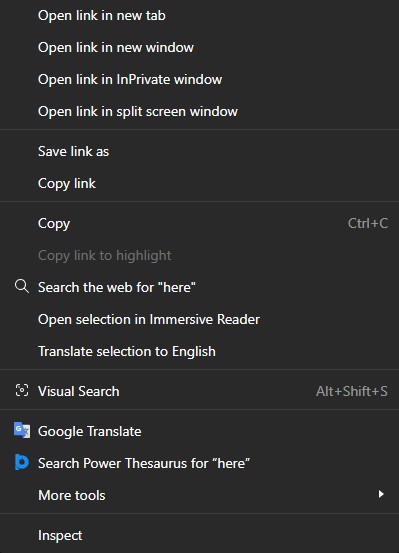
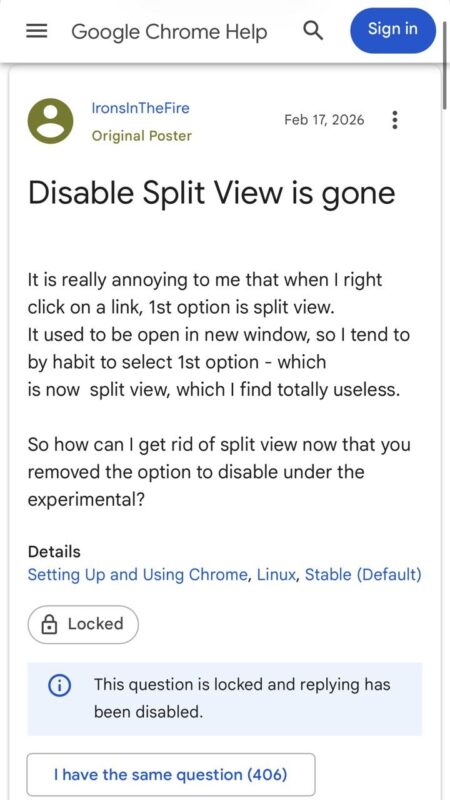
To make matters worse, the transition to the stable channel completely removed the chrome://flags toggle that previously allowed beta testers to disable Split View, leaving users with no easy way to opt out.
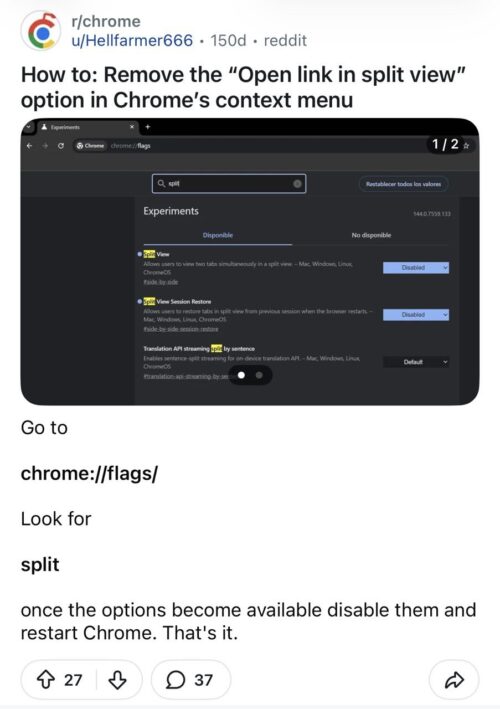
Google responds with a compromise, not a kill switch
After weeks of highly visible complaints across community forums, Reddit, and the Chromium Issue Tracker, the Chrome development team has officially addressed the situation.
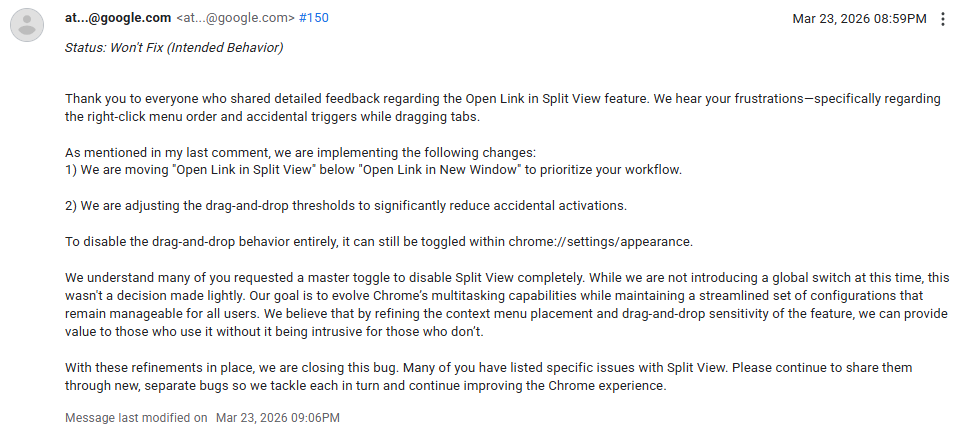
Responding to a bug report on March 23, the devs acknowledged the frustration but officially marked the request for a master disable toggle as “Won’t Fix (Intended Behavior).” However, they aren’t leaving users out to dry. Instead, they are implementing two major refinements to stop the accidental clicks.
Here is what the Chrome team had to say:
"We are moving 'Open Link in Split View' below 'Open Link in New Window' to prioritize your workflow. We are adjusting the drag-and-drop thresholds to significantly reduce accidental activations."
The developers elaborated on why they are refusing to add a global kill switch:
"We understand many of you requested a master toggle to disable Split View completely. While we are not introducing a global switch at this time, this wasn't a decision made lightly. Our goal is to evolve Chrome’s multitasking capabilities while maintaining a streamlined set of configurations that remain manageable for all users. We believe that by refining the context menu placement and drag-and-drop sensitivity of the feature, we can provide value to those who use it without it being intrusive for those who don’t."
By moving the “Open link in Split View” option further down the list—mimicking the much safer layout found in Microsoft Edge—Google is effectively restoring the muscle memory we’ve all built up over the years. You’ll once again be able to quickly right-click and open a new tab or window without accidentally splitting your workspace in half.
Additionally, if the drag-and-drop edge-snapping behavior is still bothering you, remember that you don’t need a master flag to turn that specific part off. You can easily disable the drag-and-drop functionality by heading over to chrome://settings/appearance.


Hillary Keverenge
2723 Posts
Tech has been my playground for over a decade. While the Android journey began early, it truly took flight with the revolutionary Lollipop update. Since then, it's been a parade of Android devices (with a sprinkle of iOS), culminating in a mostly happy marriage with Google's smart home ecosystem. Expect insightful articles and explorations of the ever-evolving world of Android and Google products coupled with occasional rants on the Nest smart home ecosystem.
Next article View Article