Users subscribed to the Google Gemini premium tier under Google One AI Ultra are reporting an unexpected issue where generated videos still display a watermark even though the plan explicitly advertises watermark-free outputs.
The problem appears to have surfaced shortly after platform changes rolled out in early March. Several users across the official Google support forums say the Veo watermark suddenly started appearing on all generated videos, despite the feature previously working as expected.
The complaints are coming from users across multiple regions, suggesting the problem isn’t isolated to a single country or account type.
Backend tier mismatch may be causing the issue
According to a Bronze Product Expert responding in the forum, the issue appears to be linked to a backend synchronization problem affecting the Google AI Ultra tier following platform updates on March 5.
The explanation points to a “tier synchronization regression” that is causing some Ultra accounts to temporarily behave like lower-tier subscriptions.
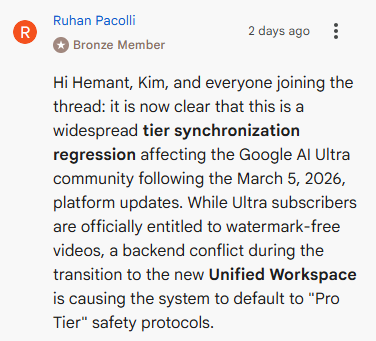
In practice, this means the system fails to recognize the user’s Ultra entitlement and instead applies the standard Pro-tier safety rules, which automatically attach a visible watermark to generated videos.
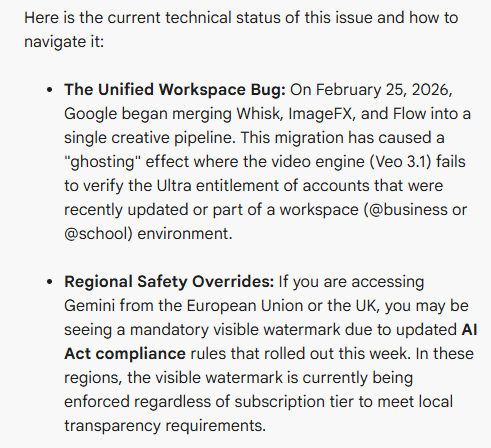
The expert says the issue is connected to Google’s ongoing effort to merge several creative AI tools into a unified pipeline. This migration began in February 2026 and combines services like ImageFX, Whisk, and Flow into a single backend system.
During this transition, the Veo 3.1 video generation engine may fail to properly verify whether a user has Ultra-tier privileges. When that verification fails, the system defaults to watermark-enabled output.
Some regions may be seeing mandatory watermarks
There is also another possible factor affecting some users.
The forum response notes that people accessing Gemini from the European Union or the United Kingdom may see visible watermarks regardless of their subscription tier.
This is reportedly tied to new transparency requirements introduced under the European Union Artificial Intelligence Act, which require clearer labeling of AI-generated media. If the system detects that a request originates from these regions, a visible watermark may currently be enforced automatically.
How users can confirm if their account is affected
The product expert also shared a quick test that can help determine whether the issue is tied to an account synchronization error.
Inside a new Flow project, users can type the @ symbol to open the asset picker. If previously generated assets such as Nano Banana images do not appear in the pop-up, it may indicate that the account’s indexing system has failed to sync properly.
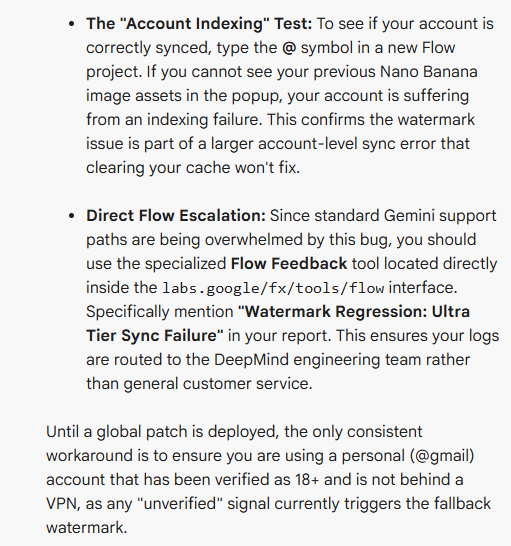
When this happens, the watermark issue is likely part of a broader account-level synchronization problem.
Because the issue appears to be affecting a large number of users, traditional support channels may be slower to respond.
Instead, affected users are being encouraged to submit reports directly through the Flow Feedback tool inside the Flow interface. When filing the report, users should include the phrase “Watermark Regression: Ultra Tier Sync Failure” so the issue can be routed to the appropriate engineering team.
Until Google deploys a broader fix, the only workaround mentioned in the forum involves ensuring the account meets certain verification signals.
The expert suggests using a personal Gmail account, confirming that the account is marked 18+, and avoiding the use of VPN connections. Accounts that appear unverified or are linked to business or school workspaces may trigger fallback safety rules that re-enable watermarks.


Hillary Keverenge
2616 Posts
Tech has been my playground for over a decade. While the Android journey began early, it truly took flight with the revolutionary Lollipop update. Since then, it's been a parade of Android devices (with a sprinkle of iOS), culminating in a mostly happy marriage with Google's smart home ecosystem. Expect insightful articles and explorations of the ever-evolving world of Android and Google products coupled with occasional rants on the Nest smart home ecosystem.
Next article View Article