





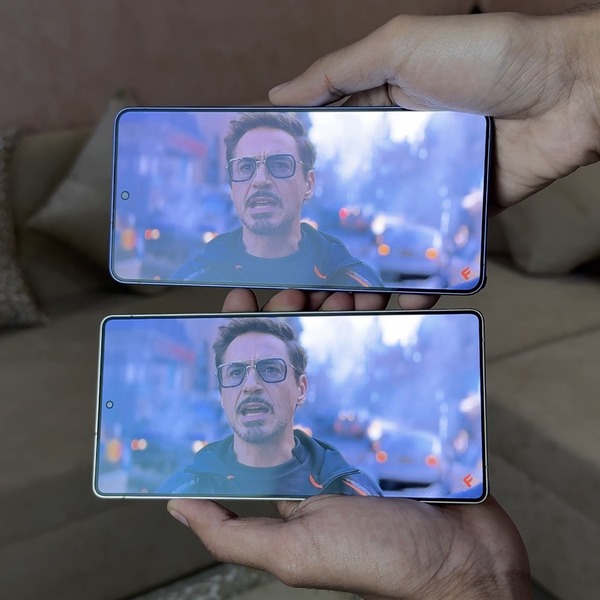
Galaxy S26 Ultra vs S25 Ultra - Samsung DISPLAY COMPARISON! 🤯 pic.twitter.com/SebEbNUDnh
— TechDroider (@techdroider) March 1, 2026
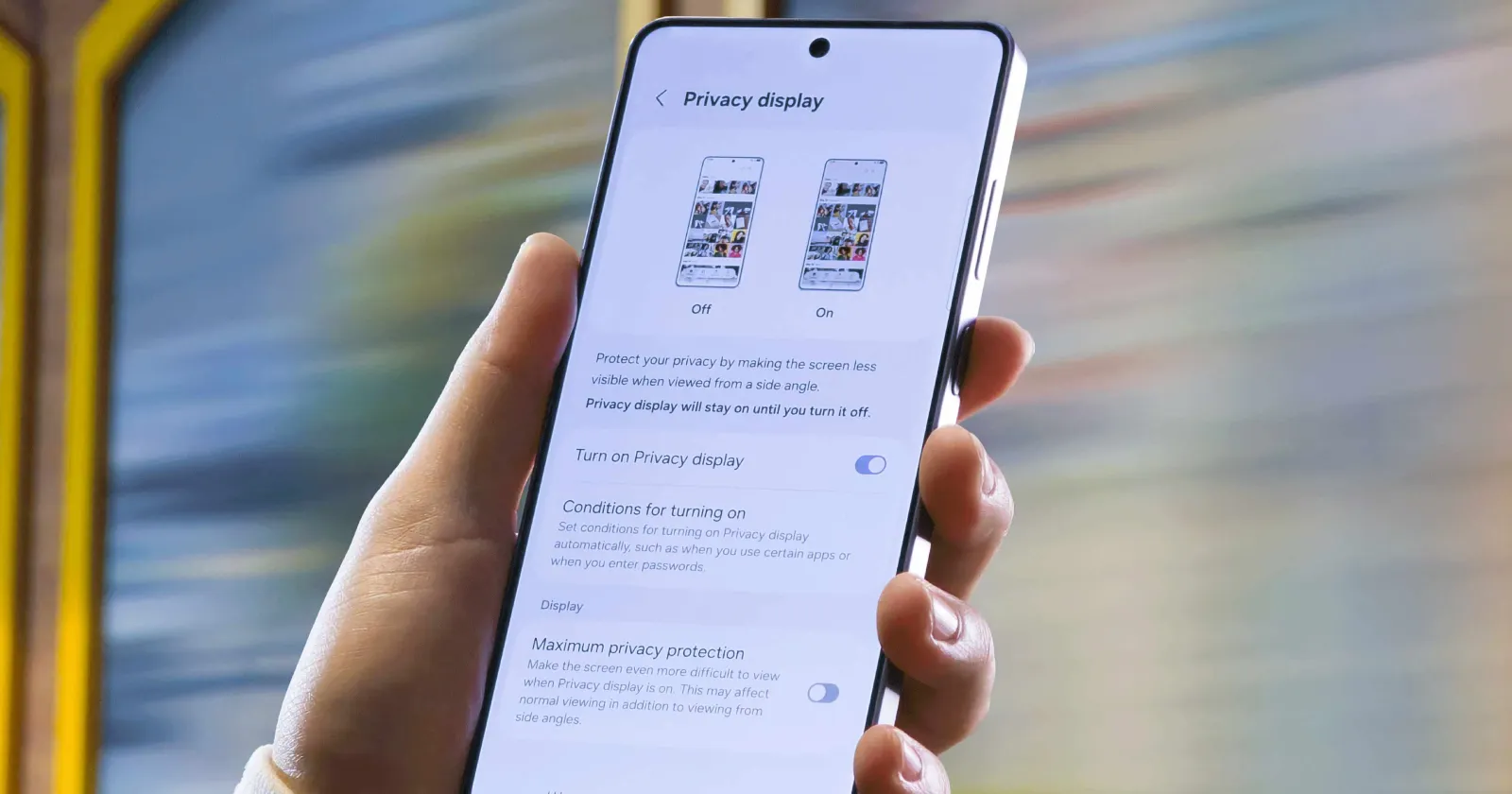
The Samsung Galaxy S26 Ultra’s headline feature is the Privacy Display, but people on social media allege that the implementation results in a downgrade to the display quality. The technology works by using two different types of pixels. The narrow pixels light up when the mode is activated, and the usual wide pixels are disabled.
Since the normal pixels are no longer illuminated, this narrows down the viewing angles, causing a drop in both the quality of the screen and brightness. Expectedly, this is normal behavior when the privacy display is on. The issue is that people are reporting a downgrade in the quality of the display compared to the Galaxy S25 Ultra, even when the Privacy Display feature is turned off.
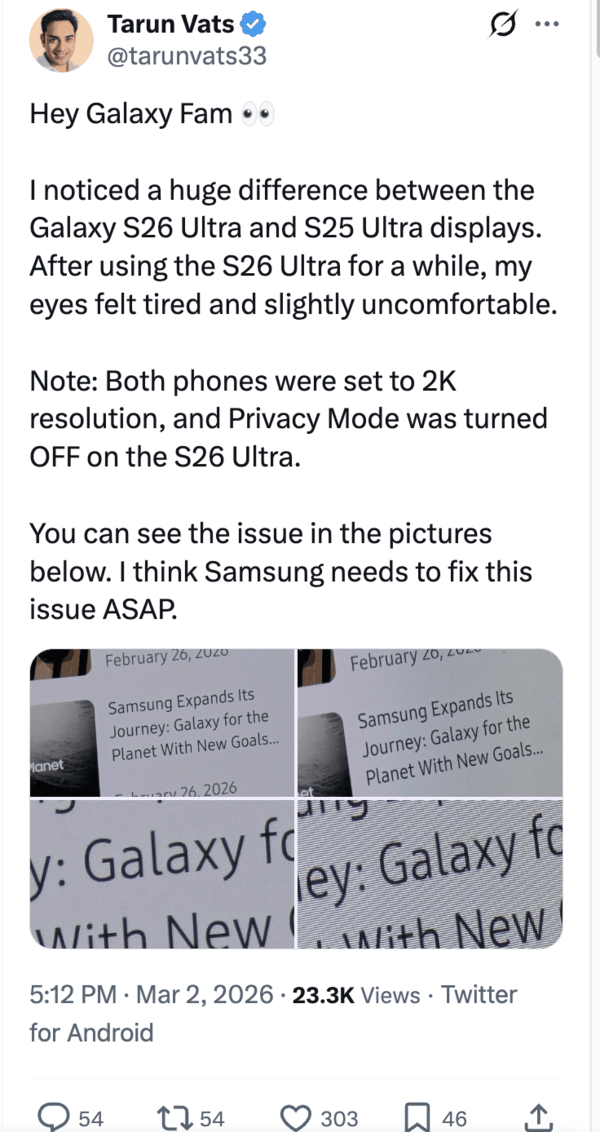
Several posts show that the viewing angles are far worse, even in the regular mode. The anti-reflective coating on the new S26 Ultra display does not quite match up to the one on the S25 Ultra. It reflects a lot more light, causing worse visibility.
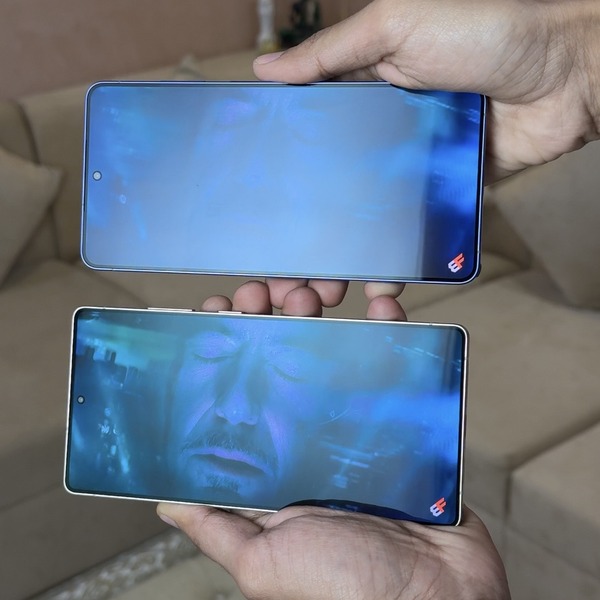
While the anti-reflective coating is still ahead of other phones in the industry, like the iPhone 17 Pro Max, it’s a downgrade from the previous model, regardless.
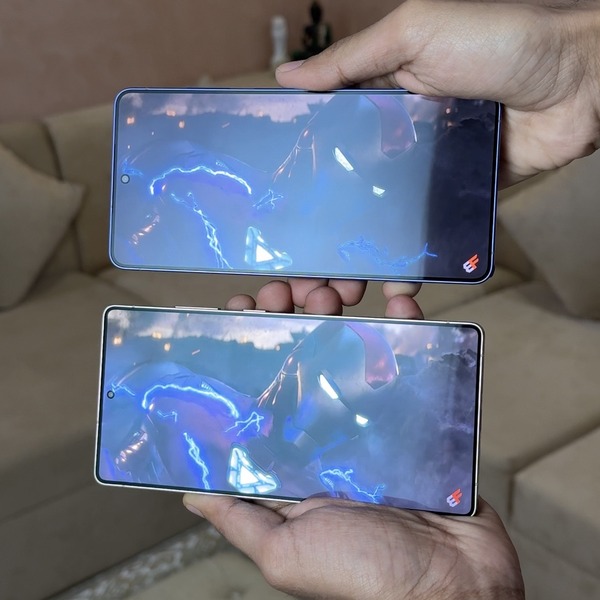
I would not call the feature itself entirely half-baked, since its effectiveness has been showcased several times. That said, the feature does have room for improvement. While it does cut out ‘shoulder snooping’ at some specific angles, it does leave other angles completely open, and we’ve covered everything about that here.
The claims of eye strain are probably a result of the combination of a low PWM display (480Hz) and worse rendering of text. A few analysts on X mention a hardware-level tradeoff, and that the subpixel arrangement and new polarizing technology, paired with the extra pixels for the Privacy Display, may result in worse quality text.
If you have an S26 Ultra and you feel the text isn’t sharp enough, try changing the resolution to QHD, setting the screen mode to Vivid, and turning off adaptive color tone. We have seen several complaints emerge before with the S24 Ultra’s ‘grainy’ screen, but it turned out to be a nothingburger. This isn’t such a trivial issue, though, since there’s a lot of visual proof out there.
Such ‘privacy-centric’ technology has been used before in laptops, and they do share some conceptual similarities. Unfortunately, it impacts things negatively for laptops as well, leading to a loss in brightness and overall clarity.
So it’s not all that surprising that we’re seeing similar problems with the Galaxy S26 Ultra right now. We can still be hopeful of improvements in the future with potential software tweaks, but I wouldn’t hold my breath for any drastic improvements. Do remember that this is still first-gen technology that’s in its infancy, and it’ll probably need another year or two before it reaches maturity.
So, is the privacy screen ‘half baked’? I don’t think it’s as bad as people are making it out to be, and it’s a good feature. But we can’t deny that the viewing experience is objectively worse than the older S25 Ultra, and the anti-reflective coating is worse as well, partly contributing to the discourse.

We stand out from the tech-media crowd because we break news stories; we mainly bring you stuff that you won’t find anywhere in the mainstream tech media. Our stories have been picked up by some of the world’s most popular websites and media outlets—more info is available here.

Dwayne Cubbins
3086 Posts
I cover fast-moving stories across apps, online platforms, and everyday tech — phones, wearables, consoles, and whatever else people are fighting with this week. Bugs, rollouts, scams, policy enforcement, and the occasional internet-culture rabbit hole are all fair game. My goal is simple — make confusing tech news readable. When I'm not working, I'm working out or chilling with my dog. Got a tip? You can find me on X @dcubbins.
Next article View Article
Your weather app asked your age? Here’s why that’s happening
If a weather app just asked you to confirm your age, you're not alone in being confused. Security researcher Troy Hunt ran into the same thing recently with his...
Mar 10, 2026 2 Min Read