![PSA: iOS 26.4 beta 2 Gmail bug may send emails with a blank body [U: Fixed]](https://piunikaweb.com/wp-content/uploads/2026/02/gmail-app-store-featured.webp "PSA: iOS 26.4 beta 2 Gmail bug may send emails with a blank body [U: Fixed]")
Update 03/03/26 – 12:58 pm (IST): With the latest iOS 26.4 beta 3 update and Gmail version 6.0.260223, the bug seems to have been fixed. In my testing, I was able to write and send a couple of emails without any hiccups. The emails that landed in the receipient’s inboxes contained all the text and attachments.
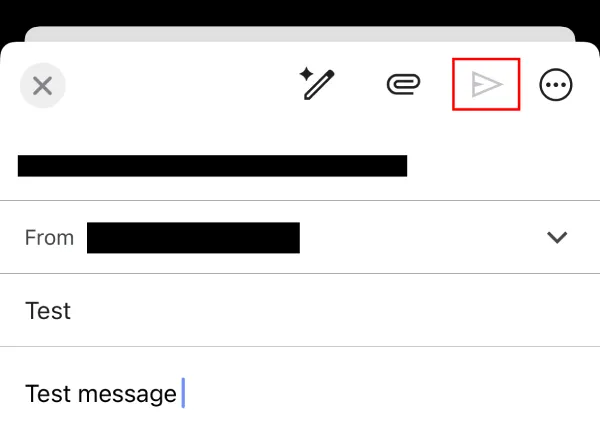
Interestingly though. I noticed that the send button remains grayed out, but tapping on it does send the email anyway.
(Thanks for the heads up @DerrickGardner)
Update 02/03/26 – 03:53 pm (IST): Some users are also reporting that they are unable to add any text below the ‘Subject’, essentially preventing them from drafting emails.
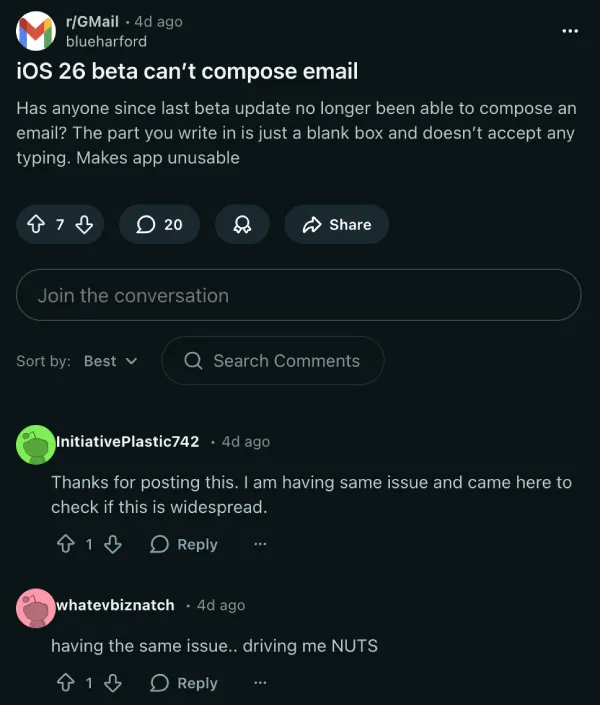
In my testing, however, I noticed that the app only let me start typing in the email text field when tapping in the blank area of what would be the ‘first line’ of the email. Tapping anywhere else didn’t allow me to enter text. So if you’re in the same boat, try tapping just under the ‘Subject’ box.
Original article published on February 25, 2026, follows:
If you’re running the latest iOS 26.4 beta 2 build on your iPhone and rely on Gmail for anything important, you might want to be on alert when you hit Send. A few people testing the beta are reporting something that can quietly cause real damage: the email arrives with a blank body, even though you typed it out.
The first reports popped up on Reddit in r/GMail, where a user said they upgraded to iOS 26.4 beta 2 and watched Gmail send out empty emails after writing “a bunch of text” in the composer. They also tried the usual quick fixes, including uninstalling Gmail, rebooting, and reinstalling, with no luck.
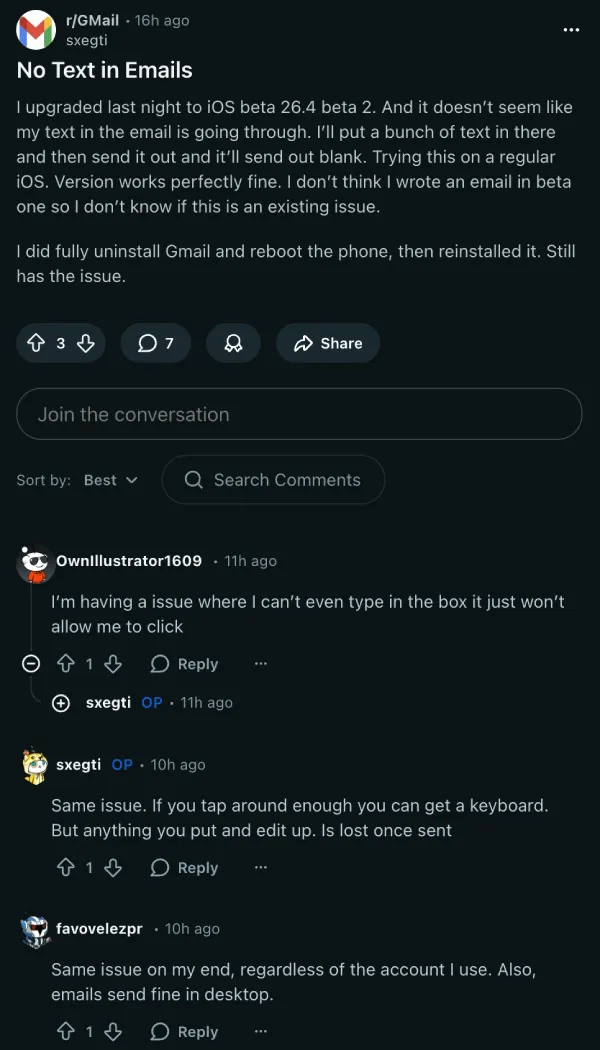
A similar complaint is also being discussed in the iOS beta community. One user commented that the Gmail app “does not send my contents” and sends an empty email instead, while others add that they can’t even tap into the message body field to type at all.
I can also confirm this is not just a one-off report. I was able to reproduce the bug on my end on iOS 26.4 beta 2 using Gmail version 6.0.260210 and 6.0.260216. In my testing, messages could still end up going out with a blank body. It gets worse if you try to attach an image or document: nothing showed up in the draft to indicate an attachment was added, and the outgoing message still appeared blank after sending it.
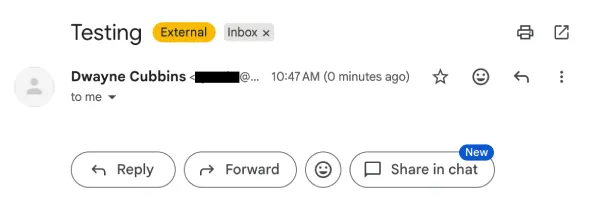
Right now, it’s unclear whether this is primarily an iOS 26.4 beta 2 issue, a Gmail app compatibility issue, or a messy interaction between the two. Either way, the risk is the same. You might think you sent a detailed email, but the recipient gets an empty one. If you’re emailing clients, sending school or work details, or sharing time-sensitive info, that’s a problem.
Until there’s a fix, the safest move is to avoid Gmail on iOS 26.4 beta 2 for important sends. Use Gmail on the web in Safari, send from another device, or switch to Apple Mail temporarily.
At minimum, email yourself a quick test, check your Sent folder, and confirm the body text actually shows up before sending anything that matters. Also consider filing a report through Apple’s Feedback app and sending feedback to Google via Gmail’s in-app “Help & feedback.”
Again, this is one of the many reasons why it’s recommended not to install beta software on a primary device. We’ll post an update if there are any further developments. Keep an eye out for any updates to Gmail in the meantime.


Dwayne Cubbins
3115 Posts
I cover fast-moving stories across apps, online platforms, and everyday tech — phones, wearables, consoles, and whatever else people are fighting with this week. Bugs, rollouts, scams, policy enforcement, and the occasional internet-culture rabbit hole are all fair game. My goal is simple — make confusing tech news readable. When I'm not working, I'm working out or chilling with my dog. Got a tip? You can find me on X @dcubbins.
Next article View Article