Firefox recently introduced a new UI design for the Android app, and many users don’t like it. People have been requesting an option to revert to the old UI because the new one is apparently quite frustrating to use. They dislike the extra rounded corners and resemblance to Safari.
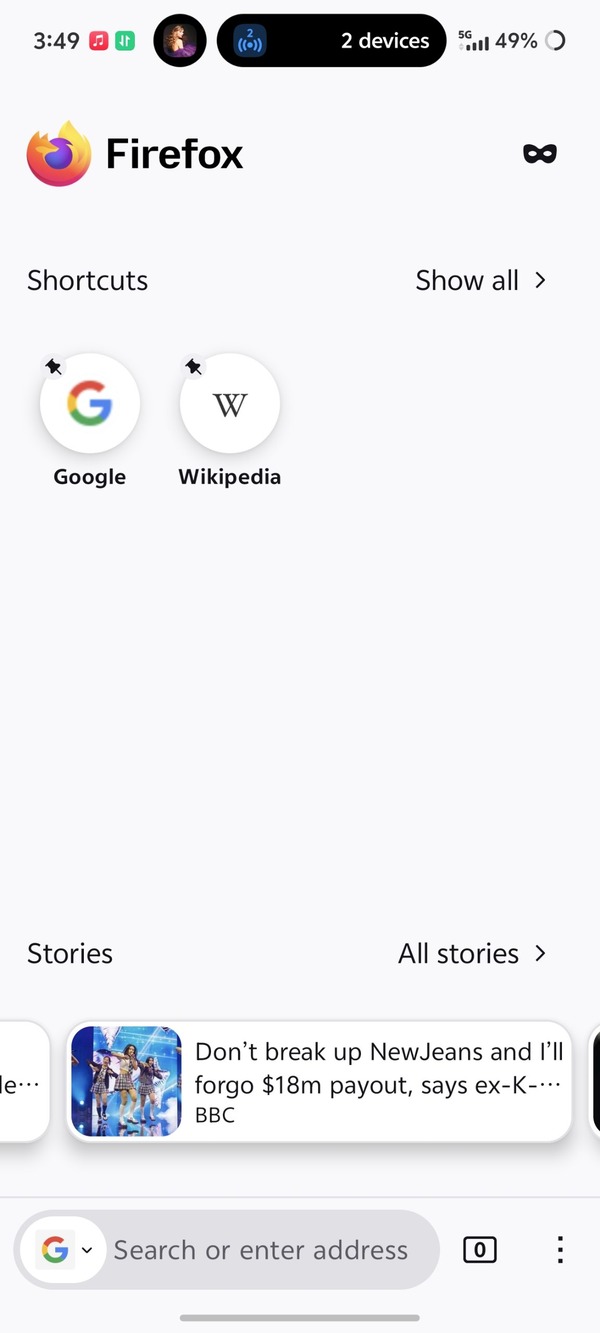
The new UI requires more buttons to access options in the menu, exiting tabs requires more effort, several options have changed from text to icons for no reason, and it’s overall worse to navigate. The inactive tabs menu is open by default, background colors are off, several simple interactions are hidden behind submenus, and the new address bar has problems.
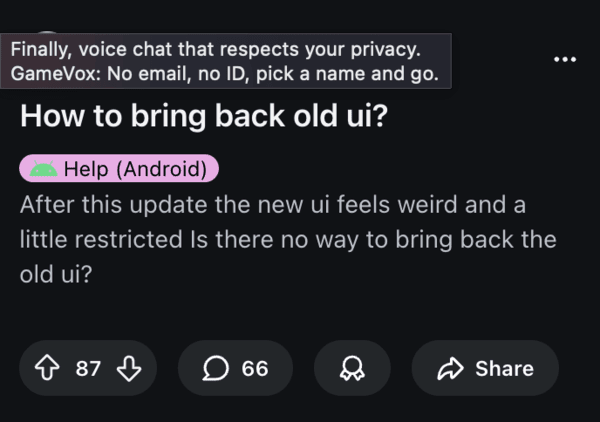
You can find more reports about the complaints with this design here, here, and here. Many people have been enquiring about how to restore the old UI, and thankfully, there’s a simple way to do it right within the app.
How to revert to the older design?
-
- Tap on the Settings button, which comes up after you click on the three-dot menu in the corner.
- Tap on ‘Data Collection’ from the Settings menu.
- You’ll find an option called ‘Studies’ from here.
- Remove the option that says ‘Android Brand Refresh’ or ‘Android Redesign.’
- Force stop the app from settings and clear cache. Restart the app. You should get the old design back
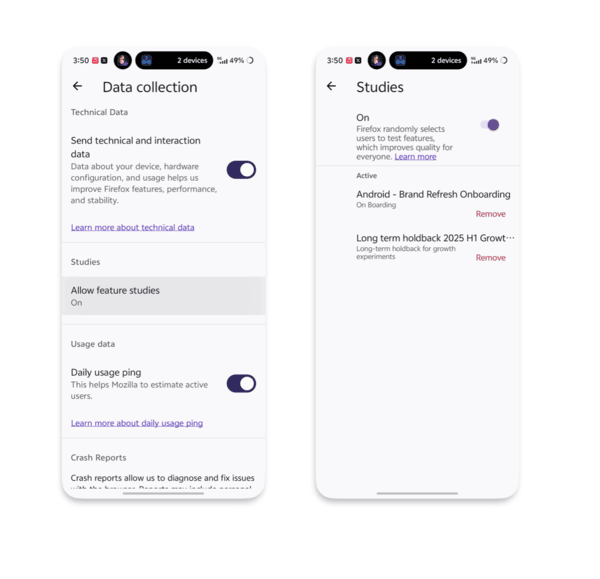
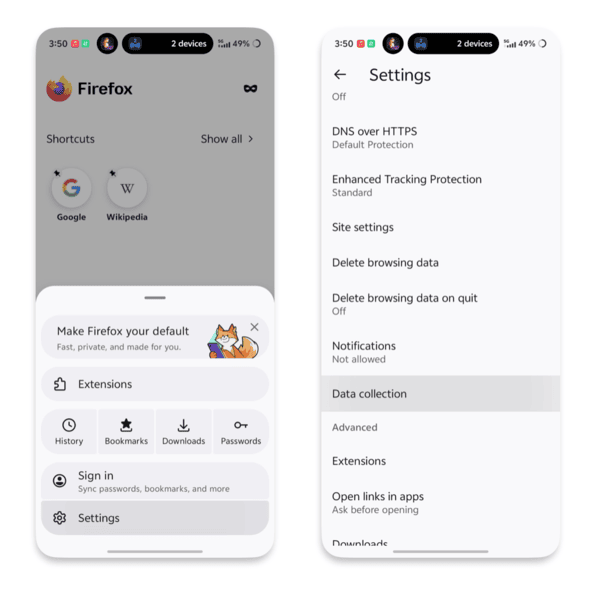
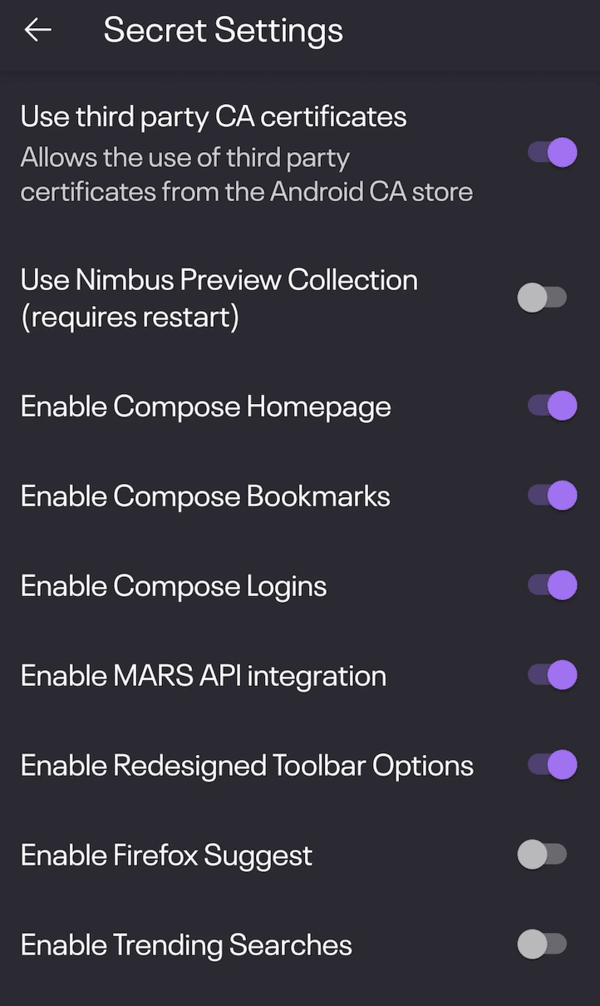
- If the studies list is empty, you’ll have to use debug mode to find the option. An alternative is performing step 5 and finding the Secret Settings option. You’ll find an option called ‘Nimbus Preview Collections,’ which you’ll have to turn on and off.
It’s worth noting that this isn’t an Android issue, and the Firefox developers rolled out these changes to the Android app. An employee from Mozilla actually responded to the commentary, asking people to give it a few days to let themselves adjust to it. The response to this was negative as well.
This backlash isn’t surprising given how common it is when platforms release new UI layouts. Earlier today, we highlighted how Reddit users are actively complaining about the latest UI update.


Dwayne Cubbins
2733 Posts
I cover fast-moving stories across apps, online platforms, and everyday tech — phones, wearables, consoles, and whatever else people are fighting with this week. Bugs, rollouts, scams, policy enforcement, and the occasional internet-culture rabbit hole are all fair game. My goal is simple — make confusing tech news readable. When I'm not working, I'm working out or chilling with my dog. Got a tip? You can find me on X @dcubbins.
Next article View Article