






Crunchyroll subscribers are running into a frustrating subtitle problem that’s affecting viewers on multiple platforms, like web browsers, mobile apps, and smart TVs. Users started reporting the issue a few hours ago on Reddit and X, saying captions have completely disappeared, no matter which anime they try to watch.
One user noted they were watching anime just fine last night, but woke up today to find zero subtitles on anything. Even older episodes of shows like One Piece from the Wano arc had no captions. The problem isn’t isolated to new releases.
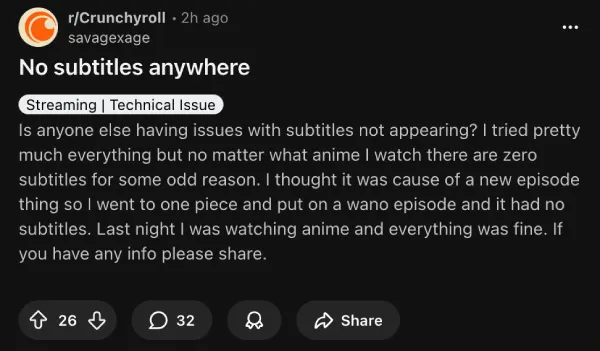
That said, at least some users managed to find relief with a temporary workaround. People found that turning off Wi-Fi and switching to mobile data or an ethernet cable brings subtitles back. It doesn’t make much sense, but several users confirmed it worked for them on both PC and mobile.
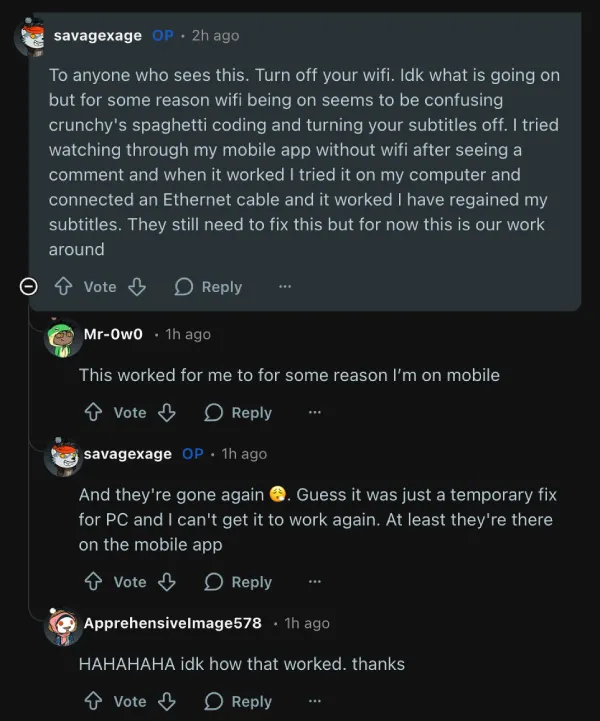
That fix isn’t holding up for everyone, though. The OP reported subtitles disappeared again after a short time on PC, though the mobile app kept working without Wi-Fi. Others said they’re seeing subtitles from previous episodes playing over current ones, or having the CC toggle switch on and off randomly.
Some viewers are pointing fingers at Crunchyroll’s Thai content expansion that just went live. The platform announced on February 3 that it added 26 new Thai dubs and 45 Thai subtitled shows. Comments on the Reddit post suggest the rollout of Thai localization might have broken subtitle delivery across the board.
This isn’t Crunchyroll’s first rodeo with subtitle troubles. A few months ago, the service caught heat for downgrading subtitle quality and removing typesetting features. Crunchyroll later blamed that incident on internal system problems rather than any change in how they create subtitles.
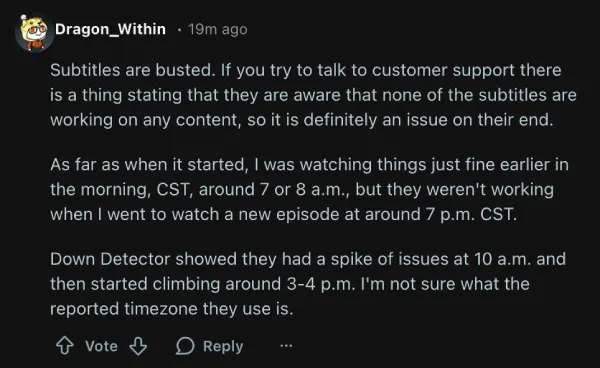
One person in the thread mentioned Crunchyroll’s customer support acknowledged the subtitle outage, saying they’re aware captions aren’t working on any content.
According to Crunchyroll’s help section, typical subtitle fixes include disabling VPN, trying incognito mode, or clearing your browser cache. Those standard troubleshooting steps don’t seem to be helping this time around.
We’ll keep an eye out for any further developments and will update the article if there’s anything to share.


Dwayne Cubbins
2718 Posts
I cover fast-moving stories across apps, online platforms, and everyday tech — phones, wearables, consoles, and whatever else people are fighting with this week. Bugs, rollouts, scams, policy enforcement, and the occasional internet-culture rabbit hole are all fair game. My goal is simple — make confusing tech news readable. When I'm not working, I'm working out or chilling with my dog. Got a tip? You can find me on X @dcubbins.
Next article View Article
