





![Garmin Connect 5.21.0.28 bug leaves watches and scales missing from app on iOS, potential workarounds inside [U: Officially acknowledged]](https://piunikaweb.com/wp-content/uploads/2026/01/garmin-connect-app-featured.webp "Garmin Connect 5.21.0.28 bug leaves watches and scales missing from app on iOS, potential workarounds inside [U: Officially acknowledged]")
Update 30/01/26 – 03:15 pm (IST): Garmin has officially acknowledged the problem with both an in-app notification and a banner on their support website.
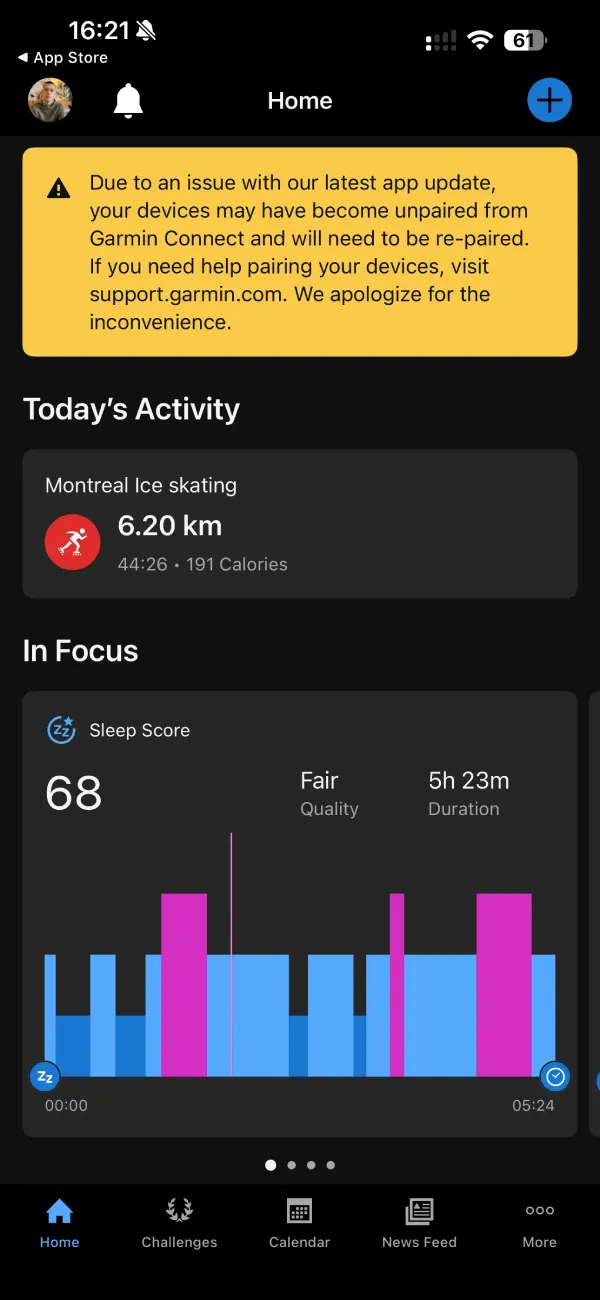
The company confirmed that version 5.21 caused devices to disconnect and has released version 5.21.1 to resolve the issue. Users are being directed to a dedicated support article that walks through the re-pairing process.
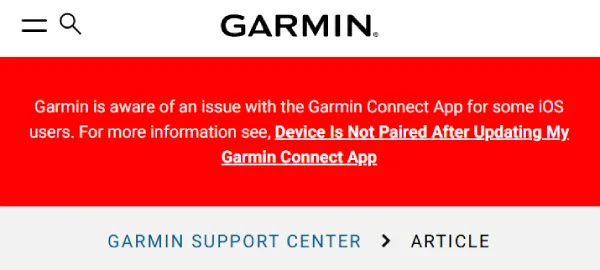
The fix doesn’t automatically restore lost connections. Anyone who updated to 5.21.0.28 still needs to manually remove and re-pair their devices even after installing version 5.21.1. Garmin published a detailed FAQ outlining the complete removal process, which involves deleting the device from both the Garmin Connect app and iPhone Bluetooth settings before adding it back as a new device.
The company warns that removing devices will wipe Garmin Pay wallets, requiring users to recreate their payment setup during re-pairing. Edge cycling computer owners face extra steps since they need to access their device menu and select “Forget Phone” before attempting to reconnect. The support guide recommends restarting both the phone and the Garmin device after unpairing them via Bluetooth to ensure a fresh, clean connection.
Original article published on January 29, 2026, follows:
iPhone users are reporting a frustrating bug where Garmin Connect version 5.21.0.28 is making their previously connected devices vanish from the app. Watches, scales, and sleep trackers are showing up as completely disconnected after the update rolled out yesterday.
A user on the Garmin subreddit first flagged the problem, explaining their watch still appeared connected in iPhone Bluetooth settings, but the Connect app refused to recognize it. Attempts to remove and re-pair the device failed completely, leaving many users unable to sync their fitness data.
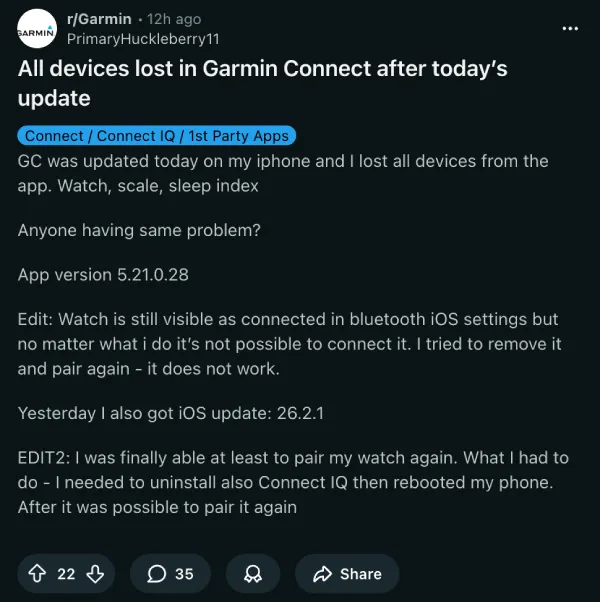
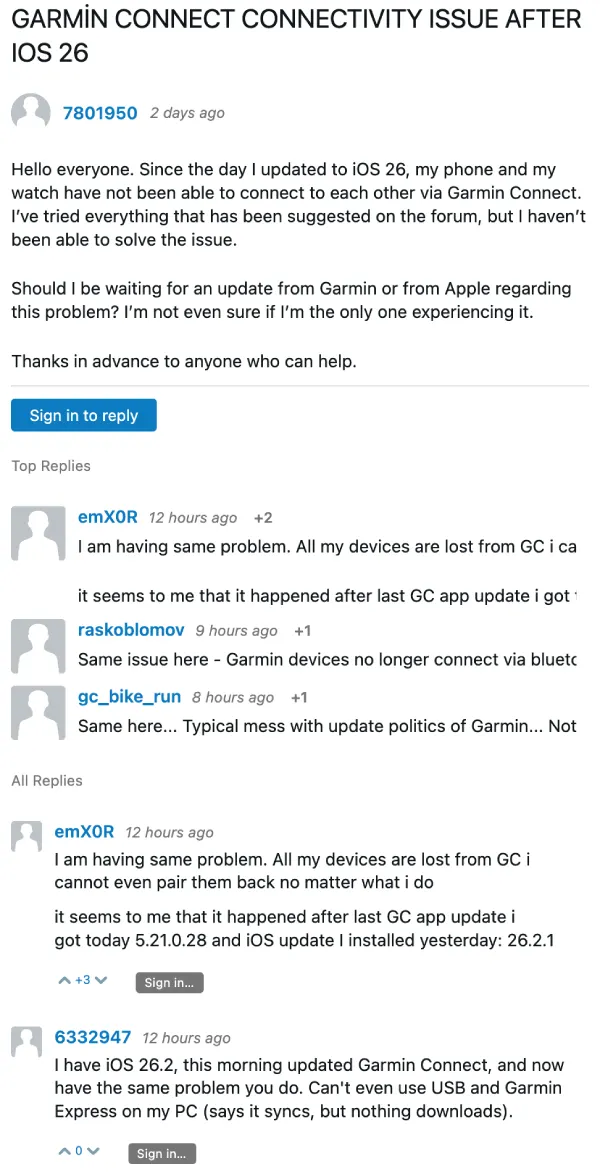
The issue appears tied specifically to the 5.21.0.28 app version rather than iOS itself. Multiple users running iOS 26.2 and 26.2.1 have encountered the same problem across different Garmin devices including the Forerunner 265, Fenix 8, Venu 3, and Epix Pro Gen 2.
One Fenix 8 owner described the handshake between the app and hardware as “totally broken” after trying standard troubleshooting steps without success.
Users on the official Garmin forums have been discussing similar connectivity problems since the iOS 26 rollout, though I suspect the app update is actually to blame. Some people noticed the Bluetooth permission for Garmin Connect disappeared entirely from iOS settings after updating, which adds another layer of confusion to the pairing process.
That said, there’s still some hope for those impacted by the bug. The OP on Reddit managed to reconnect their watch by uninstalling both Garmin Connect and Connect IQ, then rebooting the phone before attempting to pair again.
Another method that worked for several users involves removing the device from both the Garmin Connect web interface and iPhone Bluetooth settings, then re-pairing via the QR code on the watch as if it were a brand new device.
More recent Garmin devices that support WiFi syncing can bypass the phone connection entirely for activity uploads, though this doesn’t help with devices like the Sleep Index Monitor that require Bluetooth. Some users with multiple devices are hesitant to try the web removal method since it means re-pairing everything from scratch.
Garmin has not issued an official statement about the bug or when a fix might arrive. We’ll keep an eye out for any further developments and will post an update when there’s something to share.


Dwayne Cubbins
3101 Posts
I cover fast-moving stories across apps, online platforms, and everyday tech — phones, wearables, consoles, and whatever else people are fighting with this week. Bugs, rollouts, scams, policy enforcement, and the occasional internet-culture rabbit hole are all fair game. My goal is simple — make confusing tech news readable. When I'm not working, I'm working out or chilling with my dog. Got a tip? You can find me on X @dcubbins.
Next article View Article
