





After briefly introducing and then inexplicably removing a fix for unwanted landscape rotation during calls, Google has brought the required toggle back in the latest Phone app beta.
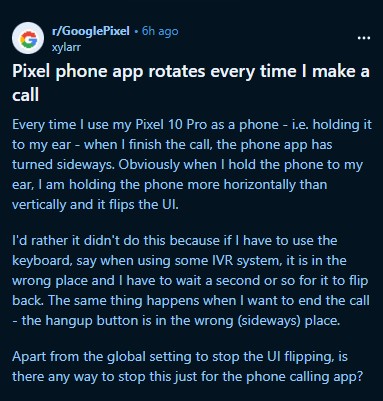
Ever since gaining a landscape calling screen, a frustrating user experience issue has plagued users of the Google Phone app. An increasing number of reports highlighted a bizarre behavior where the in-call UI would automatically rotate to landscape mode while the user was holding the phone to their ear during a call.
This isn’t just a visual quirk; it fundamentally disrupts muscle memory for basic phone functions. When the phone is pulled away from the ear to end a call, the UI is suddenly oriented horizontally, moving the red “hang up” button from its usual spot at the bottom to an unfamiliar position on the side.
The frustration was well-summarized by users on community forums recently:
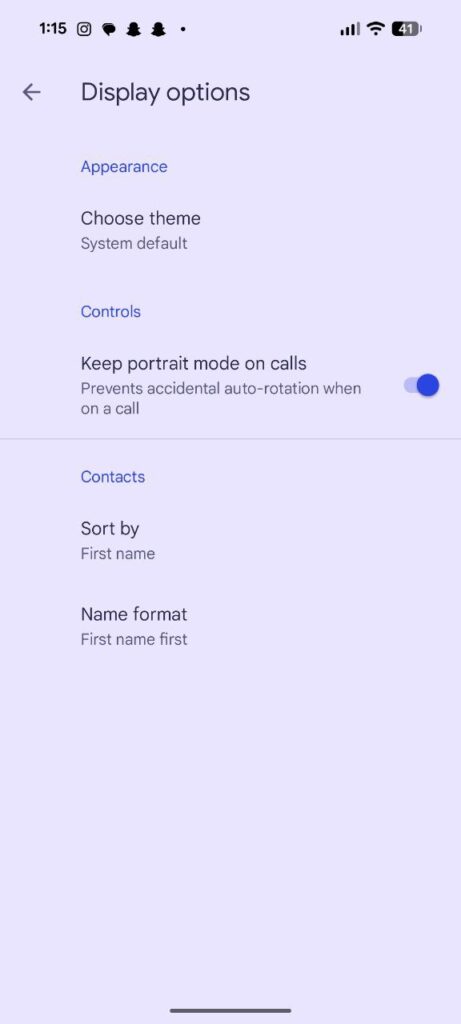
Google initially appeared to heed these complaints. Last month, with the rollout of Google Phone app beta version 202, a new toggle appeared within the app’s settings under “Display options.”
Labeled “Keep portrait mode on calls,” this feature did exactly what it promised: it locked the in-call UI to portrait mode regardless of the phone’s physical orientation, effectively solving the issue of accidental rotation when putting the phone to your ear.
However, in a confusing twist, Google silently removed this option just a couple of weeks later in subsequent updates, leaving users with no recourse but to deal with the erratic rotation or disable the auto-rotate system-wide, neither of which is an ideal solution.
Fortunately, it appears the removal was temporary, or perhaps accidental. We can confirm that the “Keep portrait mode on calls” toggle has returned in the latest Google Phone app beta version 205.
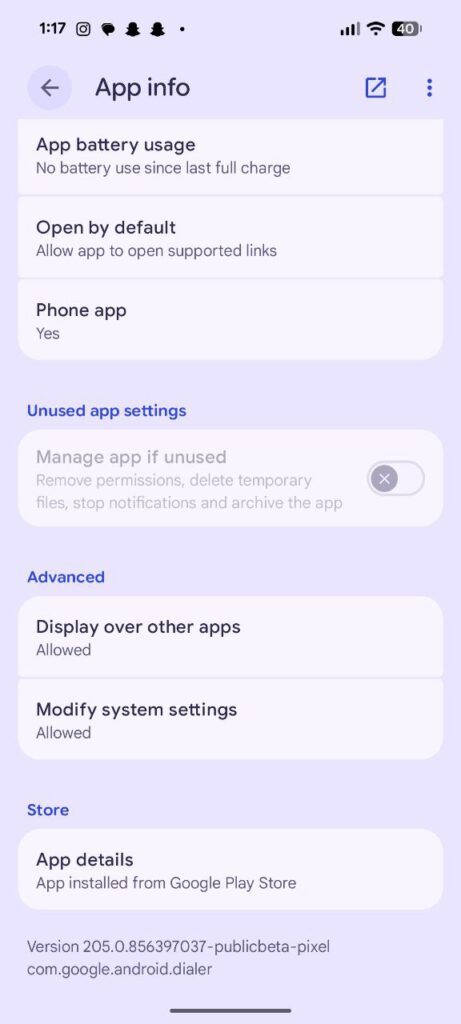
Currently, we’ve spotted the reinstated feature on Pixel phones running both the latest stable builds and Android 16 developer preview.
How to get the fix
If you are tired of your phone interface flipping sideways every time you make or receive a call, the only current solution is to jump on the beta channel.
Until Google pushes this fix to the stable version globally, you can access it by joining the Google Phone app’s beta program.
- Open the Google Play Store on your Android device.
- Navigate to the Google Phone app listing.
- Scroll down the page until you see the “Join the beta” section.
- Tap Join.
Once accepted (which usually takes a few minutes), you will receive an update to the latest beta version (v205 or higher). Once installed, head into the Phone app settings > Display options, and enable “Keep portrait mode on calls.”


Hillary Keverenge
2723 Posts
Tech has been my playground for over a decade. While the Android journey began early, it truly took flight with the revolutionary Lollipop update. Since then, it's been a parade of Android devices (with a sprinkle of iOS), culminating in a mostly happy marriage with Google's smart home ecosystem. Expect insightful articles and explorations of the ever-evolving world of Android and Google products coupled with occasional rants on the Nest smart home ecosystem.
Next article View Article
