
Facebook Messenger appears to be acting up for a bunch of iPad users right now, with multiple reports saying the app refuses to stay scrolled to the bottom of a chat. The result of this is that the newest messages get partially hidden behind the text box or keyboard area, and when users try to drag the conversation up to read the last line, it snaps back down.
The complaints have been building across Reddit over the last few days. In one thread on r/facebookmessenger, the OP says the issue only shows up in the Messenger app and not in other apps, and that they can’t see their sent message because the thread “scrolls but won’t stay.”
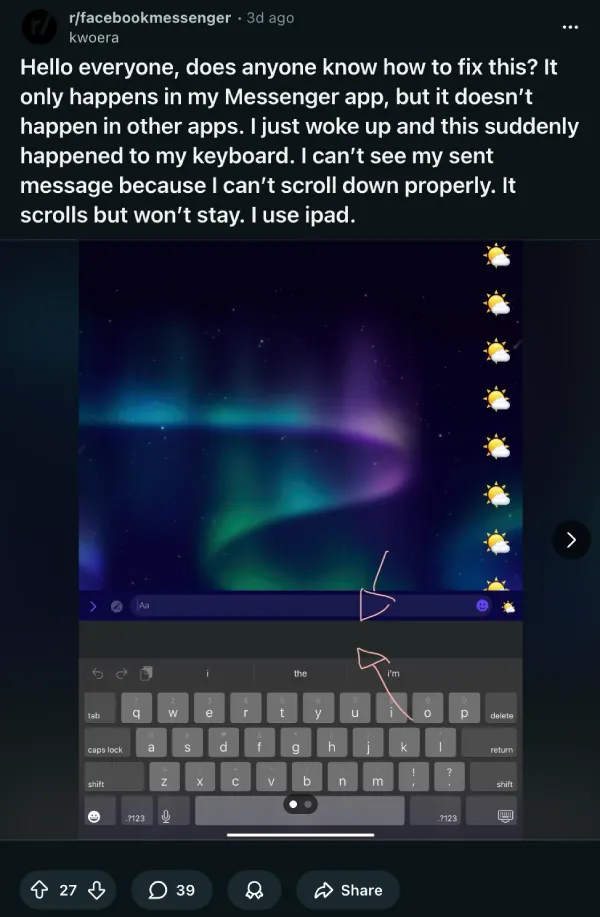
The replies clearly indicate that many others are also hitting the same wall, with several noting it’s happening on iPad while Messenger on iPhone seems fine. A few commenters say they already went through the standard troubleshooting checklist, force-close, restart, uninstall, reinstall, and nothing changed.
Another discussion on r/iPadOS points to what sounds like the same bug, with a user asking what Messenger changed “in the last update” because the app no longer scrolls properly, making it hard to view the last sentence in a conversation.
Over on Apple’s discussions forum, an iPad Pro user describes Messenger threads not scrolling up enough to read the last line, again blaming the way the text-entry bubble blocks the bottom of the chat and how the view drops back when released.
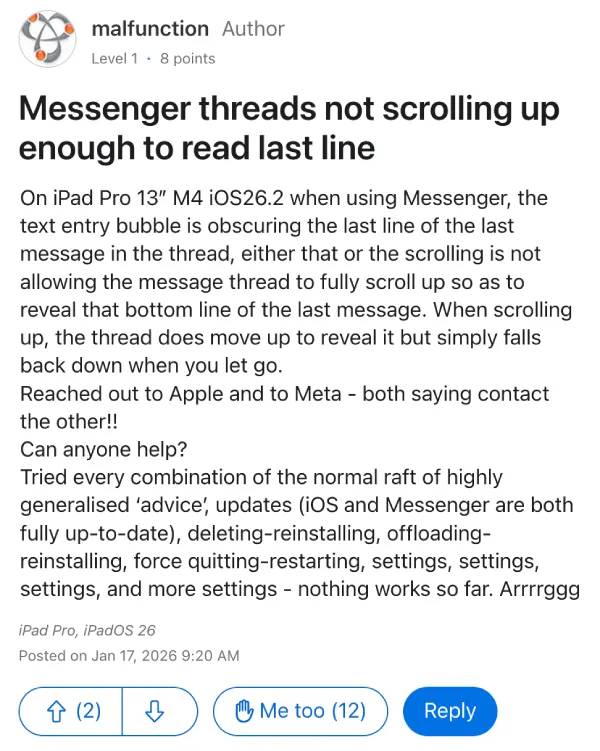
That Apple forum post also claims the user contacted both Apple and Meta support and got redirected between them, which is not exactly comforting when the app is misbehaving during basic texting.
Right now, there’s no single “do this and it’s fixed” answer floating to the top. One workaround mentioned by users is switching to Messenger in Safari (or using the web version) to avoid the app’s scrolling issue on iPad.
I’d suggest keeping an eye out for any updates for the Messenger app in the coming days to see if a fix arrives.


Dwayne Cubbins
3073 Posts
I cover fast-moving stories across apps, online platforms, and everyday tech — phones, wearables, consoles, and whatever else people are fighting with this week. Bugs, rollouts, scams, policy enforcement, and the occasional internet-culture rabbit hole are all fair game. My goal is simple — make confusing tech news readable. When I'm not working, I'm working out or chilling with my dog. Got a tip? You can find me on X @dcubbins.
Next article View Article