





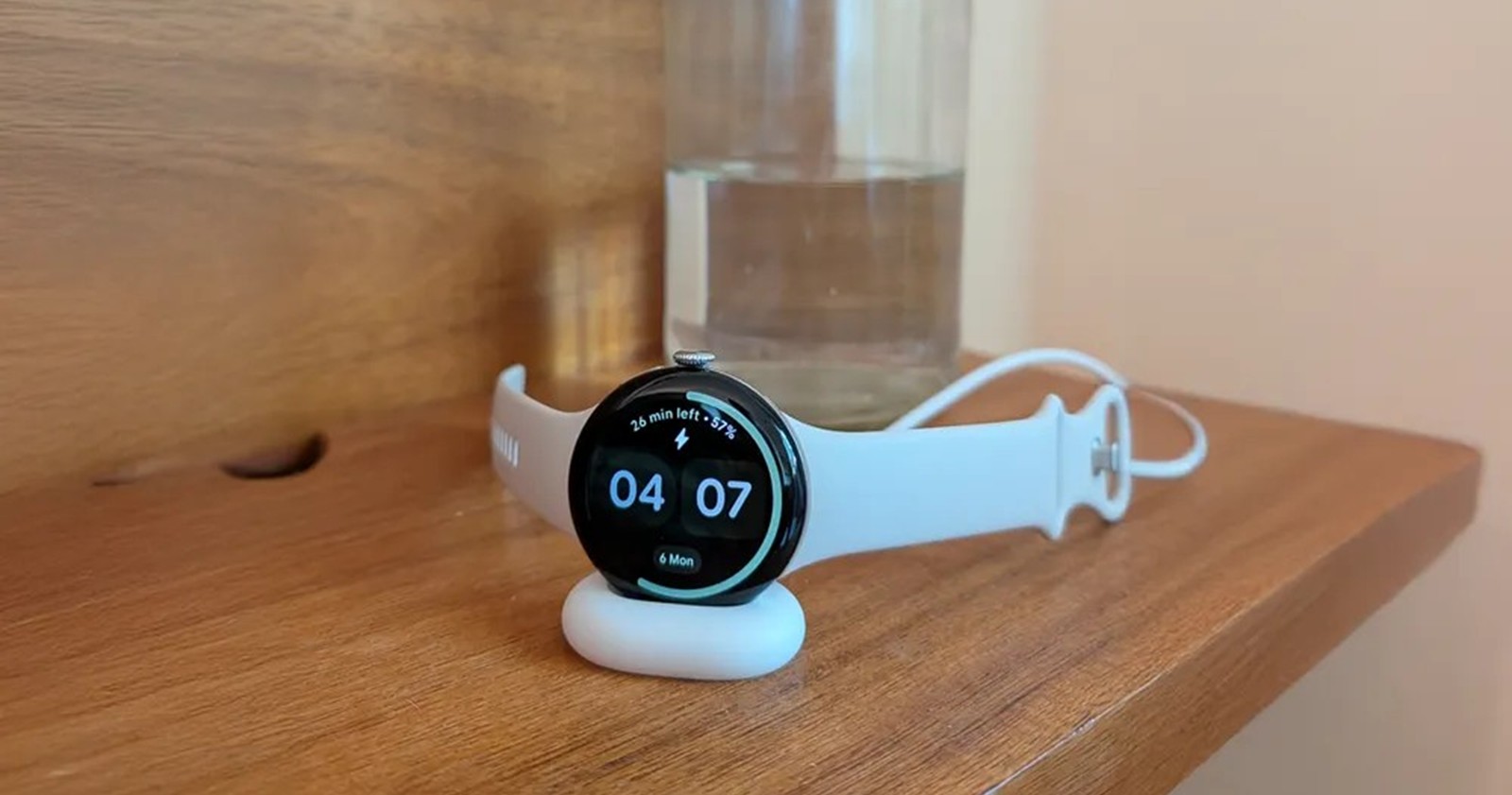
Google doesn’t always announce its most important Pixel changes on a keynote stage. Instead, many of the company’s most meaningful improvements surface gradually, buried in beta builds, system apps, or quietly added settings menus. That pattern continues with a new wave of Pixel updates that are beginning to take shape across phones, watches, and Google’s AI features.
Recent discoveries point to Google filling long-standing gaps in the Pixel experience. These include theft-prevention features for the Pixel Watch, usability improvements in Android 16, deeper system permissions designed for future Gemini automation, and early signs of meaningful upgrades to Magic Cue. None of these changes is dramatic on its own, but together they suggest a more deliberate push toward ecosystem polish.
Pixel 10 could soon get a lot smarter thanks to a major Magic Cue expansion
Google Wallet and Google Tasks could soon join the list of supported apps for Magic Cue integration, making the Pixel 10’s proactive AI even more useful.
Magic Cue was one of the Pixel 10’s highlight features, aimed at connecting the dots between your apps to surface relevant info when you need it. While it launched with support for apps like Gmail, Messages, and Screenshots, Google seems to have bigger plans.
Telegram user Kieron Quinn surfaced settings toggles for two new integrations: Google Wallet and Google Tasks.
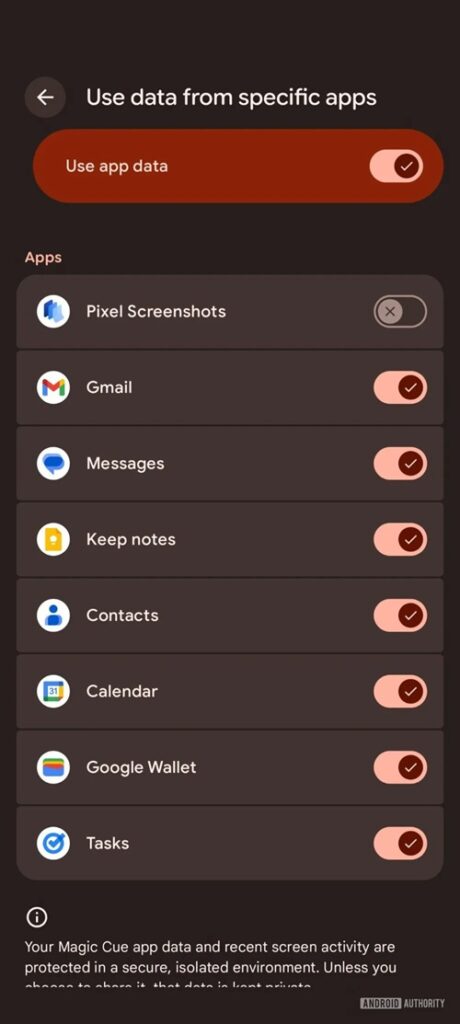
The addition of Google Wallet could be huge. Currently, Magic Cue can pull train timing info from Gmail, but it can’t offer real-time updates. With Wallet integration, the AI could display live status updates (e.g., “Delayed” or “On Time”) for train tickets, flights, and event passes stored in your Wallet.
Similarly, Google Tasks integration would allow Magic Cue to surface reminders and to-dos directly, fixing the current oversight where Tasks are only accessible through the Calendar integration. While these features haven’t officially rolled out, the settings suggest they are on the way.
Google is finally copying this Apple Watch feature for its Pixel Watch
The Apple Watch has long had a nifty feature that notifies you if your iPhone gets left behind. It’s a lifesaver for the forgetful and a great anti-theft measure. Now, it looks like the Pixel Watch is finally catching up.
References to a feature called “Notify when left behind” have been spotted in a system app. The code strings clearly describe the functionality:
<string name="left_behind_reminder_title">Notify when left behind</string><string name="left_behind_reminder_info">To use this feature, your watch must be on your wrist and Bluetooth must be on for both your phone and watch</string>
This builds on previous discoveries from June 2025 regarding an auto-lock feature that secures your phone when it separates from your watch. The new code suggests you’ll be able to disable these alerts in “trusted locations” (like your home), preventing your watch from buzzing every time you walk to the kitchen.
Widgets in Android 16 QPR3 Beta 2 are getting easier to resize
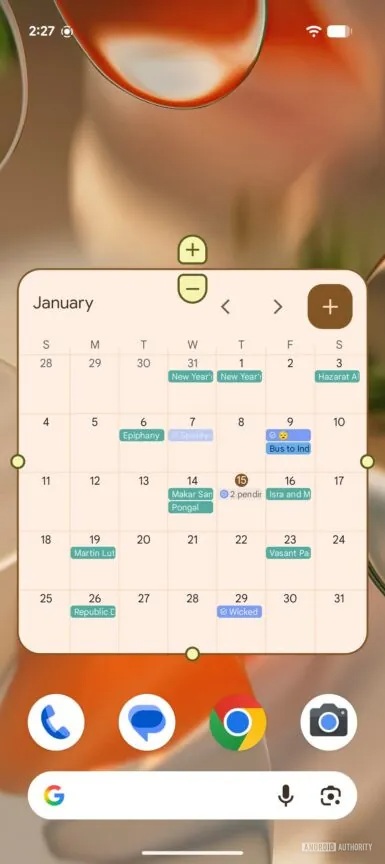
On the software front, Android 16 QPR3 Beta 2 is making a small but welcome change to home screen customization.
Traditionally, resizing widgets involved dragging a border—a gesture that can sometimes be finicky. In the latest beta, Google has added plus (+) and minus (-) buttons that appear when you enter resize mode. These buttons allow for precise, tap-based resizing and follow your system’s dynamic color theme.
Android 16 QPR3 adds ‘Screen automation’ for Gemini
Lastly, we are seeing the groundwork for Gemini’s “Computer Use” capabilities on Android. A new permission titled “Screen automation” has appeared in the Special App Access menu on Pixel 10 devices running QPR3 Beta 2.
The description reads: “This app will be able to see and interact with other apps’ screen content to help you complete tasks, even when the apps are in the background.”
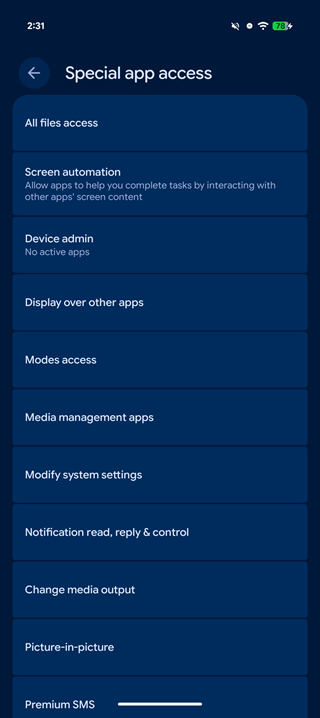
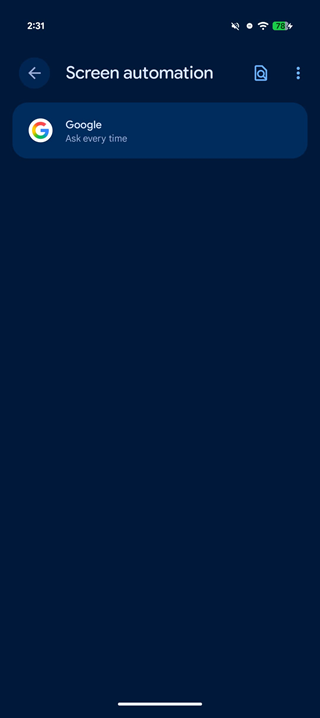
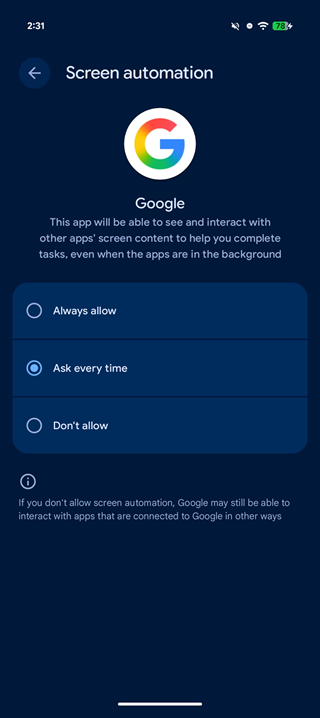
This aligns with Google’s “Project Astra” demos, where AI agents could scroll and click through apps to perform complex tasks. While the feature isn’t fully live for consumers yet, this permission is the structural key to letting Gemini take the wheel.


Hillary Keverenge
2723 Posts
Tech has been my playground for over a decade. While the Android journey began early, it truly took flight with the revolutionary Lollipop update. Since then, it's been a parade of Android devices (with a sprinkle of iOS), culminating in a mostly happy marriage with Google's smart home ecosystem. Expect insightful articles and explorations of the ever-evolving world of Android and Google products coupled with occasional rants on the Nest smart home ecosystem.
Next article View Article
