





Heavy tab users in both Chrome and Brave got hit hard this week. After recent updates, the handy horizontal tab scrolling just disappeared. No more arrows or mouse-wheel slides to flip through a big pile of open tabs. Everything crams into tiny icons instead, tough to click if you keep dozens or hundreds going at once.
The change comes straight from Chromium 144. The upstream project ditched the #scrollable-tabstrip flag that made the feature work. Chrome rolled it out in version 144, and Brave followed right along with 1.86.139. Some Chrome folks spotted it first, recommending Brave as a fix, only for the same problem to land there a day later.
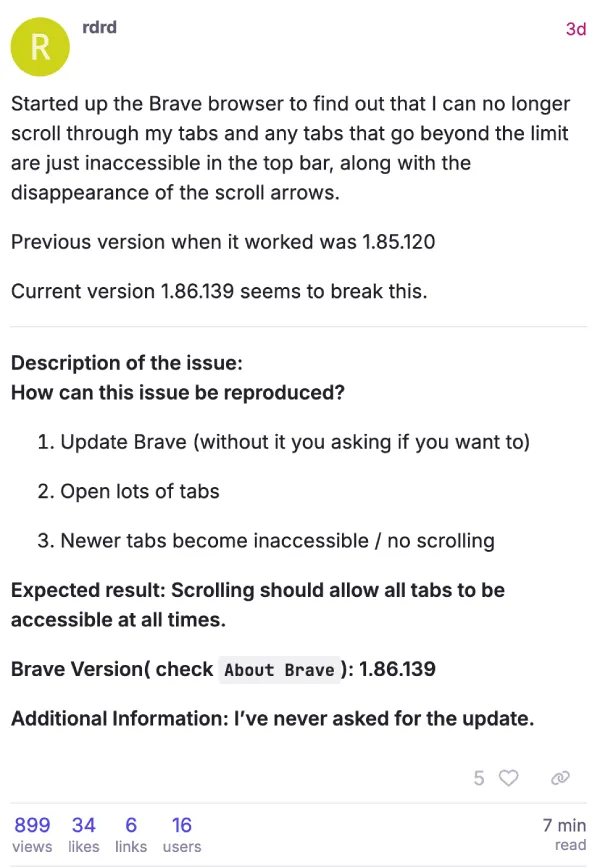
The problem was highlighted on Brave’s official forums and GitHub issue #52045, where people unloaded. One user wrote, “this feature alone is a make or break feature to me so if a browser does not have it I will abandon it.”
Another, dealing with motor control issues, fumed: “How long of a temporary state will this be? I have fine motor control problems and tiny tabs just do not work! … If it’s not fixed soon I WILL uninstall.”
The complaints are also piling up on Reddit. “PLEASE FIX THIS ASAP! I can’t work!” one person posted. Another called the browser “almost unusable now” because “all my tabs have been crammed into such a small space that I can’t click anything.” A few even accused the change of ignoring accessibility, saying removing a working option feels like a step backward.
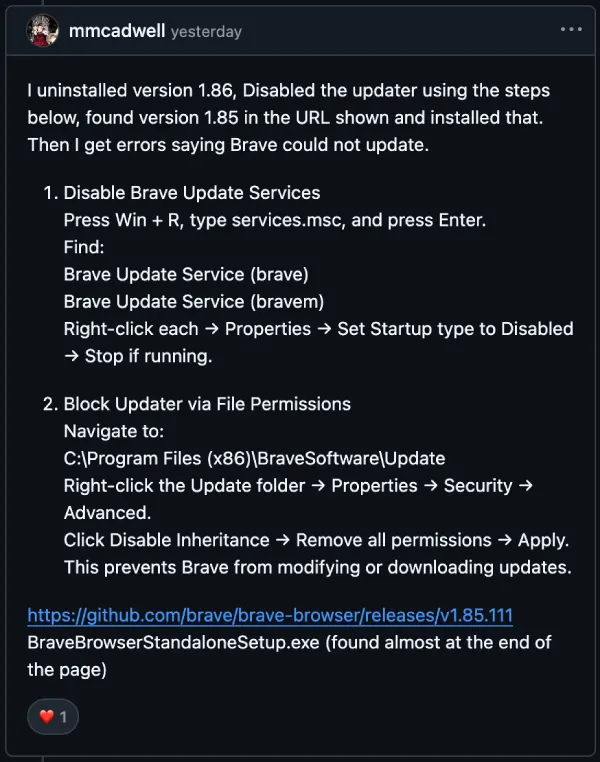
Plenty aren’t waiting for official fixes. Chrome users shared steps to roll back to version 143.0.7499.193 from sites like Uptodown, then disable Google update services. Brave fans did the same with 1.85.111 from GitHub releases. Back up your data first, though, or bookmarks and extensions could vanish.
Vertical tabs are the other band-aid Brave pushes. Right-click any tab, flip them on, and tweak the look in Settings > Appearance. It works for some, but others report crashes when closing tabs, especially with massive sessions. One user said it just “eats up like 3-inches of the available screen space” on big monitors and doesn’t feel right for desktop use.
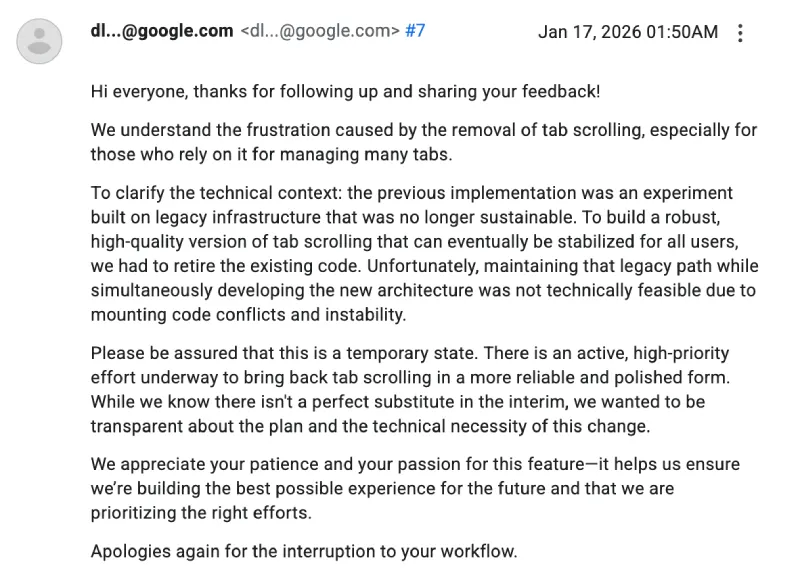
There still might be some hope for a comeback. A Google employee responded to frustrated users, saying, “Please be assured that this is a temporary state. There is an active, high-priority effort underway to bring back tab scrolling in a more reliable and polished form.” They explained that the old version relied on outdated code that couldn’t be maintained alongside the new one being built.
For now, tab hoarders in Chrome and Brave face awkward choices. Stick with downgrades, try vertical tabs, or jump to alternatives. Removing a long-time feature that worked fine for so many has left loyal users seriously fed up.


Dwayne Cubbins
3059 Posts
I cover fast-moving stories across apps, online platforms, and everyday tech — phones, wearables, consoles, and whatever else people are fighting with this week. Bugs, rollouts, scams, policy enforcement, and the occasional internet-culture rabbit hole are all fair game. My goal is simple — make confusing tech news readable. When I'm not working, I'm working out or chilling with my dog. Got a tip? You can find me on X @dcubbins.
Next article View Article
