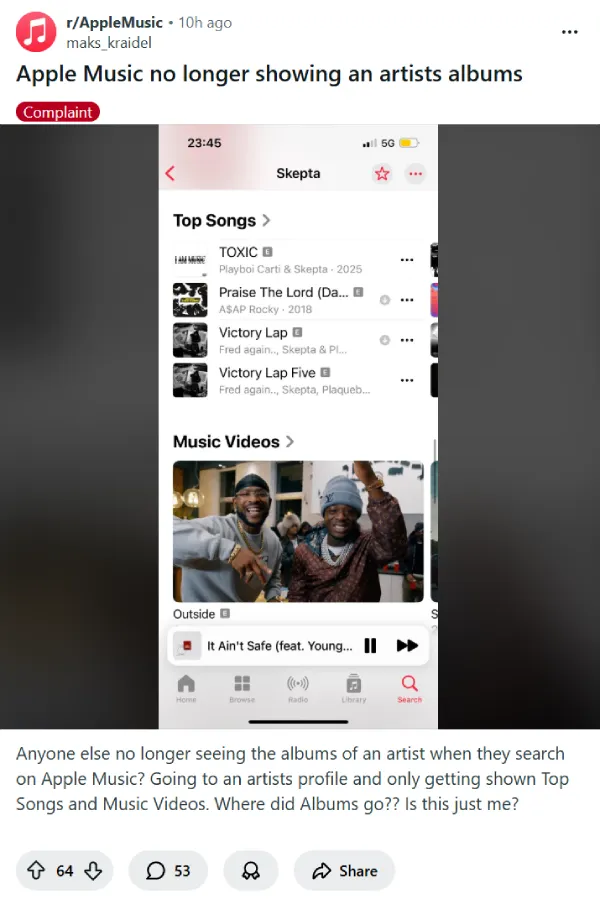
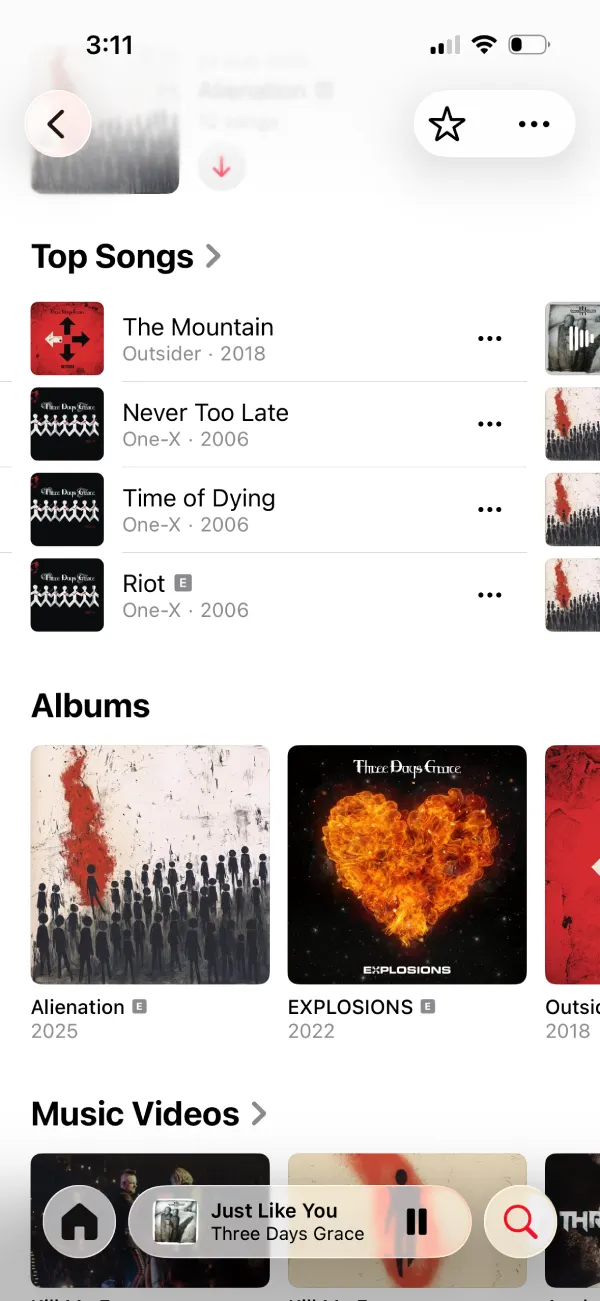
Apple Music subscribers are running into a frustrating bug where artist pages suddenly show no albums at all. When searching for an artist and visiting their profile, users are finding only Top Songs and Music Videos displayed, with the Albums section mysteriously gone.
The issue seems to have cropped up yesterday, with frustrated users flooding the r/AppleMusic subreddit to report the problem. The OP of the main discussion thread on Reddit said, ” Going to an artists profile and only getting shown Top Songs and Music Videos. Where did Albums go?? Is this just me?.”
Another commenter who primarily listens to albums called the situation “fuc***g infuriating,” especially since the app worked fine just a day earlier.
Interestingly, some people can still see albums just fine, while others are stuck scrolling through endless Top Songs lists trying to find specific releases.
Reports about the problem are also popping up on Apple’s official support forums. One iPhone X running iOS 16 confirmed they couldn’t see any artist albums either.
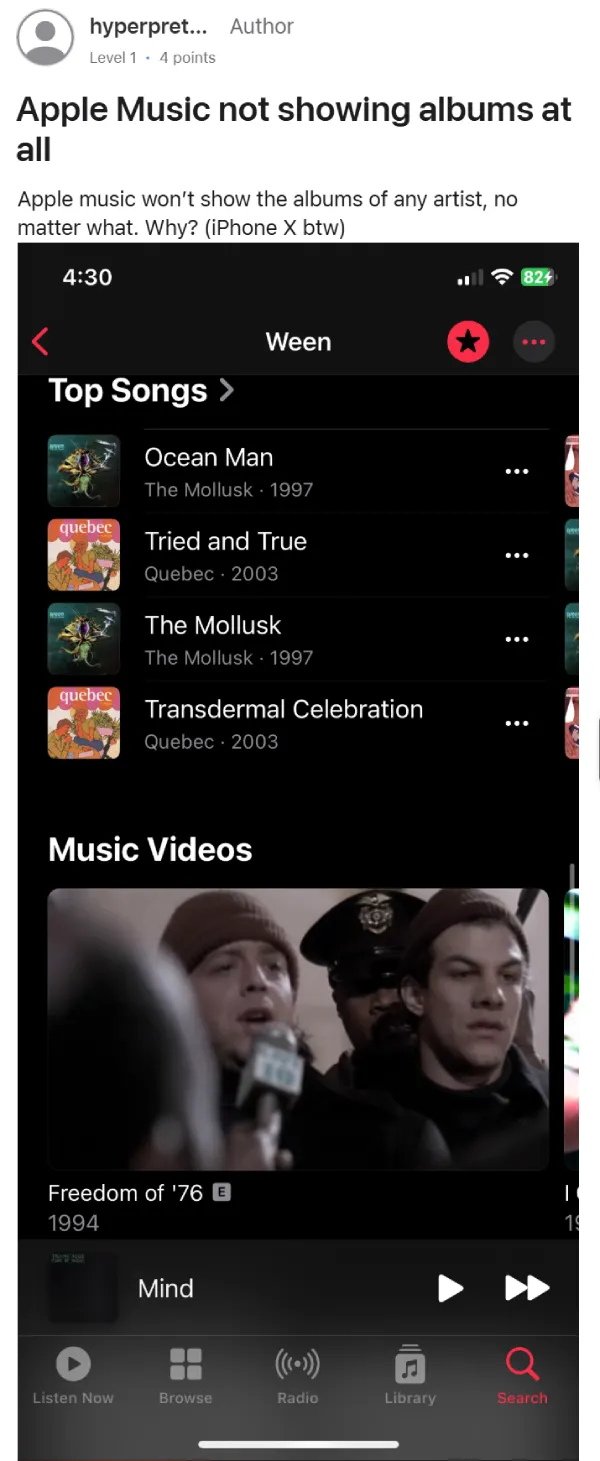
While scrolling through the complaints, I spotted a pattern. The reports appear to come from those who haven’t updated to iOS 26. Multiple Reddit commenters mentioned they were on older iOS versions when the albums vanished. One user on iOS 15 confirmed their spare iPhone had the issue, but their Android phone displayed albums normally.
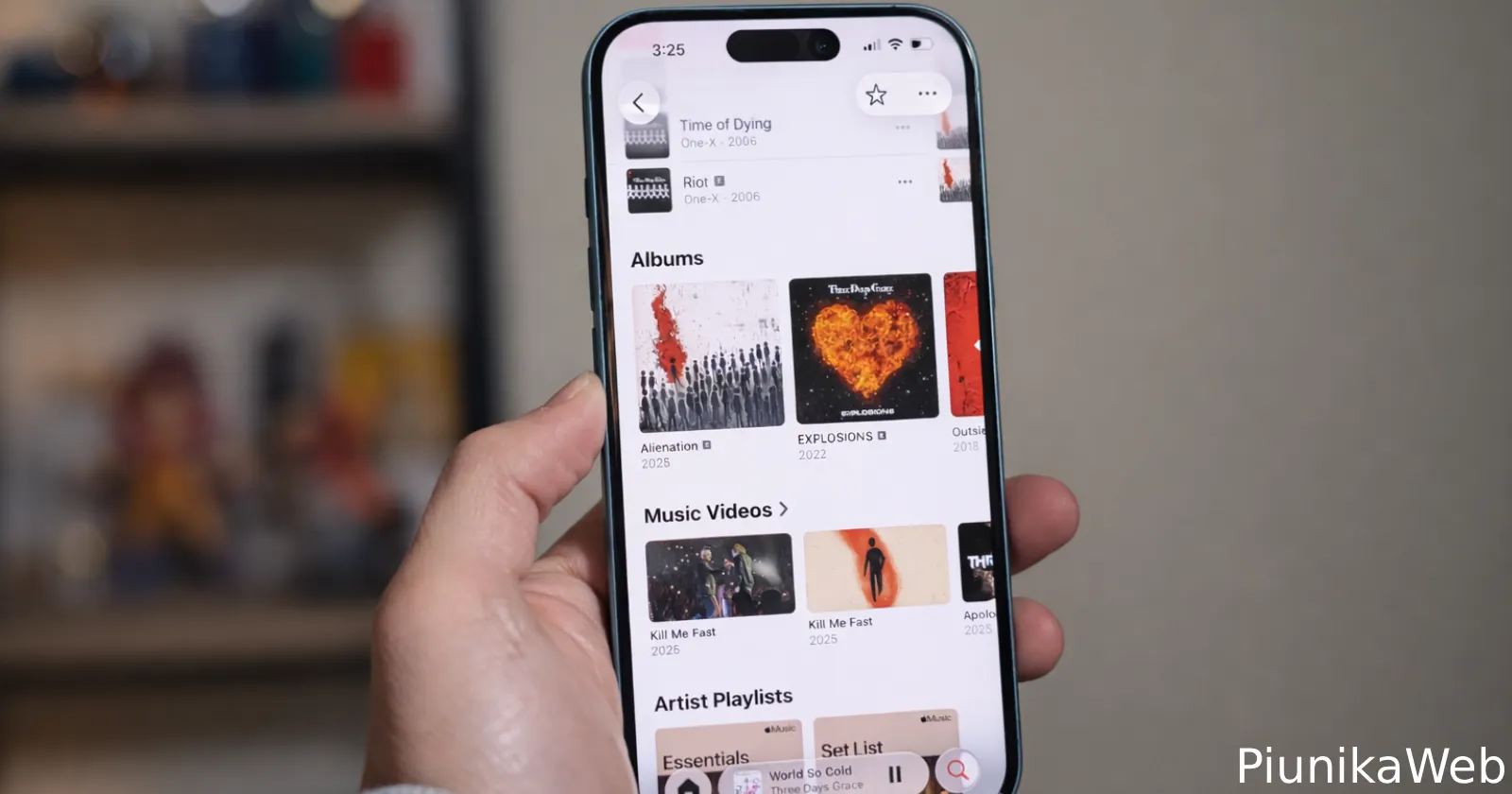
In my testing on the latest iOS 26 beta, I still see albums.
Some users suggested potential workarounds like changing Dolby Atmos settings, though there’s no confirmation that actually fixes anything. Others weren’t happy about being told to update their phones, with one person arguing, “A paid service should not be dependent upon updating a completely separate service.” For older iPhone owners like those with an iPhone 7, updating isn’t even an option since those devices can’t run iOS 26.
Apple hasn’t officially acknowledged the problem yet, but the growing number of complaints suggests this isn’t an isolated glitch. If you’re experiencing this issue and can update to iOS 26, that appears to be the current solution. Those stuck on older devices will likely need to wait for Apple to address the compatibility problem on their end.


Dwayne Cubbins
3155 Posts
I cover fast-moving stories across apps, online platforms, and everyday tech — phones, wearables, consoles, and whatever else people are fighting with this week. Bugs, rollouts, scams, policy enforcement, and the occasional internet-culture rabbit hole are all fair game. My goal is simple — make confusing tech news readable. When I'm not working, I'm working out or chilling with my dog. Got a tip? You can find me on X @dcubbins.
Next article View Article