





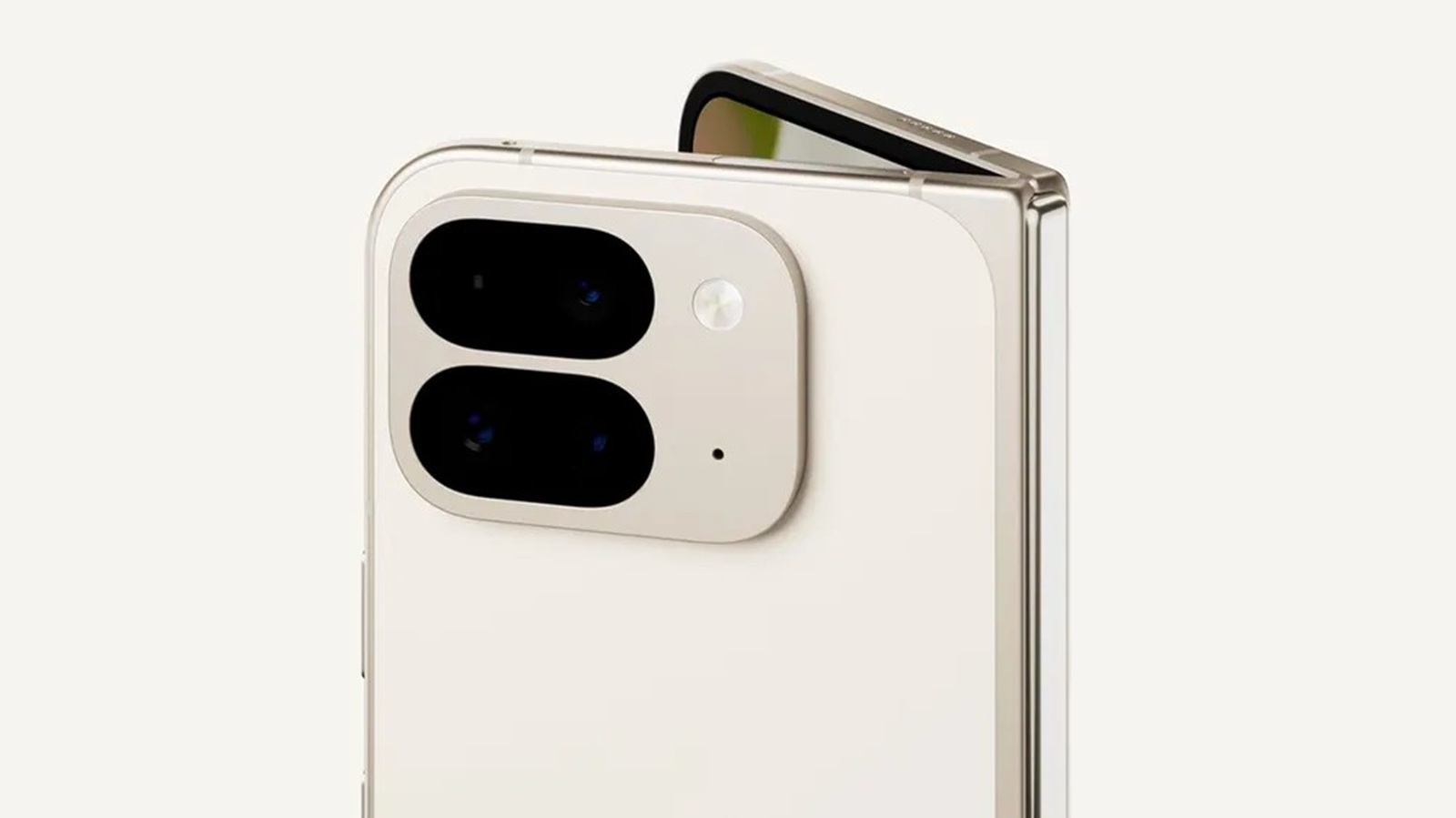
For the past year, whispers of a major overhaul to the Android notification shade have been circulating. Following the “expressive redesign” that began permeating the OS with Android 16 QPR1, Google appears ready to take the next controversial step. According to fresh leaks regarding Android 17, Google Pixel users will soon have the option to split their Quick Settings and Notifications into two separate panes in a move that mirrors UI choices by Xiaomi, Samsung, and iOS.
Here is the latest look at the future of the Pixel UI, including the return of a fan-favorite feature and a potentially polarizing decision for foldable owners.
The Dual-Shade is real, and it’s optional (mostly)
We first caught glimpses of this dual-pane implementation nearly a year ago during the Android 16 QPR1 beta cycle. At the time, the “work-in-progress” interface was buggy and clearly experimental. Fast forward to today, and a leak from Mystic Leaks on Telegram suggests the feature has matured significantly in internal Android 17 builds.
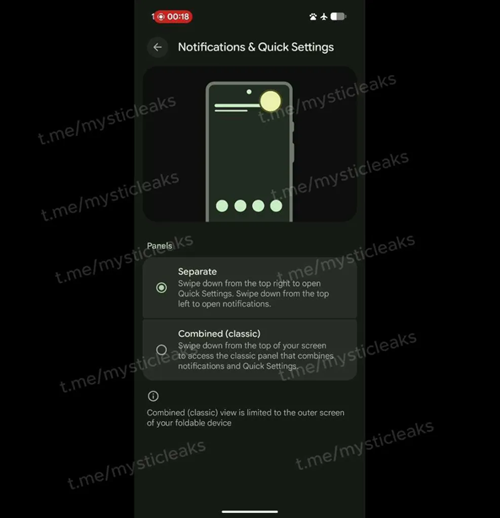
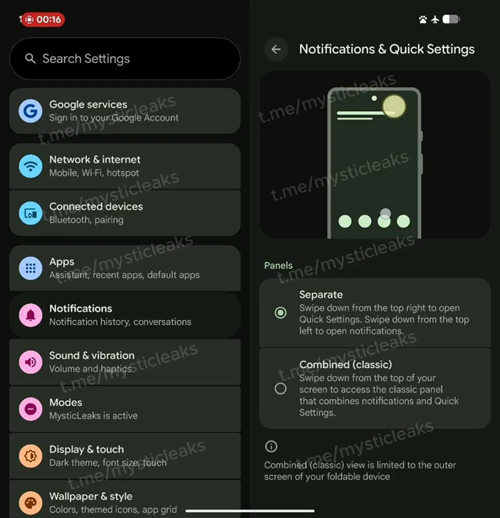
Under a new menu path located at Settings > Notifications > Notifications & Quick Settings, users are presented with two distinct choices:
- Combined (Classic): The traditional Android experience. A swipe down from anywhere at the top reveals a unified mix of notifications and Quick Settings tiles.
- Separate: The new, split interface. Swiping down from the top-left opens the Notification shade, while swiping from the top-right opens the Quick Settings panel.
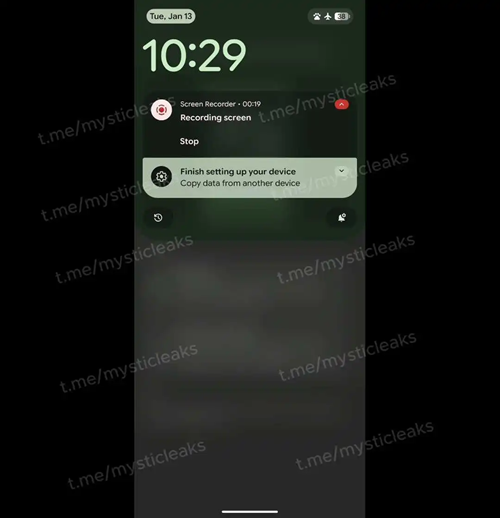
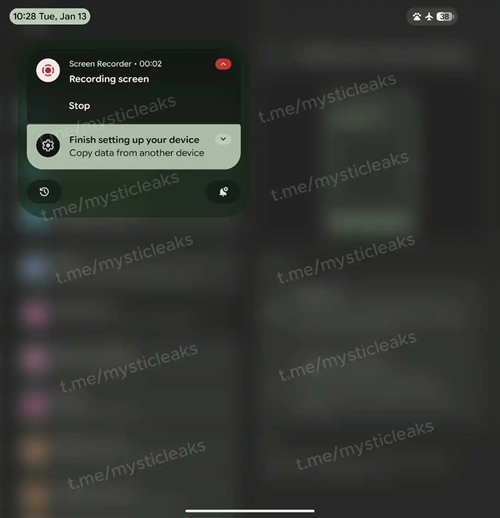
The leaked video demonstrates that while the “Combined” view retains the familiar look of recent Android versions, the “Separate” view introduces distinct UI elements. The notification side features a large clock header with day/date and status bar icons tucked into corner pills.
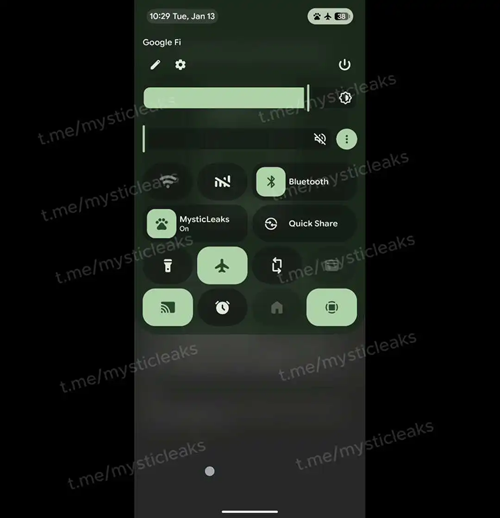
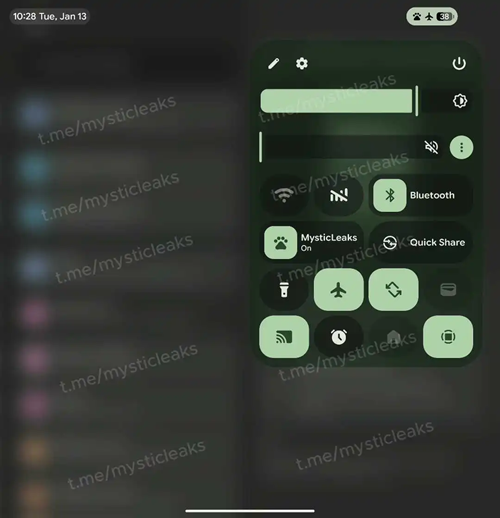
Conversely, the Quick Settings side (swiped from the right) utilizes a top-sheet container design. It houses a miniature clock, carrier information, and shortcuts for editing tiles, settings, and the power menu. Notably, Google has added a native volume slider sitting directly beneath the brightness slider—a significant utility upgrade for the panel.
Divided network toggles return
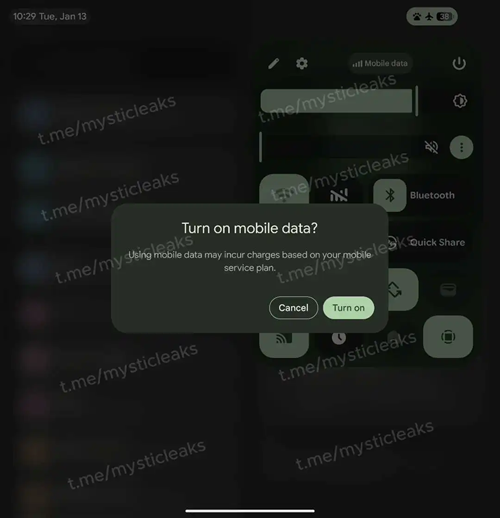
Perhaps even more exciting than the visual overhaul is a functional change that power users have been demanding for years. The leak indicates that Android 17 will finally allow users to decouple the Wi-Fi and mobile data tiles.
Since the introduction of the unified “Internet” panel, users have complained about the extra taps required to toggle Wi-Fi or data. Android 17 reportedly includes an optional switch to “Divide network toggles.” When enabled, the UI provides a dedicated Wi-Fi toggle and a separate Mobile Data tile (complete with a cellular bar icon), effectively undoing one of Google’s most contested UI changes in recent history.
The catch? Foldables and tablets
While the maturation of the expressive design and bug fixes are welcome news, the leak comes with a caveat that may frustrate users of large-screen devices like the Pixel Fold or Pixel Tablet.
According to Mystic Leaks, Google is making the split-shade behavior mandatory on large screens. The leaked text explicitly notes that the “Combined (classic) view is limited to the outer screen of your foldable device.”
This means that while candy-bar Pixel phone users can cling to the classic design, tablet and foldable users will be forced into the new dual-pane paradigm whether they like it or not. The source claims this is an intentional design choice rather than a bug, suggesting Google believes the split view is the only “correct” way to utilize larger screen real estate.
The leak suggests that Google has ironed out most of the functional and visual bugs that plagued the early Android 16 QPR1 versions of this feature. With the “expressive blur” omnipresent and the animations looking smoother, Android 17 is shaping up to be a significant visual departure for the Pixel family.
As always with early leaks, features can change before the final public release. However, given the depth of the implementation shown here, the dual-shade era of stock Android seems inevitable.


Hillary Keverenge
2723 Posts
Tech has been my playground for over a decade. While the Android journey began early, it truly took flight with the revolutionary Lollipop update. Since then, it's been a parade of Android devices (with a sprinkle of iOS), culminating in a mostly happy marriage with Google's smart home ecosystem. Expect insightful articles and explorations of the ever-evolving world of Android and Google products coupled with occasional rants on the Nest smart home ecosystem.
Next article View Article
