






Update 31/01/26 – 09:22 am (IST): Brave’s support team has confirmed that the company is aware and investigating the issue. They’ve also provided the same workaround as we highlighted yesterday. Many users have confirmed it works, so give it a shot.
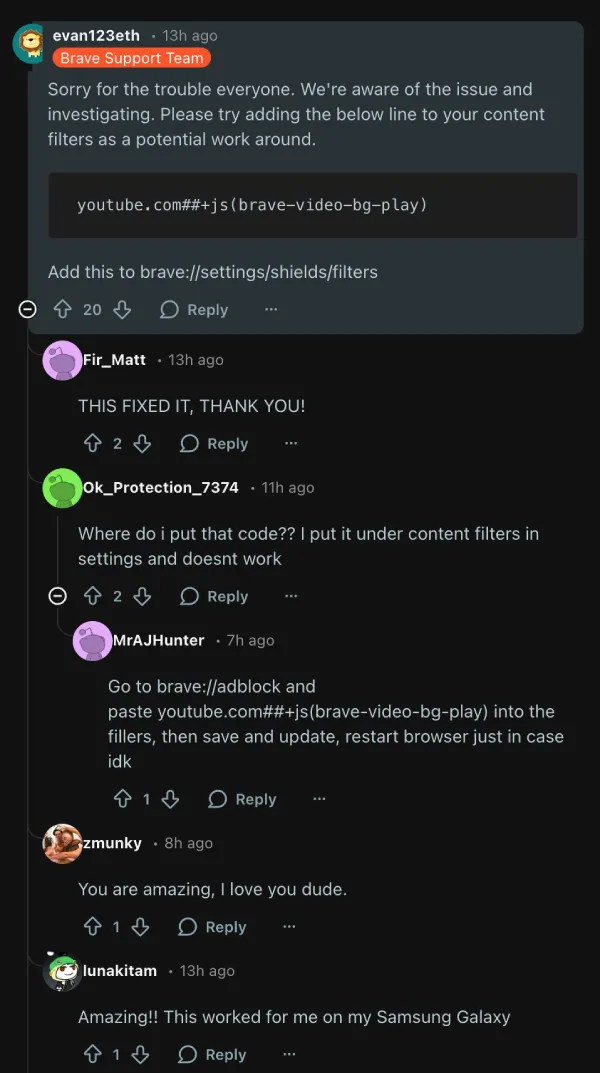
Update 30/01/26 – 12:35 pm (IST): The background play issue has also spread to Samsung Internet and other browsers recently. In the meantime, an Android user suggested adding the following custom filters in Brave to fix the glitch:
youtube.com##+js(brave-video-bg-play)
youtube.com##+js(brave-disable-pageview-api)
Update 12/01/26 – 03:07 pm (IST): The YouTube background playback issue in Brave Browser has resurfaced, with fresh user reports appearing on Reddit and in a new GitHub thread. Android users are mainly affected, noting that videos pause when the app is minimized, the screen locks, or when switching to another app. At least one desktop user reports a similar problem, fixed temporarily by disabling Shields for YouTube.
Workarounds shared in the community include requesting the desktop site on YouTube, turning off cookies for the site, or lowering Shields. The feature continues to work normally on iOS for some. As of now, the Brave team has not announced a fix for the problem. So it’s unclear how long it’ll take for a fix to arrive. Meanwhile, do also give the workarounds mentioned below a shot to see if they help in this instance.
Update 10/09/25 – 12:32 pm (IST): The developers over at Brave have already addressed the background play issue reported on Android version 1.82.162. In a GitHub thread, the Brave team noted that they tracked down the culprit and pushed a fix in version 1.82.164.
According to official QA testing, background play is now working as expected — you can switch apps or lock your device without interrupting playback. If you were affected by this bug, simply updating to the latest version of Brave on Android should resolve the problem and restore background play functionality.
Original article published on September 9, 2025, follows:
Brave Browser users on Android appear to be experiencing an issue with YouTube, as the background play feature is not functioning for many.
The complaints started flooding Reddit over the weekend, with users reporting that their audio cuts out the moment they lock their screens or switch to another app.
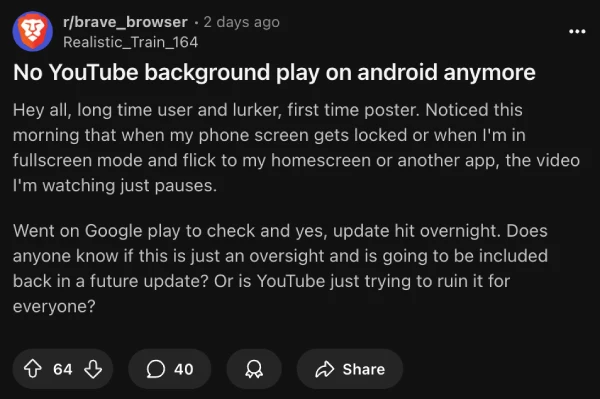
One user noted: “I started my car ride as usual and suddenly felt it, I hope we get it back.” The timing seems connected to Brave’s latest update to version 1.82.162, though YouTube’s own detection systems might also be playing a role in this cat-and-mouse game.
I spotted several comments from longtime Brave users who rely on this feature specifically to avoid YouTube’s premium subscription while still getting background playback. The frustration is real when your go-to browser suddenly stops doing what brought you there in the first place.
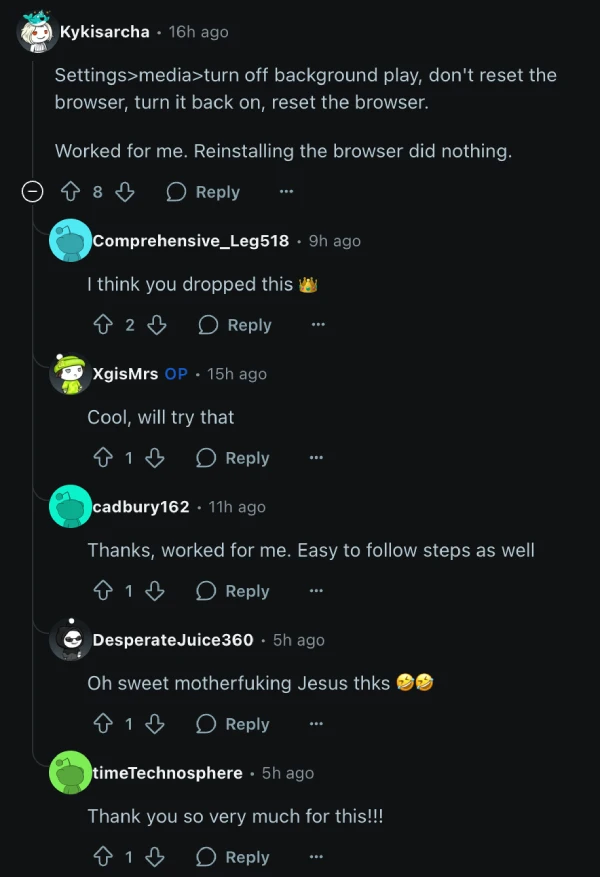
Fortunately, the community has rallied with some practical fixes. One popular workaround involves a quick toggle dance: head to Brave’s settings, find Media under the Display section, turn off background play, then turn it back on and restart the browser. Several users confirm this temporarily restores functionality, though it might need repeating.
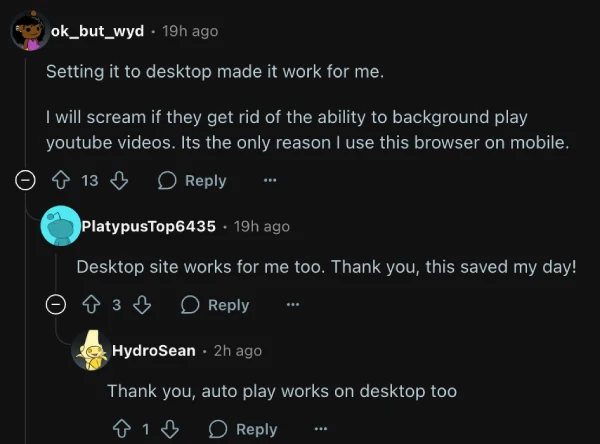
Another effective solution requires switching to desktop mode temporarily. Users report that requesting the desktop site for YouTube brings back background play, and some have found that switching back to mobile mode afterward keeps the feature working. It’s a bit clunky, but it gets the job done.
For those willing to experiment, Brave Nightly appears unaffected by these issues and continues supporting background play without the workarounds. However, one user noted that even the nightly version can lose functionality after logging into YouTube accounts.
The tried-and-true method of clearing cookies and cached data provides temporary relief for some users, though the fix typically lasts only a few videos before the problem returns. It’s more of a band-aid than a permanent solution.
This isn’t Brave’s first rodeo with YouTube compatibility issues. The browser team typically responds quickly to these disruptions, as they understand background play remains a major draw for mobile users. While waiting for an official fix, these community-discovered workarounds should keep your audio flowing until the team manages to patch the bug.


Dwayne Cubbins
3064 Posts
I cover fast-moving stories across apps, online platforms, and everyday tech — phones, wearables, consoles, and whatever else people are fighting with this week. Bugs, rollouts, scams, policy enforcement, and the occasional internet-culture rabbit hole are all fair game. My goal is simple — make confusing tech news readable. When I'm not working, I'm working out or chilling with my dog. Got a tip? You can find me on X @dcubbins.
Next article View Article
