Update 09/01/26 – 09:05 am (IST): Logitech has updated their support page (as of Jan 8) with specific troubleshooting steps for users still facing issues after the patch.
If you see a “JavaScript error,” the company suggests deleting the config.json file located in ~/Library/Application Support/LogiOptionsPlus/. For “Backend Connection” errors or a spinning logo, re-downloading and re-running the installer is recommended.
Additionally, Logitech confirmed that a specialized fix for macOS 12 Monterey is currently in development, and an update for the offline installer (used for mass deployment) is also being worked on.
Update 07/01/26 – 08:00 pm (IST): Logitech has officially acknowledged the outage and released a manual “patch” installer to fix the expired certificate issue for both Options+ and G HUB. Because the certificate expiration also broke the automatic in-app updater, users cannot update from within the app; instead, you must manually download the new installer directly from Logitech’s support page to restore functionality.
The fix is currently available for the last four macOS versions (Tahoe, Sequoia, Sonoma, and Ventura), with updates for older versions to follow. Logitech says that this process will not wipe your data — all device settings, customizations, and profiles will remain intact after the installation is complete.
Original article published on January 7, 2026, follows:
It seems that Logitech’s Options+ app has stopped working for Mac, leaving mice stuck without their custom settings. The app won’t launch past a purple loading screen, and the problem appears to be widespread based on Reddit activity.
Multiple users report that their mouse buttons suddenly stopped functioning mid-session. One user says they were editing, took a shower, and came back to find everything broken. While recent reports don’t include videos, the same problem surfaced about 2 years ago, and a Redditor shared a recording for reference. You can check that out below.
Logi Options + Mac 14.2 not loading. Uninstall and reinstall. Permissions all correct. What’s happening?
byu/christof21 inlogitech
The loading screen issue affects all Mac chips, including M1, M2, M3, and M4 models. Some users also noticed their MacBooks running hot while the Options+ process consumed excessive battery in the background.
The culprit seems to be an expired developer certificate on Logitech’s end. macOS won’t start the backend services when certificates expire for security reasons, which explains the “Backend connection problem” error some users see.
There are two workarounds floating around. The first involves changing your Mac’s date back a few days, opening Options+, then switching the date forward again. This tricks macOS into accepting the expired certificate, but temporarily breaks SSL connections and iCloud.
The second fix requires installing an older version through Homebrew. Version 1.60.495862 (download ZIP file here) works for most people after fully uninstalling the current build. Using AppCleaner to wipe all Logitech files from Library folders before reinstalling helps ensure a clean install.
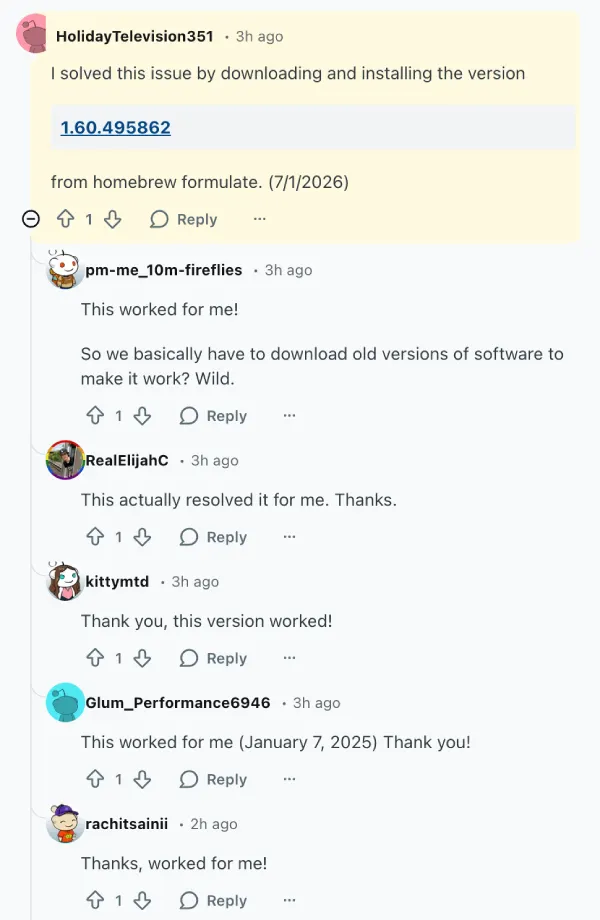
People are understandably annoyed that their expensive mice need server verification just to work properly. The fact that a certificate renewal was apparently missed by Logitech has users questioning their reliance on the software. Until an official patch arrives with a renewed certificate, these temporary fixes are the only options for restoring full mouse functionality.


Dwayne Cubbins
3058 Posts
I cover fast-moving stories across apps, online platforms, and everyday tech — phones, wearables, consoles, and whatever else people are fighting with this week. Bugs, rollouts, scams, policy enforcement, and the occasional internet-culture rabbit hole are all fair game. My goal is simple — make confusing tech news readable. When I'm not working, I'm working out or chilling with my dog. Got a tip? You can find me on X @dcubbins.
Next article View Article