





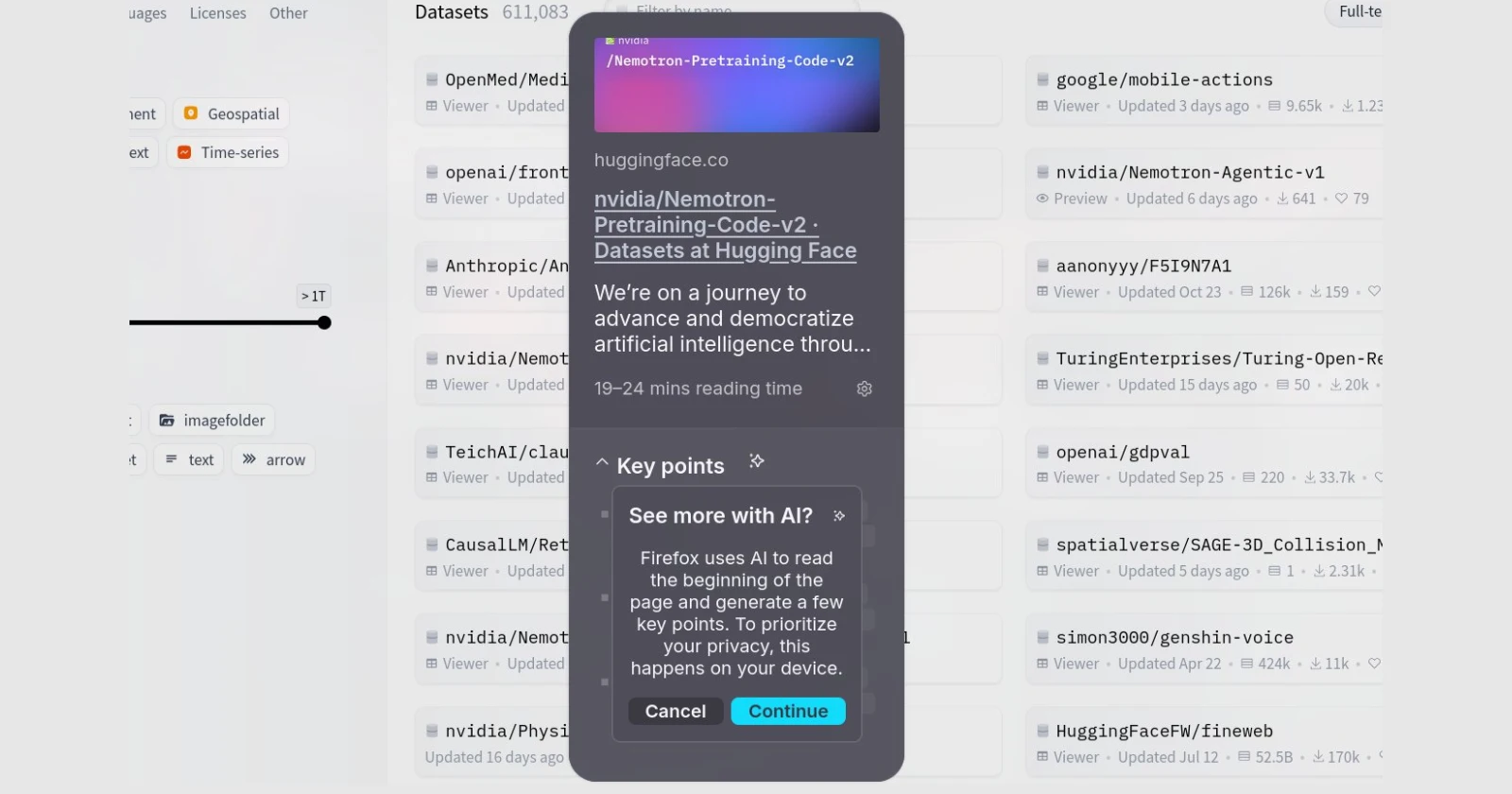
Firefox users have been freaking out about surprise AI popups, but here’s the thing: the feature isn’t what it looks like, and the AI part is completely optional.
If you’ve been scrolling through Reddit or X lately, you’ve probably seen the panic. Screenshots of Firefox asking users if they want AI summaries, people threatening to switch browsers, and general chaos about Mozilla “forcing AI” on everyone.
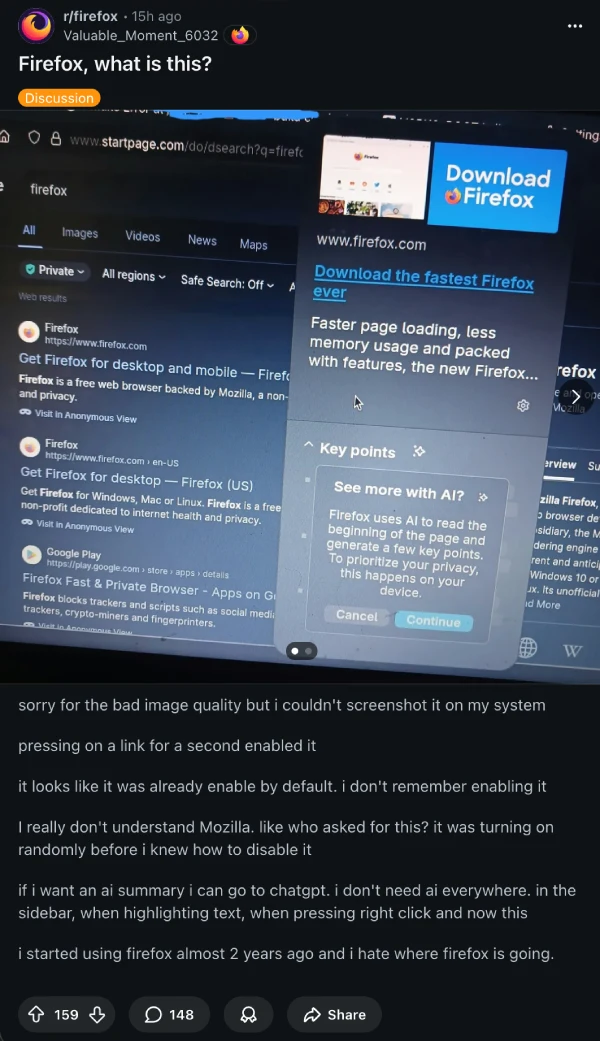
But here’s what’s actually happening. That popup everyone’s screenshotting? It’s Firefox’s new Link Preview feature, and it’s not an AI invasion. It’s just a way to see what’s behind a link before you click it.
The confusion started because when you first trigger Link Preview, Firefox asks if you want to download an AI model for summarizing pages. That opt-in dialog has a big “Continue” button and a smaller “Cancel” option, which made people think AI was being forced on them.
Spoiler: it’s not.
A Mozilla employee and UX designer for the feature jumped into the comments on a Reddit thread to clear things up. Link Preview shows up when you long-press a link (or right-click and select “Preview Link”). Even if you hit Cancel on that first popup, the preview still works. You’ll see the page title, description, and image pulled from the site’s metadata, kind of like what you’d see in search results.
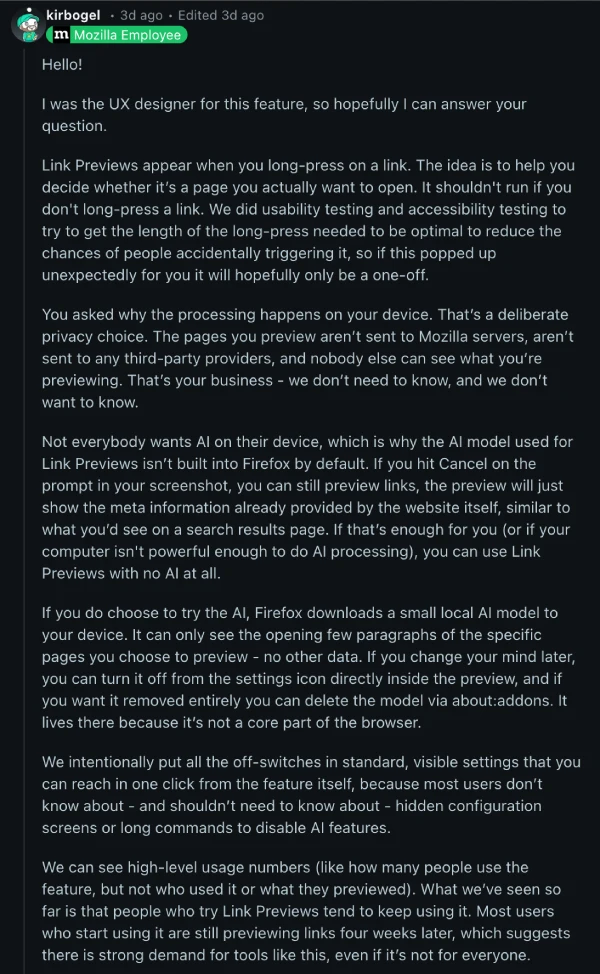
The AI part, which uses a local model called SmolLM2-360M from Hugging Face, is entirely optional. If you do enable it, Firefox downloads a 369MB model to your device, and it runs everything locally. Your browsing data isn’t sent to Mozilla servers, third-party providers, or anywhere else. The model can only see the first few paragraphs of pages you specifically choose to preview.
To activate Link Preview, you long-press a link or use Shift + Alt while hovering (or right-click and select it from the menu). If you find yourself accidentally triggering it, that’s where the complaints come from. Mozilla says they did usability testing to calibrate the long-press duration, but some users are still hitting it unintentionally.
Want to turn it off completely? Here’s what to do
Go to Settings > General > Browsing and uncheck “Enable link previews.” Done. You can also hit the settings gear icon directly in the preview popup, which takes you right there in one click. Mozilla intentionally made the off-switch easy to find, no hidden about:config commands required.
For those who want AI summaries, the data’s been pretty positive. Mozilla says people who try Link Previews tend to keep using them, with most users still previewing links four weeks later. But if you’re in the “I don’t want AI anywhere near my browser” camp, you can ignore the AI prompt entirely and still use basic previews, or disable the whole thing.
The feature shipped in Firefox 142 and is now enabled by default in version 146. It’s currently rolling out to users with en-US, en-CA, en-GB, and en-AU locales on systems with more than 3GB of RAM, though you can manually enable it in about:config if you’re outside those regions.
Firefox is also working on a master AI kill switch that’ll let you turn off all AI features at once from a single settings page, which should calm some nerves. But for now, Link Preview is just one checkbox away from being gone.
The takeaway? Firefox isn’t shoving AI down your throat. It’s offering a preview tool that works fine without AI, and giving you a clear way to opt in if you want the extra features. But if you don’t, just uncheck the box and move on.
Mozilla’s betting on local, privacy-first AI features to differentiate itself from Chrome and Edge. Whether that’s the right call depends on who you ask, but at least they’re giving users control over it.
Featured image credit: @shikhr_ / X


Dwayne Cubbins
2718 Posts
I cover fast-moving stories across apps, online platforms, and everyday tech — phones, wearables, consoles, and whatever else people are fighting with this week. Bugs, rollouts, scams, policy enforcement, and the occasional internet-culture rabbit hole are all fair game. My goal is simple — make confusing tech news readable. When I'm not working, I'm working out or chilling with my dog. Got a tip? You can find me on X @dcubbins.
Next article View Article
