Google has officially kicked off the next quarterly platform release cycle with Android 16 QPR3 Beta 1. While the stable release isn’t expected until March 2026, this first beta is packed with quality-of-life improvements that Pixel users have been requesting for years.
The update, identified by build ID CP11.251114.006 (or CP11.251114.004.A1 for the Pixel 7a), includes the December 2025 security patch and runs Play Services version 25.41.31.
If you have just installed the beta on your Google Pixel phone or tablet or are considering the jump, here are the top 6 features you need to check out.
1. Adjustable flashlight brightness
After years of envy toward other OEM skins and iOS, Pixel users can finally adjust the intensity of their flashlight directly from the Quick Settings (QS) tile.
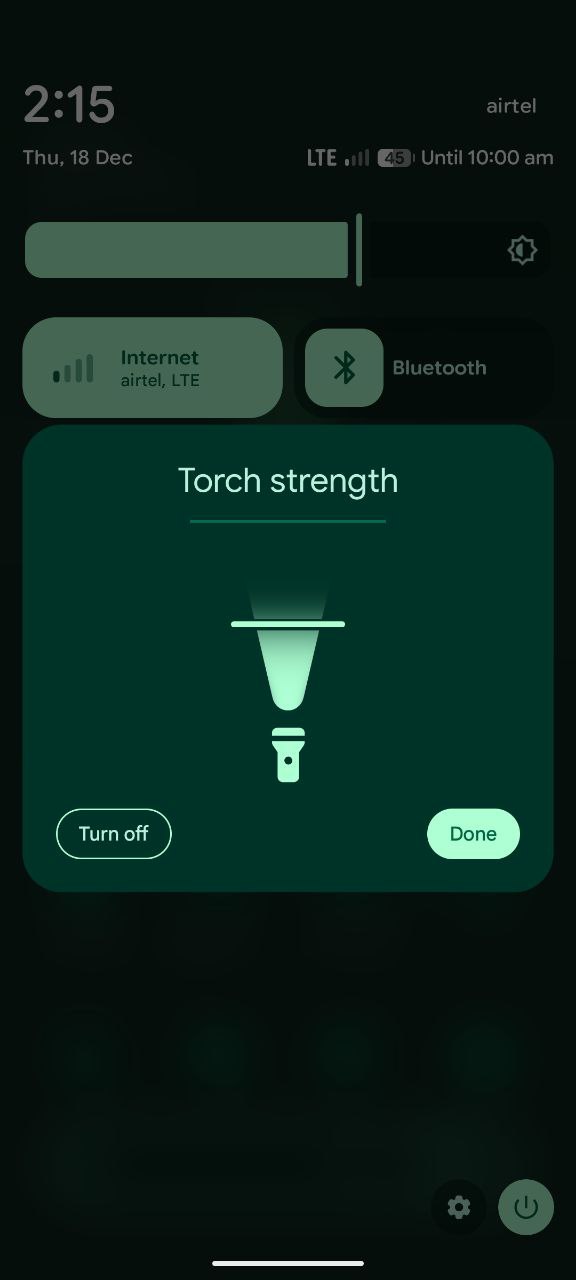
The behavior depends on your QS layout:
- 2×1 Tile: Tapping the circular icon toggles the light as usual. However, tapping the empty space to the right now expands a new Flashlight Strength panel. You can slide the handle up or down to adjust brightness, or slide it all the way down to turn it off.
- 1×1 Tile: A single tap toggles on/off. To access the brightness slider, you now long-press the tile, mimicking the behavior of the Bluetooth tile.
2. Removable ‘At a Glance’ Widget
For the first time, Google is allowing Pixel owners to fully remove the “At a Glance” widget from the home screen without using a third-party launcher.
Previously, you could only turn off the content within the widget, leaving a persistent date/weather line occupying the top row of your screen.
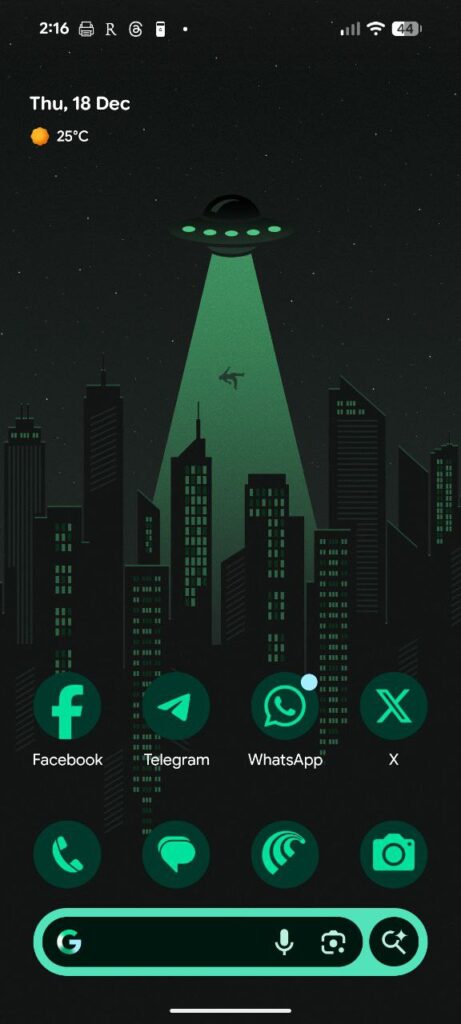
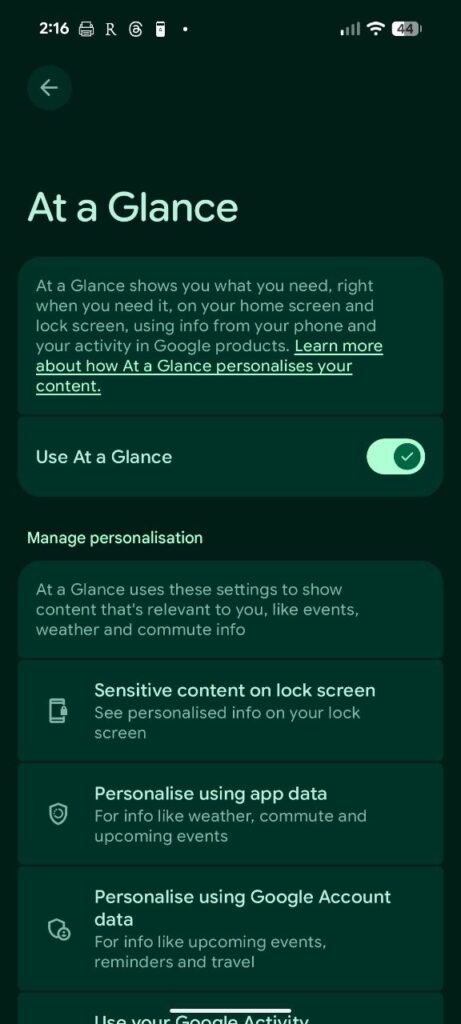
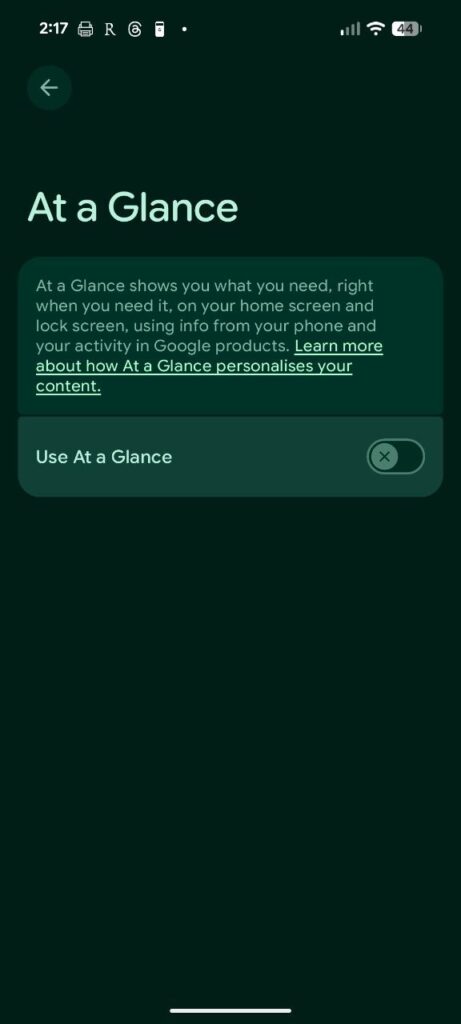
In QPR3 Beta 1, a new toggle has appeared:
- Go to Home Settings (long-press an empty space) > At a Glance.
- Toggle off “Show on home screen.”
This frees up the top row of your first home screen page, allowing you to place other apps or widgets there. Note that the widget will persist on the Lockscreen and Always-on Display, where it now displays condition icons and temperature before the date.
3. Samsung-style navigation buttons
While gesture navigation is dominant, many users still rely on the classic 3-button layout. For those switching from Samsung devices, the Pixel’s default order (Back-Home-Recents) often felt “backward.”
Android 16 QPR3 adds a native option to swap this order. You can now choose to have Recents-Home-Back (Left to Right), matching the layout default found on Samsung Galaxy phones.
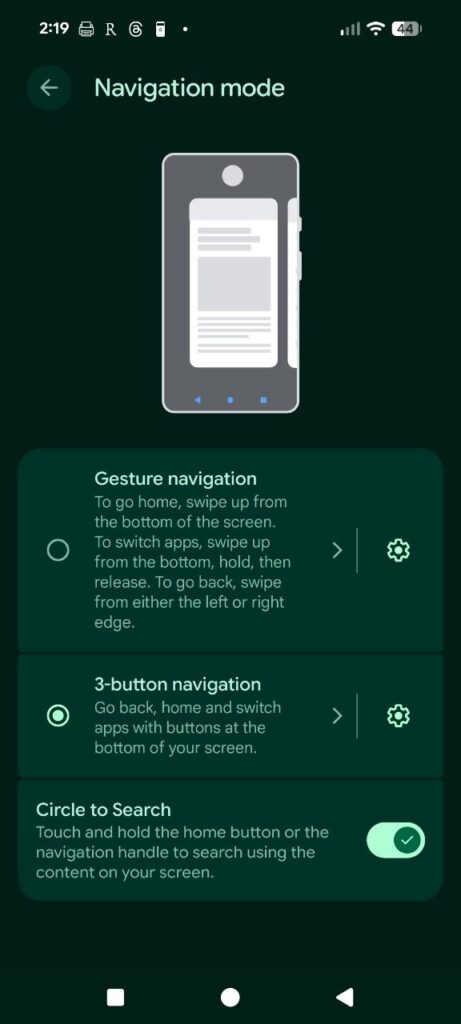
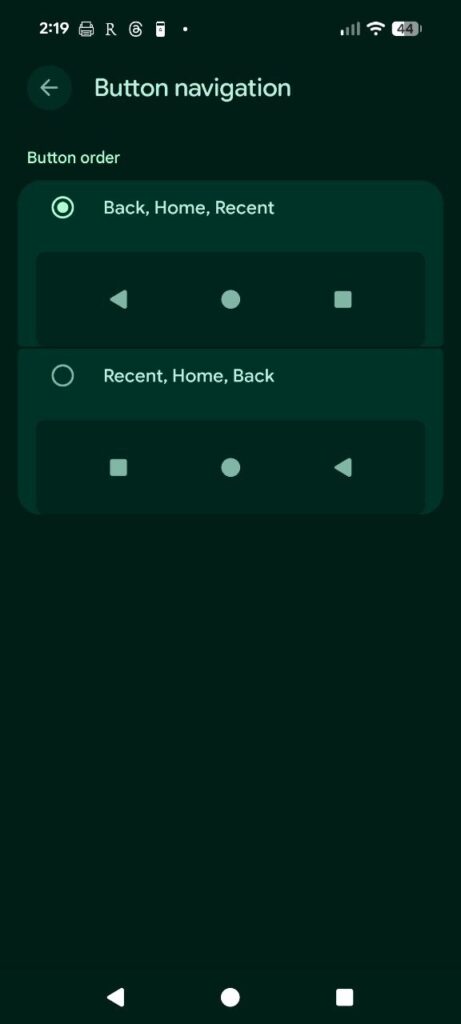
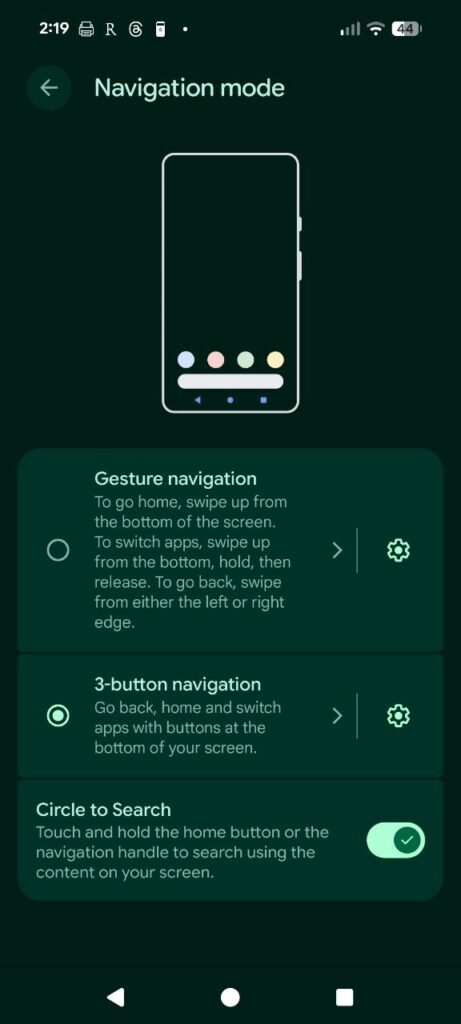
- Find it here: Settings > System > Navigation mode > 3-button navigation > Settings.
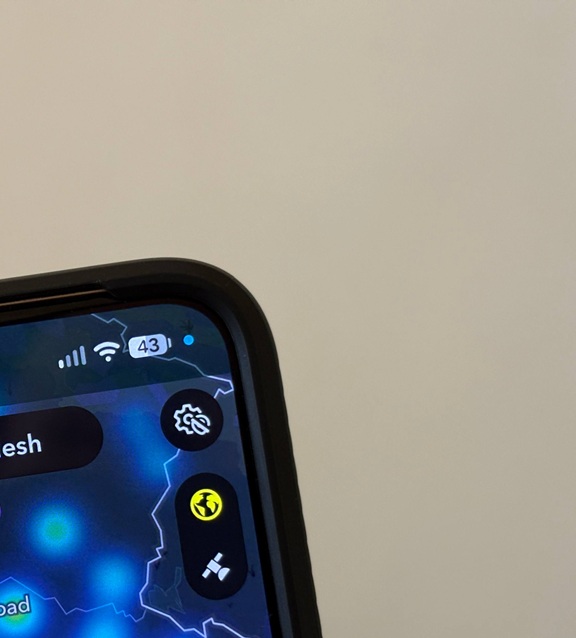
4. Blue location privacy indicator
Privacy indicators are getting more granular. Since Android 12, a green dot has indicated Camera or Microphone usage. QPR3 Beta 1 introduces a distinct blue dot to indicate when an app is accessing your location in the foreground or background.
- If an app uses Location only, you see the blue dot.
- If multiple permissions are used (e.g., Camera + Location), the dots are combined into the green indicator.
- Tapping the dot opens a newly titled “Microphone, Camera & Location” panel, allowing you to force-close the app utilizing the permission.
5. Revamped folder animations
The home screen feels significantly more fluid in this beta thanks to a new folder expansion animation. Google has implemented a “Hitchcock zoom” effect: as the folder expands outward, the background wallpaper and icons shrink slightly in unison.
It also introduces background dimming upon expansion, making the open folder pop more distinctly against the home screen.
6. Developer & power user upgrades
Google hasn’t forgotten the enthusiasts with this release:
- Wireless ADB auto-reconnect: A massive fix for developers—Wireless Debugging will now automatically turn on when connected to a trusted network, rather than timing out and requiring a manual toggle after inactivity.
- External display casting: Expanding on the screen recording features from the initial Android 16 launch, you can now cast the specific content of an external display.
- Pixel 10 GPU boost: For those on the Pixel 10 series, this update enables Vulkan 1.4 support, a long-awaited graphics API update.
Other notable changes
- Edit tiles tweak: The text in the Quick Settings edit page is now left-aligned rather than centered.
- Widget shortcuts: Long-pressing a widget now provides clearer pop-up options to remove it or access its specific settings.
Android 16 QPR3 is currently in Beta 1. If history holds, we can expect a few more beta patches before the stable launch in March 2026, likely coinciding with a Pixel Feature Drop.

Hillary Keverenge
2484 Posts
Tech has been my playground for over a decade. While the Android journey began early, it truly took flight with the revolutionary Lollipop update. Since then, it's been a parade of Android devices (with a sprinkle of iOS), culminating in a mostly happy marriage with Google's smart home ecosystem. Expect insightful articles and explorations of the ever-evolving world of Android and Google products coupled with occasional rants on the Nest smart home ecosystem.
Next article View Article