





NVIDIA’s latest GeForce driver, version 591.44, hit the scene on December 4, 2025, with a promise to squash a nasty performance bug in Windows 11. But instead of smooth sailing, it’s turned into a bug-ridden mess for many users.
I’m talking about broken RGB lighting on ASUS setups, crippled streaming via Parsec, and colors that look like they’ve been run through a bad Instagram filter.
Let’s start with the good news, because there is some.
This driver tackles a slowdown caused by Windows 11’s October update, KB5066835, which had been tanking frame rates in games for folks on newer NVIDIA cards. NVIDIA rushed out a hotfix last month, but 591.44 makes it official, restoring snappy performance in titles like Battlefield 6 and Counter-Strike 2.
It also adds optimizations for upcoming games with DLSS 4 support. But here’s where it falls apart.
Users on ASUS ROG forums are reporting that 591.44 kills Armoury Crate’s ability to detect GPUs, leaving Aura Sync in an endless loop of searching for devices. Your RGB lighting? Stuck or completely unresponsive.
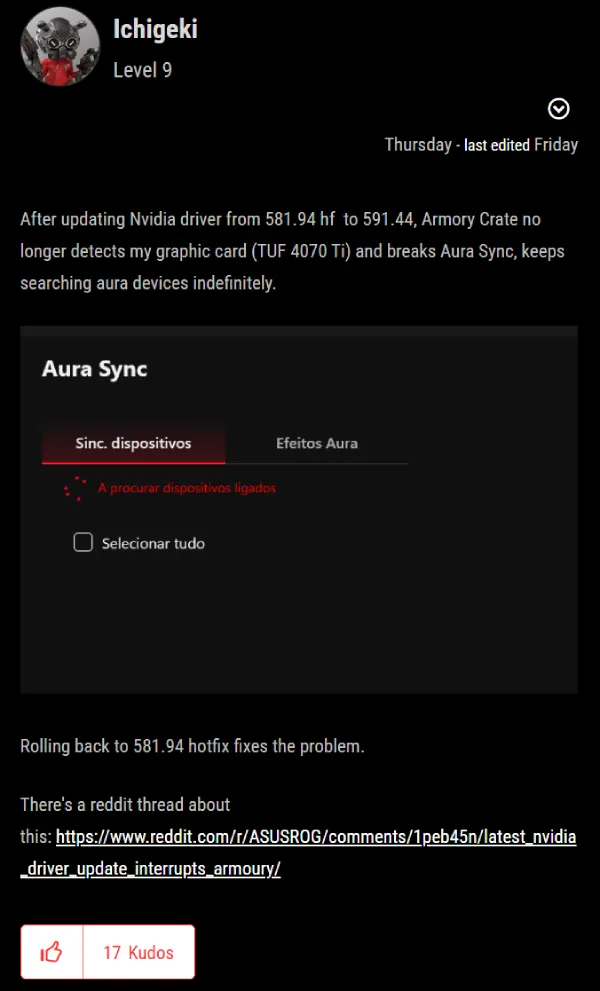
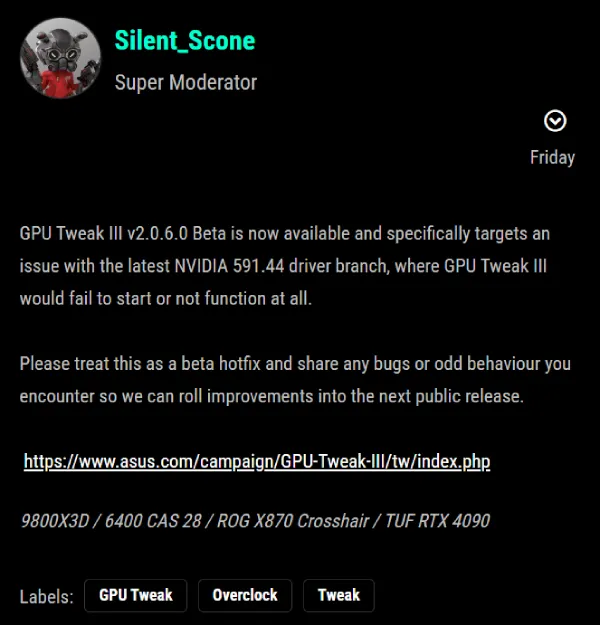
ASUS quickly pushed a beta update for GPU Tweak III to fix detection issues, but it’s not a full solution yet.
Then there’s Parsec, the go-to for remote gaming and streaming.
The new driver breaks hardware encoding on all NVIDIA GPUs, forcing a fallback to sluggish software mode that tanks performance. Parsec’s support page calls it out directly: downgrade to 581.80 or earlier to get back on track.
Why does this matter? Streamers and remote workers rely on hardware acceleration for smooth sessions — without it, you’re dealing with laggy feeds and higher CPU usage.
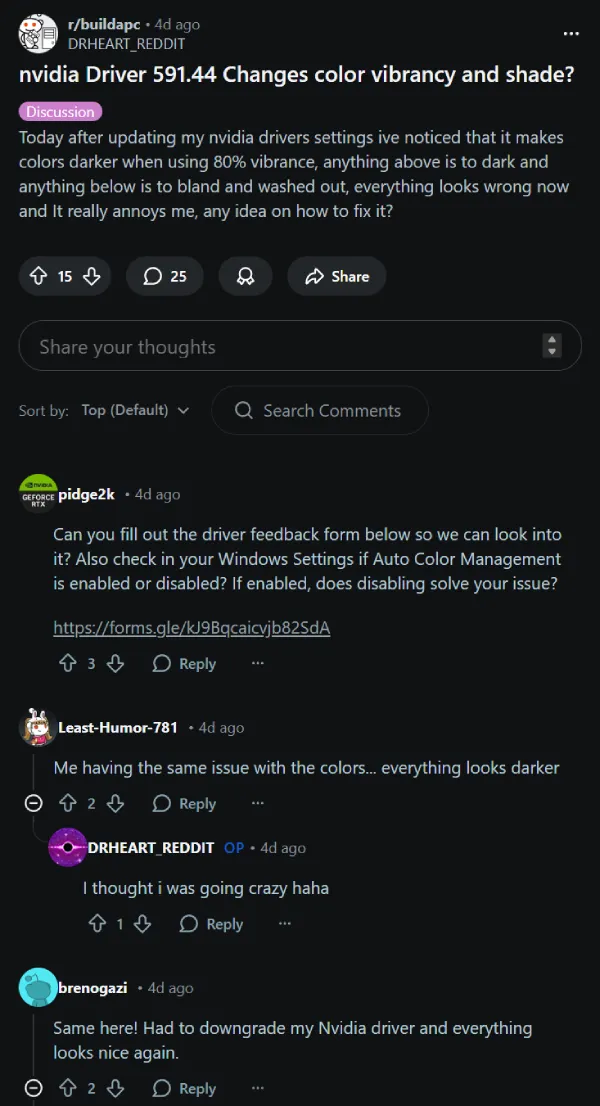
Over on Reddit’s r/buildapc, folks are venting about washed-out colors post-update. Reds turn orangish, vibrancy dials down, and games like CS2 look faded or overly dark.
Tweaking NVIDIA Control Panel settings helps some, but many are rolling back drivers to reclaim their vivid displays.
Meanwhile, several users on Microsoft’s Flight Simulator forums are reporting VR issues with Virtual Desktop, confirming they began after the 591.44 update. An X post from @imjameshall even warns of stability hits in metaverse games like Otherside, advising heavy users to skip the update.
This isn’t NVIDIA’s first driver rodeo — remember the Maxwell and Pascal era? Support for those older GPUs quietly ended with this release, pushing legacy users to upgrade.
For creators, it’s worse: AGIX software and others lose HEVC encoding, a deliberate change by NVIDIA to drop old presets. Here’s a snippet from the release notes:
2.6 Discontinued Support
Applications compiled using older presets and older rate control modes are supported by the drivers up until now. R580 will be the last driver branch to have this support.
Starting with the R590 branch, driver support for these older NVENC presets and rate control modes will be removed. Therefore, all applications compiled with older presets and rate control modes will stop working if upgraded to R590 branch drivers (59x.xx). Users need to upgrade to Video Codec SDK version 10.0 or above and use the new presets and rate control modes. Users can refer to the migration guide present in Video Codec SDK for migrating to newer presets and rate control modes.
Release 470 was the last driver branch to support Quadro desktop GPUs based on the Kepler architecture.
NvIFR OpenGL support.
Release 470 was the last driver branch to support this functionality. NvIFR header files, samples and documentation have been removed from the NVIDIA Capture SDK 7.1.9 release. Future drivers will remove NvIFR.dll and any other reference to NvIFR. For details, see the NVIDIA Video Codec SDK page.
I’m hoping NVIDIA drops a hotfix soon, as they did with 581.94 last month. In the meantime, if you’re affected, head to NVIDIA’s driver page and grab an older version.


Dwayne Cubbins
3082 Posts
I cover fast-moving stories across apps, online platforms, and everyday tech — phones, wearables, consoles, and whatever else people are fighting with this week. Bugs, rollouts, scams, policy enforcement, and the occasional internet-culture rabbit hole are all fair game. My goal is simple — make confusing tech news readable. When I'm not working, I'm working out or chilling with my dog. Got a tip? You can find me on X @dcubbins.
Next article View Article
