






The December 2025 Pixel update, which ships alongside the stable Android 16 QPR2 release, is already packed with a long list of new features that Google officially highlighted in its changelogs. But as is tradition, the rollout is also surfacing a handful of unannounced tweaks and hidden quality-of-life improvements that Google didn’t bother mentioning.
One of these quietly added gems is the ability to disable ‘Enhanced HDR brightness’ directly from Settings > Display & touch, something that has been highly requested by Pixel users.
A long-standing annoyance finally addressed
If you’ve been running the Android 16 beta, you’ve likely seen the toggle already. Beta testers have been able to turn off the ‘Enhanced HDR brightness’ setting for a while now, helping reduce unwanted screen over-brightness and inconsistent luminance when viewing HDR content.
But for users on the stable track, the situation has been different. Multiple forum threads have complained about washed-out colors, sudden jumps in brightness, and overly bright UI elements when viewing HDR videos or photos.
With the December 2025 stable update, Google has finally made the toggle available to everyone. However, availability still depends on whether your device has actually received the December update, meaning Pixel 7a users still on the November update don’t have this option. Its update delay appears tied to a critical Wi-Fi stability bug Google is reportedly still ironing out.
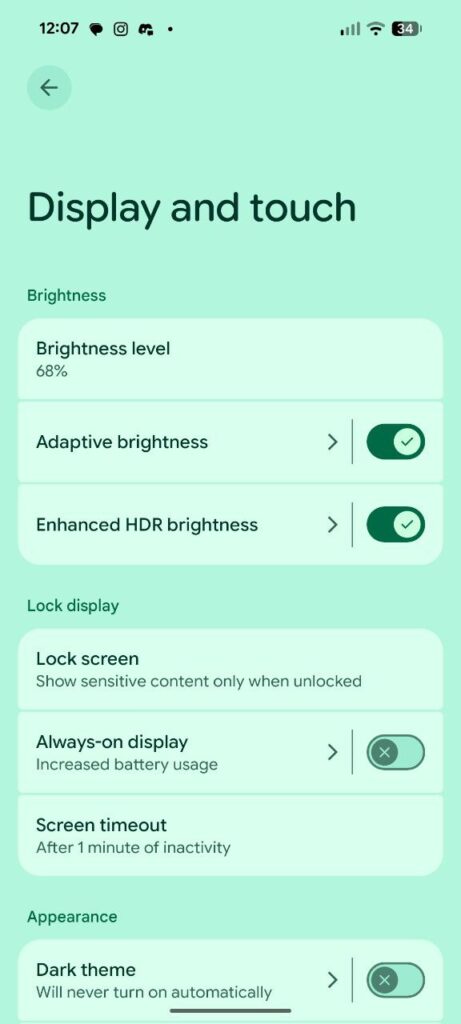
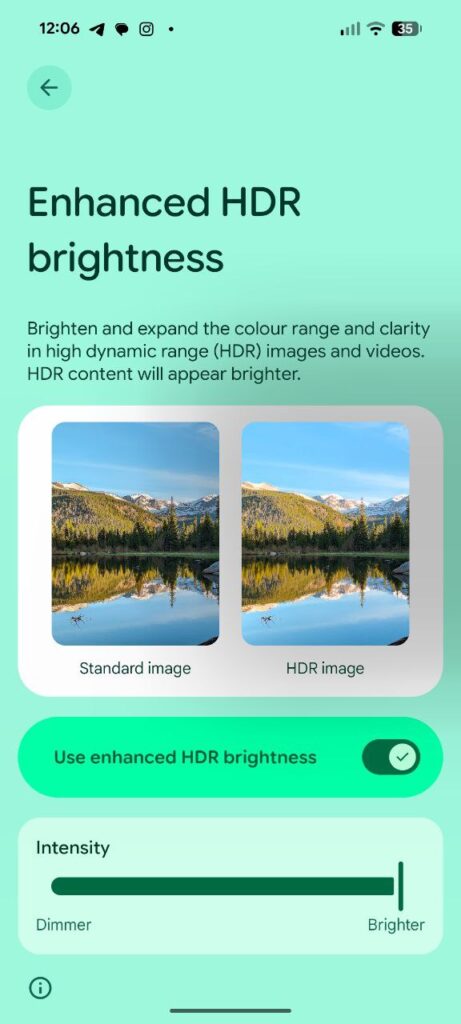
Once the Pixel 7a receives the December patch, the toggle should appear there as well.
This isn’t the only new addition that slipped under the radar. The update also quietly reintroduces Screen-off Fingerprint Unlock for newer Pixels, a feature that returned in Android 16 QPR2 but wasn’t mentioned anywhere in Google’s official notes.
Between that and the Enhanced HDR brightness toggle, it’s clear the December Pixel release packs more under-the-hood improvements than Google is letting on.
If you’ve already received the Android 16 QPR2 stable update on your Pixel, let us know whether the Enhanced HDR brightness toggle has appeared for you, and whether turning it off improves your display experience.

Hillary Keverenge
2469 Posts
Tech has been my playground for over a decade. While the Android journey began early, it truly took flight with the revolutionary Lollipop update. Since then, it's been a parade of Android devices (with a sprinkle of iOS), culminating in a mostly happy marriage with Google's smart home ecosystem. Expect insightful articles and explorations of the ever-evolving world of Android and Google products coupled with occasional rants on the Nest smart home ecosystem.