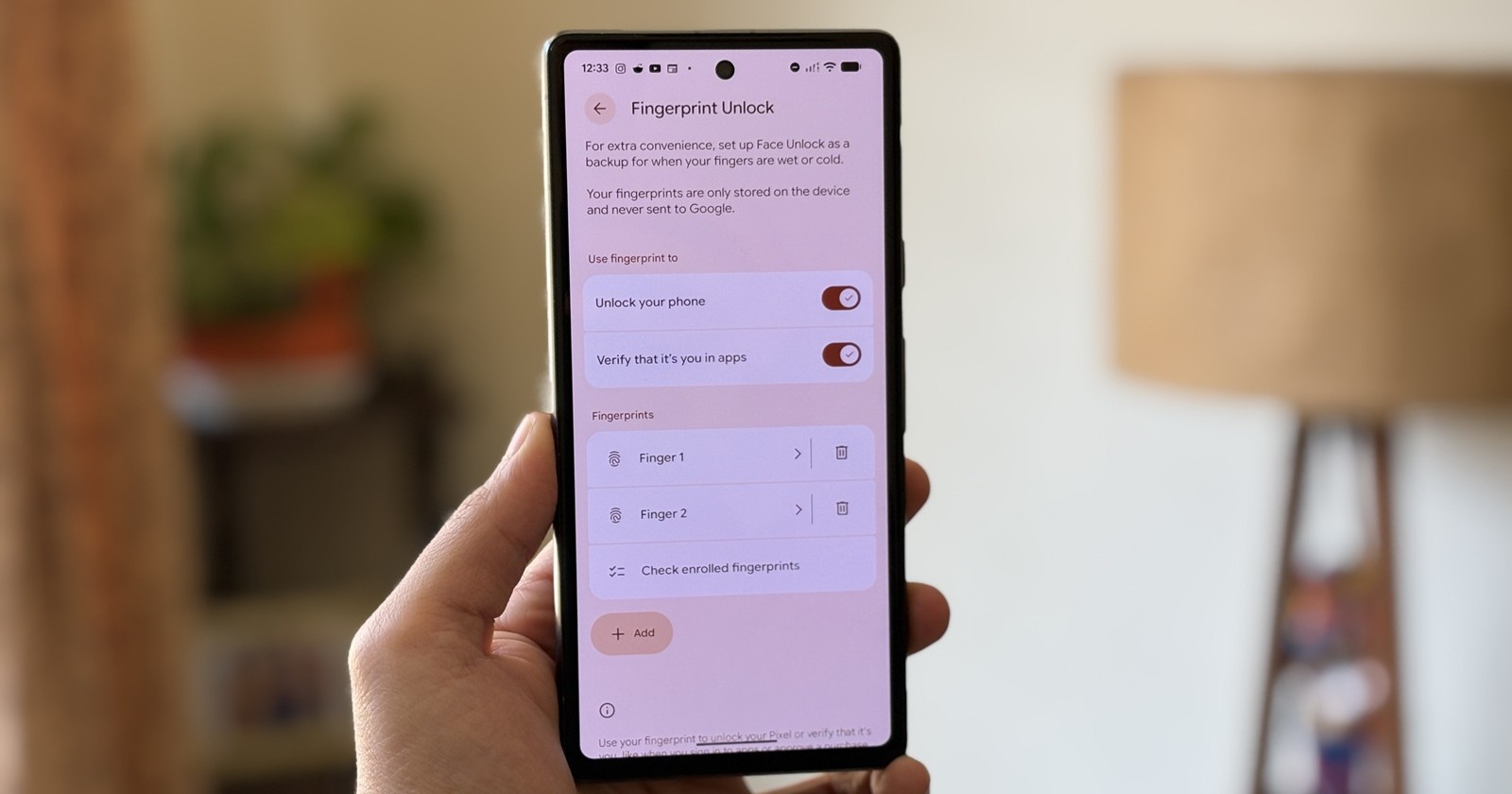
Google’s latest update is bringing back a fan-favorite biometric feature to Pixel phones, but only for the newer models. With the rollout of Android 16 QPR2 this week, some Pixel users are once again seeing the Screen-off Fingerprint Unlock toggle appear inside their security settings, allowing them to unlock their device simply by placing a finger on the sensor even when the display is completely off.
This option first surfaced earlier in the year during the Android 16 Developer Preview 2 builds for the Pixel 9 series before expanding to more models. However, as Google progressed through later betas, the feature disappeared without explanation, leaving many to question its fate. Now, with the stable QPR2 update landing alongside the December Pixel update, it’s officially back, though not for everyone.
Returning feature, limited device support
Reports from users on Reddit and Telegram indicate that the setting is reappearing mostly on Pixel 9 and newer devices. We’re unable to confirm this change since our Pixels haven’t even received the new update. However, reports suggest the toggle is missing on older models, including the Pixel 8 Pro (even after updating) and the Pixel 9a, despite the latter being newer.
Google hasn’t provided a public explanation for the limited availability, but the most plausible reason comes down to hardware differences. The Pixel 9 series and above use ultrasonic fingerprint sensors, while older Pixels, including the 9a, rely on optical hardware.
Ultrasonic scanners can read ridge patterns using sound-wave pulses, allowing them to detect fingerprints accurately even when the display is asleep. Optical scanners, on the other hand, illuminate the finger using the screen’s light, making them less reliable when the display is fully off. That distinction likely determines whether the feature can function consistently.
How screen-off fingerprint unlock works
With the toggle enabled, the fingerprint sensor remains active even when the phone is idle with the screen completely powered down. You can simply place your finger on the scanner area and unlock immediately. This eliminates the need to tap the screen first or rely on the Always-on Display feature.
Previously, users who preferred this behavior had to keep AOD permanently enabled, which has an impact on battery life. This new option allows for instant unlocking without keeping part of the display constantly lit.
How to enable it
If you’ve received Android 16 QPR2 and have a supported device, you can check for the feature here:
Settings → Security & privacy → Device unlock → Fingerprint
If available, you’ll see the toggle for Screen-off Fingerprint Unlock alongside the usual biometric settings.
Since the QPR2 update is fairly large, Google warns that install times will vary depending on model and storage.
While Google hasn’t officially highlighted this feature in its release notes, its return is a meaningful upgrade for users who prefer quick, discreet unlocking without lighting up the entire display. As Pixel hardware transitions fully to ultrasonic sensors, Screen-off Fingerprint Unlock could eventually become standard across the lineup.
For now, though, you’ll need a Pixel 9, Pixel 9 Pro (all variants), or Pixel 10-series device to take advantage of the revived feature.

Hillary Keverenge
2467 Posts
Tech has been my playground for over a decade. While the Android journey began early, it truly took flight with the revolutionary Lollipop update. Since then, it's been a parade of Android devices (with a sprinkle of iOS), culminating in a mostly happy marriage with Google's smart home ecosystem. Expect insightful articles and explorations of the ever-evolving world of Android and Google products coupled with occasional rants on the Nest smart home ecosystem.
Next article View Article