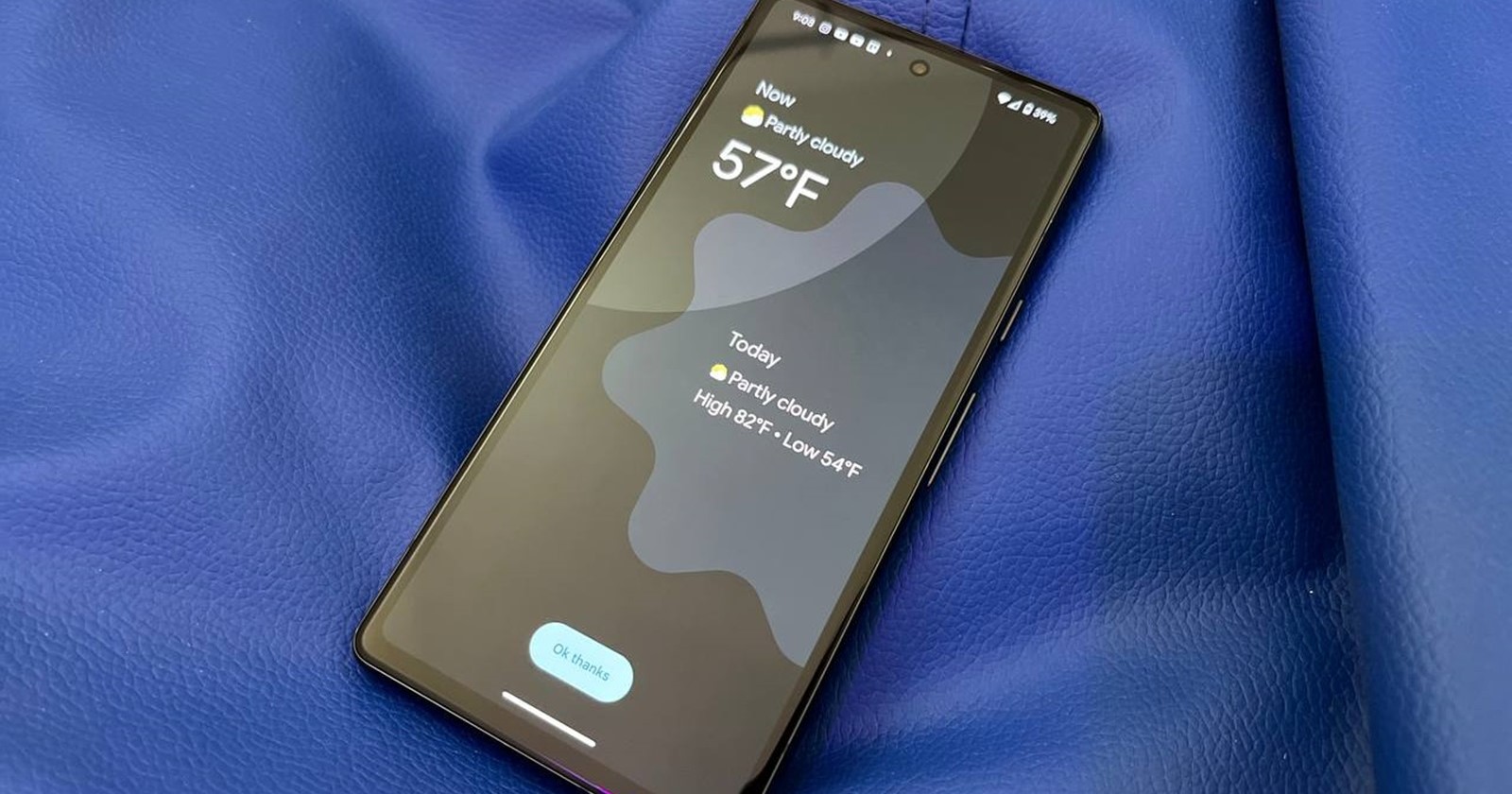
Just as Google began pushing the December 2025 Pixel update, the company has simultaneously released the stable version of Android 16 QPR2, marking one of the biggest mid-cycle Android updates in recent years. Unlike the monthly Pixel patches, QPR2 is a full platform release, and thanks to Google’s new update strategy, it’s part of a shift toward more frequent, feature-rich Android drops instead of waiting for a single major OS upgrade each year.
Compatible Pixel devices running the latest December update are now receiving Android 16 QPR2 first, with more OEMs expected to follow in early 2026. Here’s everything new.
Stay organized with smarter, AI-driven notifications
One of Android 16’s biggest pushes is improved personal productivity through smarter alert management. QPR2 introduces two major AI-powered features:
1. AI-powered notification summaries
Android now condenses long texts, group chats, and message threads into short summaries that appear directly in your notifications. These summaries give you quick context without scrolling through dozens of messages.
2. Notification organizer
Lower-priority notifications like promotional alerts, random news updates, and certain social pings are automatically grouped and gently silenced. This keeps your main notification list cleaner and helps you stay focused.
Together, these tools aim to reduce notification fatigue while still keeping important information front and center.
More ways to express yourself
QPR2 brings some of Android’s most-requested customization enhancements:
1. Custom icon shapes
From rounded squares to teardrops and geometric outlines, you can now personalize icon shapes across your home screen.
2. Themed icons applied automatically
Android can now theme your icons system-wide, even for apps that never supported themed icons before. This gives your home screen a cleaner, more consistent visual identity.
3. Expanded dark theme option
This option automatically darkens most light apps, even those without a built-in dark mode. It’s easier on the eyes, reduces sudden brightness changes, and helps with battery conservation.
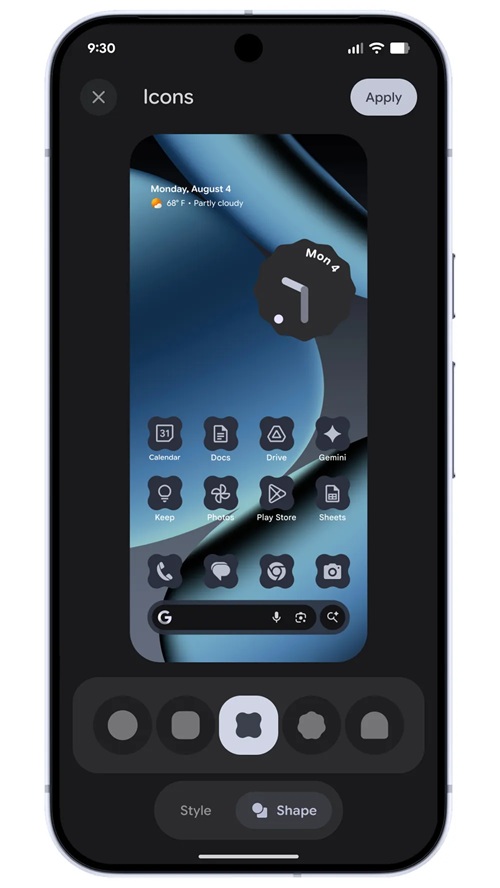
Combined, these updates let Android feel more unified and more uniquely yours.
Deeper family-safety tools with on-device parental controls
Google is evolving Family Link by integrating its essential controls directly into Android Settings. The new Parental Controls section lets parents:
- Set daily screen time limits
- Automatically lock a device at night with downtime schedules
- Block apps or set usage limits
- Grant more time when needed
- Open a direct shortcut to Google Family Link for deeper controls like School Time, app purchase approval, and live location alerts
Everything is PIN-protected and accessible directly on the child or teen’s device with no extra setup required.
Expressive Captions, Emoji Kitchen updates, urgent calls, anti-spam tools, and more
Android 16 QPR2 is also heavily focused on communication quality and personal expression.
1. Expressive Captions get emotion recognition
Real-time captions now display emotional tone like [joyful], [sad], [INTENSE], or environmental cues like [cheers and applause]. This works across video messages, livestreams, and social media, even with sound off.
2. More creative emoji combos in Emoji Kitchen
New seasonal and expressive mashups are rolling out in Gboard, including bigger hugs and holiday-themed combinations.
3. Call Reason (beta) lets you mark calls as “urgent”
If you flag an outgoing call as urgent, your contact will see the tag on their incoming screen and in call history, making it ideal for time-sensitive situations.
4. Safety alerts for unknown group chats in Google Messages
Android now lets you:
- See info about unknown groups
- Leave instantly
- Block participants
- Report the chat as spam with one tap
5. Circle to Search can help detect scams
You can now circle suspicious messages to generate an AI Overview explaining whether they look like a scam, as well as the recommended next steps.
6. Pin tabs in Chrome for Android
Just like on desktop, you can now pin your important tabs so they stay fixed at the front of your browser for quick access.
Accessibility upgrades from improved dark theme to better Voice Access and hearing aid pairing
In celebration of International Day of Persons with Disabilities, Google is rolling out some of the biggest accessibility improvements Android has seen in years.
1. Expanded dark theme option and emotional captions
As mentioned earlier, most light apps now automatically darken, reducing eye strain and helping users with low vision. We’ve also highlighted the new emotional tone tags such as [joy], [sadness], and more. On YouTube, videos uploaded after October 2025 also benefit from richer captions automatically powered by AI.
2. AutoClick improvements
Users relying on external mice can now set custom dwell times and choose advanced click types such as left-click, right-click, double-click, long-press, scroll, or drag.
3. Better dictation with TalkBack
Soon, users can start dictating in Gboard using a two-finger double-tap, making hands-free text entry easier.
4. Guided Frame upgrades powered by Gemini
The Pixel camera’s accessibility assistant now provides richer descriptions of what’s in the frame.
5. Voice Access improvements and Gemini activation
Users can now say: “Hey Google, start Voice Access” to begin hands-free navigation, with improved recognition across accents and speech patterns.
6. One-tap hearing aid pairing via Fast Pair
LE Audio-enabled hearing aids can now connect with a single tap. Supported first on Demant devices, with Starkey compatibility coming early 2026.
Available now on Pixel, coming soon to the rest of Android
All of these features roll out starting today for eligible Google Pixel devices as part of the Android 16 QPR2 stable update, included in the December 2025 monthly rollout. Other Android manufacturers will begin adopting these capabilities in the coming weeks and months as they push their Android 16 updates.

Hillary Keverenge
2469 Posts
Tech has been my playground for over a decade. While the Android journey began early, it truly took flight with the revolutionary Lollipop update. Since then, it's been a parade of Android devices (with a sprinkle of iOS), culminating in a mostly happy marriage with Google's smart home ecosystem. Expect insightful articles and explorations of the ever-evolving world of Android and Google products coupled with occasional rants on the Nest smart home ecosystem.
Next article View Article