





Posts exploding across X right now highlight how Google’s “smart features” allow Gemini AI to scan your emails and attachments to train AI. However, Google says they do it to power things like quick replies, summaries, and personalized suggestions. That said, the real surprise for most people seems to be that these settings are on by default for users outside the EU or UK, and tons of folks never even realized the toggles were there until viral threads started circulating.
Electronics YouTuber Dave Jones (EEVblog) kicked off one of the biggest conversations when his post blew past hundreds of thousands of likes. He pointed out that Google opts everyone in automatically, and you need to hunt down settings in two different places to stop it.
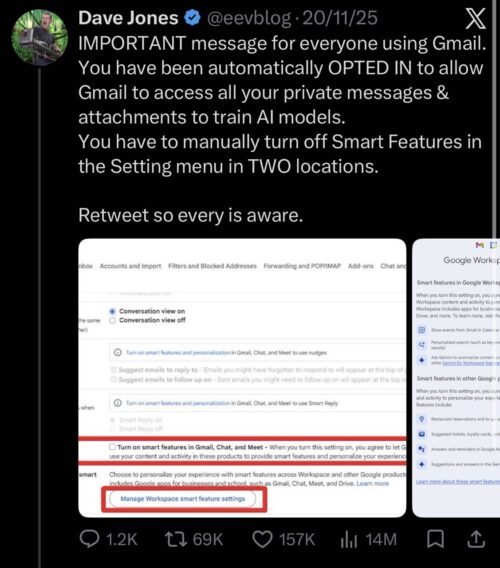
Replies poured in with screenshots, frustration, and stories of people discovering the options for the first time. Luiza Jarovsky’s step-by-step guide got massive traction too, with followers thanking her for finally showing them where everything hides.
Want to shut it down? It’s pretty simple once you know where to look. On a computer, open Gmail, click the gear icon up top, choose “See all settings,” and head to the General tab. Scroll down to “Smart features” and turn off the box for Gmail, Chat, and Meet. Keep going to “Google Workspace smart features,” click the manage link, and switch off both toggles there (one for Workspace apps, one for everything else). Screenshots by Dave added below:


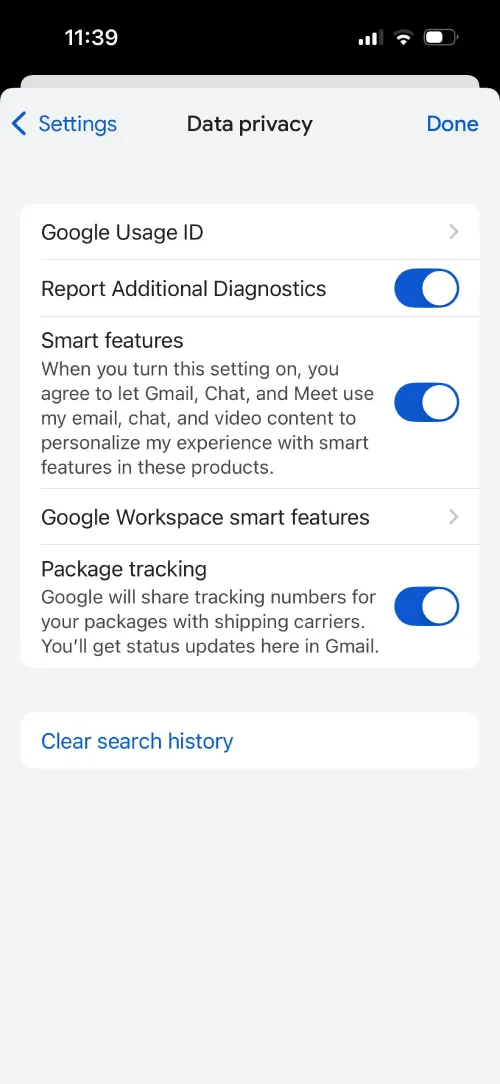
On your phone, tap the three-line menu, then go to Settings for your account and navigate to the Data privacy settings. Then, turn off Smart features and follow along with the Workspace smart features too. Log out and back in or refresh the page to make sure that the changes stick.
That’s the easy part. Here’s where it stings for a lot of people: turning everything off means saying goodbye to some genuinely useful stuff that used to work without any AI involvement. Your inbox tabs (Primary, Promotions, Social, Updates) vanish completely, dumping every email into one giant list that can feel overwhelming if you get a heavy volume.
Smart Compose stops suggesting sentence completions as you type. Quick summaries at the top of long threads disappear. Even basic spell check and autocorrect get disabled in some cases, which baffles people since those features predate Gemini by years. You’ll also see nagging pop-ups trying to convince you to flip the switches back on.
Google says this access only personalizes your own experience and doesn’t feed some giant training pool, sticking to their standard privacy claims. Still, if you deal with sensitive emails or simply don’t like extra scanning, opting out brings real peace of mind. Thousands are doing exactly that right now, even if it means a slightly clunkier inbox.


Dwayne Cubbins
2997 Posts
I cover fast-moving stories across apps, online platforms, and everyday tech — phones, wearables, consoles, and whatever else people are fighting with this week. Bugs, rollouts, scams, policy enforcement, and the occasional internet-culture rabbit hole are all fair game. My goal is simple — make confusing tech news readable. When I'm not working, I'm working out or chilling with my dog. Got a tip? You can find me on X @dcubbins.
Next article View Article
